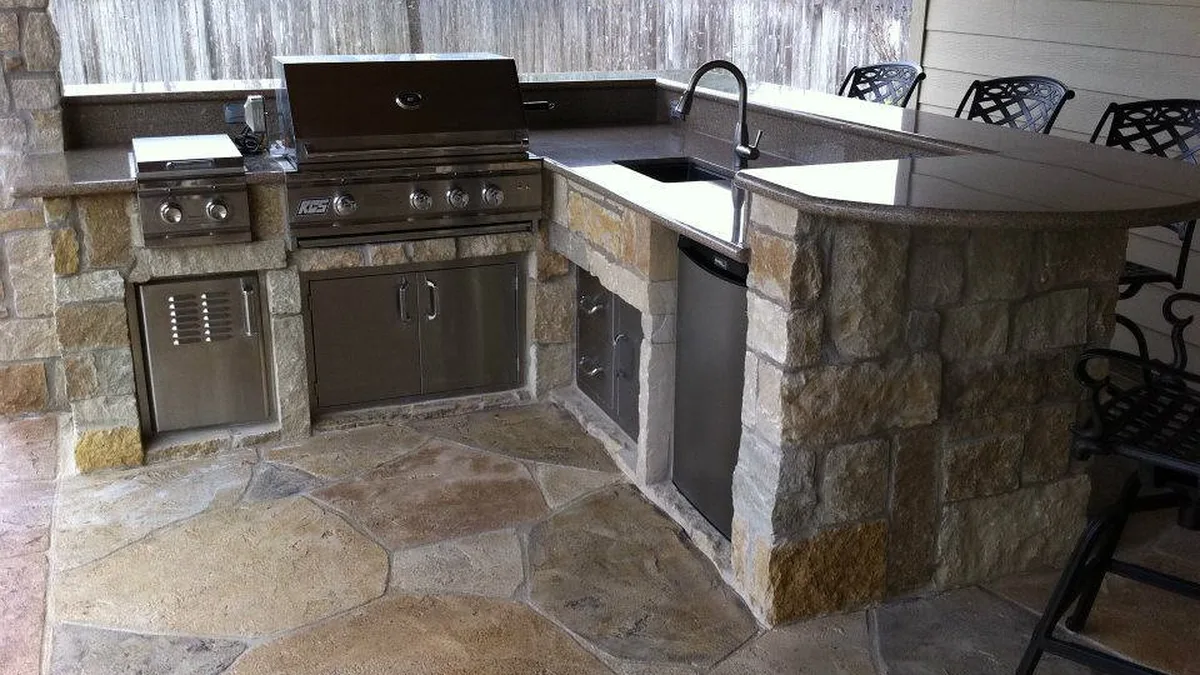
An outdoor bar is a small build with a long list of things that can go wrong. The counter has to sit at the right height for stools and for the person working behind it. The sink needs a water line and a drain that will not freeze in winter. The fridge needs power, ventilation and a door that seals in the heat. The stone or timber has to survive rain, sun and frost without staining, swelling or cracking.
That is why a new outdoor bar installation business needs software that thinks about the whole job, not just one part of it. A design tool that only draws pretty pictures will not help when the countertop order is short by a metre. A quoting tool that cannot handle plumbing runs, refrigeration and weatherproof cabinetry will leave money on the table. The nine tools in this guide were picked because they cover the full journey of a bar install, from the first site photo to the final invoice, and because each one handles at least one part of the job that is specific to bars rather than generic building work. Readers weighing a wider project may also want to compare the best AI tools for outdoor kitchen startups, since many bar installs sit inside a larger outdoor cooking space.
This guide keeps the focus narrow on purpose. It is about outdoor bars: the counter, the sink, the fridge, the plumbing, the seating and the weatherproofing.
Key takeaways
- Outdoor bar installs are detail-heavy jobs where the counter, sink, fridge, plumbing and weatherproofing all interact, so design, measuring and estimating tools have to work together.
- RoomSketcher and Planner 5D are the strongest starting pair for selling the bar before it is built, with 3D layouts and renders a homeowner can understand in minutes.
- Hover turns ordinary site photos into measurements, which cuts the most common source of bar estimating errors: a counter or fridge opening measured wrong.
- Buildxact and JobNimbus cover the money side, from material takeoff and quotes to follow-ups, scheduling and the job file.
- CompanyCam, Birdeye, QuickBooks Online and Fieldwire keep the build, the customer and the cash flow organised once work starts.
How the best AI tools for outdoor bar installation startups compare
| Tool | Best for | Standout feature | From |
|---|---|---|---|
| RoomSketcher | 3D bar layout design | Drag-and-drop floor plans with 3D walkthroughs | Free plan; Pro from around $49 a year |
| Planner 5D | AI 3D bar renders | AI-assisted design and photorealistic renders | Free plan; Premium from around $10 a month |
| Hover | AI measurements from photos | 3D model and measurements from smartphone photos | Pay per project |
| Buildxact | Estimating and material takeoff | Takeoff, quotes and supplier pricing in one place | From around $109 a month |
| JobNimbus | CRM for bar install sales and jobs | Lead tracking, estimates and job boards | From around $39 per user a month |
| CompanyCam | Photo documentation and crew communication | Timestamped site photos with annotations | From around $19 per user a month |
| Birdeye | AI reviews and customer messaging | Automated review requests and AI replies | Quote-based pricing |
| QuickBooks Online | Invoicing, expenses and cash flow | Quotes, invoices and bank reconciliation | From around $35 a month |
| Fieldwire | Jobsite task tracking and plan markups | Drawings, tasks and punch lists on site | Free plan; Pro from around $39 per user a month |
Prices change often, so treat the figures above as a starting guide and check each vendor site before you commit. Most of these tools offer a free plan or a trial, which means a new startup can test the real workflow on a real job before paying anything.
The 9 best AI tools for outdoor bar installation startups in detail
1. RoomSketcher: best for 3D bar layout design
RoomSketcher is a browser-based floor plan and 3D design tool that suits a bar startup because it is fast to learn and produces drawings a homeowner can read without any training. You draw the patio, drop in the bar counter, mark the sink and fridge positions, add stools and walkways, and then switch to a 3D view that shows how the space will actually feel. That matters for bars more than for most builds, because the difference between a bar that works and a bar that frustrates is measured in centimetres: the knee room under the counter overhang, the gap between the back counter and the fridge door swing, the reach from the sink to the serving area.
The workflow fits a small business well. A startup can sketch the layout during the first site visit, send the homeowner a 3D view the same evening, and revise it live on a call instead of redrawing a plan from scratch. RoomSketcher also produces floor plans with measurements, which gives the installer a document to work from and the homeowner a record of what was agreed. Its limits are honest ones: it is a layout and visualisation tool, not a structural design package, so it will not calculate loads, drainage falls or electrical circuits. Use it to sell the design and agree the layout, then hand the measurements to your estimating and jobsite tools.
2. Planner 5D: best for AI 3D bar renders
Planner 5D is an AI-assisted design app that turns a rough bar idea into a rendered image a homeowner can picture themselves using. You build the patio and bar in 2D, switch to 3D, and apply real materials such as stone cladding, timber, granite or concrete worktops, then render the result. The AI features help with the parts that usually slow a new designer down: generating room layouts, suggesting furniture and finishes, and producing photorealistic views without a separate rendering program. For a bar startup, that means the sales conversation changes from “trust us, it will look good” to “here is your bar, on your patio, in the late afternoon sun.”
Planner 5D works on phones, tablets and desktop, so the installer can tweak a design on site while standing where the bar will go. The catalogue of furniture and materials is large, which helps when a homeowner wants to compare a stone-clad bar with a timber one, or a dark worktop with a pale one. It is not a trade drawing tool, so the renders support the sale rather than replacing measured plans. Pair it with RoomSketcher for the agreed layout and Hover for the measurements, and Planner 5D becomes the tool that wins the job in the first place.
3. Hover: best for AI measurements from photos
Hover takes smartphone photos of a house and patio and turns them into a measured 3D model, complete with dimensions for walls, surfaces and openings. For an outdoor bar installer, that solves one of the most expensive problems in the trade: measurements taken by hand, in bad light, on a sloping patio, that turn out to be wrong when the countertop arrives. With Hover, the startup photographs the site, receives the measurements, and builds the quote from numbers that have been checked against a model rather than a tape measure held at arm’s length.
The practical benefit shows up in the details that make or break a bar install. The length of the counter run, the width of the fridge opening, the height of the raised bar, the fall of the patio away from the house for drainage: all of these come from the same measured model. Hover charges per project, which suits a startup that only needs measurements when a job is live, rather than paying a monthly fee during quiet weeks. The one habit to build is photographing the site properly: clear, overlapping shots in good light, with the whole patio and house wall in frame, so the model has enough to work with.
4. Buildxact: best for estimating and material takeoff
Buildxact is an estimating and job management tool built for residential builders and remodellers, and it fits bar installs because a bar is a materials-heavy job with a lot of small line items. Stone cladding, worktops, cabinetry, a sink, a tap, a fridge, plumbing fittings, electrical points, lighting, stools and sealant all add up, and a quote built in a spreadsheet will miss something. Buildxact lets the startup take quantities from the plan, price them against supplier catalogues, and produce a quote that shows the homeowner exactly what they are paying for. When the homeowner asks to swap a granite worktop for concrete, or to add a second fridge drawer, the estimate updates instead of being rebuilt from scratch.
The tool also handles the parts of a job that happen after the quote is accepted. It tracks purchase orders, schedules the work, and keeps the job costs visible so the owner knows whether the bar is making money or quietly losing it. For a startup, that discipline matters more than it does for a large firm, because one badly priced job can wipe out the profit from the next three. Buildxact starts from around $109 a month, which is a real cost for a new business, but it pays for itself the first time it catches a missing line item such as the plumbing run or the weatherproof sealant.
5. JobNimbus: best CRM for bar install sales and jobs
JobNimbus is a customer relationship and job management platform built for home exterior and remodelling contractors, and it works well for bar startups because most of the business is won or lost in the follow-up. A homeowner asks for a quote, then goes quiet for three weeks while they compare options. JobNimbus keeps that lead visible, records every call and email, and reminds the owner to follow up before the lead goes cold. It also turns an accepted estimate into a job, with a board that shows every bar install at its current stage, from first enquiry to final invoice.
The strength of JobNimbus for a small team is that the sales side and the job side live in one place. The same record that holds the homeowner’s details and the quoted price also holds the photos, the notes from the site visit, and the schedule. That stops the classic startup problem of the quote living in one app, the photos in another, and the install date in someone’s head. JobNimbus starts from around $39 per user a month, and it integrates with common accounting and photo tools, so it can sit at the centre of the stack rather than replacing everything.
6. CompanyCam: best for photo documentation and crew communication
CompanyCam is a photo documentation app made for contractors, and it earns its place on a bar install because so much of the work disappears behind stone, cladding and cabinetry. The plumbing run, the electrical points, the fridge ventilation gap, the waterproofing behind the counter: once the bar is finished, none of it can be seen, and if something goes wrong a year later, the photos are the only record of how it was built. CompanyCam lets the crew photograph each stage, with timestamps and locations attached automatically, and share the photos with the office and the homeowner without a separate messaging thread.
The app also solves the everyday communication problem of a small install team. The installer on site can photograph a problem, annotate the image, and ask the owner a question in the same place, instead of sending a blurry photo by text message and hoping the context is clear. CompanyCam starts from around $19 per user a month, and its free tier is enough for a startup to learn the habit. The habit itself is the point: photograph everything, in order, as it happens, because the photo you skip is always the one you need later.
7. Birdeye: best for AI reviews and customer messaging
Birdeye is a customer experience platform that helps a new bar installation business collect reviews and answer customers quickly, which matters because most bar installs are sold on trust. A homeowner spending thousands on a garden bar will check reviews before they call, and a startup with five strong reviews will beat a larger firm with none. Birdeye automates the review request after the job is finished, sends it by text or email, and uses AI to help draft replies to reviews and messages so that no customer waits days for an answer.
The messaging side is just as useful. Homeowners ask questions at odd hours: can the bar be built before a party next month, does the fridge need a dedicated circuit, what happens if it rains on install day. Birdeye brings those messages into one inbox and can suggest AI-drafted replies that the owner checks before sending. That keeps response times short without the owner living on their phone. The tool does not replace good work, but it makes sure good work is seen, and for a new business that visibility is often the difference between a quiet month and a full diary.
8. QuickBooks Online: best for invoicing, expenses and cash flow
QuickBooks Online is the accounting tool in this stack, and it matters for a bar startup because bar installs have lumpy cash flow: a deposit, a materials order, a gap while the worktop is fabricated, then the final payment. QuickBooks handles quotes, invoices, expenses and bank reconciliation in one place, so the owner can see whether the business is actually making money rather than just staying busy. It records the deposit when it arrives, matches the materials receipts against the job, and shows the profit on each bar install once the final invoice is paid.
For a startup, the practical wins are small but constant. Invoices go out the day the job finishes instead of the following week, because they are created from the quote in a few clicks. Overdue invoices are chased automatically with polite reminders. QuickBooks Online starts from around $35 a month for the simplest plan, and it connects with JobNimbus and other tools in this guide, so the job record and the money record stay in step. It will not design a bar or measure a patio, and it does not need to: its job is to make sure the business behind the bar installs survives its first year.
9. Fieldwire: best for jobsite task tracking and plan markups
Fieldwire is a jobsite management app that keeps the plan, the tasks and the punch list in the crew’s hands. The installer opens the bar drawings on a phone or tablet, sees the tasks for the day, marks up the plan where the site differs from the drawing, and checks tasks off as they are done. When the plumber, the electrician and the stone cladding installer are on site on different days, Fieldwire is the shared record of what is finished, what is blocked, and what still needs doing.
The markup feature is the one that saves bar installs specifically. A drain position that has to move because of a tree root, a fridge opening that needs an extra ten millimetres, a lighting point that the homeowner wants shifted: each change is drawn on the plan, photographed, and recorded with a note, so nothing is agreed verbally and then forgotten. The punch list at the end of the job captures the small items, such as a sealant bead to finish or a stool to level, before the homeowner signs off. Fieldwire offers a free plan for small teams, with Pro from around $39 per user a month adding more features.

Outdoor bar specifics the software has to handle
A bar install is not a small kitchen, and the software has to cope with the parts that are unique to bars. The counter is the first of these. A bar counter has two heights to get right: the working height behind the bar, where the sink and preparation space sit, and the serving height on the guest side, with an overhang deep enough for knees and stools. A design tool that only draws a single-height worktop will produce a bar that looks right in a render and feels wrong in use. RoomSketcher and Planner 5D both let the startup model the two levels and the stool positions, so the homeowner can see the seating arrangement before anything is ordered.
The sink and plumbing are the second specific. An outdoor sink needs a water supply, a drain, and protection against frost, which means the quote has to include the pipe run, the insulation and the shut-off valve, not just the sink itself. Buildxact is the tool that catches these line items, because its takeoff is built from the plan rather than from memory. The fridge is the third: an under-counter fridge needs power, ventilation around the unit, and a door that can open fully without hitting the counter overhang or a stool. Hover measurements and a RoomSketcher layout together stop the most common fridge mistake, which is ordering a unit that fits the opening but cannot breathe or open.
Seating and weatherproofing complete the list. Stools need floor space that does not block the walkway, and the bar needs shade and shelter that can be planned in the design stage rather than added as an afterthought. Every material on the bar has to survive rain and sun, which is why the estimate should include marine-grade sealant, weatherproof cabinetry and a cover for the bar when it is not in use. Installers who also fit garden cooking equipment can compare notes with the best AI tools for pizza oven installation startups, where the same weatherproofing and heat questions come up in a different form.
Your starter stack by budget
A startup with almost no budget can begin with the free tiers and pay-per-project tools, and still run a professional job. RoomSketcher free and Planner 5D free cover design and renders, Hover is paid only when a measurement is needed, Fieldwire free covers the jobsite plan and tasks, and CompanyCam free covers photo documentation. That stack costs nothing in a quiet month and scales with the work. Add QuickBooks Online early, because the accounting habit is hardest to build later, and keep the quote in Buildxact or JobNimbus once the volume justifies it.
A startup with around $200 to $300 a month to spend can run the full stack properly. Buildxact for estimating, JobNimbus for the CRM and job board, CompanyCam Pro for the whole crew, QuickBooks Online for the money, and Fieldwire Pro for larger jobs. The design tools stay on their free or low-cost plans, with Hover paid per project. At this level the tools are no longer a cost to minimise but a system that wins jobs, prevents mistakes and frees the owner’s time for selling and building. The test for any tool at any budget is simple: does it save an hour, prevent a mistake, or win a job that would otherwise be lost. If it does none of those three things, drop it.
How to choose the right AI tools for your outdoor bar installation startup
Start from the job, not from the software. A startup that struggles to win work should invest first in design and renders, because a homeowner who can see their bar will sign faster than one who is asked to imagine it. A startup that wins work but loses money on it should invest first in estimating, because a bar priced from a guess will always be the job that eats the profit. A startup that builds well but cannot keep track of jobs, photos and invoices should invest first in JobNimbus, CompanyCam and QuickBooks Online, because chaos is the most expensive problem of all.
Try each tool on a real job before paying for it. A free trial used on a pretend project proves nothing; the same trial used on a live bar install shows whether the tool fits the way the crew actually works. Check that the tools connect to each other, or at least that the same job can move between them without retyping everything. And keep the stack small: nine tools is a menu, not a shopping list. Most startups will use four or five of these every week and keep the rest for the jobs that need them.
Checklist: launching your AI-powered outdoor bar installation business
- Pick your design pair and practise on a real patio: build a bar layout in RoomSketcher and a render in Planner 5D before your first paying job.
- Set up Hover and photograph a full site properly, with clear overlapping shots, so your first measurements are accurate.
- Build one complete bar estimate in Buildxact, including plumbing, refrigeration, sealant and stools, and use it as your template.
- Put every lead in JobNimbus from day one, with the follow-up date set before you hang up the phone.
- Photograph every stage of every install in CompanyCam, including the plumbing and wiring that will be hidden when the bar is finished.
- Send the final invoice from QuickBooks Online on the day the job is signed off, and ask for the review through Birdeye the same week.
Common mistakes outdoor bar installation startups make
The most common mistake is designing the bar for the photograph rather than for the person using it. A counter that looks generous in a render can leave no knee room, a fridge can be boxed in so tightly that it overheats, and a sink can be placed where the bartender has to twist to reach it. The fix is to design with the layout tools and then walk the layout on site, stool by stool, before ordering anything. A related mistake is under-pricing the hidden work: the pipe run, the electrical circuit, the drainage fall and the weatherproofing. These are the lines that get missed in a spreadsheet quote and found in the profit margin, which is why an estimating tool with a proper takeoff matters from the first job.
Another mistake is treating the bar as a one-off build rather than a business. Startups that do not follow up on quotes, do not photograph their work, and do not ask for reviews will keep starting from zero with every job. The CRM, the photo app and the review tool exist to stop that happening. Finally, many new installers try to do everything themselves, including gas, plumbing and electrical work that needs a licence in their area. The software can plan the job and track it, but it cannot replace the qualified tradesperson, and the same caution applies across garden builds, as the top AI tools for outdoor fireplace installation startups guide shows for gas and flue work. Know the local rules before you quote, and bring in the right specialist where the job needs one.
Frequently asked questions
How much should an outdoor bar installation startup spend on AI tools in year one?
Most startups can start on the free plans and pay-per-project tools for very little, then settle at around $200 to $300 a month once bar work is steady. Spend first where the pain is: design tools if you are not winning jobs, estimating if you are not making money on them, and CRM and photo tools if jobs are slipping through the cracks.
Do I need 3D design software to sell outdoor bars?
You do not need it, but it makes selling far easier. A homeowner who can see their bar in 3D, with the stools, the sink and the fridge in place, will decide faster and argue less about the price than one who is shown a flat sketch. RoomSketcher and Planner 5D both have free plans, so there is little reason not to show a 3D design at the first meeting. The design also protects the installer, because the agreed layout is recorded before any materials are ordered.
Can AI really measure a patio accurately enough for a bar install?
Hover produces measurements from smartphone photos that are accurate enough for quoting and ordering in most cases, but the installer should still verify the critical dimensions on site before ordering the worktop or the fridge. The counter length, the fridge opening and the heights are the three numbers to check by hand. Used that way, AI measurement removes the routine measuring work and the errors that come with it, while the final check protects the job.
What is the hardest part of running an outdoor bar installation startup?
The hardest part is usually the combination of selling and pricing: winning enough jobs without under-pricing them. Bar installs look simple to a homeowner, so the quote has to explain the plumbing, refrigeration, drainage and weatherproofing that make the price fair. The design tools help with the selling, the estimating tools help with the pricing, and the CRM helps with the follow-up that turns enquiries into signed jobs.
Do I need a plumbing licence to install an outdoor bar sink?
It depends on where you work. Connecting a sink to a water supply and drain often needs a licensed plumber, and gas and electrical work almost always need a qualified tradesperson. The rules vary by state and country, so check the local requirements before quoting a job that includes plumbing, gas or new circuits, and price the specialist into the estimate rather than treating it as an afterthought.
How do outdoor bar installation startups get their first clients?
The first clients usually come from the installer’s own network, from local garden and patio trades, and from photos of finished work shared locally. A strong first job, photographed well in CompanyCam and shared with a review collected through Birdeye, is worth more than any advert. Local landscapers, patio builders and kitchen fitters are good referral partners, because they meet homeowners who are already spending money on their gardens.
The bottom line
An outdoor bar installation startup does not need the most expensive software, and it does not need all nine tools on day one. It needs a design pair that sells the bar, a measuring tool that gets the numbers right, an estimating tool that prices the hidden work, and a small set of apps that keep the job, the photos and the money organised. RoomSketcher and Planner 5D win the job, Hover and Buildxact price it properly, and JobNimbus, CompanyCam, Birdeye, QuickBooks Online and Fieldwire carry it through to a happy homeowner and a paid invoice. Start with the free plans, prove the workflow on real jobs, and add the paid tools as the diary fills up.

Keep what speaks to you.
Leave room for your own perspective.