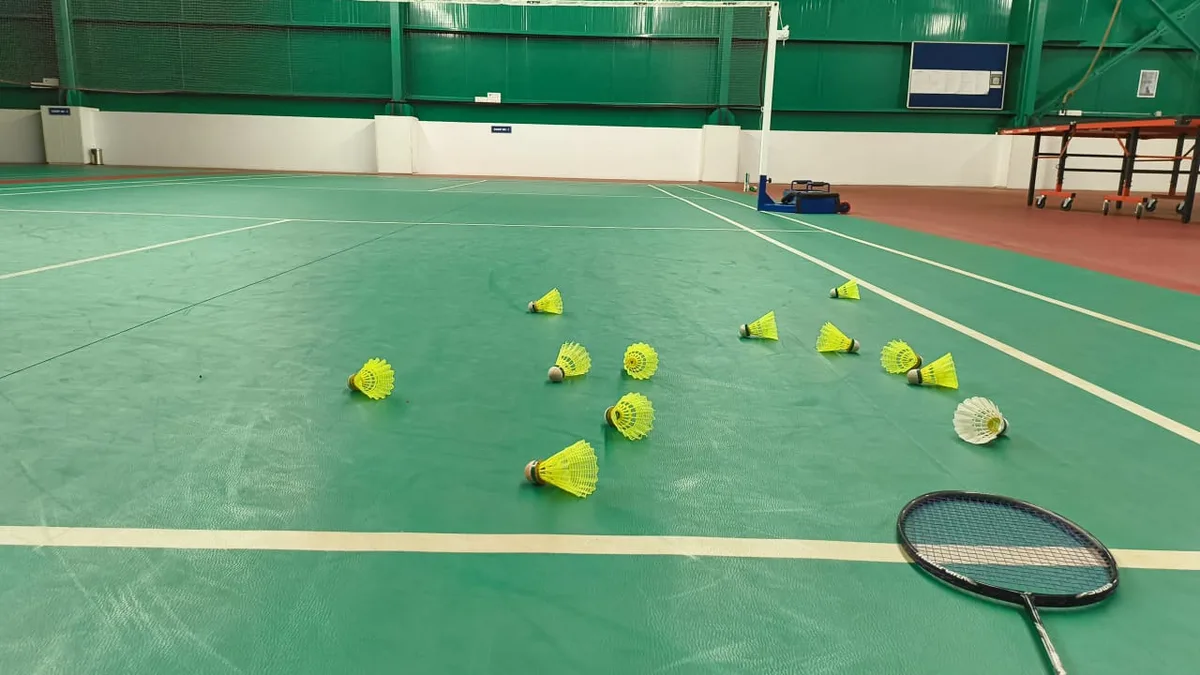
The best AI tools for badminton court installation startups in 2026 turn a small crew with a line-marking machine, a roller and a van full of surfacing materials into a business that can survey a draughty sports hall on Monday, send a priced quote by Wednesday, and hand over a finished court with crisp lines, taut nets and even lighting before the season starts. A badminton court installation startup does not sell lessons, club memberships or rackets. It sells a finished playing surface, built to exact dimensions, on ground that is rarely flat and never quite what the drawings promised. A doubles court measures just 13.4 by 6.1 metres, yet every millimetre is judged: a line half a centimetre out, or a net post a fraction too low, will be noticed by the first players who walk on.
When any part of that chain breaks, the cost is immediate. A quote that takes three weeks to arrive loses to a competitor who answered in two days. A surface laid without the right cushioning plays dead underfoot and has to be lifted and relaid at your expense. Lines painted in the wrong conditions peel before the first tournament is played, and a hall lit with the wrong fittings leaves players squinting into glare every time they look up for a high clear. Badminton court installation is a trade where the work happens in three very different places at once. The design lives on a screen, the materials live in a yard or on the back of a van, and the finished court lives in a school hall, a leisure centre, a hotel or a community sports building where players, owners and inspectors will all judge it.
A small startup has to hold all three together with a handful of people, and that is exactly where artificial intelligence earns its keep. The tools in this guide do not replace the crew on site. They take the repetitive work off the crew’s shoulders: measuring a hall from phone photos, turning a sketch into a priced quote, scheduling surfacing around hall availability, logging every layer of the base and every coat of paint, and chasing the invoice once the job is signed off. This guide covers nine tools that fit the way badminton court installation actually works: field service and quoting tools, design and measuring tools that make a client say yes faster, and the quiet back-office systems that keep cash flowing. Together they cover the whole job, from the first phone call to the final handover, and each one is judged on the same question: does it save a small installation business real time and real money in its first year? The angle here is the court itself, its surface, its lines, its net posts and its lighting, rather than the coaching or club management software that serves the people who play on courts once they are built.
Key Takeaways
- Badminton court installation is a precision trade, not a coaching business, so the tools that matter most are quoting, measuring, scheduling, surfacing and handover documentation.
- A 3D court layout that a school bursar or leisure-centre manager can see on screen closes jobs faster than any paper drawing, because it shows the lines, posts and lighting before a single tin of paint is opened.
- AI quoting and scheduling cut the gap between first enquiry and signed contract from weeks to days, which is often the difference between winning and losing a job.
- Surface, lines and lighting decide whether a court plays well for ten years or two, so the tools that log every layer, every line measurement and every light fitting are worth paying for.
- Start with three tools, quoting, measurement and job scheduling, and add the rest only when the first three are earning their keep.
Why Badminton Court Installation Startups Need AI in 2026
A badminton court installation startup in 2026 works in a busier market than five years ago. Schools are refurbishing tired sports halls, leisure centres are adding courts, developers are putting games areas into new estates, and community groups are converting halls and warehouses into playable space. The demand is real, but so is the pressure: customers expect a professional quote within days, a clear picture of the finished court in their own hall, a firm date that fits around school terms and club nights, and proof that the finished court meets the right dimensions. A two-person crew cannot deliver all of that on memory and paper forms.
Badminton has its own quirks that generic builders’ software misses. The court is small, so jobs stack up fast and one delayed installation can push three more. The lines are the product: a badminton court has more painted lines per square metre than almost any other playing surface, and each one must sit exactly where the standard says it should. The net posts must stand 1.55 metres high on the doubles sidelines, and the net must sag to exactly 1.524 metres at the centre. Lighting is a playing condition, not an afterthought, because a badly placed fitting blinds a player watching a shuttle drop from the ceiling.
There is also the question of where a badminton court sits among other court businesses. The skills overlap with other racket sports, and the estimating and scheduling problems are close cousins of those faced by tennis court installation startups, which also juggle surfacing, lines, nets and drainage on tight seasonal windows. The difference is scale and setting: a badminton court usually goes indoors, into a hall with its own booking calendar, its own lighting rig and its own floor to protect. That makes hall access, dust control and working around other users part of every job, and it makes clear communication with the hall manager as important as the quality of the paint. AI tools help most when they keep that communication tidy, the measurements honest and the paperwork complete.
How We Compared the Tools
Every tool in this guide was judged against the same five tests. First, does it fit a crew of two to ten people? Second, does it handle the badminton-specific work: court dimensions, line marking, net posts, surfacing layers and lighting checks? Third, does it shorten the time between first enquiry and signed contract? Fourth, does it produce a handover record a school or leisure centre can file away and trust? And fifth, can a new starter learn it in a week without a training course? Tools that failed two or more of those tests did not make the list, however popular they are in general construction.
The 9 Best AI Tools for Badminton Court Installation Startups at a Glance
| Tool | Best for | Standout strength |
|---|---|---|
| Workiz | Quoting, scheduling and invoicing | Fast mobile quotes with AI call handling |
| ServiceM8 | Small crew job management | Simple job cards the whole crew actually uses |
| Fergus | Quoting and job costing for trades | Live job profitability on every court |
| SketchUp | 3D court layouts and client visuals | Quick, convincing court drawings for sign-off |
| magicplan | Measuring halls from phone photos | Floor plans and measurements without a laser |
| Pix4D | Drone mapping for outdoor courts | Accurate site maps and levels for groundwork |
| TrueLook | Jobsite cameras and progress records | Time-lapse proof of every layer laid |
| FreshBooks | Invoicing and accounting | Clean invoices and late-payment chasing |
| Pipedrive | Sales pipeline and follow-ups | Never losing track of a warm enquiry |
The 9 Best AI Tools for Badminton Court Installation Startups in Detail
1. Workiz for Quoting, Scheduling and Invoicing
Workiz is a field service platform built around the phone call that starts most jobs. Its AI call handling answers enquiries when the crew is on site, takes the details, and books the job into the schedule, so a school caretaker ringing at lunchtime gets a helpful answer instead of voicemail. For a badminton court installer, that matters more than it sounds: hall managers ring during the working day, while your crew is laying a surface and cannot pick up. Workiz turns that missed call into a booked survey instead of a lost job. The mobile app lets you build a quote on the hall floor, line by line, with surfacing, line marking, net posts and lighting as separate items the client can see and approve.
The scheduling board shows every court job by day and crew, and flags clashes with hall availability before you promise a date you cannot keep. Invoicing follows the job automatically, with payment links going out alongside the handover photos. The trade-off is that Workiz is a general field service tool: you will set up your own templates for court builds, re-surfaces and line repaints, plus a checklist for net-post heights and line measurements. Once those templates exist, quoting a standard doubles court takes minutes.
2. ServiceM8 for Small Crew Job Management
ServiceM8 is the quiet workhorse of this list. It gives every job a card with the client, the address, the scope, the photos and the checklist, and it keeps that card in every crew member’s pocket. For a badminton installation crew, the job card is where the court dimensions, the surface specification, the line colours and the lighting notes live, and the crew ticks them off as the work is done. The form builder lets you create a handover form with net-post height, net centre sag, line measurements and lighting checks, so the finished court leaves with a signed record instead of a handshake and a hope.
Its AI features sit in the background: smart scheduling suggestions, automatic reminders and invoice follow-ups that need no one to remember them. ServiceM8 suits crews of two to eight people who want one place for everything, and it is less suited to large multi-court programmes with subcontractors. The mobile app works offline in halls with poor signal, syncing when the crew is back in the van. If your paperwork currently lives in three notebooks and a group chat, ServiceM8 is the fastest way to fix that.
3. Fergus for Quoting and Job Costing for Trades
Fergus is built for trade businesses that live or die on job profitability, and a badminton court installer is exactly that kind of business. Every court has materials, labour, travel and hall-hire costs, and a quote that forgets the line-marking paint or the second visit to fit the net posts can turn a profitable job into a loss. Fergus tracks costs against the quote in real time, so you can see on a Tuesday whether a court that looked profitable on paper is still profitable halfway through. Its AI estimating helps you price repeat work faster: once you have costed three standard doubles courts, the fourth quote practically writes itself.
The job tracking view shows every live court, what has been spent, what has been invoiced and what is still owed, which is the view an owner needs before taking on the next job. Fergus also handles supplier price lists, so a rise in surfacing costs flows into the next quote instead of being discovered at the end of the month. Choose Fergus if your quotes are accurate but your margins keep slipping, or if you need to prove which kinds of court work actually make money.
4. SketchUp for 3D Court Layouts and Client Visuals
SketchUp is the tool that makes a client say yes. A badminton court is hard to picture from a written specification, but a simple 3D drawing of the client’s own hall, with the court lines, the net posts, the run-off areas and the lighting positions marked, answers most questions before they are asked. SketchUp is fast to learn for this kind of work: draw the hall, drop in the court at the right dimensions, add the posts and the light fittings, and show the client the result on a tablet. The AI-assisted tools in recent versions speed up repetitive drawing, and the huge library of ready-made components means you rarely draw a net post or a light fitting from scratch.
For an installation startup, SketchUp pays for itself in fewer site visits and faster sign-offs. A school committee can approve a layout by email instead of waiting for a second meeting, and a leisure centre manager can see exactly where the court sits relative to the storage cupboard and the fire exits. The drawings also become the working plan on site, so the crew marks lines from the same drawing the client approved. SketchUp is not a costing tool, so pair it with a quoting tool on this list, and keep models simple: a clean hall, a correct court and honest dimensions beat a fancy render every time.
5. magicplan for Measuring Halls from Phone Photos
magicplan turns a phone into a measuring tool. Walk around a hall taking photos, and it builds a floor plan with measurements, which you can then check with a laser and adjust. For a badminton court installer, that first visit is often the difference between a good quote and a guess: is the hall actually long enough for a doubles court plus run-off, is the ceiling high enough for a clear, and where do the pillars and radiators sit? magicplan captures all of that in one visit, and the AI object recognition picks out doors, windows and fittings without you tapping every one.
The plans export into the quoting and design tools, so the measurements you take on Tuesday become the court drawing on Wednesday and the quote on Thursday, with no retyping in between. That matters because retyping measurements is where errors creep in, and a court laid from a wrong measurement is a court laid twice. magicplan is not a substitute for a final laser check before painting lines, and it struggles in very dark halls, so carry a torch and a tape as backup.

6. Pix4D for Drone Mapping of Outdoor Courts
Not every badminton court goes indoors. Outdoor courts in gardens, school playgrounds and holiday parks are a growing part of the work, and they bring groundwork problems an indoor hall never has: slopes, drainage, tree roots and uneven ground. Pix4D turns drone photographs into accurate maps, levels and 3D models of a site, so you can see the fall across a garden, plan the base and the drainage, and price the groundwork honestly before the digger arrives. Its AI processing stitches hundreds of photos into a single survey you can measure from, and the contour and volume tools tell you how much material the base will actually need.
For a startup, Pix4D replaces the expensive surveyor on small outdoor jobs and gives the client a map they can understand. It also creates a before-and-after record: fly the site before work starts and again when the court is finished, and you have proof of the levels and the drainage that no argument can undo. You will need a drone and, in many places, a licence or registration to fly it commercially, so check the local rules before you offer drone surveys as a service. Use Pix4D when outdoor courts are a real part of your work; if you only fit indoor halls, the tools above will serve you better. The groundwork discipline here is close to what pickleball court installation startups face on outdoor sites, where the same questions about levels, drainage and surfacing decide whether a court lasts.
7. TrueLook for Jobsite Cameras and Progress Records
TrueLook puts a camera on the job and turns it into a record. A fixed camera on a hall balcony or a site cabin takes photos through the day, and the software stitches them into a time-lapse that shows the court being built, layer by layer. For a badminton installer, that record is worth more than marketing footage, although the marketing footage is a bonus. It proves the base was laid, the cushioning went down, the lines were measured before painting and the net posts were set plumb. If a client questions the work six months later, you can show them the day it happened instead of arguing from memory.
TrueLook’s AI features flag days with no activity and organise thousands of site photos into a searchable record, so finding the photo of the line measurements from a job last March takes seconds. The cameras are weatherproof and run on site power or solar, and the platform works for both indoor halls and outdoor courts. The cost is higher than a phone camera, so it suits startups that are already winning regular work and want a professional record to match. If disputes and callbacks are eating your margin, TrueLook is the tool that quietly stops them.
8. FreshBooks for Invoicing and Accounting
FreshBooks is the tool that makes sure you get paid. It is built for small businesses that invoice for completed work, and a badminton court installer fits that shape exactly: a deposit, a stage payment when the surface goes down, and a final invoice on handover. FreshBooks turns a finished job into a clean, professional invoice in minutes, with the court description, the line items and the payment link all in place. Its AI features chase late payments politely and automatically, which matters in a trade where schools and leisure centres pay on their own timetable and a forgotten invoice can sit unpaid for months.
Expense tracking is simple enough to use from the van: photograph a receipt for paint or net posts and it is logged against the job. FreshBooks also produces the reports an accountant needs at year end without a spreadsheet rescue mission. It is not a job management system, so it works best paired with ServiceM8, Fergus or Workiz, taking the finished job and turning it into money. Choose FreshBooks if your work is good, your clients are happy, and your bank balance still does not reflect either of those things.
9. Pipedrive for Sales Pipeline and Follow-Ups
Pipedrive is the tool that stops enquiries from going cold. A badminton court startup lives on a pipeline of school bursars, leisure-centre managers, hotel owners and community groups, and each one moves at a different speed. One rings in January and signs in March, another asks for a quote and then goes quiet until the new budget year. Pipedrive keeps every enquiry visible, with the next step and the next date attached, so nothing depends on one person’s memory. Its AI assistant drafts follow-up emails, suggests the best time to ring back and flags deals that have gone quiet, which is the difference between a polite nudge and a lost job.
The visual pipeline shows every court job from first call to signed contract, and it makes the health of the business obvious at a glance: if the pipeline is empty in February, the diary will be empty in April, and you can see it coming in time to do something about it. Pipedrive integrates with the quoting and invoicing tools on this list, so a signed deal becomes a job without retyping the client’s details. It is a sales tool first, so it will not run the installation itself, but once enquiries outnumber the jobs you can take, Pipedrive keeps the right ones moving.
Building Your Launch Stack
Start with three tools and add the rest only when the first three are earning their keep. A sensible first stack is Workiz or ServiceM8 for quoting and job management, magicplan for measuring halls, and FreshBooks for invoicing. That combination covers the whole journey from first call to paid invoice, and it costs less per month than a single day of rework on a badly measured court. Add SketchUp next, because a 3D court drawing is the fastest way to win a hesitant client, and add Pipedrive when enquiries start slipping through the cracks. Pix4D and TrueLook come later, when outdoor courts and larger programmes make site records worth paying for.
Keep the stack small on purpose. Every tool you add is another login, another app for the crew to open and another monthly charge. The crews that do best are the ones whose tools all talk to each other: a measurement from magicplan becomes a drawing in SketchUp, the drawing becomes a quote in Workiz, the quote becomes a job card in ServiceM8, and the finished job becomes an invoice in FreshBooks. Test the connections before you commit, and run the whole stack on one real job before you roll it out to the crew. The same discipline applies across the trade: even basketball hoop installation startups succeed or fail on the same chain of measure, quote, install and invoice.
Common Mistakes to Avoid
The first mistake is quoting from memory. A badminton court has too many variables, surface, lines, posts, lighting and hall access, for a price guessed on the phone. Measure the hall, price the job from the measurement, and let the quoting tool do the arithmetic. The second mistake is painting lines before the surface has cured or the hall has dried out: a line that peels in the first month costs more in reputation than the day you saved by rushing it. The third mistake is ignoring lighting. Walk the hall, look up, and check the fittings against the court position before you promise a completion date, because a lighting change ordered late can hold up handover by weeks.
The fourth mistake is buying every tool at once. A new startup with nine subscriptions and two jobs a month is paying for software instead of surfacing, and the crew will use none of it properly. Start with three, master them, and add the next one only when a real job shows you the gap. The fifth mistake is keeping no handover record. Measure the net posts, photograph the lines, log the lighting checks and hand the client a signed sheet; it takes ten minutes and it protects you when a line is questioned a year later. The sixth mistake is treating the hall manager as an obstacle instead of a partner. They control access, they know the hall’s quirks and they decide who gets recommended to the next school.
Checklist: Launching Your Badminton Court Installation Startup
- Pick your quoting and job management tool first, and set up templates for a standard doubles court, a re-surface and a line repaint.
- Build a measurement routine: phone plan on the first visit, laser check before painting, and a written record of every line measurement.
- Create a handover form covering net-post height, net centre sag, line positions and lighting checks, and use it on every job.
- Price three real jobs through the quoting tool before you take a paying client, and check the margins honestly.
- Set up invoicing with deposit, stage and final payments, and switch on automatic late-payment reminders from day one.
- Photograph every layer of every court, and file the photos with the job card so the record outlives the crew’s memory.
Frequently Asked Questions
How much do AI tools for a badminton court installation startup cost?
Most small crews spend the equivalent of a few hundred pounds or dollars a month across three or four tools, with quoting and job management the largest share. Start with one quoting tool and one invoicing tool, and add measurement and design tools only when the work justifies them. Free trials are common, so run a real job through each tool before you pay for it, and check whether the price is per user or per business.
Do I need a drone survey for every badminton court?
No. Indoor courts, which are most of the work, need a phone plan and a laser check, not a drone. Drone mapping earns its keep on outdoor courts, where levels and drainage decide the groundwork. If you only fit indoor halls, spend the money on a good laser measure and a 3D drawing tool instead.
Can AI tools really help with badminton court lines?
They help with everything around the lines: measuring the hall accurately, drawing the court at the right dimensions, checking the measurements before painting and photographing the finished lines for the handover record. No tool paints the lines for you; the steady hand and the right paint still belong to the crew.
What is the best first AI tool for a badminton court installation startup?
A quoting and job management tool, because slow quotes lose more jobs than any other single cause. Workiz, ServiceM8 or Fergus all fit, and the right choice depends on whether your bigger problem is missed calls, messy paperwork or slipping margins. Pick one, set up your court templates, and use it on every enquiry for a month before you judge it.
How long does it take to set up AI tools for a badminton court installation startup?
A basic stack takes a week of evenings: a day to choose the tools, a day to set up templates and checklists, and a few days to run them on a real job and fix what does not work. The 3D drawing and drone tools take longer to learn well, so add them one at a time.
Should I use one all-in-one tool or several specialist tools?
Several specialist tools, connected together, beat one all-in-one platform for a small installation crew. An all-in-one tool does everything adequately and nothing brilliantly, while a small stack lets you pick the best quoting, measuring and invoicing tools for your work. The risk is a stack that does not connect, so check the integrations before you buy, and keep the total to four or five tools at most.
The Bottom Line
A badminton court installation startup wins on precision, speed and paperwork, in that order. The court must measure correctly, the quote must arrive quickly, and the handover must be documented. The nine tools in this guide cover those three things without asking a small crew to become software experts: quoting and job management to win the work, measuring and design tools to get the court right, and invoicing and sales tools to turn the work into money. Start with three, master them on real jobs, and add the rest as the diary fills. The court you hand over is the advertisement for the next one, so build it well, measure it twice and leave a record that proves it.

Keep what speaks to you.
Leave room for your own perspective.