
The best AI tools for tennis court installation startups in 2026 turn a small crew with a laser level, a roller and a van full of surfacing materials into a business that can survey a sloping garden on Monday, send a priced quote by Wednesday, and hand over a finished court with crisp lines, taut nets and proper drainage before the season starts. A tennis court installation startup does not sell lessons or memberships. It sells a finished playing surface, built to exact dimensions, on ground that is rarely flat and never quite what the drawings promised. When any part of that chain breaks, the cost is immediate. A quote that takes three weeks to arrive loses to a competitor who answered in two days. A base laid without proper drainage cracks within a year and has to be rebuilt at your expense. A court painted in the wrong weather peels before the first match is played.
Tennis court installation is a trade where the work happens in three very different places at once. The design lives on a screen, the materials live in a yard or on the back of a lorry, and the finished court lives in a garden, a school field, a hotel ground or a club site where players, owners and inspectors will all judge it. A small startup has to hold all three together with a handful of people, and that is exactly where artificial intelligence earns its keep. The tools in this guide do not replace the crew on site. They take the repetitive work off the crew’s shoulders: measuring a site from drone photos, turning a sketch into a priced quote, scheduling surfacing around the weather, logging every layer of the base and every coat of paint, and chasing the invoice once the job is signed off.
This guide covers nine tools that fit the way tennis court installation actually works. Some are built for builders and field service crews, some are design and measuring tools that make a client say yes faster, and some are the quiet back-office systems that keep cash flowing. Together they cover the whole job, from the first phone call to the final handover, and each one is judged on the same question: does it save a small installation business real time and real money in its first year? The angle here is the court itself, its surface, its lines, its nets, its fencing and its drainage, rather than the coaching or club management software that serves the people who play on courts once they are built.
Key Takeaways
- Tennis court installation is a project business, not a coaching business, so the tools that matter most are quoting, site surveys, scheduling, surfacing and handover documentation.
- A drone survey and a 3D court layout that a homeowner or club committee can see on screen closes jobs faster than any paper drawing.
- AI quoting and scheduling cut the gap between first enquiry and signed contract from weeks to days, which is often the difference between winning and losing a job.
- Drainage and base preparation decide whether a court lasts twenty years or two, so the tools that log every layer and inspection are worth paying for.
- Start with three tools, quoting, design and job scheduling, and add the rest only when the first three are earning their keep.
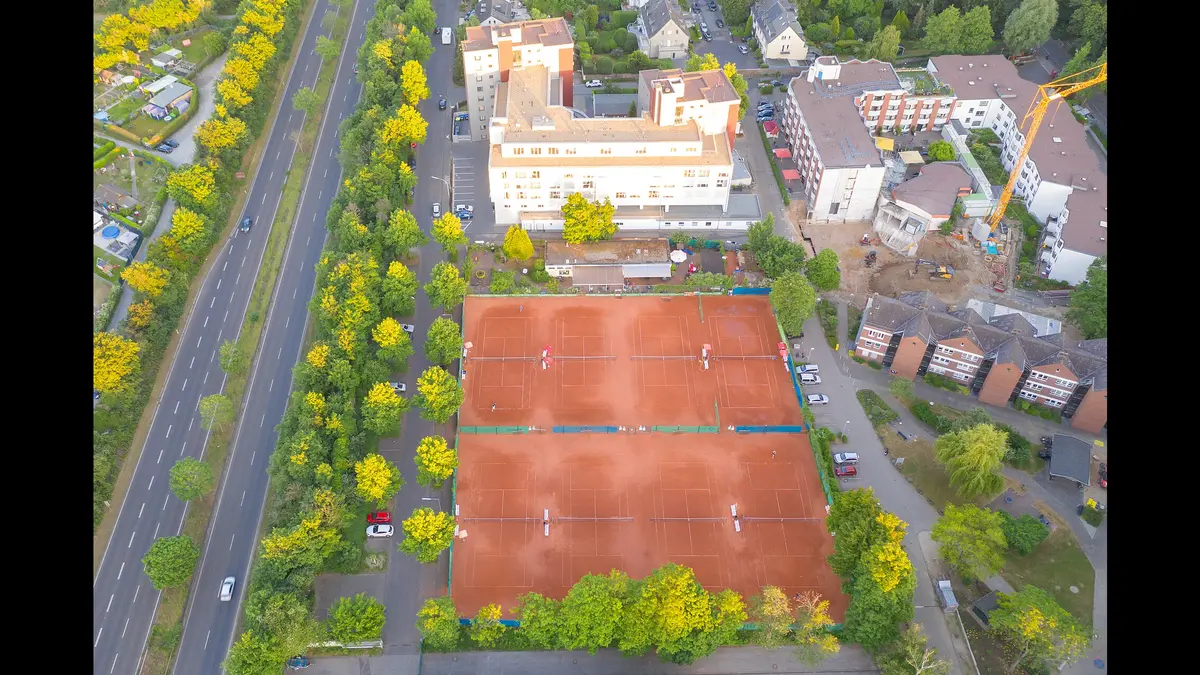
Why Tennis Court Installation Startups Need AI in 2026
A tennis court installation startup in 2026 works in a market that is busier and more demanding than it was five years ago. Homeowners are adding private courts to large gardens, hotels and resorts are rebuilding their sports facilities, schools are replacing cracked asphalt courts, and padel and pickleball conversions are creating extra work for any crew that can lay a proper surface. The demand is real, but so is the pressure. Clients expect a professional quote within days, a clear design they can show a partner or a committee, a firm start date, and a written record that proves the finished court meets the right dimensions and falls.
The second pressure is the job itself. No two court sites are the same. One garden is flat with easy lorry access, the next slopes two metres across its length, has tree roots under the proposed baseline, a buried drain under the net line and a gate too narrow for the delivery vehicle. The surface changes with every job too: a hard court needs a stone base and acrylic coating, a clay court needs a different sub-base and regular maintenance, and an artificial grass court needs its own drainage and infill. Every variation changes the price, the delivery schedule, the surfacing plan and the final checks. Doing all of that by hand, job after job, is where small installers lose money. They underprice the awkward jobs, forget a delivery, or discover on site that the surfacing crew and the fencing crew are booked for the same day.
There is also a trust question. A tennis court is one of the most expensive things a business builds in a private garden, and the owner carries the cost if it goes wrong. A startup that can show a clean digital trail, a design signed off by the client, a delivery record, a photo log of every layer of the base, a line-marking check and a final handover report, all in one place, wins work that a cheaper competitor cannot. The tools in this guide are chosen with that trail in mind. They make the paperwork a by-product of doing the job properly, rather than a chore that gets done at midnight after a long day on site.
How We Compared the Tools
We judged every tool on installation fit first. A tool earns its place here only if it understands the jobs that define the trade: measuring a site, pricing a court, scheduling a crew, documenting layers and finishes, and getting paid. Generic business software that treats a tennis court like a hotel room was marked down, however polished its interface looked. We also tested how each tool handles the physical reality of the work, because a scheduling app that only works on a desktop is useless to a crew standing in a muddy garden.
Next we looked at the daily work of a startup. Can a founder measure a site in minutes, send a priced quote the same day, book the crew and the materials without a phone call, and log the day’s work with photos from a phone? Can the business show a client exactly what was laid, in what order, and when? Can it send a message to one client about one job without messaging everyone? We also checked pricing honesty, ease of use for non-technical staff, and whether the tool grows with the business from one court a month to four without a painful migration. Where a tool also serves the people who run courts after handover, we compared notes with the best AI tools for tennis academy startups, but only where coaching and court booking overlap with the installation handover.
The 9 Best AI Tools for Tennis Court Installation Startups at a Glance
| Tool | Best for | Standout strength | Starting price |
|---|---|---|---|
| Houzz Pro | Estimating, 3D design and client sign-off | Visual proposals a client can approve on screen | From about $65 a month |
| Buildxact | Quoting and estimating for small builders | Fast, accurate quotes from a measured plan | From about $109 a month |
| Simpro | Job management for trade contractors | Full job tracking from quote to invoice | Quote on request |
| Tradify | Quoting, scheduling and invoicing for trades | Simple job flow the whole crew can follow | From about $149 a month |
| DroneDeploy | Drone site surveys and grading plans | Accurate maps, levels and drainage planning | From about $329 a month |
| Bluebeam Revu | Plan markup and court layout review | Precise markups on drawings and dimensions | From about $350 a year |
| CompanyCam | Photo documentation on site | Time-stamped photos organised by job | From about $29 a user a month |
| Xero | Accounting and cash flow | Clean books and easy invoicing | From about $15 a month |
| PlanSwift | Digital takeoff and measuring | Fast area and length measurements from plans | Quote on request, free trial |
The 9 Best AI Tools for Tennis Court Installation Startups in Detail
1. Houzz Pro for Estimating, 3D Design and Client Sign-Off
Houzz Pro is the tool that makes a client say yes. A tennis court is a big purchase, and most clients have never bought one before, so they need to see what they are paying for. Houzz Pro lets a small installer build a visual proposal with a 3D design of the court, the fencing, the surfacing colour and the surrounding landscaping, then send it to the client for approval on a phone. The client can see the court in their garden before a single lorry arrives, which removes the most common reason quotes stall.
The estimating side is just as useful. Houzz Pro keeps a library of line items for base works, surfacing, fencing, lighting and line marking, so a quote for a standard hard court can be assembled in minutes and adjusted for the awkward jobs without starting from scratch. Once the client approves, the proposal becomes the job record, so the crew works from the same design the client signed off. The watch-out is the price, which is higher than a simple quoting app, and the design tools take a day or two to learn properly. For a startup that wins work by looking professional, that investment pays back on the first job it closes.
2. Buildxact for Quoting and Estimating for Small Builders
Buildxact is built for small building businesses that need accurate quotes without a full-time estimator. A tennis court installer can load a measured plan, price the stone, the tarmac or concrete base, the acrylic surfacing, the posts, nets and fencing, and produce a clean, itemised quote the same day the enquiry arrives. The built-in supplier price lists keep material costs current, so a quote written in January is not quietly wrong by the time the job starts in April.
What makes Buildxact stand out for court work is the way it handles variations. A court on a slope needs more excavation and more stone, a court with poor access needs smaller deliveries, and a client who wants floodlights needs a different electrical allowance. Buildxact lets the installer adjust each line and see the margin change immediately, which stops the most common startup mistake: winning a job at a price that loses money. The watch-out is that it is a quoting and estimating tool, not a full job management system, so it works best paired with a scheduling tool from this list. Used that way, it is the fastest route from enquiry to a quote a client can trust.
3. Simpro for Job Management for Trade Contractors
Simpro is the system for installers who want every job tracked from the first phone call to the final invoice. A tennis court job has many moving parts: the site survey, the excavation, the base, the surfacing, the fencing, the line marking and the handover. Simpro holds all of them in one job record, with a schedule for the crew, a list of materials to order, a record of what was delivered, and a running total of costs against the quote. Nothing falls between the cracks, which is exactly what a two-person startup needs when it is running three courts at once.
The strongest feature for court work is the way Simpro handles variations and extra work. A client who asks for a practice wall halfway through the job, or a base that needs extra stone once the ground is opened up, can be quoted and approved inside the same system, so the extra work is paid for instead of absorbed. The watch-out is that it is a serious system with a serious setup, and pricing is quoted per business, so it suits a startup that is ready to grow rather than one doing its first court. For a business planning to install courts all year, it is the backbone everything else hangs off.
4. Tradify for Quoting, Scheduling and Invoicing for Trades
Tradify is the simplest way for a small installation crew to run the whole job without drowning in admin. It covers the three things a tennis court startup does every day: quote the job, schedule the crew, and send the invoice. A founder can build a quote from saved items for base works, surfacing and fencing, send it from a phone, and turn it into a scheduled job with one tap when the client accepts. The crew sees the job, the address, the materials and the notes on their phones, and the office sees the day’s progress without a single phone call.
Tradify’s strength is that it is genuinely easy for people who would rather be on site than at a desk. The interface is clean, the mobile app works well with gloves and mud, and the invoicing is fast enough to send before the crew has left the site. That matters, because a court installer who invoices on the day gets paid weeks faster than one who invoices at the end of the month. The watch-out is that Tradify does not do 3D design or drone surveys, so it needs a design tool alongside it for the visual side of a proposal. As the daily operating system for a small crew, though, it is hard to beat for the price.

5. DroneDeploy for Drone Site Surveys and Grading Plans
DroneDeploy is the tool that turns a site visit into a precise map. A tennis court needs a flat, well-drained base, and the only way to know what you are dealing with is to measure the ground properly. A drone flight over the proposed site produces an accurate map with levels, slopes and drainage falls, and the software turns that into a grading plan the crew can work from. Instead of guessing how much stone the base needs, the installer knows, and instead of discovering a drainage problem halfway through the dig, the plan shows it before the first machine arrives.
The AI side of DroneDeploy is what makes it worth the price. It stitches the photos into a single map, measures areas and volumes automatically, and lets the installer compare the finished court against the original survey. The watch-out is the cost, which starts at around $329 a month, and the need for a drone and a licensed operator in many countries. For a startup that surveys several sites a month, the time saved on measuring and the quotes won with accurate pricing cover the cost quickly. For a business doing one court a quarter, a hired survey is cheaper.
6. Bluebeam Revu for Plan Markup and Court Layout Review
Bluebeam Revu is the tool for the drawing side of the job. A tennis court has exact dimensions, and a mistake of a few centimetres in the layout means a court that fails inspection or plays badly. Revu lets the installer mark up plans, check dimensions, compare revisions and share the marked-up drawing with the client, the architect and the crew. Everyone works from the same drawing, and every change is recorded, so the argument about who moved the fence line never happens.
What makes Revu stand out for court installation is the measurement tools. Lengths, areas and perimeters can be measured straight from a PDF plan, which means the installer can check a court layout, measure the fencing run and estimate the surfacing area without redrawing anything. The markup tools are precise enough for a court layout review and simple enough that a crew member can open the drawing on a tablet and see exactly what changed. The watch-out is that Revu is a Windows and iPad tool with a learning curve, and it does not schedule jobs or send invoices, so it is a specialist tool rather than an all-rounder. For the accuracy the job demands, though, it earns its place.
7. CompanyCam for Photo Documentation on Site
CompanyCam is the camera roll a tennis court installer wishes they had from the first job. Every photo a crew member takes is automatically organised by job, time-stamped and tagged with a location, so the business ends up with a complete visual record of every court it builds. The base layers, the drainage runs, the surfacing coats, the line marking and the finished court are all there, in order, without anyone having to sort photos at the end of the day.
The real value shows up when something is questioned. A client who wonders whether the drainage was laid properly can be shown the photos. A surfacing supplier who disputes a warranty claim can be shown the coats as they were applied. A new crew member can be shown how the last court was built. CompanyCam also lets the office annotate photos and send them to a client or a supplier from the app, which keeps communication in one place. The watch-out is that it is a photo tool, not a job management system, so it works best alongside a scheduler like Tradify or Simpro. At around $29 a user a month, it is the cheapest insurance a court installer can buy.
8. Xero for Accounting and Cash Flow
Xero is the quiet tool that keeps a tennis court startup solvent. Court installation is a lumpy business: a big deposit arrives, then weeks of spending on materials and labour, then a final payment that may be late. Xero tracks all of it, matches bank transactions automatically, and shows the founder, in plain language, whether the business can afford the next job. Invoices go out from the same system, with a payment link, so clients can pay by card instead of waiting for a cheque.
Xero’s strength for installers is the way it handles the costs of a job. Materials, plant hire, subcontractors and labour can be coded to the job they belong to, so the founder can see, at the end of each court, whether the job made money or not. That is the number that decides whether the business survives its first year. Xero also connects to most of the tools on this list, so invoices and payments flow between systems without retyping. The watch-out is that Xero is accounting software, not a quoting tool, so it needs the numbers to come from somewhere else. For the price, starting at around $15 a month, it is the easiest way to keep the books clean and the tax return painless.
9. PlanSwift for Digital Takeoff and Measuring
PlanSwift is the measuring tool for installers who price from plans. A tennis court quote starts with measurements: the area of the base, the length of the fencing, the area of surfacing, the length of line marking. PlanSwift lets the installer trace those measurements straight from a digital plan with a mouse, and the software calculates the areas and lengths automatically. A takeoff that takes an afternoon with a scale ruler takes an hour with PlanSwift, and the numbers are more accurate.
PlanSwift can recognise similar shapes and repeat measurements across a plan, which is useful when a client wants two courts, or a court and a practice area, priced together. The measurements feed directly into an estimate, so the quote is built from real numbers rather than a guess. The watch-out is that PlanSwift is priced on request, so a startup needs to ask for a quote, and it is a desktop tool that takes a few days to learn properly. For a business that prices from plans every week, it pays for itself in the first month. For a business that prices from site visits only, a simpler quoting tool is enough.
Building Your Launch Stack
A new tennis court installation startup does not need all nine tools on day one. The sensible stack is three tools: a quoting tool, a design tool and a job scheduler. Buildxact or Houzz Pro handles the quote and the client proposal, Tradify runs the crew and the invoicing, and CompanyCam records the work as it happens. That combination covers the whole job from first enquiry to final payment, and it costs less than a single day of surfacing labour a month.
Once the first few courts are done and the money is flowing, add the specialist tools in the order the work demands them. If sites are sloping or drainage is a recurring problem, DroneDeploy pays for itself. If commercial clients are asking for proper drawings, Bluebeam Revu is next. If the books are getting complicated, Xero takes over from the spreadsheet. The mistake to avoid is buying everything at once and spending the first month learning software instead of building courts. The tools should follow the work, not lead it. The same staged approach works in other installation trades, and the best AI tools for playground installation startups show how a crew business can build its stack one tool at a time without losing control of the job.
Common Mistakes to Avoid
The first mistake is quoting from memory. A tennis court has too many variables, and a quote built on a guess will be wrong on the awkward jobs, which are the ones that cost the most. Use a proper estimating tool, measure the site, and price the drainage and base properly, even when the client is pushing for a quick number. The second mistake is scheduling surfacing around the calendar instead of the weather. Acrylic coatings and resurfacing need dry, warm conditions, and a job booked into a wet week will either be delayed or done badly. A scheduling tool that shows the forecast and lets the crew move jobs around is worth more than a rigid diary.
The third mistake is skipping the photo record. A court that looks perfect on handover can develop a crack or a drainage problem a year later, and without photos of the base layers, the installer has no defence. CompanyCam or a similar tool makes the record automatic. The fourth mistake is treating the handover as the end of the job. A court needs maintenance, resurfacing and line repainting, and the installer who stays in touch wins that work. A simple follow-up system, even a basic CRM, turns a one-off installation into a repeat customer. The same lesson applies to leisure venues built around a playing surface, and the best AI tools for mini golf course startups show how maintenance scheduling protects the surface that earns the money.
Checklist: Launching Your Tennis Court Installation Startup
- Choose your quoting tool and build a price list for base works, surfacing, fencing, nets and line marking.
- Set up a design tool so every client sees a 3D court layout before they sign.
- Put a job scheduler in place that the crew can use from their phones on site.
- Start a photo record on every job from the first site visit, not from the first problem.
- Write a handover pack template with dimensions, drainage, surfacing and maintenance notes.
- Connect invoicing to your accounting tool so every job is billed the day it finishes.
Frequently Asked Questions
How much do AI tools for a tennis court installation startup cost?
A sensible starting stack costs around $200 to $300 a month: a quoting tool, a scheduler and a photo app. Specialist tools like drone surveying add several hundred dollars a month, so add them only when the work justifies the cost. Most tools offer a free trial, so test each one on a real job before committing.
Do I need a drone survey for every court?
No. A flat garden with good access can be measured with a laser level and a tape. A drone survey earns its keep on sloping sites, large sites and commercial jobs, where accurate levels and drainage planning save far more than the survey costs.
Can AI tools really help with tennis court drainage?
Yes, in a practical way. Drone surveys produce accurate level maps, and scheduling tools help the crew plan drainage work around the weather. No software replaces a proper drainage design, but the tools make sure the design is based on real measurements rather than a guess.
What is the best first AI tool for a tennis court installation startup?
A quoting tool. The quote is where jobs are won and lost, and a fast, accurate, professional quote beats a slow one every time. Buildxact or Houzz Pro are both strong starting points, depending on whether you need 3D design as well.
How long does it take to set up AI tools for a tennis court installation startup?
A simple stack takes a weekend: load your price list, set up your job templates and try it on one live job. A full system like Simpro takes two to four weeks to set up properly, including training the crew. Start simple and add depth as the business grows.
Should I use one all-in-one tool or several specialist tools?
Several specialist tools, chosen for the jobs you actually do. An all-in-one system is tempting, but it is usually weaker on the specialist jobs that matter most, like drone surveys and 3D design. Pick the best tool for each job and make sure they share data cleanly. The same thinking applies once the court is handed over, and the best AI tools for tennis academy startups show how coaching businesses pick specialist tools for lessons, bookings and player progress rather than forcing everything into one system.
The Bottom Line
A tennis court installation startup succeeds on accuracy, not volume. One court built properly, documented properly and handed over with a clean record is worth more than three rushed jobs that come back with problems. The nine tools in this guide cover the whole journey, from the drone survey that measures the ground to the invoice that gets paid on the day. Start with quoting, design and scheduling, add the specialist tools as the work demands them, and let the software carry the admin while the crew builds courts that last. The court you hand over is your advertisement, so build it properly and let the tools prove it.

Keep what speaks to you.
Leave room for your own perspective.


