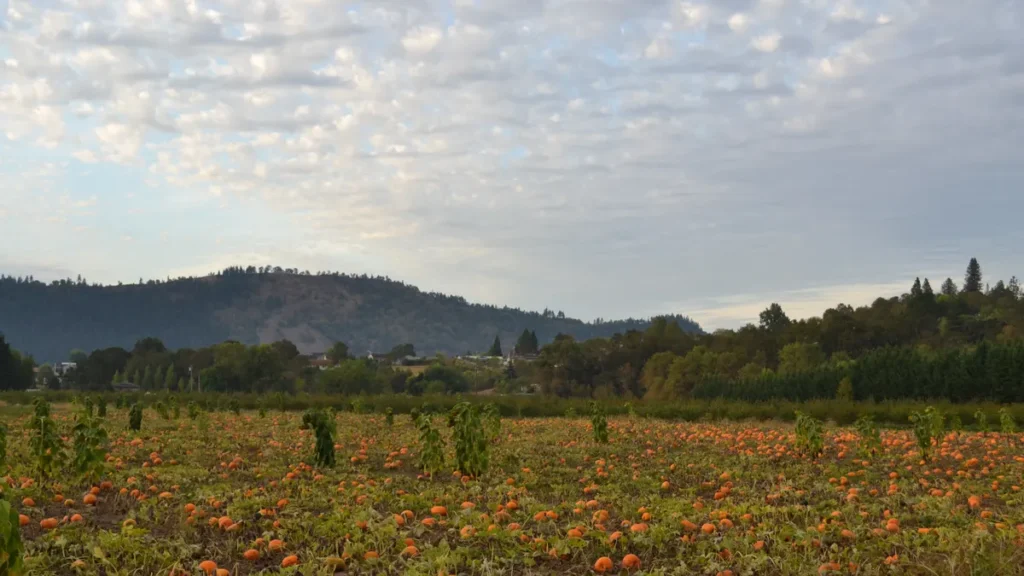
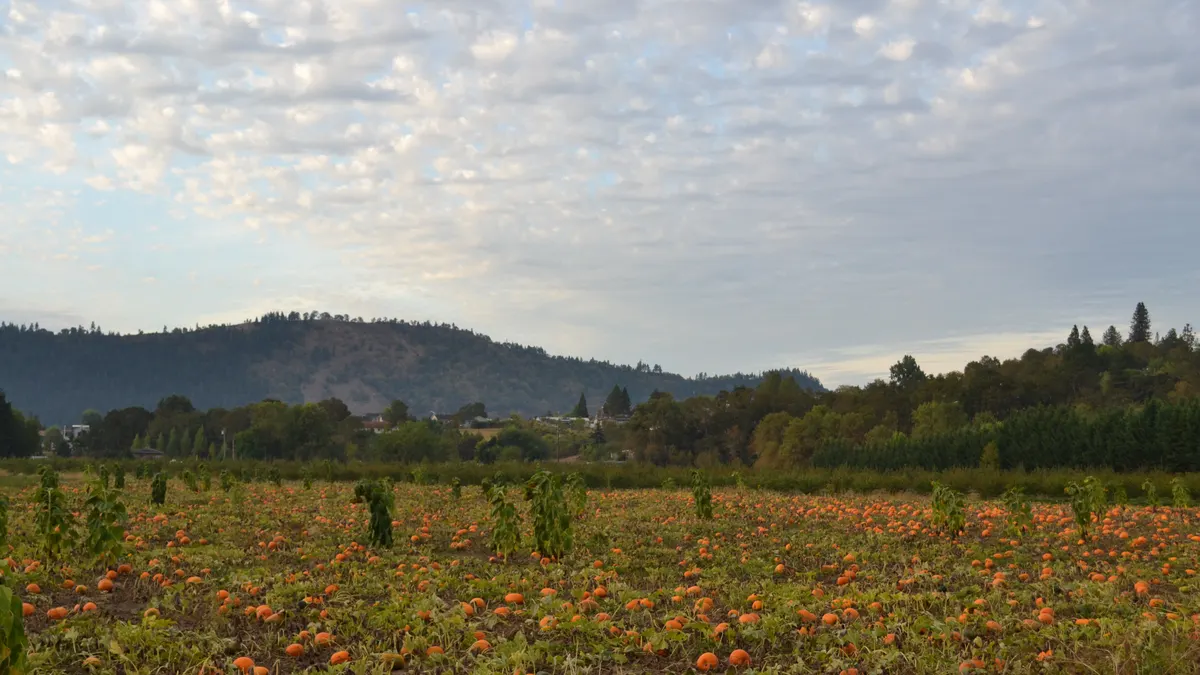
A pumpkin patch installation startup does one job that looks simple from the road and turns out to be anything but: it builds a working pumpkin-growing farm from bare ground. The soil has to be right before a seed goes in. The vines need room to run, bees need to find the flowers, and the fruit has to be cut at the right moment and cured properly, or the whole season rots in storage. The best AI tools for pumpkin patch installation startups exist to take the guesswork out of each of those steps, turning soil readings, weather forecasts, vine photos and harvest dates into a plan a small crew can actually follow.
That is a different business from running a pumpkin patch tour. A tour business sells tickets, manages crowds and worries about parking. An installation startup worries about dirt, vines and rind hardness. The tools below are built for the growing side: laying out hills, feeding the soil, watching the vines, timing pollination, sizing the fruit, calling the harvest and keeping the pumpkins sound in the shed afterwards. If you are setting up a patch that has to produce a crop, not an attraction, this is the toolkit that matches the work.
Each tool in this guide was chosen because it answers a question a pumpkin grower asks in a real season. How far apart should the hills be on this field? Is the soil warm enough to plant? Which vines are showing the first signs of mildew? Are there enough bees working the flowers? Which pumpkins are ready to cut, and which ones need another week? How long should the harvest cure before it goes into storage? The nine tools below cover that full arc, from the first soil test to the final invoice, and they do it without asking a two-person startup to hire an agronomist.
Key takeaways
- Start with the ground: VineRow AI, GourdSoil AI and SeedHill AI settle layout, soil and planting before a single seed is sown.
- Pumpkin vines need watching through the season: VineScout AI, BeeSet AI and FruitSet AI track vine health, pollination and fruit sizing week by week.
- Harvest timing is a rind decision, not a calendar date: HarvestRind AI reads rind hardness and stem dryness to call the cut.
- Curing and storage decide how much of the crop survives: CureStore AI manages temperature, airflow and rotation after harvest.
- PatchBooks AI keeps the money straight, so the startup knows what each acre actually cost and earned.
At a glance: the nine tools
| Tool | Best for | Stage |
|---|---|---|
| VineRow AI | Vine layout and hill spacing | Planning |
| GourdSoil AI | Soil readings and compost plans | Planning |
| SeedHill AI | Seed rate and hill planting | Planting |
| VineScout AI | Vine health and mildew spotting | Growing |
| BeeSet AI | Pollination planning | Growing |
| FruitSet AI | Fruit set, sizing and thinning | Growing |
| HarvestRind AI | Calling the harvest | Harvest |
| CureStore AI | Curing and storage | After harvest |
| PatchBooks AI | Costing and invoicing | Business |
How to choose tools for a pumpkin patch build
Pumpkins are vining cucurbits, and that single fact shapes the whole toolkit. A pumpkin plant does not stay where you put it. It sends runners several metres in every direction, and those runners need open ground, warm soil and steady water. A tool built for a tidy row crop will tell you to plant too close together, and a tool built for a strawberry bed will plan around runners of a different kind: strawberry runners root and make new plants in neat rows, while pumpkin vines sprawl, shade the ground and compete with each other if the spacing is wrong. The pumpkin-growing build is about vine runs, hill spacing, fruit set on long stems and a long curing period after the cut. The strawberry-growing build is about runner beds, picking rows and irrigation lines. The two crops share a field and a season, but they do not share a plan, and the tools below are written for pumpkins first.
That is also why the farm installation guides on this site are worth reading alongside this one. The best AI tools for sunflower farm installation startups show how a tall row crop is planned around bloom timing and head counts, which is a useful contrast: sunflowers stand in rows and are counted by heads, while pumpkins lie flat and are counted by fruit set per vine. Seeing the difference helps a new grower understand why a generic farm planner is not enough, and why pumpkin-specific spacing and rind checks matter as much as the seed itself.
Planning the patch: soil, layout and planting
VineRow AI: the best tool for pumpkin vine layout
VineRow AI starts with the shape of the field and ends with a planting map a crew can follow without a surveyor. You feed it the field boundaries, the slope, the direction of the sun and the variety you plan to grow, and it draws the hills, the vine runs and the access paths. Large carving varieties need wider runs than small pie pumpkins, and the tool adjusts the spacing for each one instead of handing you a single number for every pumpkin. That matters because a patch planted too tight wastes seed and labour, while a patch planted too loose wastes ground that could have carried more fruit.
The map it produces is practical rather than pretty. It marks where the tractor can turn, where the water lines should run and where the vines will meet if they are left unchecked. A crew walking the field with the map on a phone can see which hill they are standing on and which direction the vines should be trained. That sounds like a small thing until you have watched a crew guess at spacing for an afternoon and end up with rows that drift, leaving gaps on one side and a tangle on the other. VineRow AI removes the guessing, and the planting day goes faster because nobody has to stop and measure.
GourdSoil AI: the best tool for pumpkin soil readings
GourdSoil AI turns soil tests into a feeding plan written in plain language. Pumpkins are hungry plants. They want rich soil with plenty of organic matter, a pH that sits in the slightly acidic to neutral range, and steady moisture without waterlogging. The tool takes the results from a standard soil test, adds the history of the field if you have it, and tells you how much compost to spread, where the pH needs lifting and which nutrients are short. It does this per zone rather than per field, so the sandy corner gets a different plan from the heavy clay strip at the bottom.
What makes it useful for a startup is the way it handles compost. New growers either spread too little and watch the vines starve, or spread far too much and waste money on material the soil cannot use. GourdSoil AI works out the rate per hill and per row, and it times the application so the compost is worked in before planting rather than sitting on the surface. It also warns when the soil is still too cold to plant, which is one of the most common early mistakes. Pumpkin seed sown into cold soil rots instead of sprouting, and a week of patience in May is worth more than a replant in June.
SeedHill AI: the best tool for pumpkin seed rate and hill planting
SeedHill AI answers the simplest question in pumpkin growing and the one most often got wrong: how many seeds, and where exactly? Pumpkins are planted in hills, small mounds of soil with several seeds in each, and the spacing between hills decides how much room each vine gets. The tool works out the seed rate from the variety, the germination rate on the packet and the size of the field, so the startup orders the right amount of seed instead of guessing and running short halfway through planting day.
The hill plan it produces is easy to follow in the field. Each hill is marked on the map, with the number of seeds per hill and the depth to sow them. The tool adjusts for soil temperature, warning the crew to wait if a cold snap is coming, and it staggers the planting if the patch is large enough to need two passes. That staggered plan spreads the harvest window, which matters when the crew is small and the pumpkins all ripen at once. A patch that ripens in one week needs a large crew for a few days. A patch that ripens over three weeks can be harvested by the same small team without a rush.
SeedHill AI also tracks germination. The crew photographs the hills a week after sowing, and the tool estimates which hills have sprouted and which need replanting. That early check is the difference between a full stand and a patch full of gaps that show up in August, when it is far too late to fix them. Replanting a hill in May costs a handful of seed. Replanting in July is not possible at all.
Growing season: vines, bees and fruit
Once the seed is in the ground, the work changes. The vines grow fast in warm weather, sometimes a foot a day, and the grower has to keep up with them. The three tools in this section are the eyes of the operation: they watch the vines, count the bees and track the fruit, and they flag problems while there is still time to fix them. A pumpkin patch does not fail in a single day. It fails slowly, vine by vine, and the grower who walks the field with a camera catches the trouble early.
VineScout AI: the best tool for pumpkin vine health
VineScout AI works from phone photos of the vines. The crew walks the rows once or twice a week, photographs the leaves, and the tool scores each section for the early signs of trouble: the white dusting of powdery mildew, the yellow spotting of downy mildew, the wilting that hints at vine borers and the pale leaves that mean the plants are hungry. It does not replace a grower who knows the crop, but it gives a small crew a second pair of eyes and a record of what was seen, where and when.
Powdery mildew is the classic example. It starts as a few white spots on the oldest leaves and spreads quickly in warm, humid weather. Caught early, it can be managed. Caught late, it strips the leaves, the fruit stops sizing and the pumpkins ripen in the sun without the shade they need. VineScout AI catches the early spots because it looks at every photo the same way, without getting tired on the tenth row. A tired person misses the first spots. The tool does not.
BeeSet AI: the best tool for pumpkin pollination planning
Pumpkin flowers need bees. Each female flower is open for a single morning, and if no bee visits it, no pumpkin forms. That is a narrow window, and a patch without enough pollinators will produce plenty of vines and very little fruit. BeeSet AI plans the pollination side of the patch: how many hives the field needs, where to place them, and when the bees will be working hardest. It reads the bloom forecast from the planting date and the weather, and it tells the grower when to bring the hives in and when to keep the sprayer parked.
The placement plan is the part most growers get wrong. Hives set in the wrong corner leave the far side of the field under-pollinated, and the fruit set there will be patchy. BeeSet AI maps the flight range from each hive and shows the gaps, so the hives can be spread to cover the whole patch. It also tracks the weather, because bees do not fly well in cold, wet or windy mornings, and a week of bad weather during peak bloom can cut the crop. When the forecast turns poor, the tool suggests whether to wait, add hives or accept a lighter set and thin accordingly.
FruitSet AI: the best tool for pumpkin fruit sizing and thinning
FruitSet AI follows the pumpkins from the first small fruit to the final sizing. Once the flowers are pollinated, the vine sets more fruit than it can ripen well, and the grower has to choose which ones to keep. The tool photographs the young fruit, estimates its size and growth rate, and suggests which fruits to thin so the vine puts its energy into the keepers. A vine carrying six small pumpkins will produce six small pumpkins. The same vine carrying two well-chosen fruit will produce two large ones.
Thinning is the hardest part of the job to learn, because it means removing healthy young pumpkins from the vine. New growers hesitate, and the patch pays for the delay. FruitSet AI makes the decision easier by showing the numbers: the expected size if the fruit is kept, the expected size if it is thinned, and the space the vine has left. Numbers do not make the cut any less final, but they make it a decision rather than a guess, and the crop that follows is the proof.

Harvest and storage: the cut, the cure and the shed
HarvestRind AI: the best tool for calling the pumpkin harvest
HarvestRind AI calls the harvest on the rind, not the calendar. A ripe pumpkin has a hard rind that resists a thumbnail, a dry and woody stem, and a deep, even colour. The tool reads photos of the rind and the stem, adds the days since pollination and the recent weather, and scores each section of the patch for readiness. It tells the crew which blocks to cut this week, which to leave for another week and which to check again after the next dry spell.
The stem check is the one most growers rush. A pumpkin cut with a soft, green stem will lose moisture through the cut and rot from the top down. HarvestRind AI scores the stem from the photo and warns when the stem is not ready, even if the rind looks fine. That warning saves more pumpkins than any other feature in the tool, because stem rot is the quietest way to lose a harvest. The crew learns to leave a long handle on each pumpkin, to cut rather than pull, and to handle the fruit by the body rather than the stem.
Weather is the other half of the call. Pumpkins should be cut in dry weather and kept dry while they cure. HarvestRind AI reads the forecast and suggests the cutting order: the wettest sections first, the driest last, and the whole harvest fitted into the dry window. A crew that cuts in the rain spends the curing period fighting damp, and the storage losses follow. A crew that waits for a dry spell and cuts in order brings in a crop that cures cleanly.
CureStore AI: the best tool for pumpkin curing and storage
CureStore AI manages the weeks after the harvest, when the pumpkins cure and then sit in storage. Curing is the step most new growers skip, and it is the step that decides how long the crop lasts. Fresh-cut pumpkins need a warm, dry, well-ventilated space for a week or two, so the rind hardens and the small cuts heal. CureStore AI sets the temperature and airflow targets, tracks the curing batches and tells the grower when each batch is ready to move into cooler storage.
The storage plan it builds is practical. It maps the shed, assigns each batch a place and tracks the temperature and humidity with a small sensor. When a corner of the shed runs warm or damp, the tool flags it before the pumpkins in that corner start to soften. The crew rotates the stock, checks the fruit and removes any pumpkin that shows a soft spot, because one rotting pumpkin in a stack can spoil its neighbours. That routine sounds dull, and it is the routine that saves the crop.
Running the business: money, clients and records
A pumpkin patch installation startup is a business as well as a farm, and the tools above only pay for themselves if the money is tracked. The last tool in this guide handles the commercial side, and the comparison with other farm installation startups shows why it matters. The best AI tools for Christmas tree farm installation startups face a ten-year wait before the trees pay back, so their costing has to stretch across seasons. A pumpkin patch turns over in a single season, which makes the costing simpler but also easier to ignore. A startup that does not track its costs will not know whether the patch made money until the season is over, and by then it is too late to change anything.
PatchBooks AI: the best tool for pumpkin patch costing and invoicing
PatchBooks AI keeps the money for the patch in one place. It records the seed, the compost, the labour, the hive hire, the fuel and the storage costs per field, and it builds an invoice from the work actually done rather than from a guess made in spring. A client who can see the costs per field trusts the invoice, and a startup that can see its margins knows which jobs to take and which to turn down. That clarity is the difference between a business and a hobby that happens to involve pumpkins.
PatchBooks AI also handles the small admin that eats a startup’s evenings: the quotes, the invoices, the payment reminders and the record of who has paid. A pumpkin patch installation startup lives or dies on cash flow, because the costs arrive in spring and the income arrives in autumn. The tool tracks that gap, shows the cash position week by week and warns when a late payment will leave the fuel bill unpaid. That warning is worth more than a spreadsheet, because it arrives while there is still time to chase the payment.
A launch sequence for your first pumpkin patch
Put the tools together in the order the season demands, and the startup has a plan rather than a pile of subscriptions. In late winter, start with GourdSoil AI and VineRow AI: test the soil, draw the layout and order the seed through SeedHill AI. In spring, plant to the hill plan and start walking the rows with VineScout AI. In early summer, bring in the hives with BeeSet AI and start tracking fruit with FruitSet AI. In early autumn, let HarvestRind AI call the cut and CureStore AI manage the shed, while PatchBooks AI keeps the invoices moving. That sequence spends money when the work needs it, not before.
One more comparison is worth making before the first spade hits the ground. The best AI tools for mushroom farm installation startups show a very different kind of growing: an indoor crop where the climate is controlled room by room and the harvest comes in flushes. A pumpkin patch is the opposite, an outdoor crop where the weather sets the pace and the grower adapts. Reading the two guides side by side makes the point clearly: there is no single toolkit for every farm. The right tools are the ones written for the crop in front of you, and for pumpkins that means vines, rind and curing, not climate rooms and fruiting blocks.
Checklist: launching a pumpkin patch installation startup
- Walk the field, test the soil with GourdSoil AI and draw the vine layout with VineRow AI before ordering seed.
- Order fresh seed and plant to the SeedHill AI hill plan, sowing only when the soil is warm enough to germinate.
- Walk the rows weekly with VineScout AI, photographing leaves in the morning light and checking the mildew map.
- Book hives early and place them to the BeeSet AI plan, keeping sprays away from bloom mornings.
- Thin the fruit to the FruitSet AI sizing plan, keeping the best pumpkins on each vine and removing the rest.
- Cut to the HarvestRind AI rind and stem scores in dry weather, cure with CureStore AI and invoice every job through PatchBooks AI.
Frequently asked questions
How much do AI tools for pumpkin patch installation startups cost in the first year?
A small startup should expect a modest first-year tool bill, with the planning tools costing the least and the season-long monitoring tools costing the most. The exact figure depends on the size of the patch and whether the tools charge per acre, per field or per user. Start with the three planning tools, add the growing-season tools when the vines are in the ground, and bring in the harvest tools before the first cut. That staged spending keeps the bill in step with the work, and it lets the startup drop any tool that does not earn its place without having paid for a full year.
Which AI tool should a pumpkin patch installation startup buy first?
Buy GourdSoil AI first, with VineRow AI close behind. The soil decides whether the patch will thrive, and the layout decides whether the vines have room to run. A startup that gets the ground and the spacing right has already avoided the two most expensive mistakes in pumpkin growing. SeedHill AI follows naturally, because once the soil and the layout are settled, the seed order and the hill plan are straightforward. The growing-season tools can wait until the vines are up, and the harvest tools can wait until the fruit is sizing.
Is a pumpkin patch installation the same as a pumpkin patch tour business?
No, and the distinction matters. A pumpkin patch installation builds the growing farm: the soil, the hills, the vines, the pollination, the harvest and the curing. A pumpkin patch tour business runs the attraction: tickets, visitors and the day out. The tools in this guide are for the growing side, and none of them sells a ticket or manages a crowd. A startup can build a patch that later hosts visitors, but the build itself is farm work, and it needs farm tools. Treat the two businesses as separate jobs, even when they share a field.
How is a pumpkin patch build different from a strawberry farm build?
The two crops grow in different ways and need different plans. Pumpkins are vining cucurbits that sprawl across open ground, set fruit on long stems and need a long curing period after the cut, with the harvest judged by rind hardness. Strawberries grow in runner beds and picking rows, with the work centred on runners, picking and irrigation lines. The tools in this guide are written for vine runs, hill spacing, fruit set and curing, which is the pumpkin build. A strawberry build would need a different toolkit, and using one crop’s plan for the other would plant the wrong spacing and miss the harvest call entirely.
When should pumpkins be planted?
Pumpkins should be planted when the soil is warm, the frost risk has passed and the seed can germinate quickly. Sowing into cold soil is the most common early mistake, because the seed rots instead of sprouting and the patch starts the season with gaps. SeedHill AI tracks soil temperature and the forecast, and it will tell the crew to wait if a cold snap is coming. A week of patience in spring is worth more than a replant, and the vines that start warm grow fast enough to make up the time.
How long do pumpkins need to cure after harvest?
Fresh-cut pumpkins need a warm, dry, well-ventilated curing period of a week or two, so the rind hardens and small cuts heal before the fruit goes into cooler storage. The exact time depends on the variety, the weather at harvest and the condition of the rind. CureStore AI tracks each batch through curing and into storage, and it tells the grower when a batch is ready to move. Skipping the cure is a false saving: the pumpkins look fine on the day they are cut, and they soften in storage within weeks. Cure them properly, and the crop will hold through the season.
The bottom line
A pumpkin patch installation startup succeeds on the ground, not on paper. The soil has to be fed, the vines have to be given room, the bees have to find the flowers, the fruit has to be thinned and sized, the harvest has to be called on the rind and the crop has to be cured before it is stored. The nine tools in this guide cover that arc in order: VineRow AI, GourdSoil AI and SeedHill AI for the planning, VineScout AI, BeeSet AI and FruitSet AI for the growing season, HarvestRind AI and CureStore AI for the harvest and the shed, and PatchBooks AI for the money. Buy them in the order the season demands, walk the field every week, and let the tools do the remembering while the crew does the growing. The first patch will teach the startup more than any guide can, and the second patch will be better for it.

Keep what speaks to you.
Leave room for your own perspective.