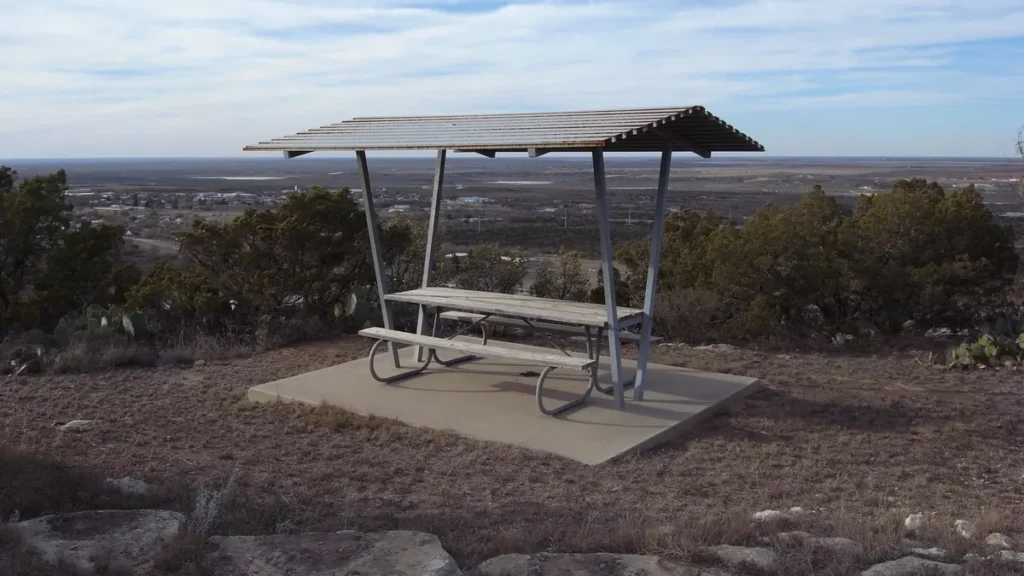
The best AI tools for pavilion installation startups in 2026 give a brand-new crew something that once took a decade of big commercial jobs to build: a survey team, a structural design office, a permit desk, a lighting designer and a project manager, all working from the first week. A founder with one truck, a small crew and a handful of local jobs can now scan a park site in 3D, price a concrete pad and a steel column frame accurately, check the building code before ordering materials, and run the install with the same polish as a company ten times its size.
That matters because a pavilion is not a garden ornament. It is a large roofed structure, often twenty to forty feet across, held up by columns, anchored to a concrete pad, wired for lighting and sometimes for power, sound and heating. Councils, schools, parks departments and event venues buy pavilions, and they expect drawings, load calculations, permits and a fixed price before they sign. The first year of a pavilion installation business is won or lost on the work around the build, not on how well the crew can bolt a frame together.
This guide covers the nine AI tools that matter most for a pavilion startup in 2026. Each one is judged on what it does for a large-structure install specifically: measuring a real site, designing a roof that will stand up to wind and snow, pricing footings and steel honestly, keeping a multi-day commercial job on schedule, and getting the lighting right for evening events. Pick three or four to start, learn them properly, and add the rest only when the jobs demand it.
Key takeaways
- A pavilion is a commercial-scale structure, so your tools must handle concrete pads, steel columns, wind loads and permits, not just garden measurements.
- Start with 3D site capture, structural design software and a quoting tool; those three decide whether a job is priced right and built safely.
- AI measurement and code-checking tools save the most money in the first year, because one wrong pad or one refused permit can wipe out a month of profit.
- Lighting design is a real selling point for pavilions used for weddings and evening events, so do not treat it as an afterthought.
- Keep your stack small at first: three or four tools used every day beat nine tools that nobody on the crew has learned properly.

Best AI tools for pavilion installation startups at a glance
| Tool | Best for | Good starting point |
|---|---|---|
| Matterport | 3D capture of park and event sites | Scan the site before you quote |
| Pix4D | Aerial mapping, pad grading and drainage | Fly the site and map the levels |
| Autodesk Revit | Structural design and building information modelling | Model the roof, columns and pad together |
| Tekla Structures | Steel column and truss detailing | Detail every connection before fabrication |
| Procore | Managing multi-crew commercial jobs | Run the whole job from one dashboard |
| Buildertrend | Quoting, scheduling and payments | Send a professional quote in hours |
| Fieldwire | Site plans, tasks and punch lists | Keep the crew on the same drawings |
| DIALux | Pavilion lighting design | Show the client the evening lighting |
| UpCodes | Permit and building-code research | Check the code before you apply |
What makes a pavilion installation startup different
A pavilion installation startup works at a different scale from most garden-structure businesses. A gazebo sits in a back garden, a pergola shades a patio, but a pavilion covers a picnic area, a school playground, a wedding lawn or a whole events field. The roof alone can be larger than a small house, and the columns that hold it up carry real loads. When the wind picks up or snow settles on that roof, the structure has to stand, and the paperwork has to prove it will. That is why the tools in this guide lean towards engineering, surveying and commercial project management rather than simple garden design.
The concrete pad is the first thing that sets pavilion work apart. A gazebo can sit on deck blocks or a small slab, but a pavilion needs a properly prepared pad with footings sized for the column loads, drainage that keeps water away from the base, and a level finish that event furniture and staging can sit on. If the pad is out of level by even a small amount, the columns will not sit true, the roof will not line up, and the crew will lose days fixing it. AI mapping and 3D capture tools earn their keep here, because they show the slope, the drainage and the access routes before anyone pours concrete. The best AI tools for gazebo installation startups cover smaller garden jobs well, but a pavilion founder needs the heavier surveying and structural tools in this guide as well.
Permits are the second difference. Most pavilions need a building permit, and many need engineered drawings, wind-load calculations and a site plan stamped by a professional. Parks departments and schools often add their own requirements on top, such as accessibility, lighting levels and emergency access. A permit refusal can delay a job by weeks and cost the deposit on materials. Tools that check the building code and track the permit application are therefore not a luxury for a pavilion startup; they are part of the job. The earlier you check the code, the fewer surprises you meet at the permit desk.
The third difference is who the customer is. Pavilion customers are often organisations rather than homeowners: a council, a school, a church, a hotel or an events company. They buy through a formal process, they want a fixed price, a written schedule and proof of insurance, and they pay on terms rather than on the day. That changes how a startup must quote, schedule and invoice. A quoting tool that looks professional, a schedule the client can actually read, and invoices that chase themselves all matter more here than they do for a weekend garden job. The tools below were chosen with that kind of customer in mind.
How to choose AI tools for a pavilion installation startup
Start with the job, not the software. Write down the five things that go wrong most often on your jobs, or the five things you are most worried about if you have not done your first pavilion yet. For most new pavilion founders the list looks like this: the site was not measured properly, the pad was priced wrong, the permit took too long, the steel did not fit, and the job ran over schedule. Pick the tool that fixes the most expensive item on that list first, then the next one, and stop when the list is covered. Buying software for problems you do not have yet is the fastest way to waste money in the first year.
Next, check that the tool fits pavilion scale. A lot of AI tools are built for houses, gardens or small decks, and they quietly assume a small site, a light roof and a homeowner customer. Ask whether the tool handles large spans, steel frames, concrete footings and commercial permits. If the sales page only shows garden furniture and patio shade, it is probably not built for a forty-foot pavilion roof. The tools in this guide were picked because they work at that scale, and each section below says exactly where its limits are, so you can judge for yourself.
Watch the monthly cost as a share of one job, not as an absolute number. A tool that costs two hundred dollars a month sounds expensive until you compare it with a single pavilion job worth twenty or thirty thousand dollars. If it saves one day of crew time, or prevents one wrong steel order, it has paid for itself many times over. On the other hand, five tools at two hundred dollars each add up to a thousand dollars a month before you have won a single job, so keep the stack small. A good rule for the first year is to spend no more than two or three percent of a typical job value on software each month, and to review every subscription at the end of each quarter. The best AI tools for pergola startups make a useful comparison here, because pergola founders face the same pricing pressure on smaller jobs, and the lesson is the same: a lean stack that the crew actually uses beats a large stack that nobody opens.
The 9 best AI tools for pavilion installation startups in 2026
The nine tools below cover the full pavilion job, from the first site visit to the final lighting check. They are ordered roughly in the order you will use them on a real job: measure the site, design the structure, price the work, manage the build, and finish with lighting and compliance. You do not need all nine on day one, but it helps to know what each one does so you can add it when the work demands it.
1. Matterport: best for 3D site capture
Matterport turns a phone or a 360 camera into a 3D scan of the site, and for a pavilion startup that is worth more than it sounds. A pavilion site is usually a large open space with trees, slopes, paths and existing buildings, and a few photos never capture how they all fit together. A Matterport scan gives you a measured 3D model you can walk through from the office, share with the client, and send to the steel fabricator. When the client asks whether the pavilion will block the view from the hall, or whether a delivery truck can reach the pad, you can answer from the scan instead of driving back to the site.
The AI in Matterport cleans up the scan, measures distances and floor areas, and labels rooms and spaces automatically. For pavilion work the measurements matter most: the distance from the pad to the nearest tree, the width of the access gate, the slope across the site. Those numbers feed directly into your quote and your design, and they remove the guesswork that causes so many pavilion jobs to go over budget. A scan also protects you if there is a dispute later, because you have a dated record of exactly what the site looked like before work started.
2. Pix4D: best for aerial mapping, pad grading and drainage
Pix4D turns drone photos into accurate maps, 3D models and elevation data, and for pavilion work its best use is the ground itself. A pavilion pad needs to be level, well drained and properly graded, and the difference between a good pad and a bad one is often a matter of centimetres across a large area. A drone flight processed through Pix4D gives you a contour map of the whole site, shows where water will pool, and lets you calculate exactly how much soil to move and how much concrete to order. That is work that used to need a surveyor and a week of waiting; now a founder can do it in an afternoon.
The AI in Pix4D stitches hundreds of drone photos into a single accurate model, measures volumes and distances, and flags changes between flights. That last point matters on a multi-week pavilion job: fly the site before the pad is poured, fly it again after the concrete crew has finished, and compare the two models to check that the pad is level and in the right place. If something is wrong, you find out while it can still be fixed, not when the steel arrives and nothing lines up.
3. Autodesk Revit: best for structural design and building information modelling
Autodesk Revit is the design tool that holds a pavilion job together. It is building information modelling software, which means the roof, the columns, the pad, the lighting and the drainage all live in one model instead of in separate drawings. Change the height of a column and the roof, the steel quantities and the cost estimate all update together. For a large structure like a pavilion, where one change ripples through the whole design, that single model is the difference between a drawing set you can trust and a pile of drawings that quietly disagree with each other.
Revit’s AI-assisted features help with the repetitive parts of pavilion design: placing columns on a grid, checking clearances for events and staging, routing conduit for lighting, and producing the schedules that list every steel member, bolt and footing. It also produces the drawings a permit office wants, in a format engineers and plan checkers already know. When a structural engineer needs to check your design, handing them a Revit model is far better than handing them a sketch, and it usually means faster answers and fewer rounds of corrections.
4. Tekla Structures: best for steel column and truss detailing
Tekla Structures is the tool that turns a pavilion design into steel that can actually be built. A pavilion roof is held up by columns and trusses, and every connection between them has to be drawn, dimensioned and fabricated exactly. Tekla models the steel in 3D, down to individual bolts, plates and welds, and then produces the fabrication drawings and cutting lists the steel shop needs. When the steel arrives on site, it fits, because the model already proved that it fits before anyone cut a single beam.
The AI in Tekla helps by automating the repetitive detailing work: copying connections across a row of identical columns, checking for clashes between members, and flagging connections that do not meet the design rules. On a pavilion with a dozen columns and a long trussed roof, that automation saves days of drawing time and catches the small errors that cause the biggest delays on site. A single wrong bolt hole can hold up a crane lift for a whole morning, and Tekla is built to stop exactly that kind of mistake.
5. Procore: best for managing multi-crew commercial jobs
Procore is project management software built for construction, and a pavilion job is exactly the kind of project it was made for. The concrete crew, the steel crew, the electrician and the roofing team all need the same drawings, the same schedule and the same list of outstanding tasks, and Procore keeps them all in one place. When the pad curing date moves, the steel delivery moves with it. When the electrician asks which lights go where, the answer is in the same model the designer made. Nothing gets lost in a group chat or an email thread.
The AI in Procore watches the project for trouble: it flags schedules that are slipping, budgets that are drifting, and requests for information that have gone unanswered for too long. On a pavilion job with several trades and a fixed event date at the end, that early warning is worth a great deal. A pavilion built for a wedding or a summer festival cannot be late, and Procore’s alerts give the founder time to fix a problem while it is still small, rather than discovering it the week the event is due.

6. Buildertrend: best for quoting, scheduling and payments
Buildertrend is the tool that turns a pavilion estimate into a signed job. It handles quoting, scheduling, client communication and payments in one system, which is exactly what a small startup needs when it is dealing with councils, schools and event venues. You can build a quote from your takeoff, send it to the client as a professional document, track when they open it, answer their questions in the same thread, and take a deposit online when they accept. That speed matters: the firm that sends a clear quote in two days often wins the job over the firm that takes two weeks.
The AI in Buildertrend helps with the parts of quoting that new founders get wrong. It can draft the scope of work from your estimate, flag items that are usually forgotten on large-structure jobs, such as crane hire or temporary fencing, and remind you to follow up on quotes that have gone quiet. It also keeps the schedule realistic by showing how jobs overlap and where the crew is double-booked. A pavilion crew cannot be in two parks at once, and Buildertrend makes that obvious before you promise a date you cannot keep.
7. Fieldwire: best for site plans, tasks and punch lists
Fieldwire is the tool your crew actually opens on site. It puts the latest drawings, tasks and punch lists on a phone or tablet, and it works offline, which matters on a park site with poor signal. When the design changes, everyone sees the new version at once, and the old version is marked as superseded so nobody builds from an out-of-date drawing. On a pavilion job, where a wrong drawing can mean a column in the wrong place, that version control is not a nice extra; it is essential.
The AI in Fieldwire helps by turning photos and notes into tasks automatically, prioritising the punch list, and tracking which tasks are overdue and who owns them. A crew member can photograph a footing that needs attention, and the task appears on the foreman’s list with the photo, the location on the plan and a due date. At the end of the job, the completed punch list becomes a record you can hand to the client, showing that every item was checked and closed. That record is valuable when the client does their final inspection.
8. DIALux: best for pavilion lighting design
DIALux is lighting design software, and it earns its place in this guide because pavilions are used at night. Weddings, concerts, evening markets and community events all happen under pavilion lights, and the client will judge the finished job as much by how it looks after dark as by how it stands up in daylight. DIALux lets you design the lighting properly: place the fittings on the model, calculate the light levels on the floor, and show the client a realistic render of the pavilion lit up in the evening before a single cable is run.
The software includes a large library of real light fittings with their actual photometric data, and its AI-assisted tools help you place fittings evenly, avoid dark spots under the roof, and keep glare out of people’s eyes. It also calculates energy use and checks the design against the lighting levels a venue or a council might require. That matters because a pavilion that is too dark feels unsafe, and a pavilion that is too bright wastes power and annoys the neighbours. Getting the lighting right the first time saves expensive changes after the structure is built.
9. UpCodes: best for permit and building-code research
UpCodes is an AI tool that searches building codes and explains them in plain language, and for a pavilion startup it answers the question that comes up on every job: what does the code actually require here? Pavilion rules vary by location, and they cover footings, wind loads, snow loads, accessibility, electrical work and sometimes fire access. Reading the raw code is slow and confusing, and hiring a code consultant for every small question is expensive. UpCodes lets you search the code for your jurisdiction, read the relevant sections with AI-generated explanations, and check whether your design complies before you submit it.
The tool also tracks code updates and lets you compare requirements between jurisdictions, which is useful if you work across county lines. Its AI can summarise the sections that apply to a pavilion, such as the footing depth for your soil type or the handrail rules for a raised pad, and it links every answer back to the source text so you can verify it. That combination of speed and traceability is what makes it trustworthy: you are not taking an AI’s word for the code, you are using the AI to find the code faster and then reading it yourself.
Putting your pavilion AI stack together
A sensible starter stack for a pavilion installation startup has four tools: Matterport for site capture, Revit or a design partner for the structure, Buildertrend for quoting and scheduling, and UpCodes for permits. That combination covers the four places where a pavilion job most often goes wrong: the site was not measured, the design was not checked, the quote was not clear, or the permit was not ready. It also keeps the monthly cost manageable while the order book is still growing. Add Pix4D when you start pouring your own pads, Tekla when the steel work grows, Procore when you are running more than one job at a time, Fieldwire when the crew grows beyond a handful, and DIALux as soon as you bid on your first evening-event pavilion.
Make one person responsible for each tool. The founder does not have to use every tool personally, but somebody has to own it: keep it updated, train new crew members, and notice when it stops being used. A tool with no owner quietly dies, and the team drifts back to spreadsheets and memory. Review the stack every quarter and ask a simple question about each tool: did it save us time or prevent a mistake in the last three months? If the answer is no, cancel it or replace it. The best AI tools for carport installation startups follow the same logic on smaller open structures, and the lesson carries over directly: a stack that matches the jobs you actually win is worth more than a stack that looks impressive on a sales call.
Pavilion installation startup checklist
- Scan every site in 3D before you quote, and keep the scan as a dated record of the site.
- Map the levels and drainage for the concrete pad before you price the footings.
- Check the building code and permit requirements before you order any materials.
- Model the roof, columns and pad in one design file so changes update everywhere.
- Send a clear fixed-price quote with a written schedule, and confirm the deposit before work starts.
- Close the punch list on site, photograph the finished lighting at dusk, and hand the client a complete record.
Frequently asked questions
What is the best first AI tool for a pavilion installation startup?
Start with a site-capture tool such as Matterport and a quoting tool such as Buildertrend. The scan stops you mis-measuring a large site, and the quoting tool stops you sending vague prices to organisational clients. Together they fix the two most expensive mistakes a new pavilion founder can make: pricing a job wrong and looking unprofessional while doing it. Add design and permit tools as soon as the jobs get bigger or the clients start asking for engineered drawings.
How much should a pavilion installation startup spend on AI tools each month?
Budget around two to three percent of a typical job value per month, and keep the stack to three or four tools in the first year. A starter stack of site capture, quoting and code research can cost a few hundred dollars a month, which is small against a pavilion job worth tens of thousands. Review every subscription quarterly, cancel anything the crew has not opened in a month, and only add a tool when a real job needs it.
Can AI tools really measure a pavilion site accurately enough to price a job?
Yes, for quoting and planning, provided you use the right tool for the measurement. A 3D scan gives accurate distances and areas, and a drone survey gives accurate levels and volumes for the pad. Neither replaces a surveyor or a structural engineer where the law requires one, and both need to be used carefully, with control measurements taken on site. But for pricing a pad, ordering materials and planning access, AI measurement is accurate enough and far better than a tape measure across a forty-foot site.
Do pavilion installation startups need a permit for every job?
In most places, yes. A pavilion is a permanent structure with a roof, columns and a concrete base, so it almost always needs a building permit, and often engineered drawings as well. Rules vary by location, so check the code for the specific site before you quote, and allow time in your schedule for the permit process. A tool like UpCodes helps you find the relevant rules quickly, but the permit office has the final say, and a refused application can delay a job by weeks.
What is the hardest part of pricing a pavilion installation?
The concrete pad and the steel frame are the hardest parts to price, because both depend on the site. Soil conditions, drainage, access for a concrete truck, the size of the columns and the span of the roof all change the cost, and a small error in any of them grows quickly on a large structure. That is why site capture, aerial mapping and a single design model matter so much: they turn guesses about the site into measurements, and measurements into a price you can stand behind.
How long does it take to build a pavilion installation startup that earns a living?
Most founders take twelve to eighteen months to reach a steady income from pavilion work, because the sales cycle with councils, schools and venues is slow and the first jobs take time to win. The tools in this guide shorten that period by making your quotes faster, your designs more professional and your permits cleaner, which wins work sooner. But no tool replaces the need to visit sites, meet clients and build a reputation for structures that are finished on time and built to last.
The bottom line
A pavilion installation startup is a commercial construction business, not a garden job, and the AI tools that serve it best are the ones built for large structures, concrete pads, steel frames, permits and multi-trade schedules. Start with site capture, a solid design workflow, professional quoting and code research, then add mapping, steel detailing, project management, site plans and lighting design as the work grows. Keep the stack small, make one person responsible for each tool, and measure every subscription against the mistakes it prevents. Do that, and your first pavilion will be priced right, permitted properly and built on a pad that is level, with lighting that makes the whole structure glow after dark.

Keep what speaks to you.
Leave room for your own perspective.