The best AI tools for gazebo installation startups in 2026 give a brand-new installation crew something that once took a decade to build: a survey team, a pricing office, a permit desk and a dispatch board, all working from the first week. A founder with one truck, a small crew and a handful of local jobs can now measure a garden from a phone photo, price the footings, posts and roof panels accurately, and book the install team with the same polish as a company ten times its size. The first year of a gazebo installation business is won or lost on the work around the build, not on how well the posts are set. The carpentry can be learned. The measuring, the anchoring, the weather windows and the cash flow are what sink new firms.
A gazebo installation startup is a very particular kind of trade business, and it is not the same as selling gazebos or building garden structures in general. A gazebo is a roofed, freestanding structure, and installing one means getting the ground, the footings and the roof right in a real garden, not on a drawing board. Every site is different in slope, drainage, soil and wind exposure, and every homeowner wants to see the finished structure before they agree to pay for it. A simple square kit gazebo on a flat patio and a custom octagonal cedar gazebo with a shingled hip roof are entirely different installs, yet both arrive through the same phone number and the same inbox.
This guide compares the AI tools that fit a gazebo installation startup, not a general contractor and not a large design-build firm. It focuses on the nine tools that handle the installation workflow itself: measuring the site, pricing the footings and roof, booking the crew, tracking the install day and documenting the finished job. Each one is judged on what it does for a small team doing real installs, what it costs in the first year, and where it fits in a starter stack that a new founder can actually run.
Key takeaways
- Measure before you quote: AI photo measurement tools such as Hover and EagleView cut site visits and stop footing and roof pricing mistakes.
- One quoting and scheduling tool, such as Jobber or Housecall Pro, should sit at the centre of the business from the first job.
- Crew tracking with ClockShark and install documentation with SiteDocs protect margins on multi-day installs and bad-weather weeks.
- A 3D visualisation tool such as SketchUp helps homeowners approve a roofed gazebo design before the first post hole is dug.
- Start with three tools, not nine: measurement, quoting and scheduling, then add the rest once the first twenty installs are booked.

Best AI tools for gazebo installation startups at a glance
| Tool | Best for | What it does for an installer | Starting price |
|---|---|---|---|
| Hover | AI site measurement | Turns phone photos into 3D measurements of the garden and roofline | Pay per project |
| EagleView | Aerial roof measurement | Delivers accurate roof and property reports without a ladder visit | Pay per report |
| Jobber | Quoting, scheduling and invoicing | Runs quotes, crew bookings, invoices and reminders in one place | From around $49 a month |
| Housecall Pro | Booking and dispatch | Books jobs online, dispatches the crew and takes payment on site | From around $49 a month |
| FieldPulse | Field service management | Manages install jobs, crew checklists and customer records | From around $69 a month |
| Workiz | AI dispatch and scheduling | Uses AI to route crews, fill gaps and reschedule around weather | From around $65 a month |
| ClockShark | Crew time tracking | Tracks crew hours and locations with GPS on every install day | From around $40 a month |
| SketchUp | 3D gazebo visualisation | Shows the homeowner the roofed gazebo in their own garden before work starts | Free web version available |
| SiteDocs | Safety and install documentation | Records safety checks, install photos and sign-off forms digitally | From around $25 a month |
What makes a gazebo installation startup different
Installing a gazebo is not the same as building one in a workshop and it is not the same as selling a kit online. The install crew works outdoors, on ground they did not choose, in weather they cannot control, with a roof that has to shed rain from the first night. A general gazebo business can spend its first year on branding, but an installation startup lives or dies on the accuracy of its site measurements, the honesty of its quotes and the reliability of its crew diary. A roofed structure also behaves differently from an open-beam one. A pergola lets wind and rain pass through its beams, so a small error in a post position is forgiving. A gazebo carries a solid roof, so the footings, the anchoring and the roof pitch all have to be right.
The work also arrives in a rush and then stops. Spring brings a flood of enquiries from homeowners who want a shaded spot before summer, and the founder is suddenly quoting five gardens a day while the crew is still finishing last week’s installs. Autumn brings wind, rain and short days, and the same founder is rescheduling jobs and chasing late invoices. AI tools earn their place in this business when they smooth out those swings: answering enquiries while the crew is on site, turning a photo into a measurement without a second visit, and moving a crew to a new slot when the rain arrives.
There is one more difference worth naming. A gazebo installation is a visible, permanent change to a homeowner’s garden, and the customer watches the whole thing happen. They see the holes being dug, the posts going up and the roof panels arriving, and they judge the company on how tidy and professional the crew looks while it happens. Tools that document the install with photos, keep the customer updated by text and produce a clean digital sign-off at the end are not admin luxuries. They are the reason a customer recommends the firm to a neighbour, and recommendations are how a new installation startup gets its second year of work. A good overview of the wider gazebo business, from design to sales, is covered in our guide to the best AI tools for gazebo startups, while this guide stays focused on the installation side of the trade.
How to choose AI tools for a gazebo installation startup
Start with the bottleneck, not the catalogue. Most new installation founders already know where their week falls apart: it is usually quoting, or crew scheduling, or chasing payment. Buy the tool that fixes that one problem first and run it for a month before adding anything else. A founder who spends evenings writing quotes by hand should buy a quoting tool before a design tool. The stack that grows from real pain is cheaper and stickier than the stack bought from a feature list.
Second, check that the tool understands outdoor install work. Generic scheduling apps assume a job happens at a desk or in a shop. Installation software has to handle travel time between gardens, weather delays, multi-day jobs and kit deliveries that arrive late. Ask for a trial and run a real job through it: a sloped garden, a two-day install and a rain delay. If the software cannot model that job without workarounds, it will cost more time than it saves.
Third, keep the monthly total honest. Nine subscriptions at fifty dollars a month is four hundred and fifty dollars before a single post is set, and a new firm doing six installs a month cannot carry that. Aim for a starter stack of three tools costing under two hundred dollars a month in total, and add the rest only when the diary is full enough to justify them. Free tiers and pay-per-project pricing help here, and every price in this guide is a starting figure to check at sign-up, because install software reprices often.
The 9 best AI tools for gazebo installation startups in 2026
1. Hover: best for AI site measurement
Hover turns ordinary smartphone photos of a property into a measured 3D model, and for a gazebo installer that is the closest thing to a site visit without driving to the garden. The homeowner, or the founder on a first visit, photographs the house and garden from a few angles, and Hover builds the dimensions of the ground, the roofline and the surrounding structures. The installer can then measure the available space and work out the footprint of a square, rectangular or octagonal gazebo without a tape measure and a second trip. That matters because a bad measurement is the most expensive mistake in this trade: a gazebo ordered a foot too wide does not fit, and a roof ordered a foot too short leaks.
The tool also helps with the roof itself. Because Hover models the existing roof of the house, the installer can see how a new gazebo roof will sit in the garden and whether the chosen pitch will shed rain away from the patio. It is not a structural engineering tool and it does not replace a proper footing check, but it turns a vague garden into numbers the founder can price from. Pricing is per project rather than a monthly subscription, which suits a startup whose job count swings with the seasons. The main weakness is accuracy on unusual gardens: steep slopes and heavy tree cover can confuse the model, so the founder should still walk the site before digging.
2. EagleView: best for aerial roof measurement
EagleView supplies measurement reports built from high-resolution aerial imagery, and for gazebo installation the value is in the roof. A gazebo roof is the most technical part of the job: its pitch, its panel sizes and its ridge length decide the material order, and getting them wrong means either waste or a second delivery. EagleView reports give the installer the measurements of the property and the surrounding rooflines without climbing a ladder or waiting for a dry day to visit. For a startup that quotes several gardens a week, the quote can be accurate on the first phone call instead of after a site visit.
The reports are also useful for the paperwork around the install. Some councils and neighbourhood associations want to see the footprint and height of a new roofed structure before work begins, and an EagleView report gives the founder a clean, measured document to attach to a permit application. It will not replace a ground survey on a tricky site, and it cannot see under trees or into a walled garden, so the founder still needs to check access and drainage in person. The cost is per report, which keeps quiet months cheap.
3. Jobber: best for quoting, scheduling and invoicing
Jobber is the tool most small install businesses end up building their week around, and for a gazebo startup it covers the three jobs that otherwise eat the founder’s evenings: quoting, scheduling and getting paid. A quote can be built from the measurement, sent to the homeowner by text or email, and turned into a booked job with a deposit request in a few taps. The crew sees the job on their phones, the customer gets reminders before the install day, and the invoice goes out when the crew marks the job complete.
The reason Jobber suits gazebo installation specifically is that it handles multi-day, multi-visit jobs well. A two-day install with a return visit for screens or lighting can be scheduled as one job with several visits, so the diary stays honest and the customer is not confused by three separate bookings. It also keeps a record of every quote, so the founder can see which gardens converted and which prices were too high. The starting price is around forty-nine dollars a month, and the quoting templates keep every estimate looking professional. The weakness is design: Jobber will not show a customer what the gazebo looks like, so it needs to sit next to a visualisation tool.
4. Housecall Pro: best for booking and dispatch
Housecall Pro is built for trades that go to the customer, and a gazebo install crew is exactly that kind of business. Homeowners can book a site visit online, pick a time slot and pay a deposit without a phone call, which means enquiries that arrive at nine in the evening are captured while the founder is asleep. The dispatch board then shows the crew where to be, in what order, with the job notes, the customer’s address and the kit list attached. When a job runs long or the rain arrives, the founder can drag the next install to a new slot and the customer is notified automatically.
The on-site payment feature is the part that changes cash flow for a new firm. The crew can take the final payment on a card reader or a phone before they leave the garden, instead of the founder chasing an invoice for three weeks. Housecall Pro also keeps a simple customer record, so repeat work such as adding screens or a replacement roof panel is easy to quote later. The starting price is around forty-nine dollars a month, in line with Jobber. Housecall Pro is slightly stronger on consumer booking and on-site payment, and slightly weaker on long multi-visit project planning.
5. FieldPulse: best for field service management
FieldPulse is a field service platform that fits the way an install crew actually works: jobs, checklists, customer records and invoices in one system that the crew can use from a phone in a muddy garden. The founder creates the install job, attaches the measurement, the quote and the kit list, and assigns it to the crew. The crew works through a checklist on site, from footing depth to anchor torque to roof panel alignment, and the office sees the progress in real time. That checklist matters more than it sounds: it is the difference between a crew that remembers every fixing and a crew that forgets the anchor bolts on a windy site.
FieldPulse also keeps the customer history that a growing firm needs. When a customer calls a year later about a leaking roof panel or a loose screen, the founder can pull up the original install record, the photos and the materials used, and answer with confidence instead of guessing. The software is priced from around sixty-nine dollars a month, so it suits a firm that has moved past its first ten jobs and now needs control rather than just bookings. For a startup that plans to grow from one crew to two, FieldPulse is the tool that keeps the second crew working to the same standard as the first.
6. Workiz: best for AI dispatch and scheduling
Workiz stands out in this guide because its scheduling is genuinely AI-assisted rather than just a digital diary. The system looks at the crew’s location, the travel time between gardens, the length of each install and the weather forecast, and suggests the order of jobs that wastes the least driving time. For a gazebo installer running two or three jobs a day across a city, that routing can save an hour of driving, which is an hour the crew can spend installing instead of sitting in traffic. When a job overruns or a customer cancels, the AI suggests the best slot to move the displaced work into.
Workiz also handles the customer communication that surrounds the install. Automated texts confirm the booking, tell the customer when the crew is on the way, and ask for a review when the job is finished, which builds the reputation a new firm depends on. The starting price is around sixty-five dollars a month, and the AI scheduling features are the reason to pay it rather than use a cheaper diary. The weakness is that the routing is only as good as the data fed into it: if the founder enters vague job lengths, the suggestions will be wrong.
7. ClockShark: best for crew time tracking
ClockShark tracks crew time with GPS, and for a gazebo installation startup it solves a problem that appears the moment the firm hires its second worker: knowing who was where, for how long, and on which job. The crew clocks in on their phones when they arrive at a garden and clocks out when they leave, and the founder sees the hours against the right job, not against a paper timesheet filled in from memory on Friday. That accuracy matters because labour is the biggest cost on an install, and a quote that assumed six hours for footings is useless if the crew actually took nine and nobody noticed.
The GPS record also protects the firm when a customer disputes the work. If a homeowner claims the crew left early or never arrived, the founder has a time and location record to answer with, calmly and factually. ClockShark also flags overtime before it happens, which keeps a long install week from turning into a payroll surprise. It starts at around forty dollars a month, and it integrates with common payroll and bookkeeping tools. The weakness is cultural rather than technical: a crew that feels watched will resist it, so the founder should explain that it protects their pay as much as it protects the business.
8. SketchUp: best for 3D gazebo visualisation
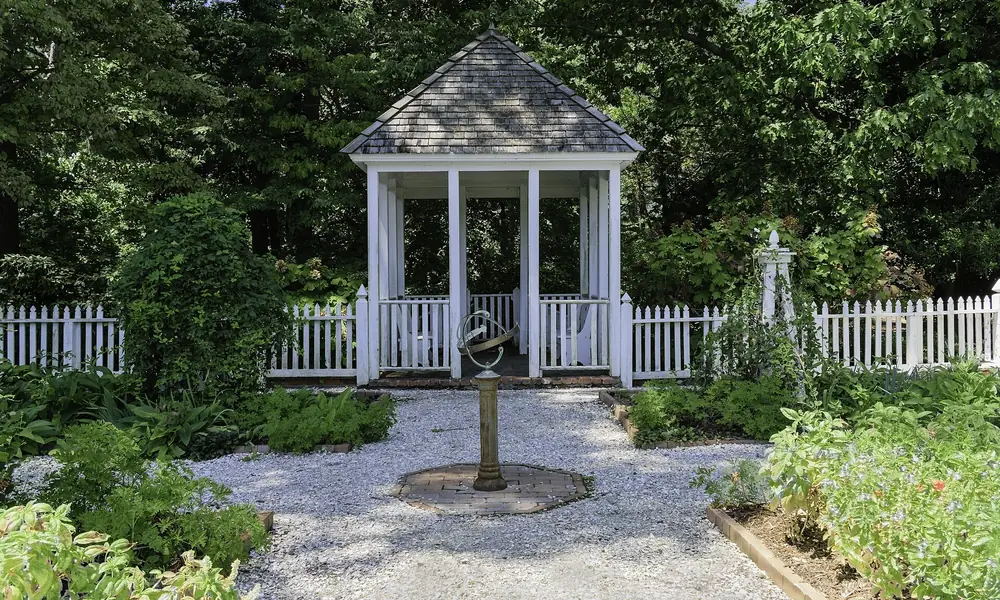
SketchUp is the 3D design tool that sells the gazebo before a single post is dug, and for an installation startup that is its most valuable job. The founder can build a simple model of the proposed gazebo, place it in a rough model of the customer’s garden, and show the homeowner exactly how the roofed structure will look from the patio, the kitchen window and the boundary fence. Homeowners who can see the finished structure approve faster, argue less about the height and the roof style, and are less likely to cancel halfway through the install. A roofed gazebo is a big visual change to a garden, and a drawing on paper does not communicate it the way a 3D view does.
The free web version is enough for a startup’s first year: simple models, basic materials and a view the customer can spin around on a phone. The paid version adds better rendering and a library of components, which is worth it once the firm is selling custom octagonal and hexagonal designs regularly. SketchUp is not an estimating tool and it will not price the job, so it must sit next to a quoting tool, but as a sales aid it pays for itself with a single converted job. One caution: a beautiful model can oversell a difficult site, so the founder should always pair the visualisation with an honest site check. The same visual approach helps with the open-beam structures covered in our guide to the best AI tools for pergola startups, where shade and beam spacing matter more than a solid roof.
9. SiteDocs: best for safety and install documentation
SiteDocs digitises the safety forms, checklists and sign-off sheets that a gazebo install crew otherwise carries on a clipboard, and for a small startup it is the cheapest insurance policy in this guide. Before work begins, the crew completes a digital safety check for the site: overhead lines, underground services, slope stability and weather conditions. During the install they photograph each stage, from the footing holes to the anchor fixings to the finished roof, and at the end the customer signs off on a phone. The whole record lives in one place, searchable by job, instead of in a van full of damp paper.
That record matters in three ways. First, it proves the install was done properly if a customer complains months later. Second, it shows an insurer that the firm takes safety seriously, which can help with premiums. Third, it trains a new crew member faster than any handbook, because they can look at photos of a correct footing or a correct roof fixing from a previous job. SiteDocs starts at around twenty-five dollars a month, the cheapest paid tool in this guide, and the setup is a single afternoon of building the firm’s checklists.
Building your starter stack for a gazebo installation startup
A new founder does not need all nine tools on day one, and buying them all at once is the fastest way to burn the first year’s margin. The sensible stack has three layers, and the founder should add a layer only when the diary justifies it. The first layer, for the first ten installs, is measurement, quoting and visualisation: Hover for measuring from photos, Jobber for quotes and scheduling, and the free version of SketchUp for showing the customer the design. That combination costs under a hundred dollars a month plus the per-project measurement fees, and it covers the whole journey from first enquiry to signed quote. It is also the combination that stops the two mistakes that kill new firms: mispriced jobs and customers who change their minds halfway through.
The second layer, for installs eleven to fifty, adds the crew tools: Workiz or Housecall Pro for dispatch, ClockShark for time tracking, and SiteDocs for safety and documentation. This is the point where the founder stops being on every site and starts trusting a crew to work without them, and the software is what keeps the standard high when the founder is not watching. The third layer, for a firm with two crews or a waiting list, adds EagleView for roof-heavy custom work and FieldPulse for full field service management. The outdoor living market rewards firms that can handle complex projects, and the same layered approach works for the bigger jobs covered in our guide to the best AI tools for outdoor kitchen startups, where gas, stone and plumbing add whole new schedules to manage.
Gazebo installation startup checklist
- Walk every site before quoting, and check slope, drainage, access and overhead lines in person, even when AI measurement has done the numbers.
- Price the footings and the roof separately from the frame, so a change in ground conditions or roof panels does not hide inside one lump sum.
- Confirm the anchor fixings and footing depth for the local wind exposure before ordering materials, not after the posts are up.
- Book a weather buffer into every install: one spare day per week in the diary for rain delays, and tell the customer about it in advance.
- Photograph every stage of the install, from footing holes to finished roof, and get a digital sign-off from the customer on the day.
- Ask for a review within twenty-four hours of completion, while the finished gazebo is still the customer’s favourite thing in the garden.

Frequently asked questions
What is the best first AI tool for a gazebo installation startup?
Start with a quoting and scheduling tool such as Jobber or Housecall Pro, because quoting and crew booking are where a new founder loses the most time. Add an AI measurement tool such as Hover next, so quotes are accurate without a second site visit, and add a 3D tool such as SketchUp once customers start asking to see the design before they commit.
How much should a gazebo installation startup spend on AI tools each month?
Budget under two hundred dollars a month for the first ten installs, covering quoting, scheduling and measurement, with visualisation on a free tier. Once the diary is full and a crew is working without the founder on site, two hundred to three hundred dollars a month for dispatch, time tracking and documentation is reasonable.
Can AI tools really measure a garden accurately enough to price a gazebo?
For a straightforward flat garden, yes: AI photo measurement is accurate enough to price a standard kit gazebo and order the right materials. For a sloped garden, a walled garden or a site with heavy tree cover, the measurement is a starting point, not a final survey, and the founder should still measure the footing positions by hand before ordering.
Do gazebo installation startups need a permit for every job?
It depends on the size, height and location of the structure, and the rules change by council and by neighbourhood association. A small kit gazebo on a patio often needs nothing, while a large roofed structure near a boundary or over a certain height may need approval. AI permit-checking features in some of the tools here can flag the likely requirements, but the founder should always confirm with the local authority before promising a start date.
What is the hardest part of pricing a gazebo installation?
The ground, not the gazebo. The kit price is fixed and easy to quote, but the footings are not: rock, clay, a high water table or a steep slope can double the digging time and the concrete needed. That is why this guide puts measurement and footing-aware quoting first. A quote that prices the footings as a separate line, based on a real site check, protects the margin when the ground turns out harder than expected.
How long does it take to build a gazebo installation startup that earns a living?
Most founders who quote accurately and keep a tidy diary reach a steady income within twelve to eighteen months, usually after forty to sixty completed installs and a base of reviews that brings repeat and referral work. The first year is the hardest, because every job is a first impression and the diary is empty in winter. AI tools shorten that road, but they do not replace the craft: a well-installed roof on a well-set footing is still what earns the next job.
The bottom line
A gazebo installation startup wins its first year on accuracy, not on advertising. Measure the garden properly, price the footings and the roof as honestly as the frame, keep the crew diary full and the customer informed, and document every install so the next one is easier. The nine tools in this guide cover that whole chain, from a photo measurement to a signed-off roof, and the smartest way to use them is to start with three and add the rest as the diary fills. Pick the quoting tool first, add measurement second, and let the crew tools earn their place once there is a crew to manage.

Keep what speaks to you.
Leave room for your own perspective.