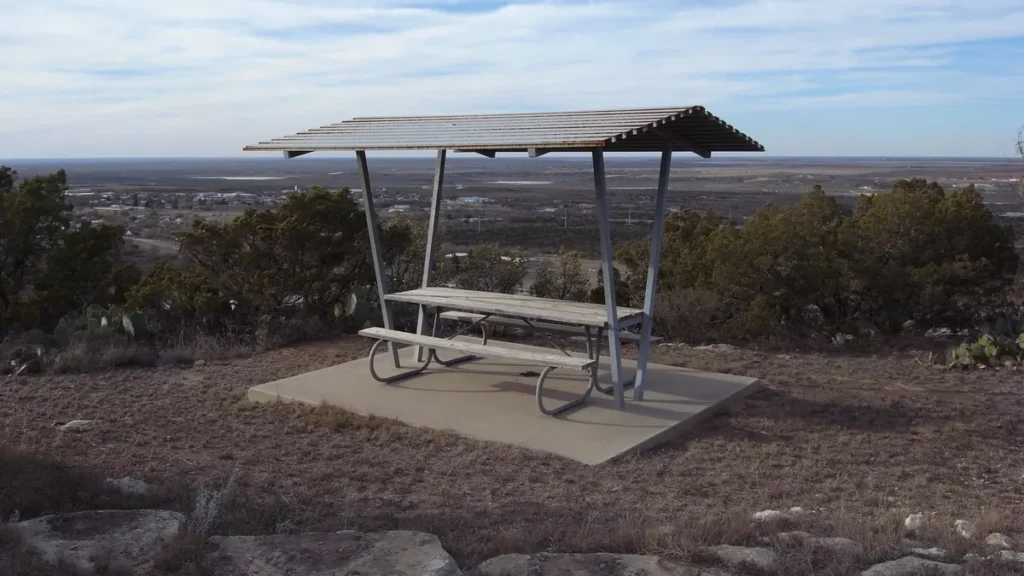
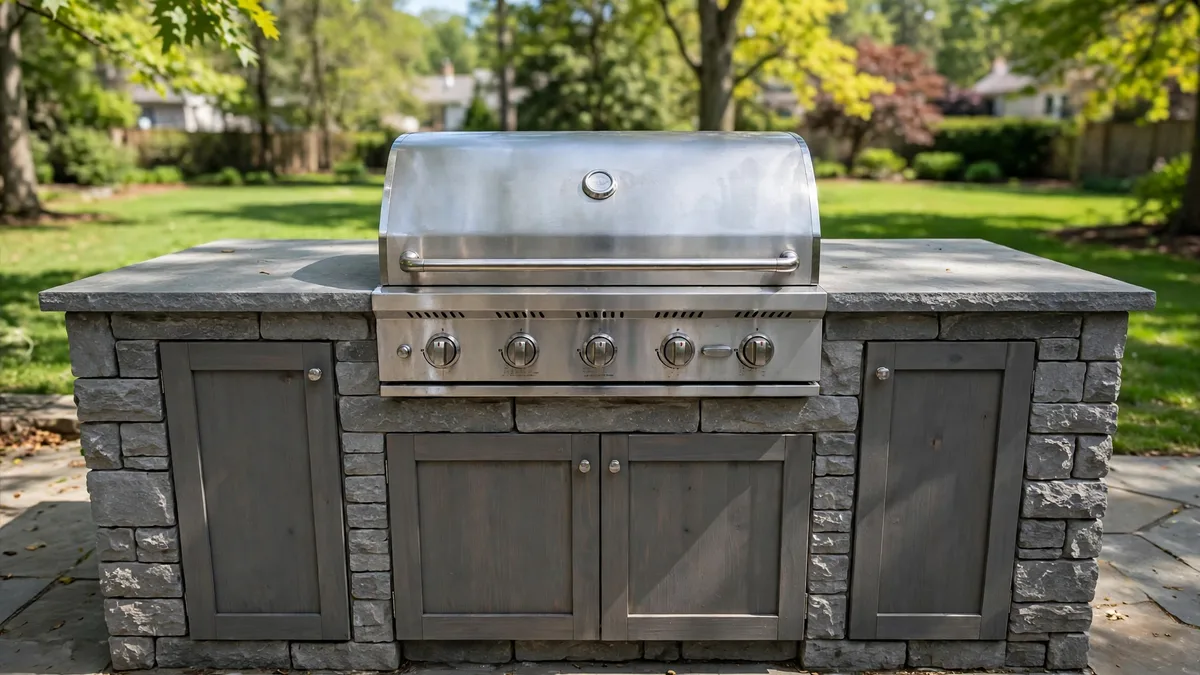
The best AI tools for built-in grill installation startups in 2026 do the unglamorous work that decides whether a job makes money: they turn a patio photo into a measured island layout, work out the exact cutout for the grill head, flag the gas line and ventilation checks before anyone cuts stone, and keep the homeowner, the supplier, and the crew on the same page from the first site visit to the first evening the burners are lit. A built-in grill is not a freestanding barbecue that rolls out of a box. It is a permanent appliance set into masonry and stone, fed by a gas line, surrounded by combustible clearances, and expected to work perfectly for a decade. The software a young grill installation company chooses has to respect that reality.
A new built-in grill installation startup lives or dies on precision. The cutout is the whole job in miniature: a quarter of an inch too wide and the grill head rattles in its opening; a quarter of an inch too narrow and a five-thousand-dollar grill does not fit, the countertop has to be re-cut, and the margin is gone. The same is true of the gas run, the ventilation gap behind the firebox, and the burner BTU rating against the size of the island. Homeowners notice none of this when it goes right, and they notice all of it when it goes wrong. The founder is usually the salesperson, the measurer, the scheduler, and the installer in the same week, and every hour spent retyping measurements or chasing a supplier is an hour not spent building.
This guide compares nine AI tools judged on the work a built-in grill installation startup actually does: measuring patios and islands, designing the cutout and the island layout, pricing grills, burners, stone, and gas work accurately, scheduling the gas fitter and the mason in the right order, documenting the gas line and ventilation for safety, and collecting the review that wins the next grill job.
Key takeaways
- Start with three tools only: one 3D design and measurement tool, one estimating tool that understands cutouts and gas work, and one job management platform. Those three carry most of the revenue for a new grill installation startup.
- Measure twice with software before anyone cuts stone. A photo-based measurement and a 3D island layout catch the cutout, clearance, and ventilation mistakes that eat margins.
- Price the whole install, not just the grill. Burners, gas lines, ventilation, stone, and permits are where grill startups lose money, so every quote needs those lines itemised.
- Document the gas line and the ventilation gap with photos on every job. That record protects the business, reassures the homeowner, and makes warranty calls simple.
- Keep the stack small and the job record single. One record per grill install, with every measurement, photo, quote, and change in the same place, stops double-bookings and forgotten burner orders.
Comparison table: the best AI tools for built-in grill installation startups
| Tool | Best for | Standout AI feature | Starting point |
|---|---|---|---|
| Planner 5D | 3D island layout and cutout visualisation | Photo-based 3D designs of the grill island and patio | Free to start, paid plans from around $10 per month |
| Hover | Photo-to-3D measurements and clearances | Measured 3D models built from smartphone photos | Per-project pricing, from around $30 per measurement |
| Buildxact | Estimating with grill, burner, and stone takeoffs | AI-assisted takeoffs and supplier-priced quotes | From around $109 per month |
| Housecall Pro | Scheduling, dispatch, and invoicing | AI scheduling and automated customer reminders | From around $59 per month |
| FieldPulse | Job management and customer updates | AI-drafted estimates and real-time job tracking | From around $79 per month |
| Matterport | 3D site scans and remote quotes | Digital twins of the patio for remote measuring | Free starter plan, paid plans from around $20 per month |
| OpenSpace | Photo documentation of gas and ventilation work | AI-mapped site photos pinned to the island plan | Custom pricing, free trial available |
| GoHighLevel | Lead follow-up, reviews, and CRM | AI conversations that book site visits around the clock | From around $97 per month |
| Raken | Daily logs, safety checklists, and crew reporting | AI-assisted daily reports and photo logs | From around $29 per user per month |
The 9 best AI tools for built-in grill installation startups in detail
Each tool below is reviewed on its own terms: what it does well for a grill installer, where it falls short, and which kind of startup should buy it first. The order follows the journey of a job, from the first measurement and design to the final invoice and the review that wins the next customer.
1. Planner 5D: best for 3D island layout and cutout visualisation
Planner 5D is the fastest way for a new grill startup to show a homeowner what their island will look like before a single stone is ordered. You build the patio, the island, and the grill head in 3D, drop the grill into its cutout, and walk the homeowner through the layout on a phone or a laptop. For a built-in grill job, that matters more than it sounds: the homeowner is choosing between grill sizes, deciding where the side burner goes, and worrying about whether the island will crowd the patio. A clear 3D view answers those questions in minutes, and a homeowner who can see the finished island signs sooner and changes their mind less often.
The cutout visualisation is the feature that earns Planner 5D its place here. You can model the exact grill head dimensions, check the countertop overhang, and see the clearances around the firebox before the stone is templated. It will not replace a fabricator’s template, and it should never be treated as one, but it catches the obvious errors early: a grill head that is too wide for the island, a side burner colliding with a seating wall, or a countertop that leaves no landing space beside the burners. Those are the mistakes that cost a day on site and a chunk of margin.
2. Hover: best for photo-to-3D measurements and clearances
Hover turns smartphone photos of a patio into a measured 3D model, and for a grill installer that is a genuine time-saver. Instead of a second site visit with a tape and a notepad, you photograph the patio, the house wall, and the proposed island location, and Hover returns dimensions you can measure against: the run of wall available, the distance to the house, the slope of the patio, and the clearances around the planned grill position. Those numbers feed directly into the island design and the cutout size, and they are far more reliable than a sketch made in the rain.
Clearances are where Hover earns its money on grill work. A built-in gas grill needs space behind the firebox for ventilation and heat, space at the sides for the lid to open, and distance from combustible surfaces such as fences, pergola posts, and the house wall. Hover’s model lets you check those distances on screen before the island is framed, which is exactly when they are cheap to fix. It also gives you a defensible measurement record: if a homeowner later asks why the island sits where it does, you can show the model instead of arguing from memory.
3. Buildxact: best for estimating with grill, burner, and stone takeoffs
Buildxact is the estimating tool for grill startups that are tired of losing money on quotes that forgot something. You build the takeoff from the island plan: the grill head, the side burner, the gas line and fittings, the stone veneer, the countertop, the ventilation parts, and the labour for the mason and the gas fitter. Buildxact prices each line from your supplier lists, so the quote that goes to the homeowner includes the gas work and the stone instead of discovering them halfway through the build. That single habit is worth more than any other feature in this guide.
The AI-assisted takeoff is what sets it apart from a spreadsheet. Take a photo of the island plan or the patio, and Buildxact helps quantify the materials: how much stone veneer the island needs, how many lineal feet of countertop, and how the burner and grill choices change the total. When the homeowner swaps a 32-inch grill head for a 42-inch one, the cutout, the stone, the gas requirement, and the price all update together instead of creating three separate surprises on site. For a startup, that accuracy is the difference between a profitable job and a job that pays the supplier and nobody else.
4. Housecall Pro: best for scheduling, dispatch, and invoicing
Housecall Pro runs the week for a grill installation crew. It holds the job schedule, dispatches the crew, sends the homeowner reminders, and turns the finished job into an invoice without retyping. For a grill startup, the scheduling matters because the trades have to arrive in order: the mason frames the island, the gas fitter runs the line, the stone goes on, and the grill head drops in last. One trade out of sequence costs a day, and Housecall Pro keeps that sequence visible to everyone, including the homeowner, who can see when their install is happening instead of calling to ask.
The AI scheduling and reminders do the quiet work. The system nudges the homeowner to confirm the site visit, reminds the crew about the gas line inspection, and follows up on an unpaid invoice politely and automatically. That follow-up is where small trade businesses leak money: an invoice that sits unpaid for three weeks because nobody chased it. Housecall Pro also stores the job record, so the grill model, the cutout size, and the gas fitting details are attached to the customer instead of living in a text thread.
5. FieldPulse: best for job management and customer updates
FieldPulse is the job management platform for grill startups that want the homeowner to feel looked after without the founder spending the day on the phone. Every grill install gets a job record with the schedule, the crew, the materials, and the photos, and the homeowner gets updates as the work moves: island framed, gas line run, stone on, grill head set. That running commentary is what turns a nervous homeowner into a five-star review, because the worst part of any install is not the noise or the dust, it is not knowing what is happening.
The AI-drafted estimates are the standout feature for a small team. FieldPulse helps turn a site visit into a written estimate quickly, pulling the grill model, the burner, and the standard install lines into a quote that looks professional and arrives the same day. Speed matters here: most grill jobs are won by the company that replies first with a clear price, not the one with the lowest price. FieldPulse also tracks the job in real time, so the founder can see which crew is where, which island is waiting on stone, and which grill head is still on back order, all from a phone on the next site visit.
6. Matterport: best for 3D site scans and remote quotes
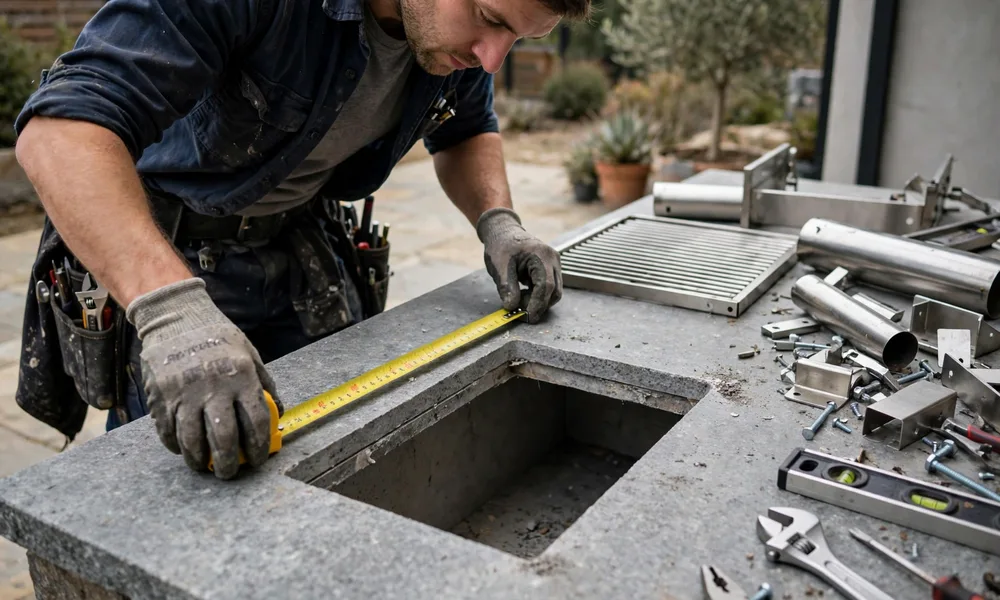
Matterport builds a digital twin of the patio: a 3D scan the founder can walk through on screen, measure from, and share with the homeowner, the mason, and the gas fitter. For a grill startup, the value is in quoting jobs without driving to every patio. A homeowner sends photos or a scan, and you can measure the island run, check the distance from the house, and confirm the grill head will fit, all before the first site visit. In a wide service area, that saves whole days of driving a week.
The scan also becomes the shared record of the job. The mason sees the same patio the founder measured, the gas fitter sees where the line has to run, and the homeowner sees the space the island will occupy. Disagreements about what was agreed shrink when everyone is looking at the same 3D model. Matterport’s measurement tools are accurate enough for layout and quoting, though the final cutout still needs a physical template from the fabricator, and no scan replaces a gas fitter checking the line in person.
7. OpenSpace: best for photo documentation of gas and ventilation work
OpenSpace is the documentation tool that protects a grill installation business. A crew member walks the site with a phone or a 360 camera, and OpenSpace pins every photo to its exact place on the island plan, building a visual record of the whole install: the gas line run, the fittings, the ventilation gap behind the firebox, the burner connections, and the finished island. That record is worth its weight when a homeowner asks a question a year later, when a warranty claim needs evidence, or when a gas inspector wants to see how the line was run.
The AI mapping is what makes OpenSpace different from a phone full of photos. The images are organised by location and date automatically, so finding the photo of the gas fitting behind the island takes seconds instead of scrolling through a camera roll. The system also flags what is missing: if no photo exists of the ventilation gap, the crew knows before they leave site. For gas work, that discipline matters, because the ventilation gap and the gas connections are the parts of the job nobody sees once the island is finished, and they are exactly the parts that have to be right.
8. GoHighLevel: best for lead follow-up, reviews, and CRM
GoHighLevel is the marketing and follow-up engine for a grill startup that is tired of losing leads to silence. A homeowner fills in a form or calls after hours, and GoHighLevel answers with an AI conversation, books the site visit, and follows up on the estimate until the homeowner replies. Most grill jobs are won by the company that replies first and follows up politely, and GoHighLevel automates both of those things around the clock while the founder is on site with a tape measure.
The review engine is the feature that compounds. After the grill is lit and the island is finished, GoHighLevel asks the homeowner for a review at the moment they are happiest, and routes happy customers to the review sites that matter. A grill installer lives on local reviews: a dozen five-star reviews with photos of finished islands will win more work than any advert. GoHighLevel also holds the whole customer record, so the next time that homeowner calls about a burner repair or a second island, the history is there.
9. Raken: best for daily logs, safety checklists, and crew reporting
Raken is the daily log and safety tool for a grill startup that has grown past one crew. Every day on site gets a log: who was there, what was done, what the weather did, what was delivered, and what is still waiting. For grill work, the log carries the safety record too: the gas line pressure check, the ventilation gap measurement, the burner test, and the final leak check, each with a photo and a signature. That record is what an inspector, an insurer, or a homeowner asks for when something goes wrong, and Raken makes it part of the working day instead of a scramble afterwards.
The AI-assisted reporting is what saves the founder’s evenings. Raken turns the crew’s notes and photos into a clean daily report that can go to the homeowner or the builder without the founder rewriting it. The safety checklists are the other half: a short list the crew runs through on every gas job, so the pressure test and the ventilation check never depend on memory. In a trade where the dangerous mistakes are the invisible ones, a checklist that gets used every day is worth more than any design app.
Why a built-in grill install is not a generic trade job
A built-in grill installation combines four trades in one small footprint, and that is what makes it different from most home improvement work. The island is masonry and stone, the grill is a gas appliance, the countertop is a templated stone cut, and the ventilation is a safety system. Each of those has its own supplier, its own lead time, and its own failure mode, and a mistake in any one of them shows up in the others: a grill head that arrives a week late holds up the stone, a gas line that is undersized for the burner rating means the grill never reaches temperature, and a ventilation gap that is too tight means the island overheats. The software has to hold all four together, which is why generic trade apps need custom fields and grill-specific thinking to work well here.
The cutout is the clearest example. Every grill head has a published cutout size, and the island has to be built to it, not the other way around. The countertop fabricator templates from the island frame, the mason builds to the template, and the gas fitter runs the line to the burner position. If any of those measurements drift, the grill head does not fit, and the fix is either a re-cut countertop or a different grill. The tools in this guide exist to stop that drift: Hover and Matterport measure the patio, Planner 5D lays out the island, and Buildxact prices the change when the homeowner swaps grill sizes. Used together, they make the cutout a number everyone agrees on before the stone is ordered.
Gas and ventilation deserve their own attention because they are the safety core of the job. A built-in gas grill needs a properly sized gas line, a shut-off that is reachable, and a ventilation gap behind and below the firebox so heat can escape. Those details are not visible once the island is finished, which is why OpenSpace and Raken matter: they document what is hidden, and they make the safety checks a routine rather than a hope. A startup that documents its gas work wins trust with homeowners, builders, and inspectors, and it sleeps better. The wider outdoor kitchen build brings the same trades together on a larger scale, and the lessons carry over: one record per job, every measurement written down, and nothing left to memory.
How to choose the right AI tools for your grill installation startup
Before buying anything, decide what your startup actually sells. Some grill installers are design-led: they sell a vision, a 3D island, and a premium finish, and they charge for the design itself. Others are build-led: they sell speed, value, and reliable installation, and they win on price and turnaround. A design-led startup should spend first on Planner 5D and Matterport, while a build-led startup should spend first on Buildxact, Housecall Pro, and the measurement tools. Buying the wrong tool first is the most common waste of money in this niche.
Judge every tool on four practical tests. First, does it handle grill-specific work, such as cutouts, gas runs, ventilation gaps, and burner ratings, or is it a generic tool that forces you to work around it? Second, does it work from a phone on a dusty patio, with photos, voice notes, and offline access? Third, does it connect to the rest of your stack, so a signed quote becomes a job, a job becomes a schedule, and a schedule becomes an invoice without retyping? Fourth, can a new hire learn it in a week? A tool that only the founder understands becomes a bottleneck the moment the business grows.
Start small on purpose. Three tools are enough for the first year: one design and measurement tool, one estimating tool, and one job management platform. Add GoHighLevel when leads start slipping, OpenSpace when you have a second crew, and Raken when builders ask for daily reports.
Pricing and running costs
A realistic first-year stack for a built-in grill installation startup costs between roughly $200 and $400 a month. Planner 5D or Matterport covers design and measurement for very little, Buildxact covers estimating from around $109 a month, and Housecall Pro or FieldPulse covers scheduling and job management from around $59 to $79 a month. GoHighLevel adds around $97 a month when the business is ready for automated follow-up, and Raken adds around $29 per user a month when a second crew arrives. OpenSpace and Hover are priced per project or by custom quote, so they flex with the diary rather than punishing a quiet month.
The honest way to judge that cost is against one avoided mistake. A single re-cut countertop costs more than a year of Planner 5D. A single lost grill job because the estimate arrived three days late costs more than a month of GoHighLevel. The same total-cost thinking applies when choosing the right grill for a customer, where the headline price is rarely the whole story. A single gas callback without a photo record costs more than a year of OpenSpace. The tools pay for themselves in avoided rework, won jobs, and faster payment, but only if the crew uses them on every job. A subscription nobody opens is just a leak.
Watch for the hidden costs too. Most of these tools charge per user, so a growing crew grows the bill. Some charge per project, which is fair in a busy month and invisible in a quiet one. All of them need setup time: supplier prices in Buildxact, job forms in Housecall Pro, follow-up sequences in GoHighLevel. Budget a week of evenings for setup, and do not buy two tools that do the same job. One scheduling platform, one estimating tool, and one design tool are enough to start.
Built-in grill installation startup checklist
- Pick your starter stack before the first job: one design and measurement tool, one estimating tool, and one job management platform, all learned by the whole crew.
- Measure the patio with software and confirm the cutout size in writing with the grill supplier before the island frame is built.
- Price the whole install in every quote: grill head, side burner, gas line and fittings, stone, countertop, ventilation parts, and permits.
- Book the trades in order and confirm each one in the shared schedule: mason, gas fitter, stone, then grill head last.
- Photograph the gas line, the fittings, and the ventilation gap on every job, and file the photos against the job record before the crew leaves site.
- Ask for the review on the day the grill is lit, while the homeowner is standing in front of a finished island, and follow up once if they forget.
Frequently asked questions
How much should a built-in grill installation startup spend on AI tools in year one?
Budget roughly $200 to $400 a month for the starter stack: a design and measurement tool, an estimating tool, and a job management platform. That is less than the cost of one re-cut countertop or one lost job, and it falls as a share of revenue as the diary fills.
Can AI really measure a patio accurately enough for a grill cutout?
AI measurement tools such as Hover and Matterport are accurate enough for layout, quoting, and clearance checks, and they are far more reliable than a hand sketch. They are not a substitute for the countertop fabricator’s physical template, which is the final authority on the cutout.
Do I need a gas licence to install built-in grills?
It depends on where you work, and the answer is usually that the gas work itself must be done or signed off by a licensed gas fitter. A grill startup can build the island, set the grill head, and handle the stone and countertop, but the gas line, the connections, and the pressure test belong to a licensed professional in most regions.
What is the hardest part of running a built-in grill installation startup?
The hardest part is sequencing. The island, the gas line, the stone, and the grill head all depend on each other, and each has its own supplier and lead time. A grill head on back order holds up the stone, a late gas fitter holds up the grill, and the homeowner is watching all of it.
How do AI tools handle gas lines and ventilation clearances?
They handle them as checks, not as decisions. The software can measure the clearances, flag the ventilation gap, remind the crew to photograph the gas fittings, and store the pressure test result against the job. It cannot decide whether a gas run is safe, and it should never be allowed to. The same care applies on the neighbouring trade, as the checks for an outdoor fireplace installation show. The human gas fitter makes the safety call, and the software makes sure that call is recorded, photographed, and filed.
Will homeowners trust a new grill company that uses AI tools?
Yes, when the tools make the experience better rather than more robotic. Homeowners trust a company that shows them a 3D island on the first visit, sends a clear itemised quote the same day, keeps them updated while the island is built, and hands over a photo record of the gas work at the end.
The bottom line
The best AI tools for built-in grill installation startups in 2026 are the ones that protect the cutout, the gas line, and the schedule. Start with Planner 5D or Hover for measurement and design, Buildxact for honest estimating, and Housecall Pro or FieldPulse to run the week. Add Matterport when you are quoting from a distance, OpenSpace and Raken when the crew grows and the safety record matters, and GoHighLevel when leads start slipping. Keep the stack small, use it on every job, and let the software carry the admin while the crew builds islands that fit first time.

Keep what speaks to you.
Leave room for your own perspective.