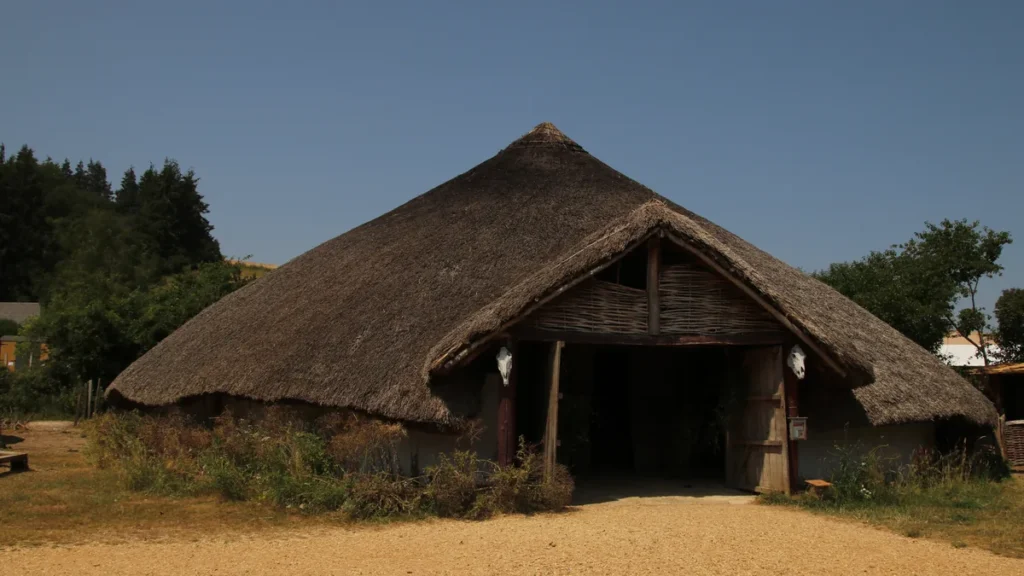
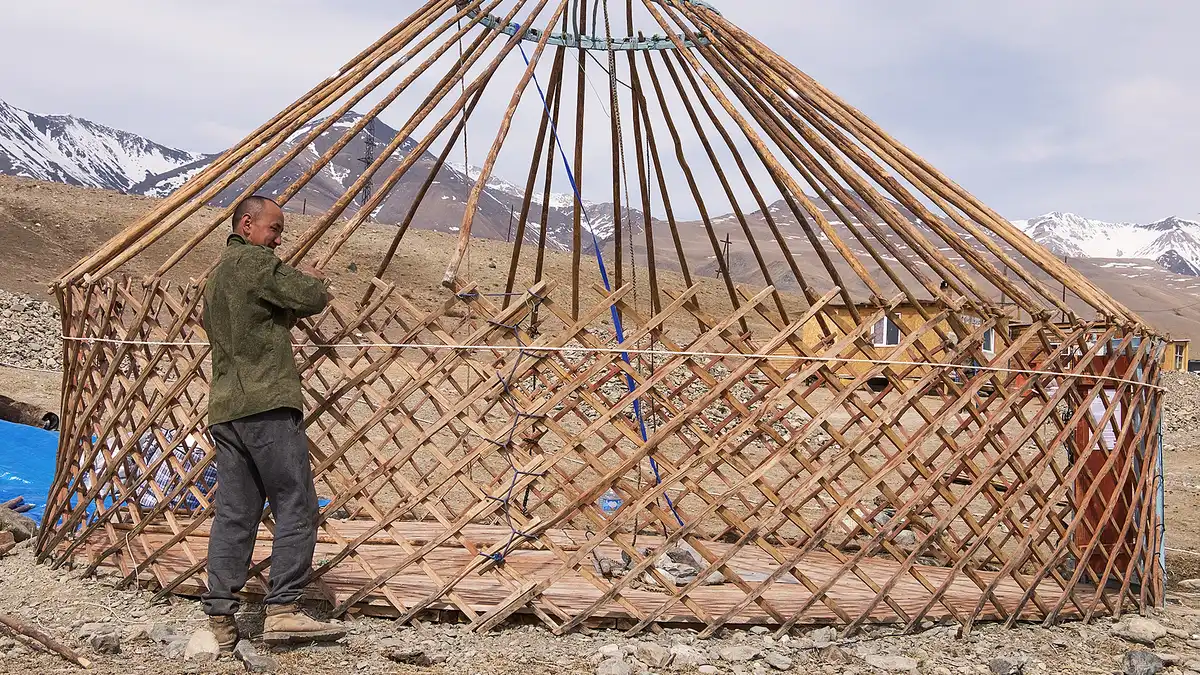
A yurt installation startup builds something most people have only ever seen finished: a round, canvas-covered home that goes up in days, not months. The work itself is a sequence of precise steps. First comes the platform, a level timber deck that must sit square and true on ground that rarely is. Then the lattice wall, the khana, unfolds into a circle and locks into place. Rafters rise to the roof ring, the toono, and the whole frame suddenly stands on its own. Canvas goes over the top, insulation and a liner go inside, a door and windows are fitted, and a structure that arrived on a trailer becomes a warm, dry room. Every step depends on the one before it, and a small error at the platform stage becomes a visible problem at the roof ring.
That sequence is what makes the business hard to run without good software. A quote has to account for the slope of the site, the size of the yurt, the insulation package, the platform materials, and the travel time to a plot that may be an hour down a dirt track. A crew of two or three people has to arrive with the right parts, in the right order, on a day when the weather holds. A client who has never lived in a yurt needs a drawing they can understand, a price they can trust, and photo proof that the canvas was tensioned properly and the insulation was fitted without gaps. Doing all of that from memory, spreadsheets, and text messages works for the first few jobs, and then it starts to cost money.
This guide compares nine AI tools that fit the exact shape of a yurt installation startup in 2026: estimating and quoting, 3D design, site measurement, crew scheduling, on-site task management, photo documentation, and invoicing. Every tool is judged on the same measures: how well it handles small crews and remote sites, how much time it saves before the business is earning, how it copes with the physical realities of a yurt build, and what it costs to start. By the end, you will know which tools to buy first, which to add later, and how to build a lean stack that keeps every install square, dry, and on schedule.
Key takeaways
- Start with one estimating and quoting tool, one scheduling tool, and one invoicing tool. Those three carry most of the admin for a new yurt installation startup.
- Choose tools that understand a build, not a booking: a yurt install has a platform, a lattice wall, a roof ring, canvas, and insulation, and a tool built for rentals will not track any of them.
- Measure the site before you quote it. Drone surveys and 3D design catch slope, access, and sizing problems while they are still cheap to fix.
- Photograph every stage of the install. Dated photos of the platform, frame, canvas, and insulation protect the business when a client questions the work months later.
- Measure success in quote accuracy, days per install, callback rate, and cash collected on time, not in how many features a tool lists.
The Best AI Tools for Yurt Installation Startups at a Glance
| Tool | Best for | Standout strength | Starting point |
|---|---|---|---|
| Jobber | Quoting, scheduling, and invoicing | One flow from quote to paid invoice for small crews | Free trial, then monthly plans |
| Buildertrend | Project management | Timelines, budgets, and client updates in one place | Free demo, then monthly plans |
| SketchUp | 3D platform and structure design | Fast, clear 3D models clients can understand | Free plan, then monthly plans |
| DroneDeploy | Site surveys and measurement | Accurate maps and measurements from drone flights | Free trial, then monthly plans |
| CompanyCam | Photo documentation | Time-stamped, organised photos of every install stage | Free trial, then monthly plans |
| Buildxact | Estimating | Quick, consistent takeoffs and quotes for builders | Free trial, then monthly plans |
| Fieldwire | On-site task management | Drawings, checklists, and punch lists on a phone | Free plan, then monthly plans |
| QuickBooks Online | Invoicing and cash flow | Quotes, invoices, expenses, and tax-ready books | Free trial, then monthly plans |
| Houzz Pro | Leads and proposals | Professional proposals and a steady flow of enquiries | Free trial, then monthly plans |
What Makes an AI Tool Right for a Yurt Installation Startup
A yurt installation startup is a building business, not a rental business, and the software has to fit that shape before any AI feature matters. The first test is the site. Yurts go up on hillsides, in woods, on farms, and at the far end of fields where a van cannot always reach. The ground is rarely level, the access is often tight, and the platform has to be right before anything else happens. Tools that measure a site from the air, model the platform in 3D, and flag slope and drainage problems before the crew arrives are worth far more here than tools that manage a calendar of guest arrivals. A platform built on a bad measurement wastes timber, time, and a full day of crew labour.
The second test is the structure itself. A yurt is a kit of parts that must arrive in the right order: platform timbers, lattice sections, the roof ring, rafters, canvas, insulation, liner, door, and windows. A missing rafter or a short roll of insulation stops the whole job, and the nearest supplier may be hours away. The best tools for a yurt installer therefore track materials, tasks, and checklists, not rooms and rates. They let the founder build a repeatable install sequence, assign each stage to a person, and see at a glance whether a job is on track. Many finished yurts end up as guest units on glamping sites, so the lessons in our guide to the best AI tools for glamping startups are useful once the build is done, but the install itself needs builders’ tools.
The third test is the quote. Yurt clients compare prices carefully, and a quote that is vague or slow loses the job to a competitor who answered first with a clear number. At the same time, a quote that is too low eats the margin on materials and crew days. AI estimating tools help here by pulling past job costs into the next quote, flagging line items that look wrong, and turning an approved quote into a schedule and an invoice without retyping anything. The founder should still check every number, because no software has stood on the client’s land, but the drafting work can be done in minutes instead of an evening.
The 9 Best AI Tools for Yurt Installation Startups in 2026
1. Jobber: Quoting, Scheduling, and Invoicing for Small Install Crews
Jobber is the first tool most yurt installation startups should buy, because it covers the three jobs that eat the most admin time: quoting, scheduling, and getting paid. A client enquiry becomes a quote with line items for the platform, the yurt kit, insulation, travel, and labour. The quote goes out by email or text, the client approves it online, and the same job flows into the crew calendar without anyone retyping an address or a price. When the install is finished, the invoice goes out from the same record, and Jobber chases late payments with polite reminders so the founder does not have to.
The AI side of Jobber is practical rather than flashy. It drafts client messages, suggests follow-ups for quotes that have gone quiet, and helps turn a short job description into a clear, professional quote. For a yurt installer, the most useful feature is the way a quote stays connected to the job: when a client asks for a bigger yurt or a better insulation package halfway through the conversation, the price updates in one place and the crew sees the same version. That matters on jobs where the specification changes between the first site visit and the final order, which is most of them.
2. Buildertrend: Project Management from Platform to Final Walkthrough
Buildertrend is the tool for the yurt installer whose jobs are getting bigger: multiple yurts on one site, a platform plus a deck plus a bathroom pod, or a build that stretches across several weeks with subcontractors. It gives every job a timeline, a budget, a set of tasks, and a client portal, so the founder, the crew, and the client all see the same version of the truth. When the platform is delayed by rain, the timeline shifts, the client gets a notification, and the next stage moves without a round of phone calls.
The AI features in Buildertrend focus on the paperwork that usually piles up on a building business. It helps draft client updates, summarise progress, and flag budget items that are drifting from the estimate. For a yurt installer, the budget tracking is the quiet star: platform timber, fixings, insulation, canvas, travel, and labour each get their own line, and the founder can see the margin on a job while there is still time to fix it, not after the final invoice has gone out. Change orders, which are common when a client upgrades insulation or adds a deck, are recorded and priced in the same system instead of living in a text message thread.
3. SketchUp: 3D Platform and Structure Design Clients Can See
SketchUp is the design tool that sells the yurt before a single timber is cut. Most clients have never stood inside a yurt, and a flat drawing of a circle with a door does not tell them what the space will feel like. A SketchUp model does: the platform, the lattice wall, the roof ring, the rafters, the door, the windows, and the furniture, all in three dimensions, in an afternoon. The client can walk around the model on a screen, ask for the door to move, see what a larger roof ring does to the headroom, and approve the design with confidence instead of guesswork.
For the installer, the model is also a working document. Platform dimensions, rafter lengths, and roof ring heights come out of the same file, so the cutting list matches the drawing and the crew is not solving geometry on site. AI-assisted features in SketchUp help generate variations quickly, suggest materials, and turn a rough sketch into a presentable model. A founder can show a client three platform options, one with a wraparound deck and two without, and let the client choose with real numbers attached to each one.
4. DroneDeploy: Site Surveys and Measurements Without the Climb
DroneDeploy turns a drone flight into a survey a yurt installer can quote from. The drone photographs the site from above, and the software stitches the images into an accurate map with measurements: distances, areas, slopes, and heights. For a yurt platform, that means knowing the true fall across the site, the distance from the track to the build spot, and the space available for a delivery vehicle, all before the crew drives out for a site visit. A slope that looks gentle from the ground can be a full day of extra platform work, and DroneDeploy shows it in numbers.
The AI in DroneDeploy does the measuring. It identifies ground levels, calculates volumes of earth to move, and highlights obstacles such as trees, fences, and overhead lines. A founder can mark the platform footprint on the map, check the clearance around it, and share the annotated survey with the client so everyone agrees on where the yurt will sit. When a client asks why the platform costs what it does, the survey is the answer: the slope, the access, and the groundworks are all visible on one page.
5. CompanyCam: Photo Proof of Every Install Stage
CompanyCam is the simplest tool on this list and one of the most valuable. It is a camera app built for building work: every photo is automatically stamped with the time, the location, and the job it belongs to, and the photos are organised by project instead of sitting in a phone gallery mixed with family pictures. The installer opens the job, photographs the platform fixings, the lattice wall, the roof ring, the canvas tensioning, and the insulation, and the record builds itself as the work happens.
The AI features sort, label, and summarise the photos, so the founder can find the insulation photos from a job six months ago in seconds, or generate a before-and-after set for the client without scrolling through hundreds of images. Annotations let the crew mark a fixing that needs checking or a seam that needs resealing, and those notes stay attached to the photo instead of vanishing into a group chat. When a client asks whether the canvas was fitted correctly or a supplier disputes a delivery, the dated photos settle the question.
6. Buildxact: Fast, Accurate Estimates for Yurt Builds
Buildxact is built for small builders who need a quote out the door today, not next week. The founder enters the platform dimensions, the yurt size, the insulation package, and the labour days, and Buildxact builds the estimate from saved price lists and past jobs. AI-assisted takeoffs help pull quantities from a drawing or a SketchUp model, and the quote it produces is consistent: the same platform costs the same amount every time, unless the founder deliberately changes a price. That consistency is what stops the slow drift where one job is quoted generously and the next one barely covers materials.
The real strength of Buildxact for a yurt installer is how it connects the estimate to the order. Once a quote is approved, the materials list becomes a purchase order for the timber yard and the yurt supplier, so the platform timbers, fixings, and insulation are ordered in the right quantities without a second round of counting. Suppliers can be compared side by side, and the founder can see which yard is cheapest for decking this month without phoning three numbers. That matters on a build where materials are a large share of the job cost and a wrong order means a lost day.
7. Fieldwire: Drawings, Tasks, and Punch Lists on Site
Fieldwire is the tool the crew actually looks at while the yurt is going up. It puts the drawings, the task list, and the punch list on a phone or tablet, and it works offline, which matters on rural sites where the signal drops the moment the crew leaves the road. The platform drawing, the lattice layout, and the roof ring measurements are all there, marked up with the notes from the morning briefing, and every task can be ticked off as it is finished.
The AI side of Fieldwire helps turn plans and photos into tasks. A photo of a platform corner becomes a task assigned to a named installer, with a due time and a place on the drawing. A punch list from the final walkthrough becomes a set of small jobs that can be checked off one by one instead of living on a scrap of paper in the van. The founder, back at the office or on another site, can see which stage the crew has reached without phoning for an update, and the client can be told honestly when the canvas goes on and when the handover will happen.
8. QuickBooks Online: Invoicing, Expenses, and Cash Flow
QuickBooks Online is the bookkeeping backbone that keeps a yurt installation startup out of trouble with money. It sends invoices, records expenses, tracks mileage, and reconciles the bank account, so the founder always knows whether the business made money on the last job or just looked busy. Quotes and invoices can be created from the same records, and the AI features draft invoice reminders, categorise expenses, and flag transactions that look unusual, such as a materials bill charged twice.
For a yurt installer, the most useful habit QuickBooks encourages is job costing. Every expense is tagged to a job, so the founder can compare the platform timber, the travel, and the labour across ten installs and see which jobs made money and which ones did not. A yurt that looked profitable on the quote may turn out to have eaten its margin in extra travel and remedial work, and that pattern only shows up when the numbers are kept properly. Cash flow forecasting is the other quiet benefit: yurt work is seasonal, and knowing that January will be thin while the autumn order book is full changes how the founder spends in November.
9. Houzz Pro: Leads, Proposals, and a Professional Front Door
Houzz Pro is the marketing and sales front door for a yurt installation startup. It combines a business profile, a portfolio of finished installs, lead management, and proposal tools in one place. A potential client finds the profile, sees real photos of real yurts, and sends an enquiry that lands in a pipeline instead of vanishing into an inbox. The AI features help draft responses, score leads, and turn an enquiry into a proposal with a price, a timeline, and a set of photos, all in the time it would otherwise take to write a single email.
The portfolio is the reason Houzz Pro earns its place here. Yurt clients buy on trust, and a profile full of finished installs, platform photos, and honest reviews is far more persuasive than a social media page. The canvas work, the insulation, and the finished interiors are exactly the images that luxury tent clients look for too, and our guide to the AI tools for luxury tent startups shows how those same photos sell nights once the yurt is standing. For the installer, the same images sell the next build. Houzz Pro also keeps the proposal professional: a client who receives a clear, branded proposal with a payment schedule is far more likely to sign than one who receives a price in a text message.
How to Price a Yurt Installation
Pricing a yurt installation starts with the platform, because it is the part of the job that varies most. A flat, dry site with vehicle access needs a simple deck on short posts. A sloping site needs taller posts, more bracing, and possibly groundworks, and the difference can be a full day of labour and a large share of the materials bill. The quote should break the platform out as its own line so the client can see why two sites with the same yurt cost different amounts, and so the founder can check the platform margin separately from the rest of the job.
The tools above make this pricing repeatable. Buildxact holds the materials prices, Jobber holds the quote template, and QuickBooks shows whether the last ten jobs actually made the margin the quotes promised. Review the prices every quarter, because timber, insulation, and fuel move faster than most founders expect, and a price list from last spring is a quiet way to lose money all summer. A yurt platform has more in common with a deck and a shed base than with a house foundation, and the AI tools for shed installation startups we compared use the same approach: measure the site, price the base separately, and let the structure price follow.
Running the Install: Crews, Weather, and the Final Walkthrough
A yurt install runs on a simple rhythm: platform day, frame day, canvas day, and finishing day, with the roof ring as the moment the job becomes visible. The platform must be level and square before the lattice wall goes up, because a platform that is out by a few millimetres at the edge becomes a roof ring that does not sit true. The crew should measure the platform twice, once after the posts are set and once after the deck boards are down, and photograph both measurements. CompanyCam makes this automatic, and Fieldwire turns the measurements into tasks the whole crew can see.

The final walkthrough is the most important hour of the job. Walk the client around the yurt, show them how the door latches, how the windows open, how the roof vent works, and what to check after the first heavy rain. Hand over the photo record, the care instructions for the canvas, and a clear note about what the warranty covers. Then ask for a review while the experience is fresh, and photograph the finished yurt for the portfolio. A walkthrough done well turns a client into a referrer, and a referrer is worth more than any advertising a small installer can buy. The checklist below keeps the whole sequence in order, from the first enquiry to the review request.
Yurt Installation Startup Launch Checklist
- Pick your starter stack: an estimating tool, a scheduling tool, and an invoicing tool, and use them on every job from day one.
- Build a standard install sequence for platform, lattice wall, roof ring, canvas, and insulation, with a photo at each stage.
- Survey every site before quoting, with a drone map or a careful physical measurement, and price the platform as its own line.
- Model the yurt in 3D and get the client to approve the design, the platform size, and the insulation specification in writing.
- Set up photo documentation and a final walkthrough routine, including canvas care instructions and a review request.
- Review job margins every month in your bookkeeping tool, and update material prices and travel rates every quarter.
Frequently Asked Questions
How much do AI tools cost for a yurt installation startup?
A sensible starter stack costs roughly the price of a few hours of labour per month. Jobber, CompanyCam, and QuickBooks Online each start with a free trial and move to modest monthly plans, and the free tiers of SketchUp and Fieldwire cover design and site tasks at the start. The test is not the subscription total but whether the tools save more time than they cost: one accurate quote, one avoided return visit, or one settled dispute usually pays for a year of software. Add Buildertrend, DroneDeploy, and Houzz Pro only when the volume of work justifies them.
Do I need a drone survey for every yurt install?
No. A small yurt on flat, accessible ground can be measured perfectly well with a tape, a level, and a careful walk around the site. A drone survey earns its keep on sloping ground, large sites, wooded plots, and jobs where the access route is unclear. The rule is simple: if the platform price depends on the slope or the access, measure it properly before quoting. A drone map is one way to do that, and a thorough physical survey is another. Either way, the measurement should happen before the quote, not after the crew arrives.
What is the difference between a yurt installation startup and a glamping startup?
A yurt installation startup builds yurts for other people, while a glamping startup rents yurts and tents to guests. The installer sells a finished structure and hands it over; the glamping operator sells nights, manages bookings, cleans units, and answers guest messages. The tools are different as a result: installers need estimating, design, site measurement, and crew management, while glamping operators need booking systems, dynamic pricing, and guest messaging. Some yurt installers later add a rental arm, and some glamping sites employ installers, but the two businesses make money in different ways.
Can AI tools design a yurt platform on their own?
Not safely, and not yet. AI-assisted design tools such as SketchUp can generate platform layouts, suggest materials, and show a client what the finished yurt will look like, but they do not know the soil, the slope, the snow load, or the local building rules for a specific site. The founder, and a qualified engineer where the rules require one, must check every dimension and every load path. Treat AI design as a fast way to explore options and communicate with the client, and treat the final engineering as a human responsibility.
How long does a yurt installation take?
A standard yurt on a prepared platform usually takes two to four days for a small crew: a day for the platform if it is not already built, a day for the frame, and a day for the canvas, insulation, and finishing. Larger yurts, complex platforms, decking, and bad weather can stretch that to a week. The tools in this guide help keep the job on schedule by making the sequence visible, the tasks assignable, and the delays communicable. Clients should be given a schedule with a spare day built in, so a lost day to wind or rain does not feel like a broken promise.
When should a yurt installation startup start using dynamic pricing?
Dynamic pricing, in the sense of changing prices night by night, belongs to rental businesses, not installers. A yurt installer prices by the job: materials, labour, travel, and margin, reviewed quarterly. What the installer should do instead is track seasonal demand and adjust lead times and deposit terms accordingly. In a busy spring, with a full order book, the price can rise and the deposit can be firmer. In a quiet winter, the founder can offer a discount for a February install or a package that includes the deck. The discipline is the same as dynamic pricing, but the mechanism is a job quote, not a nightly rate.
The Bottom Line
A yurt installation startup succeeds on accuracy: an accurate site measurement, an accurate quote, a square platform, a true roof ring, and a canvas fitted once and fitted well. The nine tools in this guide exist to protect that accuracy at every stage, from the drone survey that catches a slope before the quote to the photo record that proves the insulation was fitted properly. Start with Jobber for quoting and scheduling, CompanyCam for photo proof, and QuickBooks Online for the money, add SketchUp and Fieldwire as the jobs get more complex, and bring in Buildertrend, DroneDeploy, Buildxact, and Houzz Pro as the order book grows. The yurt itself is an old design, refined over centuries on the steppe. The business around it is new, and the founders who run it with good tools will be the ones still building yurts in five years.

Keep what speaks to you.
Leave room for your own perspective.