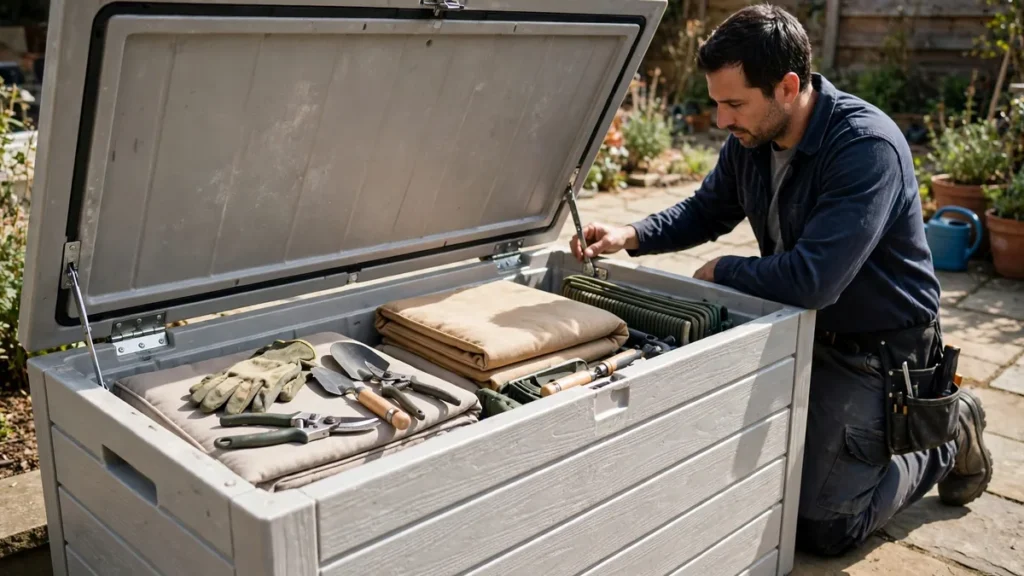
The best AI tools for shed installation startups in 2026 turn a muddy backyard, a stack of timber panels and a customer who only knows roughly where the shed should go into a booked, priced and finished job before the first post hole is dug. A shed installation startup lives on work that looks simple from the driveway and turns complicated the moment the ground is inspected, because a shed that should take one day can take three when the base is out of level, the access gate is too narrow for a panel, or the customer changes their mind about the door position halfway through the build. The right tools watch all of that at once, so a small crew can quote honestly, arrive with the right kit, and finish on time while still giving each customer the feeling that their garden is the only job that matters that day.
A shed installation business is really several small services sharing one van, one phone number and one reputation. Every week brings a different mix of work: flat-pack garden sheds that need assembling from scratch, custom timber sheds built to order on a prepared base, metal and resin sheds that demand exact levelling, summerhouses and garden offices that need power and insulation, and the repair jobs where a storm-damaged roof or a rotting floor needs a professional to put it right. When any part of that mix is handled in a separate notebook, a separate app or a separate inbox, the whole week wobbles. A missed message becomes a lost booking, a crew sent without the right fixings becomes a wasted day, and a quote that forgets the base work becomes a job that loses money.
This guide compares nine tools that fit a shed installation startup, from AI design and measurement to 3D visualisation, quoting, scheduling, site management and payments. Every tool was judged on the same questions a founder actually asks: does it save time on a real shed job, does it work from a phone in a garden, does it pay for itself within the first few jobs, and can a two-person crew learn it without a training course. The result is a practical stack, not a wish list, built for a business that earns its money outdoors, in all weathers, one shed at a time.
Key takeaways
- SketchUp and Cedreo are the strongest design pair for a shed startup: SketchUp for exact plans and Cedreo for fast 3D renders the customer can approve before a single panel is cut.
- Quoting is where shed startups lose money, so Joist and SumoQuote matter more than any design tool, because a quote that forgets base work, access or waste removal turns a good job into a loss.
- Buildertrend and Fieldwire keep multi-day shed builds on track, from the base pour to the final roof felt, without the founder chasing the crew by phone.
- DripJobs and Procore fill the gaps most new shed businesses ignore: follow-up messages that win repeat work, and proper site records that protect the business when something goes wrong.
- Start with three tools, not nine: one design tool, one quoting tool and one job-management tool, then add the rest only when a real job shows you need them.

Best AI Tools for Shed Installation Startups at a Glance
| Tool | Best for | Starting price | Standout feature |
|---|---|---|---|
| SketchUp | Exact shed plans and cut lists | Free version available; paid from around $119 per year | Precise 3D modelling with a huge library of ready-made components |
| Cedreo | Fast 3D renders for customer approval | From around $119 per month | Photorealistic renders from a simple floor plan in minutes |
| SmartDraw | Site plans and garden layouts | From around $9.95 per month | Automatic formatting for plans, diagrams and garden layouts |
| Buildertrend | Running multi-day shed builds | From around $199 per month | One dashboard for schedules, budgets, clients and change orders |
| Fieldwire | Site tasks and punch lists | Free basic plan; paid from around $39 per user per month | Plan markups and task lists that work offline on site |
| Joist | Fast quotes and invoices | Free basic plan; paid from around $9.99 per month | Professional estimates built on a phone in minutes |
| SumoQuote | Quotes that actually close | From around $99 per month | Good, better and best pricing options in one polished quote |
| DripJobs | Follow-up and repeat work | From around $99 per month | Automated follow-up sequences for quotes that go quiet |
| Procore | Records and larger projects | Custom pricing | Complete project records, drawings and daily logs in one place |
What Makes a Shed Installation Startup Different
A shed installation startup is not a general building firm, and it is not a gardening service either. It sits in a narrow space where carpentry, groundwork, logistics and customer service all meet in one small garden. The customer is usually a homeowner who has already bought the shed or is choosing between models, and they expect the installer to handle everything they have not thought about: the base, the access, the level, the drainage, the door swing and the roof. That breadth is what makes the business hard to run without good tools, and it is also what makes it profitable when it is run well.
The ground decides everything on a shed job. A concrete slab, a timber bearer frame, a paved pad and a patch of lawn all demand different preparation, different materials and different time. A base that looks flat to the eye can be out by thirty millimetres across its length, and that gap will show up as a door that will not close, a roof that will not sit square, or a floor that pools water after rain. The best shed installers measure the base before they promise a date, and they photograph it, because a photograph of a sloping base is the difference between a fair extra charge and an argument. AI measurement and photo tools make that evidence easy to collect, and they make it easy to share with the customer before work starts.
Access is the second thing that catches new shed businesses out. A garden gate that is ninety centimetres wide will not take a two-metre panel, and a side passage full of bins will not take a wheelbarrow of hardcore. A crew that discovers this on arrival loses half a day, while a crew that asked for a photograph of the gate in advance arrives with a plan. This is why the quoting and messaging tools in this guide matter as much as the design tools: most shed jobs are won or lost on the questions asked before the van leaves the yard. A business that installs doors as well as sheds will find the same pattern in related fitting work, and the lessons carry across, as our guide to the best AI tools for barn door installation startups shows with its focus on millimetre-accurate measurements.
How to Choose AI Tools for a Shed Installation Startup
Start with the job, not the software. A shed startup that mostly assembles flat-pack garden sheds needs fast quoting, good scheduling and a photo record, while a startup that builds custom timber sheds to order needs design software first, because every job starts with a drawing the customer must approve. Write down the five tasks that eat the most time in a week, then buy the tool that fixes the biggest one. If quoting takes three evenings a week, buy the quoting tool first. If customers keep changing the design after work starts, buy the design and approval tool first.
The 9 Best AI Tools for Shed Installation Startups
1. SketchUp: The Best Tool for Exact Shed Plans and Cut Lists
SketchUp is the design tool most shed builders reach for first, and the reason is simple: it lets a small business draw a shed exactly as it will be built, down to the last stud and rafter. A founder can model the frame, the cladding, the door, the windows and the roof in an afternoon, then pull a cut list straight from the model, so the timber order is right the first time and nothing is wasted. The free web version is enough to learn on, and the paid version adds the layout and documentation tools that turn a model into a drawing a customer can sign.
For a shed startup, the real value is in the component library. Doors, windows, hinges, roofing felt, bearer brackets and hundreds of other parts already exist as ready-made models, so a design that would take a day in a general drawing program takes an hour in SketchUp. The 3D warehouse also holds complete shed models that can be adapted rather than drawn from scratch, which matters when a customer asks for a variation on a standard apex shed and wants a price by tomorrow.
2. Cedreo: The Best Tool for Fast 3D Renders the Customer Can Approve
Cedreo turns a simple floor plan into a photorealistic render in minutes, which makes it the best tool in this guide for getting a shed design approved quickly. A founder draws the footprint, sets the wall heights, adds the door and windows, chooses the cladding colour, and Cedreo produces an image that looks like a photograph of the finished shed sitting in the customer’s garden. That image does more persuading than any paragraph of description, and it gives the customer something concrete to say yes to.
The speed matters because shed customers often shop around. A business that sends a polished render the same evening as the site visit looks more professional than a business that sends a hand sketch three days later, and it usually wins the job. Cedreo also makes changes cheap: if the customer wants the door moved to the other end, or the roof changed from pent to apex, the render can be updated in minutes and sent back before the customer has time to ring a competitor.
3. SmartDraw: The Best Tool for Site Plans and Garden Layouts
SmartDraw is the quiet workhorse of this list, and it earns its place by solving a problem every shed installer knows: the customer needs to see where the shed will sit in the garden, not just what the shed looks like. SmartDraw draws site plans, garden layouts and access diagrams quickly, with automatic formatting that keeps lines straight and measurements legible, so a founder can produce a clear plan showing the shed position, the distances to fences and boundaries, the access route and the base footprint.
That plan matters more than most founders expect. Planning rules, boundary distances and neighbour concerns all depend on where the shed sits, and a clear diagram answers those questions before they become problems. It also helps the crew: a plan that shows the gate width, the path from the van to the garden and the position of the base means the crew arrives knowing where everything goes, rather than spending the first hour working it out on site.
4. Buildertrend: The Best Tool for Running Multi-Day Shed Builds
Buildertrend is the most complete project management platform in this guide, and it suits shed startups that have moved beyond one-day flat-pack jobs into custom builds that take several days. It brings schedules, budgets, client messages, change orders and payments into one dashboard, so the founder can see every live job at a glance instead of chasing updates across text messages, notebooks and memory. When a build involves a base pour on Monday, a frame on Wednesday and a roof on Friday, Buildertrend keeps each stage visible and each delay obvious.
The client portal is the feature customers notice most. They can log in to see the schedule, approve a change, choose a cladding colour or pay a deposit without ringing the founder, which cuts the phone calls that interrupt work on site. The change order system is equally valuable: when a customer asks for an extra window halfway through a build, Buildertrend records the change, prices it and gets it signed before the work happens, so the extra cost is agreed rather than argued about later.
5. Fieldwire: The Best Tool for Site Tasks and Punch Lists
Fieldwire is built for the reality of working on site, and it shows in the way it handles plans, tasks and photographs. A founder can load the shed plan into Fieldwire, mark up the exact position of the base, the door and the fixings, and assign tasks to each crew member, who can see them on a phone and tick them off as they finish. The app works offline, which matters in gardens where the signal drops, and it syncs everything the moment the connection returns.
The punch list is where Fieldwire saves the most time. At the end of a shed build, the founder walks around the finished building with the app, photographs every snag, from a proud screw head to a gap in the cladding, and turns each one into a task with a photo attached. Nothing is forgotten, nothing is argued about later, and the customer can see that every snag was recorded and fixed. That record is also the best protection a shed business has if a customer complains weeks later, because the photographs show the condition of the work on the day it was finished.

6. Joist: The Best Tool for Fast Quotes and Invoices
Joist is the fastest quoting tool in this guide, and speed is exactly what a shed startup needs. A founder can stand in a customer’s garden, measure the base, ask about the shed model and the access, and build a professional estimate on a phone before leaving the driveway. The quote includes the company logo, the line items, the terms and a button the customer can tap to accept, which turns a site visit into a signed job in a single visit.
The line items are where Joist earns its keep. A shed quote is not one number: it is the shed itself, the base work, the delivery, the assembly, the fixings, the waste removal and sometimes the extras like shelving, ramps or treatment. Joist lets the founder list each one separately, so the customer sees what they are paying for and the founder can see which parts of the job actually make money. When a customer asks to remove an item to save money, the quote can be adjusted in seconds and resent without starting over.
7. SumoQuote: The Best Tool for Quotes That Actually Close
SumoQuote takes a different approach to quoting, and it suits shed startups that lose jobs to cheaper competitors. Instead of sending a single price, SumoQuote lets the founder offer good, better and best options in one polished document: a basic assembly, a mid-range package with a proper base and treatment, and a premium package with shelving, electrics and a longer warranty. Customers who would have said no to a single high price often choose the middle option, and customers who want the best choose the top one, so the average job value rises without any hard selling.
The presentation is the point. SumoQuote produces quotes that look like they came from a much larger company, with photographs, clear option comparisons and a professional layout that builds trust before the founder has even started work. A shed is a visible purchase that sits in the customer’s garden for years, so the way the quote looks shapes the way the customer imagines the finished building. A polished quote signals a careful installer, and a careful installer is the one a homeowner trusts with their garden.
8. DripJobs: The Best Tool for Follow-Up and Repeat Work
DripJobs is the tool most shed startups do not know they need until they look at their numbers. A typical shed business sends dozens of quotes and hears back from only a fraction of them, and most of the silent ones are not lost jobs, they are busy customers who meant to reply and forgot. DripJobs automates the follow-up, sending a polite message a day after the quote, another a few days later, and a final check-in a week after that, each one timed and written to sound like a person rather than a robot.
The follow-up sequences are built for trade businesses, so they understand the rhythm of a shed job: the quote, the reminder, the seasonal nudge, the review request after the build and the maintenance reminder a year later. A customer who had a shed installed last spring is a good candidate for a treatment visit this spring, and DripJobs remembers that so the founder does not have to. Over a year, those reminders turn one-off jobs into repeat work, and repeat work is the cheapest work a shed business will ever win.
9. Procore: The Best Tool for Records and Larger Projects
Procore is the heaviest tool in this guide, and it belongs at the end of the list for a reason: it is built for construction businesses that need complete records, and a shed startup only needs it when its jobs grow beyond simple installations. Procore keeps drawings, daily logs, photographs, safety notes, subcontractor records and financial documents in one place, so that every decision on a job can be traced back to the person who made it and the day it was made. For a garden office with an electrician, a groundworker and a planning condition, that record is worth having.
The daily log is the feature a growing shed business will use most. Each day on site gets a short entry with photographs, weather notes, crew names and materials delivered, which builds a complete history of the build without any extra effort. If a customer questions the quality of the base six months later, the log shows the photographs of the pour, the depth of the hardcore and the date it was done. If a supplier delivers the wrong cladding, the log shows the delivery note and the photograph of the batch. That evidence protects the business, and it protects the customer too.
Building Your Shed Installation AI Stack
The simplest stack that works is three tools: one for design, one for quoting and one for running the job. A founder starting out should pick SketchUp for design, Joist for quoting and Fieldwire for site tasks, because those three cover the whole journey from the first site visit to the final photograph. The total cost is low, the learning curve is short, and each tool earns its place on a real job within the first week. Anything beyond those three should wait until a real job exposes the gap it fills.
Keep the stack small on purpose. Every tool added is another login, another monthly charge and another habit the crew has to learn, and a crew that has to open five apps to finish one shed will open none of them properly. The test for any tool is simple: does it save more time than it costs, and does the crew use it without being reminded. If the answer to either question is no for a whole month, cancel it. The same discipline applies to other outdoor and storage businesses, and the comparison is instructive: the tool choices that work for a shed crew overlap heavily with those for a storage-focused business, as our guide to the best AI tools for garage organization startups shows with its emphasis on measurement, layout and heavy-load storage.
What a Shed Installation Startup Should Budget for AI Tools
A sensible starting budget is between one hundred and two hundred dollars a month, which covers a design tool, a quoting tool and a site management tool at their basic paid levels. That is roughly the profit on a single flat-pack assembly, so the tools pay for themselves as soon as they save one lost job or one wasted day. The free versions of SketchUp, Fieldwire and Joist can take a founder even further, and a business that is still testing the market can run on free tools for the first month without spending anything at all.
Common Mistakes New Shed Installation Startups Make With AI Tools
The most common mistake is buying too much software too soon. A new founder reads a list like this one, signs up for all nine tools, and spends the first month learning dashboards instead of building sheds. The business then has nine subscriptions, nine logins and no habits, and the crew goes back to text messages and memory within a fortnight. Start with three tools, learn them properly, and add the next one only when a job shows you need it.
The second mistake is quoting from memory instead of from a proper estimate. A shed job has too many parts to hold in your head: the shed, the base, the delivery, the assembly, the fixings, the waste and the extras. A quote built from memory forgets at least one of them, and the forgotten item comes out of the founder’s pocket. A quoting tool is not a luxury for a shed business, it is the difference between a profitable job and a loss, and it is the first tool a founder should buy if they buy only one. The same trap catches every small trade business that lives on varied small jobs, which is why our guide to the best AI tools for handyman startups puts quoting and phone-first booking at the centre of its recommendations.
Shed Installation Startup Checklist
- Measure and photograph the base and the access route before quoting, and attach both to the estimate.
- Pick three starting tools, one for design, one for quoting and one for site tasks, and learn them on real jobs.
- Send every quote with a clear site plan and a render the customer can approve before work starts.
- Record every change order in writing, with a price and a signature, before the extra work happens.
- Photograph the finished shed and every snag, and keep the record with the job for warranty claims.
- Review every software subscription monthly, and cancel anything the crew has not opened in two weeks.
Frequently Asked Questions
What is the best AI tool for a shed installation startup to buy first?
Joist is the best first purchase for most shed startups, because quoting is where the money is made or lost. A professional estimate built on a phone in the garden, with every line item listed and a tap-to-accept button, turns site visits into signed jobs and stops the forgotten base work that turns good jobs into losses. If the business builds custom sheds to order rather than assembling flat-pack models, SketchUp comes first instead, because every job starts with a drawing the customer must approve.
How much should a shed installation startup spend on AI tools each month?
Between one hundred and two hundred dollars a month is a sensible starting budget, covering a design tool, a quoting tool and a site management tool at their basic paid levels. That is roughly the profit on a single flat-pack assembly, so the tools pay for themselves as soon as they save one lost job or one wasted day. Free versions of SketchUp, Fieldwire and Joist can carry a new business through its first month without any spending at all.
Can AI really measure a garden and a shed base accurately?
AI measurement tools can measure a garden well enough to quote and plan, but they should not replace a tape measure on the final check. Phone-based tools like magicplan and LiDAR capture give fast, useful measurements for quoting and layout, while the base itself should always be checked with a level and a tape before the shed is ordered. The sensible workflow is to measure with the app for speed, then verify the critical dimensions by hand before committing to a delivery date.
Do shed installers need different AI tools from general builders?
Yes, because shed work is smaller, faster and more customer-facing than general building. A shed installer needs tools that work on a phone in a garden, quote in minutes rather than days, and show the customer a render of the finished building before work starts. General construction platforms like Procore are built for longer projects with multiple trades, and they only make sense once a shed business grows into garden offices and workshops that involve electricians and groundworkers.
How do shed installation startups find clients?
Most shed startups find their first clients through local search, shed retailers and word of mouth, and the tools in this guide help with all three. A polished quote with a render wins the customer who found the business online, a professional record wins the retailer who recommends installers to its buyers, and a follow-up sequence from DripJobs turns one happy customer into the next referral. The review request sent the day after a finished build is the cheapest marketing a shed business will ever do.
What should a shed installation startup charge for a shed job?
Pricing depends on the shed size, the base work and the access, but a typical flat-pack assembly starts at a few hundred dollars, while a custom timber shed with a prepared base and extras can run into several thousand. The quote should always list the shed, the base, the delivery, the assembly and the waste removal as separate line items, so the customer sees what they are paying for and the founder can see which parts of the job make money. Underpricing the base work is the most common way a new shed business loses money.
Bottom Line
The best AI tools for shed installation startups in 2026 are the ones that fit the way a small crew actually works: SketchUp for exact plans, Cedreo for renders the customer can approve, Joist and SumoQuote for quotes that close, Fieldwire for the record on site, and Buildertrend, DripJobs and Procore for the growth that follows. Start with three tools, learn them on real jobs, and add the rest only when a job shows you need them. A shed business that quotes properly, photographs everything and follows up every quote will win more work, lose less money and build the reputation that turns one shed in one garden into a full diary for the season.

Keep what speaks to you.
Leave room for your own perspective.