
An outdoor kiln is not a pizza oven, a fireplace or a smoker. It is a high-temperature firing chamber that has to hold 1,000°C and more, day after day, without cracking, leaking heat or putting a garden, a studio or a family at risk. The brick, the insulation, the flue draw and the temperature controls all have to be right. Get any one wrong and the kiln under-fires the work, wastes a fortune in fuel, or becomes a genuine fire hazard.
That is why the best AI tools for outdoor kiln installation startups look different from the toolkits used by other outdoor installers. A pizza oven builder worries about the dome curve and the curing fire; a fireplace installer worries about the mantel and the living room. A kiln installer worries about refractory brick courses, ceramic fibre insulation, flue height and draught, gas or three-phase electrical supply, and a controller that can run a twelve-hour firing schedule without a hiccup.
This guide compares the nine AI tools that matter most for a new outdoor kiln installation business in 2026, from design and thermal checks to firing controls, estimating and safety sign-off. Every tool was picked because it solves a kiln-specific problem: measuring a garden for a brick structure that weighs tonnes, proving the insulation works before the first firing, or documenting a gas connection so the customer, the insurer and the inspector all sleep at night.
Key takeaways
- A kiln installation is a firing build first: refractory brick, insulation, flue and temperature controls decide whether the job succeeds, so pick tools that handle heat, not just scheduling.
- Start with a kiln controller, a thermal camera and a takeoff tool — those three prove the build is safe and correctly priced before a single brick is laid.
- AI site scans and CAD design cut the most expensive mistakes: a pad in the wrong place or a flue that is too short can cost thousands to fix after the build.
- Budget roughly £150 to £400 a month for software in year one, and treat the kiln controller and thermal camera as one-off hardware costs on top.
- Document every firing test, gas check and safety sign-off digitally — it is what turns a good installation into a defensible one when an insurer or inspector asks questions.
How the best AI tools for outdoor kiln installation startups compare
| Tool | Best for | Kiln job it solves | Starting price |
|---|---|---|---|
| Bartlett Instruments Genesis | Firing schedules and kiln control | Runs multi-segment firings to the degree | From around £450 (controller) |
| Skutt KilnMaster | Touchscreen kiln control | Simple, reliable control on new kiln builds | From around £500 (controller) |
| Autodesk Fusion 360 | 3D kiln, pad and flue design | Models the brick shell, chimney and clearances | From around £60 a month |
| Testo 883 thermal camera | Insulation and heat-loss checks | Proves the insulation works before handover | From around £1,800 (camera) |
| Canvas by Occipital | AI site scans from a phone | Measures the garden, pad and flue route in minutes | From around £25 a scan |
| Orton pyrometric cones | Verifying real firing temperatures | Confirms the kiln actually reached cone temperature | From a few pounds a box |
| STACK | Material takeoff and estimating | Counts refractory brick and insulation accurately | From around £120 a month |
| Housecall Pro | Quoting, scheduling and invoicing | Runs the business side of multi-day installs | From around £50 a month |
| SafetyCulture (iAuditor) | Safety checklists and sign-off | Documents gas, electrical and clearance checks | Free plan; paid from around £20 a month |
Why outdoor kiln installation needs its own toolkit
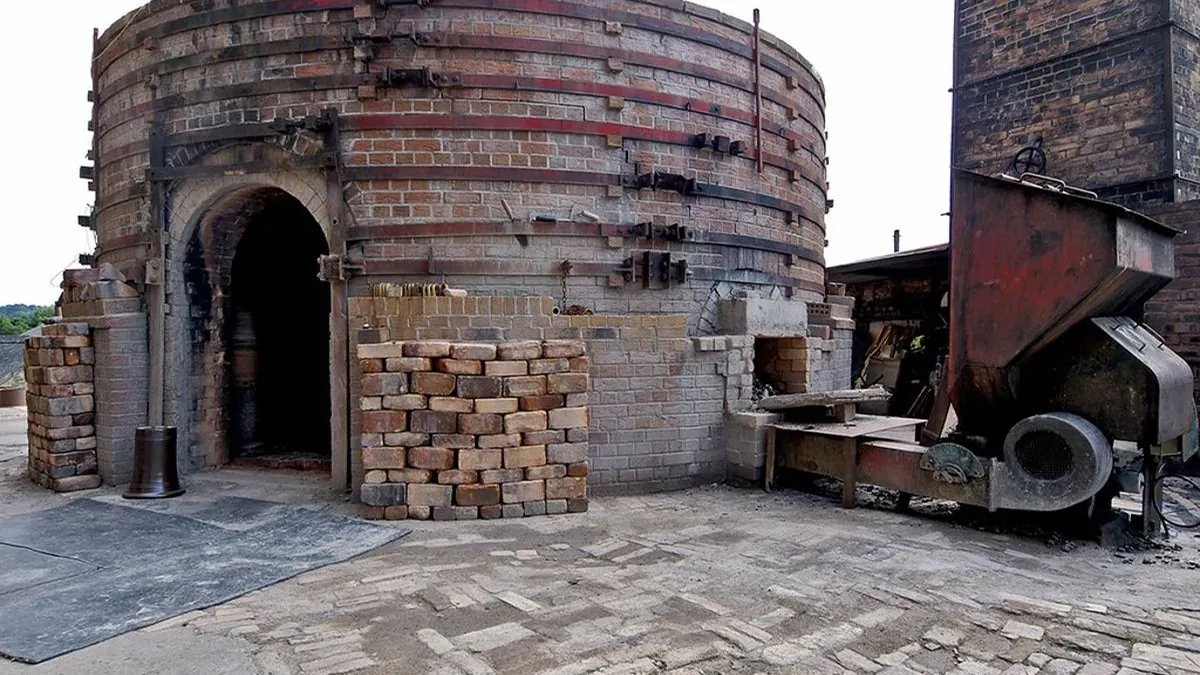
A kiln is a machine that lives outside and runs hotter than almost anything else in a garden. The inside of the firing chamber can reach 1,300°C, while the outside of the brickwork has to stay cool enough to touch safely. That gap is closed by layers: firebrick inside, ceramic fibre insulation in the middle, and a structural outer skin. If the insulation is thin in one spot, the heat finds it, and the customer ends up with a scorched wall, a cracked outer course or a kiln that eats twice the fuel it should.
The flue is the second thing that makes kiln work different. A chimney that is too short or too narrow will not draw, so smoke spills back into the garden and the firing stalls. A flue that is too tall can over-draw and pull heat straight out of the chamber. Getting the height, diameter and cowl right depends on kiln volume, fuel type and wind exposure, and the calculation is worth doing properly rather than guessing.
Then there is the firing itself. A pottery firing is not a single temperature; it is a schedule of ramps and soaks that can run ten to fourteen hours, with stages for drying, candling, body reduction and cooling. The controller is the brain of the kiln, and installing it badly — a thermocouple in the wrong place, a relay that cannot handle the load, no alert when a firing stalls at 3 a.m. — is the fastest way to ruin a customer’s work and your reputation. Buyers are usually potters running a studio, so the installation has to serve their firing practice, not just look tidy in the garden. The guide to the best AI tools for pottery studios shows how studios plan classes, firings and commissions around the equipment you install.
How to choose the right AI tools for your outdoor kiln installation startup
Start from the jobs you will actually do in your first year, not from a software catalogue. Most new kiln installers do a mix of new builds, kiln moves and re-sites, controller upgrades, and flue and insulation repairs. Each leans on different tools: a new build needs design and takeoff, a controller upgrade needs firing knowledge, and a repair needs thermal imaging to find the fault before you quote.
Next, weigh one-off hardware against monthly software. A thermal camera and a spare kiln controller are capital purchases that pay for themselves across dozens of jobs, while design, estimating and scheduling software is a monthly cost that has to earn its keep on every quote. If a tool only saves twenty minutes a month, it is not worth £60 a month in year one; if it stops one bad quote or one failed firing, it has paid for a year.
Finally, check that the tool works offline or with patchy signal. Kilns go into gardens, farmyards and studio outbuildings where the Wi-Fi is often weak and the phone signal worse. A site-scan app that needs a constant connection, or a checklist tool that cannot save offline, will let you down on exactly the jobs where you need it most. Pick tools that store work on the device and sync later, and test them on a real site before committing.
The 9 best AI tools for outdoor kiln installation startups in detail
1. Bartlett Instruments Genesis: best for firing schedules and kiln control
Bartlett Instruments has made kiln controllers for decades, and the Genesis is the one most professional potters ask for by name. It is a touchscreen controller that runs multi-segment firing schedules with ramp rates, hold times and controlled cooling, and stores programmes so a studio can repeat a firing exactly. For an installer, that matters because the controller is the part of the job the customer touches every firing, long after you have left.
The Genesis also connects to Wi-Fi and sends alerts if a firing stalls, a thermocouple fails or the kiln heats too slowly. That remote monitoring is a genuine selling point: offer a first-firing support package where you watch the kiln’s first full firing from your phone and talk the customer through it, catching problems while they are cheap to fix.
Installation is straightforward but unforgiving: the thermocouple has to sit at the right depth in the chamber wall, the relay has to be rated for the kiln’s load, and the controller needs a clean power supply. The controller’s diagnostics will tell you if a thermocouple is wired backwards or a relay is sticking. Budget for a spare thermocouple and relay on every job; they are cheap, and the two parts most likely to fail in the first year.
2. Skutt KilnMaster: best for touchscreen kiln control on new builds
Skutt’s KilnMaster is the main alternative to the Genesis, and the natural choice when installing a new Skutt kiln or one that ships with Skutt electronics. The interface is deliberately simple: a colour touchscreen with preset cone-fire programmes, custom ramp-and-hold programmes, and a clear display of temperature, segment and time remaining. Customers who have never fired a kiln find it far less intimidating than a controller covered in buttons and codes.
For a startup, the KilnMaster’s strength is consistency: when kiln, controller and elements all come from the same maker, there is one manual, one support line and one warranty chain, which cuts first-month phone calls and speeds up fault-finding. The controller also logs firing data, so you can check whether a failed firing was a kiln problem or a programme the customer changed by accident.
The trade-off is flexibility: the Genesis offers deeper programming and more advanced diagnostics, while the KilnMaster trades some of that depth for ease of use. For most domestic and small-studio outdoor kilns, that trade is worth making. Choose the KilnMaster for a customer new to firing; choose the Genesis when the customer fires commercially and wants full control over every segment.
3. Autodesk Fusion 360: best for 3D kiln, pad and flue design
Fusion 360 is a professional 3D design tool, and for a kiln installer it earns its place by modelling the whole build before a single brick is ordered. You can draw the kiln shell course by course, place the insulation layers, model the concrete pad and flue, and check clearances to fences, sheds and trees. Its parametric modelling means that when a customer changes the kiln size, the pad, flue height and brick count all update instead of being redrawn by hand.
The real value is the drawings you hand to the customer and the building inspector: a dimensioned 3D model with a flue elevation and clearance plan answers most questions before they are asked, and Fusion 360 exports cutting lists, so brick and insulation orders come straight from the model.
Fusion 360 has a learning curve, and it is the most expensive monthly subscription on this list. If you only build two or three kilns a year, a simpler 2D tool may do. But if kiln installation is your core trade, showing a customer exactly what will stand in their garden — and proving the flue clears the roofline — is worth the subscription. Try it on a real job, not a demo, and decide from the time it saves.
4. Testo 883 thermal camera: best for insulation and heat-loss checks
A thermal camera is the only tool that can see whether kiln insulation is actually working, and the Testo 883 pairs a high-resolution infrared sensor with a visible-light camera and on-device analysis. After a test firing, you walk around the kiln and photograph every face. Hot spots show up instantly: a thin patch of insulation, a gap at a door seal, a flue joint leaking heat. Its software overlays the thermal image on the visible photo, so the customer can see the problem in plain language.
That evidence changes the handover conversation: instead of telling a customer the insulation is fine, you show them a thermal image of the kiln at full temperature with an even, cool outer skin. If a hot spot appears, you fix it before handover, and the images go into the job record an insurer wants to see.
The Testo 883 is a serious purchase, and the biggest single cost on this list. If the budget does not stretch to it in year one, hire a thermal camera for the first few jobs or buy a lower-cost phone-attached imager and upgrade later. What matters is the habit: every kiln gets a thermal check after its first full firing.
5. Canvas by Occipital: best for AI site scans from a phone
Canvas turns an iPhone or iPad with LiDAR into a measured 3D model of a site. Walk the garden, scan the area where the kiln will stand, and the app produces a scale floor plan with dimensions, wall positions and levels. For a kiln installer, that replaces a tape measure, a notepad and a return visit: pad size, flue route, distance to the house and fence, and ground slope are all captured in one ten-minute walk.
The scan feeds directly into design: export the measurements into Fusion 360 or hand the plan to the customer with the quote, and everyone works from the same numbers. Canvas also identifies walls, openings and floor levels automatically, which is where the time saving shows on a cluttered or sloped site.
Canvas charges per scan, which suits a startup because you only pay when you have a job. The limitation is hardware: you need a LiDAR-equipped Apple device, and scan quality drops in bright sunlight or heavy rain. Scan in the morning or late afternoon, and always cross-check pad footprint and flue clearance with a tape measure before ordering materials.
6. Orton pyrometric cones: best for verifying real firing temperatures
Orton cones are small ceramic pyramids that bend at precise temperatures, and the oldest and most trusted way to prove what actually happened inside a kiln. A controller can say the kiln reached 1,260°C, but only a cone confirms that the heat work — temperature plus time — was right. Place cones where the customer can see them through a spyhole or on a shelf, and after the firing the bend tells the truth.
For an installer, cones are the cheapest insurance on this list. A box costs a few pounds, and placing witness cones during the first firing after an installation proves the controller, thermocouple and elements are all telling the truth. If the cones under-fire while the controller claims success, you have found a thermocouple fault before the customer loses a load of work; if they match, you have a photograph that proves the kiln works.
Orton also makes the AutoFire controller and kiln safety products, but the cones are the essential item. Learn to read them — a cone bent to the correct angle versus one that barely moved is the difference between a good firing and a wasted one — and teach the customer too. A customer who understands cones will trust the kiln, and will call you when something changes rather than firing blindly through a fault.
7. STACK: best for material takeoff and estimating
Refractory brick and ceramic fibre insulation are expensive: ordering too much ties up cash, ordering too little stalls the build. STACK is a cloud takeoff tool that measures from plans and photos, counts brick courses, calculates insulation areas and builds an estimate tied to real quantities. Upload the kiln design, trace the walls and flue, and STACK produces the counts and the costs.
The AI-assisted measuring sets it apart from a spreadsheet: STACK recognises repeated elements, applies a brick count per square metre, and adjusts quantities when the design changes. For a startup quoting several kilns a month, that speed matters — a quote that takes two hours instead of a day means you respond while the customer is still deciding.
STACK is priced for trade use, so it is a real monthly commitment. Before subscribing, test it on three real quotes against your manual counts. If they match within a few per cent and quotes go out faster, keep it; if your jobs are mostly small repairs, a simpler tool may do until volume grows.
8. Housecall Pro: best for quoting, scheduling and invoicing
Kiln installations are multi-day jobs with several visits: survey, pad pour, brick build, flue fit, controller wiring and test firing. Housecall Pro handles that sequence in one place: build a quote with line items for brick, insulation, flue, controller and labour, send it for digital approval, schedule each visit, and invoice on completion. The customer gets text updates and a single place to approve and pay, which cuts the chasing that eats a startup’s week.
The AI features do the unglamorous work well: drafting follow-ups, suggesting the next available slot, and flagging jobs that have gone quiet. For a small team, that is the difference between a tidy diary and a missed test firing. The mobile app works offline, which matters where the signal drops, and photos and notes from each visit stay attached to the job record.
Housecall Pro is a general trades tool rather than a kiln-specific one, so it will not help you design a flue or check insulation. Its value is operational: fewer admin hours, faster payment and a professional customer experience. Pair it with the technical tools on this list and it becomes the backbone of the business side.
9. SafetyCulture (iAuditor): best for safety checklists and sign-off
A kiln installation touches gas or high-current electricity, high temperatures and a structure that has to stand for decades. SafetyCulture turns those risks into a repeatable digital inspection: gas tightness test, electrical load check, thermocouple position, flue draw test, clearance measurements, door seal check and first-firing observation. Each item is ticked, photographed and signed on site, and the report is stored against the job.
The AI features help by flagging incomplete checks, spotting patterns across jobs and drafting corrective actions when something fails. If three jobs in a row show the same door-seal issue, you will see it in the data instead of discovering it one angry customer at a time. The checklists work offline and sync when you are back in signal.
SafetyCulture has a free plan that covers the basics, and paid plans add analytics and team features as you grow. The real cost is not the subscription but the discipline: every job gets the full checklist, every time, with no shortcuts on a busy Friday. That discipline protects the customer, the installer and the business, and it is the most valuable habit a new kiln installation startup can build.
The starter stack for your first ten kiln jobs
For the first ten jobs, keep the stack small and spend where failure is expensive. Start with a Bartlett Genesis or Skutt KilnMaster controller, a box of Orton cones and a SafetyCulture checklist: those three cover firing, verification and sign-off, and together cost less than a single failed firing. Add Canvas for site surveys from the first job, because a bad survey is the mistake that follows you through the whole build.
Once the first few jobs are paid, add STACK for estimating and Housecall Pro for scheduling and invoicing — those two turn a craft skill into a business that quotes quickly and is paid on time. The thermal camera and Fusion 360 come next: the camera proves your insulation work, and the design software wins bigger jobs where the customer wants to see the kiln before it is built. Rent the camera for the first few jobs if the purchase price is too much in month one.
Do not buy everything at once. A startup that spends £3,000 on software and cameras before its first job has no room to absorb a delayed payment or a rework. Buy the tools in the order the jobs demand them, and let each prove itself on real work before you add the next one.
Kiln specifics the software has to handle
Refractory brick is the first specific. A kiln wall is not a garden wall: the bricks are rated to temperature, laid with high-temperature mortar, and coursed so the joints do not let heat through. The takeoff tool has to count bricks by course and allow for cuts and breakages, and the design tool has to show the coursing. A generic estimating tool that treats a kiln like a brick barbecue will get the quantities wrong and the quote with them.
Insulation is the second specific. Ceramic fibre blanket and board have to be specified by temperature rating and thickness, and the design must show where each layer goes; the thermal camera then proves the specification was followed. If your software cannot record which insulation went where, you cannot prove the build if a problem appears later. Keep a simple record per job: product, thickness, location and a thermal photo after the first firing.
The flue is the third specific, and where kiln work overlaps most closely with other trades. Flue height, diameter, draw and clearance rules resemble fireplace work in principle, but the temperatures and duty cycle are higher, so the margins are tighter. The guide to the best AI tools for fireplace installation startups is worth reading for its approach to venting and safety clearances, even though a kiln flue carries hotter gas for longer than a living-room fireplace. Borrow the method, not the numbers: kiln flues need their own calculation for each job.
Pre-installation checklist
- Survey the site with a LiDAR scan and tape-measure cross-checks, and confirm the pad footprint, flue route and clearances to fences, sheds and trees.
- Confirm the fuel or power supply: gas pipe size and pressure, or three-phase electrical capacity and the route for the supply cable.
- Check the ground: the pad needs a level, well-drained base that can carry several tonnes of brick without settling.
- Agree the firing schedule with the customer and choose the controller that can run it, with witness cones placed for the first firing.
- Order refractory brick, insulation and flue parts from the design quantities, and add ten per cent for cuts and breakages.
- Run the full safety checklist on site — gas tightness, electrical load, flue draw, clearances and door seals — and photograph every check before handover.
Common mistakes outdoor kiln installation startups make
The most expensive mistake is treating a kiln like a pizza oven. The two structures look similar from the outside, and a builder who has put up garden ovens may reuse the same brick, mortar and flue details. A kiln runs hotter, longer and more often than a pizza oven, and the details that survive a pizza oven will fail in a kiln. Use refractory materials rated for the firing temperature, not general-purpose firebrick, and design the flue for continuous high-temperature duty. The guide to the best AI tools for pizza oven installation startups is a useful contrast: it shows how an oven build is scoped around food and curing, while a kiln build is scoped around firing schedules and heat work.
The second mistake is skipping the test firing. A kiln that has never been fired to full temperature is unproven, and handing it over without a witnessed test firing is asking for trouble. Always run a full firing with witness cones, photograph the cones and the thermal images, and walk the customer through the results. It takes a day, and it is the best day you will spend on the job.
The third mistake is under-pricing the job. Kiln installations involve heavy materials, multi-day labour, specialist controllers and a test firing, and a quote built from a guess will lose money. Use a proper takeoff, price the controller and test firing as line items, and do not absorb the first firing to win the job. A customer who wants the cheapest kiln will blame you when the cheapest kiln fails.
Frequently asked questions
How much should an outdoor kiln installation startup spend on AI tools in year one?
Budget roughly £150 to £400 a month for software, plus one-off hardware: a thermal camera from around £1,800 and a spare kiln controller. Start with the controller, witness cones and a safety checklist, then add estimating, scheduling and design tools as volume grows. Do not buy the full stack before the first job is paid.
Do I need a kiln controller, or can the customer fire the kiln manually?
A manual firing is possible on a small wood-fired kiln, but almost every modern gas or electric outdoor kiln needs a controller to follow a firing schedule safely. It manages ramp rates, holds and cooling, and can shut the kiln down or alert you if something goes wrong overnight. Install a controller on every new build and teach the customer how to use it.
Can AI really measure a garden accurately enough for a kiln pad?
Yes, with cross-checks. A LiDAR scan captures the garden, levels and clearances in minutes, and is accurate enough for pad layout and flue routing. Always verify the critical dimensions — pad footprint, flue clearance and distance to the house — with a tape measure before ordering materials, because a scan error on the pad is expensive to fix after the concrete is poured.
What is the hardest part of running an outdoor kiln installation startup?
The hardest part is the firing, not the building. Laying brick is a learnable skill, but diagnosing a firing that stalls, a thermocouple that reads wrong or a flue that will not draw takes experience. Build it deliberately: witness every first firing, keep notes on every fault, and treat the thermal camera and witness cones as diagnostic tools, not optional extras.
Do I need a licence to install gas or electric outdoor kilns?
It depends on the work. Gas connections must be made by a registered gas engineer in most countries, and high-current electrical work must be done or certified by a qualified electrician. A kiln installer can build the structure and fit the controller, but should subcontract the regulated gas and electrical connections, and keep the certificates on the job record.
How do outdoor kiln installation startups get their first clients?
Start with potters and studios: they already own kilns, they talk to each other, and a good first installation earns referrals fast. Offer a first-firing support package, ask for a review and a thermal-image report the customer can share, and list the business with local pottery suppliers and studio networks. One well-documented installation in a busy studio beats any advert.
The bottom line
An outdoor kiln installation startup lives or dies on the firing build: the brick, the insulation, the flue and the controls. Choose tools that prove each of those is right — a controller that runs the schedule, cones that verify the temperature, a thermal camera that proves the insulation, and checklists that document the safety work — and the business side will follow. Start small, fire every kiln before handover, and let the first ten jobs teach you what to buy next.

Keep what speaks to you.
Leave room for your own perspective.


