
The best AI tools for home theater installation startups in 2026 do the work that used to keep a founder up late after the last speaker was mounted and the projector was focused. They turn a photo of a bare living room into a measured media-room design, size a projector and screen to the exact throw distance, predict how a room will sound before a single acoustic panel goes on the wall, and produce a proposal a homeowner can approve on the spot. For a new home theater installation business, that support matters more than any single clever feature, because the first years are won or lost on accuracy, speed and trust. A homeowner spending thousands on a cinema room wants the picture sharp, the sound even in every seat and the system simple enough for the whole family to use.
A home theater installation startup is a different kind of business from a general home-services company. The work sits at the meeting point of optics, acoustics, carpentry and networking, so every job carries details that cannot be skipped. A projector install needs the right throw ratio, the right screen gain and a ceiling mount that holds steady. A surround-sound install needs speakers placed to the degree, cables hidden neatly and a receiver calibrated to the room rather than to a factory preset. Acoustic treatment needs panels in the right places, not just on every bare wall, and a media room needs lighting, seating and ventilation planned together so the room is comfortable for a two-hour film. When any of those steps lives in a notebook, a text thread or a memory, the day wobbles. A quote that forgets the screen or the acoustic panels eats the margin, a projector mounted two inches off centre leaves a picture that never looks right, and a customer whose surround sound booms in one seat and vanishes in another will not recommend you to anyone.
This guide compares the best AI tools for home theater installation startups across the work a young home theater business actually does: designing media rooms and projector layouts, quoting projector, screen, speaker and acoustic packages from photos and room measurements, calibrating surround sound with AI room correction, processing video for the best possible picture, scheduling installs around electricians and joiners, invoicing and taking payment on site, and winning the reviews that bring in the next street of customers. Every tool was judged on the same practical questions: does it save time on a real installation job, does it work from a phone or laptop on a job site, does it cost less than the work it replaces, and can a small crew learn it in a week? The result is a shortlist you can build a whole operation around, plus a simple way to choose your first stack.
Key takeaways
- Start with design, quoting and calibration. Those three systems carry the most revenue and the most trust for a new home theater installation startup, and AI makes each one faster and less error prone.
- Measure the room before you quote the kit. Throw distance, screen size, seating distance and room volume decide the projector, the speakers and the acoustic treatment, and guessing any of them is the most expensive mistake in home theater installation.
- Calibrate every room, not just the expensive ones. AI room correction turns a good speaker package into a great-sounding room, and it is the clearest proof a customer can hear that your work is worth paying for.
- Video processing is part of the install now. AI tone mapping and upscaling decide how good a projector picture looks in a real room, so the processor matters as much as the projector.
- Sell the room, not the boxes. Customers remember how the film felt in their seats, so design, calibration and a simple handover matter more than the brand on any single component.
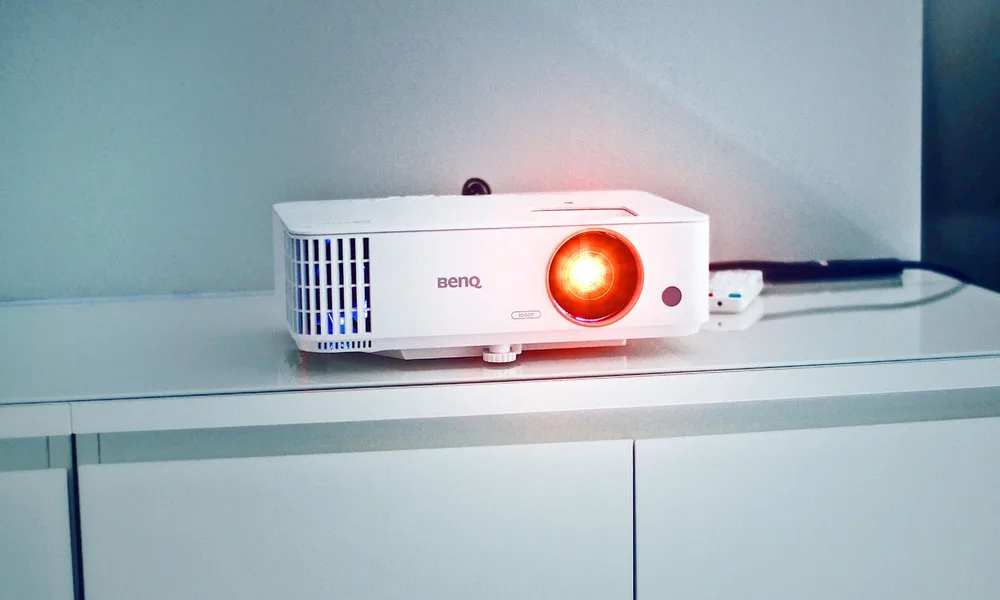
Best AI Tools for Home Theater Installation Startups at a Glance
| Tool | Best for | Standout strength | Starting point |
|---|---|---|---|
| D-Tools Cloud | Design, quoting and project management | AV product catalogue with live pricing | Subscription, per user |
| Jetbuilt | Proposals and system design | Fast web-based proposals with drawings | Subscription, per user |
| Dirac Live | AI room correction | Impulse and frequency correction for every seat | Licence per system |
| Trinnov Optimizer | High-end acoustic optimisation | Three-dimensional microphone measurements | Built into Trinnov processors |
| Audyssey MultEQ X | Receiver calibration | Professional-grade tuning for Denon and Marantz | Licence per receiver |
| Anthem ARC Genesis | Room correction for Anthem systems | Simple guided measurement and correction | Included with Anthem gear |
| Room EQ Wizard | Acoustic measurement | Deep free analysis of any room | Free |
| madVR Envy | AI video processing | Dynamic HDR tone mapping and upscaling | Hardware purchase |
| Lumagen Radiance Pro | Video processing and calibration | Precise scaling, tone mapping and calibration controls | Hardware purchase |
How a Home Theater Installation Startup Really Works
A home theater job starts long before anyone lifts a projector. The first visit is a survey: room length, width and ceiling height, seating positions, window and light control, wall construction, power points and where the equipment rack will live. A good survey answers the questions that decide the whole design. How far can the projector sit from the screen, and does that throw distance suit the screen size the customer wants? Where will the centre, front and surround speakers sit, and will the main seats hear all of them evenly? Is the room a sealed rectangle that will sound good with modest treatment, or an open-plan space that needs a different approach altogether?
The design stage turns those measurements into a plan the customer can understand. That means a projector and screen pairing that fits the throw distance, a speaker layout drawn to the seating plan, an acoustic treatment plan that targets the real reflection points, and a rack layout with ventilation and cable runs planned before the first hole is drilled. The proposal that follows has to be just as clear. It should list every component, every metre of cable, every panel and every hour of labour, so the customer knows exactly what they are paying for and the installer knows exactly what margin is in the job. A proposal that forgets the screen, the mount or the acoustic panels is not a bargain; it is a loss the installer discovers on install day.
Installation itself is a sequence, and the order matters. First fixings and cable runs go in while walls are open, then the screen and projector mount, then speakers and panels, then the rack and the receiver, and only then calibration. Calibration is where a home theater install becomes a home theater rather than a pile of expensive boxes. The projector needs focus, zoom, lens shift and picture settings set for the actual screen and the actual room light. The sound system needs level, distance and equalisation set for the actual seats, not for a showroom. A startup that calibrates every room, and shows the customer the before-and-after difference, earns trust that no discount can buy.
After handover, the work continues quietly. Customers need to know how to turn the room on with one button, how to switch between films, sport and music, and who to call when something stops working. A simple handover sheet, a short demonstration and a follow-up message a week later prevent most support calls and produce most five-star reviews. The tools in this guide support every stage of that sequence, from the first survey photo to the review request after handover. A business that installs smart devices as well as cinema rooms will also find the best AI tools for smart home installation startups useful, because the two trades share scheduling, quoting and customer care, even though the cinema work itself is a separate craft.
The Best AI Tools for Home Theater Installation Startups in 2026
1. D-Tools Cloud
D-Tools Cloud is the design, quoting and project management platform built specifically for audio-visual integrators, and for a home theater startup it is the closest thing to a whole back office in one login. It holds a large catalogue of AV products with pricing, so a designer can build a projector, screen, speaker and rack package from real parts with real costs instead of copying prices from old spreadsheets. The proposal it produces looks professional, lists every line item clearly and can be sent to a customer for electronic approval, which shortens the gap between a survey and a signed job. Once a job is approved, the same system tracks tasks, labour, purchase orders and change orders, so nothing agreed on site gets lost between the van and the office.
What makes D-Tools Cloud worth its subscription for a new home theater business is that it removes the two most common sources of lost margin: forgotten items and forgotten hours. A proposal built from a catalogue cannot easily forget the projector mount, the HDMI cables or the acoustic panels, because each one is a line the designer adds deliberately. Labour is quoted as hours against tasks, so a job that needs two installers for a full day is priced as two installers for a full day. The system also keeps a record of every approved design, which means a second room for the same customer, or a similar room for a neighbour, starts from a proven template rather than from a blank page. For a startup with one or two installers, that consistency is what turns a busy month into a profitable one.
2. Jetbuilt
Jetbuilt is a web-based platform for building AV proposals and system designs quickly, and it suits a home theater startup that needs to quote fast without giving up detail. A designer can assemble a complete media-room package in a browser, with products, quantities, labour and drawings, and send a clean proposal the same day as the survey. Because it runs in the browser, it works from a laptop at a customer kitchen table just as well as from the office, and there is nothing to install or update on a job-site machine. Drawings and proposals stay in step, so the document the customer signs matches the document the installer works from.
3. Dirac Live
Dirac Live is AI room correction software that measures a room with a microphone and then corrects both the frequency response and the timing of the sound, so every seat hears a balanced, clear picture of the film soundtrack. It is available in a growing range of AV receivers, processors and powered speakers, and it is the single upgrade that most reliably turns a good speaker package into a room that sounds genuinely cinematic. The measurement process walks the installer through a set of microphone positions around the seating area, builds a picture of how the room changes the sound, and then applies correction that fixes timing errors as well as tonal ones. That timing correction is what separates Dirac Live from basic equalisation: it lines up the arrival of sound from each speaker so dialogue stays locked to the screen and effects move cleanly around the room.
For a home theater startup, Dirac Live is both a service and a selling point. It gives the installer a repeatable calibration process that works in any room, and it gives the customer a difference they can hear in a short demonstration. Play a familiar film scene before correction and after it, and the improvement in dialogue clarity and bass control is obvious even to a customer who has never heard of room correction. Dirac Live also supports target-curve editing, so an installer can tune a room slightly warm for film or slightly flat for music, and save the result as part of the handover record. A startup that includes Dirac Live calibration in every mid-range and high-end install can charge for the expertise rather than competing on hardware price alone.
4. Trinnov Optimizer
Trinnov Optimizer is the room correction system built into Trinnov Audio processors, and it is the reference tool for high-end home theater installs where the customer expects the best sound a room can deliver. Its three-dimensional microphone measures each speaker in space, mapping not just distance and level but the direction sound arrives from, and then optimises the whole system as one three-dimensional sound field. The result is unusually precise imaging, tight and even bass across several seats, and a sense that sound comes from the screen and the room rather than from individual speaker boxes. It handles complex layouts well, including rooms with many height channels for Dolby Atmos and DTS:X, where simpler correction systems struggle to keep every channel in balance.
A startup does not need Trinnov on every job, and its processors sit at a price that suits dedicated cinema rooms rather than first media rooms. But knowing the Optimizer, and offering it on flagship projects, changes how a young business is seen. It signals that the installer understands acoustics at a professional level, and it gives the business a premium tier that lifts the average job value. The measurement and optimisation process is thorough, and it produces reports and graphs that can be shown to a customer as proof of the work done. For a startup aiming at dedicated cinema rooms, a Trinnov partnership and a properly calibrated demonstration room are two of the strongest marketing assets available. Used carefully on the right projects, the Optimizer turns a one-off install into a reference room the customer shows to friends.
5. Audyssey MultEQ X
Audyssey MultEQ X is the professional calibration application for Denon and Marantz AV receivers, and it is the tool most home theater startups will reach for on everyday installs. Denon and Marantz receivers are common choices for media rooms, and MultEQ X replaces the basic on-screen setup with a detailed Windows application that gives the installer real control. It measures up to eight microphone positions, calculates correction filters for each speaker and the subwoofers, and lets the installer view the before-and-after response curves, adjust the target curve, limit correction to the frequencies that need it, and save the whole calibration as a file. That file becomes part of the job record, so a receiver that is reset or replaced can be restored to its calibrated state in minutes.
6. Anthem ARC Genesis
Anthem ARC Genesis is the room correction software for Anthem AV receivers and processors and Paradigm speakers, and it is one of the simplest professional-grade calibration tools a home theater startup can learn. The guided process measures the room with a calibrated microphone, builds correction for each speaker and the subwoofers, and uploads the result to the receiver, with clear graphs showing what changed at each seat. It corrects the low frequencies where rooms cause the most trouble, and it does so without stripping the natural character from the speakers, so music as well as film benefits from the calibration. The interface is clear enough that a new installer can complete a first calibration in under an hour and repeat it confidently on the next job.
7. Room EQ Wizard
Room EQ Wizard, known to installers as REW, is free acoustic measurement software that shows exactly what a room does to sound, and it is the most useful free tool in home theater installation. It generates test tones, records them through a calibrated microphone, and displays frequency response, decay, distortion and impulse measurements in clear graphs. An installer can use it to find the best subwoofer position before mounting anything, to choose where acoustic panels will actually help, to check that a speaker layout is even across the seats, and to verify a calibration done by another tool. It also exports correction filters for many processors and equalisers, so it works alongside Dirac Live, Trinnov and Audyssey rather than replacing them.
The reason every home theater startup should learn REW, even though it costs nothing, is that it replaces guessing with evidence. A room that booms at one frequency and sounds thin at another is not a mystery once REW shows the peaks and dips on a graph, and the fix becomes obvious: move the subwoofer, add bass trapping in a corner, or adjust the crossover. That evidence also protects the installer. When a customer asks why a panel goes on one wall and not another, a measurement graph is a better answer than an opinion. REW has a learning curve, and its interface is dense, but a weekend of practice with a microphone and a spare room is enough to start using it on real surveys, and it quickly becomes the tool an installer trusts most.
8. madVR Envy
madVR Envy is a dedicated video processor that uses AI-driven processing to get the best possible picture from a projector, and it has become a standard part of serious home theater installs. It takes the video signal from a player or streamer, upscales it, cleans noise and compression artefacts, and applies dynamic tone mapping that adjusts HDR brightness scene by scene, so bright highlights keep their detail and dark scenes keep their depth. The result on a projector is striking: a film that looked flat or washed out through a direct connection gains contrast, colour and a sense of depth that customers notice immediately. It also handles aspect-ratio detection and subtitle placement, which matters in rooms with wide cinema screens.
For a home theater startup, the Envy is a premium add-on that justifies its place on high-end jobs, and a demonstration that sells itself. Set up a projector with and without the processor, play the same HDR scene, and the difference is visible from the back row. It also solves a real problem for installers: projectors vary widely in how they handle HDR, and the Envy gives the installer one consistent, controllable stage where tone mapping is done properly for the actual screen and room. That consistency means the installer can promise a picture quality and then deliver it, rather than hoping the projector’s built-in processing suits the room. On flagship cinema rooms, the Envy is the component that makes the whole system feel finished.
9. Lumagen Radiance Pro
Lumagen Radiance Pro is a video processor built for calibration and control, and it is the tool installers choose when a home theater picture has to be exactly right. It scales video precisely, applies dynamic HDR tone mapping, manages colour and greyscale calibration with detailed controls, and switches cleanly between sources and aspect ratios. For a calibrator, its strength is the depth of adjustment it offers: every stage of the video chain can be measured, corrected and locked down, so the picture on the screen matches the standard the film was mastered to, rather than the settings a projector shipped with. It also handles the practical details of a cinema room, such as masking a wide screen correctly and keeping subtitles inside the picture area.
Choosing Your Stack and What It Costs
A new home theater installation startup does not need all nine tools on day one. Start with the three that earn money on every job: a design and quoting platform, a calibration tool for the receivers you sell most, and a measurement tool. D-Tools Cloud or Jetbuilt covers design and quoting, Audyssey MultEQ X or Anthem ARC Genesis covers calibration on mainstream installs, and Room EQ Wizard covers measurement for free. That stack costs little beyond one subscription and a calibrated microphone, and it already puts the business ahead of installers who quote from memory and never calibrate a room. Add Dirac Live as the average job value rises, and add a video processor such as the madVR Envy or Lumagen Radiance Pro when dedicated cinema rooms become a regular part of the diary.
Budget honestly for the first year. A design platform subscription, calibration licences, a calibrated microphone, a laser measure and a good light meter are the core costs, and they are small next to the cost of one job quoted badly. Training matters as much as buying: a weekend learning Room EQ Wizard, a day learning the calibration software for your chosen receivers, and a proper demonstration room, even a small one, will teach a team more than any brochure. Keep the stack simple enough that any installer can run it, and document the process for each job type so a second installer can pick up a half-finished room and know exactly what has been measured, calibrated and signed off. Businesses that also install alarms and cameras should compare the best AI tools for security system startups, because the field-operations discipline is the same even though the cinema craft is different.
Home Theater Installation Startup Checklist
- Survey every room properly: measure length, width, ceiling height, seating positions, light control and power before you quote anything.
- Design the projector, screen, speakers and acoustic treatment as one system, sized to the actual throw distance and seating plan.
- Quote every line item and every labour hour, and get the proposal approved in writing before ordering kit.
- Calibrate sound and picture in the finished room, and keep the measurement files as part of the job record.
- Hand the room over with a one-button start, a short demonstration and a written guide the whole family can follow.
- Follow up a week after handover, fix any small issues fast, and ask for a review while the experience is fresh.
Frequently Asked Questions
What is the best AI tool for a home theater installation startup in 2026?
There is no single best tool, because design, calibration and video processing are different jobs. Most startups should start with D-Tools Cloud or Jetbuilt for design and quoting, Dirac Live or Audyssey MultEQ X for sound calibration, and Room EQ Wizard for measurement. That combination covers the work that earns money on every install, and it can grow into Trinnov Optimizer and a madVR Envy or Lumagen Radiance Pro as the business takes on dedicated cinema rooms.
How much should a home theater installation startup spend on AI tools?
A lean starting stack costs little: one design platform subscription, calibration licences per receiver, and a calibrated microphone, with Room EQ Wizard free. Expect the software and measurement kit to cost far less than a single average install, and to pay for itself within the first few jobs through faster quoting, fewer forgotten items and calibration work the customer can hear. Video processors are hardware purchases and belong on premium jobs, not on the starting budget.
Can AI tools calibrate a home theater properly, or is a human calibrator still needed?
AI calibration tools do the measurement and correction far more accurately than a human can by ear, but they still need a human to set them up well. Microphone positions, target curves, speaker placement and acoustic treatment are decisions the installer makes, and the software then executes them precisely. The best results come from an installer who understands the room and lets the AI do the detailed correction, then listens and checks the result in every seat.
Do I need acoustic treatment, or will room correction software fix the room?
Room correction and acoustic treatment do different jobs, and a good install usually needs both. Correction software fixes frequency and timing problems electronically, but it cannot remove strong echoes or long bass decay on its own. Panels, bass trapping and soft furnishings change how the room itself behaves, and correction then works on a room that is already easier to fix. Measure first with Room EQ Wizard, treat the real problems, and then calibrate.
How is home theater installation different from smart home installation?
Smart home installation focuses on connected devices such as lights, locks, thermostats and hubs, and on making them work together through apps and automations. Home theater installation focuses on one room and one experience: projector and screen geometry, speaker placement, acoustic treatment, video processing and calibration. The two trades share scheduling, quoting and customer care, and many customers want both, but the cinema work needs optics, acoustics and calibration skills that device installs do not. A related trade with its own distinct craft is sauna building, and the best AI tools for sauna installation startups show how the same startup discipline applies to a very different kind of room.
Should a new home theater startup offer a service and maintenance plan?
Yes, and it is one of the steadiest sources of income a home theater business can build. Projectors need lamp or laser checks, filters need cleaning, software needs updates and customers change sources and seating over time. An annual visit that re-checks focus, re-runs calibration and updates the system keeps the room sounding and looking as good as the day it was handed over, and it keeps the installer in touch with customers who will recommend the business and return for their next room.
The Bottom Line
The best AI tools for home theater installation startups in 2026 are the ones that make a cinema room measurably better: design and quoting platforms that stop forgotten items and lost margin, calibration tools that make every seat sound right, measurement software that replaces guessing with evidence, and video processors that make a projector picture look its best. Start with design, quoting and calibration, measure every room, calibrate every install, and hand over a room the customer can use with one button. Do that consistently, and the reviews, referrals and repeat rooms will follow.

Keep what speaks to you.
Leave room for your own perspective.


