The best AI tools for 3D artists in 2026 have moved from novelty to necessity, and the change has happened faster than almost anyone in the industry expected. A task that once took a skilled modeller an entire working day, such as blocking out a creature, retopologising a dense sculpt, or painting believable surface textures, can now be started, and often finished, in a single afternoon with the right AI assistant working alongside the artist. The tools have not replaced the artist, and they are not close to doing so, but they have quietly removed the slowest and most repetitive parts of the job, leaving more time for the creative decisions that actually make a piece of 3D work stand out.
What makes this moment different from earlier waves of 3D automation is the breadth of the change. AI now touches every stage of the pipeline, from the first rough concept sketch through modelling, texturing, rigging, animation, lighting and the final render. A freelance character artist can generate a base mesh from a text prompt, refine it by hand in a sculpting package, let an AI tool paint the textures, and then hand the finished asset to an AI-assisted renderer that cleans up noise in minutes rather than hours. Studios working on games, film, product visualisation and advertising are using the same chain of tools, simply at a larger scale and with tighter quality controls.
Choosing well matters more than choosing quickly, because the market is crowded and the tools differ enormously in what they do best. Some are built for fast text-to-3D generation, others for texture painting or retopology, and a few are powerful general platforms that reward artists who learn them properly. This guide compares the strongest options side by side, explains where each one fits in a real production pipeline, and shows how to combine them into a workflow that saves time without sacrificing the quality or originality that clients pay for.
Key takeaways
- AI now assists every stage of 3D production, from concept and base meshes to texturing, retopology, rigging and rendering.
- Text-to-3D generators such as Meshy AI, Tripo and Rodin are best for fast base meshes and prototypes, not finished hero assets.
- Established tools such as Blender, ZBrush, Maya and Substance 3D remain the core of professional work, with AI features added on top.
- AI texturing and retopology tools save the most time on routine production work, while the artist still controls the final creative result.
- Pick tools that export clean, standard formats and fit your existing software, then test them on a real paid project before committing.
How AI Is Changing 3D Art in 2026
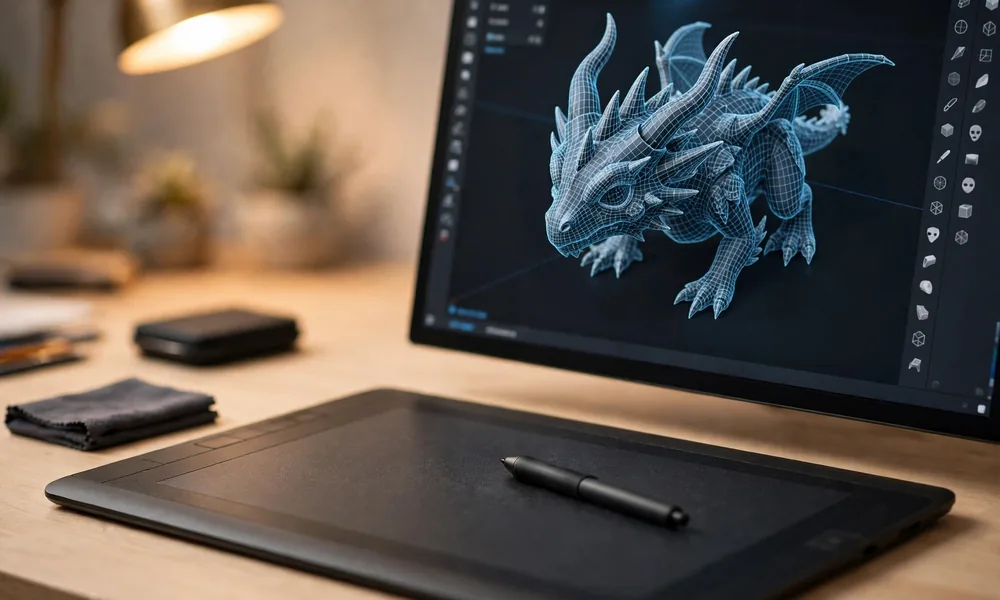
The most visible change is speed. Generating a usable base mesh used to mean hours of pushing vertices around in a modelling package, and even experienced artists would budget half a day for a complex character or vehicle. Modern text-to-3D and image-to-3D tools can now produce a workable starting mesh in minutes, complete with rough proportions and a plausible silhouette. The result is rarely finished, and it almost always needs cleanup, but it gives the artist something real to react to instead of a blank viewport, and that alone can cut the first phase of a project by half or more.
The second change is less obvious but just as important: AI has lowered the barrier between disciplines. A concept artist who could never model can now produce a three-dimensional version of a sketch and hand it to a modeller as a clear brief. A modeller who never learned to paint textures can generate a full set of physically based materials from a short description. This does not make specialists obsolete, because the best results still come from people who understand anatomy, form, light and material, but it does mean that small teams and solo artists can take on work that once needed a whole department. Much of the same shift is visible in neighbouring creative fields, and the roundup of the best AI tools for designers shows how quickly these assistants have spread across the wider design world.
The third change is quality control. Early AI-generated 3D work was easy to spot: melted geometry, extra limbs, textures that smeared across surfaces and meshes that fell apart the moment they were animated. The current generation of tools is far more disciplined, with better topology, cleaner UVs and textures that respect the shape of the model. Artists still need to check everything, and they still need to fix the mistakes that slip through, but the gap between an AI-assisted draft and a shippable asset has narrowed to the point where clients often cannot tell which parts of a model were generated and which were sculpted by hand.
Best AI Tools for 3D Artists at a Glance
| Tool | Best for | Standout strength | Starting price |
|---|---|---|---|
| Meshy AI | Text-to-3D and image-to-3D generation | Fast, clean base meshes with textures | Free tier, paid plans from around $20 per month |
| Tripo | Rapid 3D asset generation | Strong geometry and animation-ready output | Free tier, paid plans from around $19 per month |
| Blender with AI add-ons | Complete free 3D pipeline | Full modelling, sculpting and rendering suite | Free and open source |
| ZBrush | High-detail character sculpting | Unmatched organic sculpting control | Subscription from around $40 per month |
| Adobe Substance 3D | Texturing and materials | AI-assisted procedural materials and painting | Subscription from around $20 per month |
| Autodesk Maya | Film and game production | Industry-standard rigging and animation | Subscription from around $235 per month |
| Rodin by Hyper3D | Generative 3D from images | Detailed multi-view generation | Free tier, paid plans from around $20 per month |
| Kaedim | AI 2D-to-3D conversion | Game-ready assets from concept art | Free tier, paid plans from around $30 per month |
Prices change frequently, and most of these tools offer a free tier or trial, so treat the figures above as a guide rather than a quote. The more useful comparison is the second column: each tool earns its place by being the best option for one specific job. An artist who tries to use a single tool for everything will be disappointed, while an artist who pairs two or three complementary tools, for example a generator for base meshes, a sculpting package for detail and a dedicated texturing tool, will see the biggest time savings. The sections below look at each tool in turn, with honest notes on where it shines and where it still falls short.
The Best AI Tools for 3D Artists in Detail
Meshy AI: The Fastest Way to a Base Mesh
Meshy AI has become the default starting point for many 3D artists who need a base mesh quickly, and its appeal is easy to understand. Type a description, or upload a reference image, and within a minute or two the tool returns a textured 3D model that is good enough to drop into a scene, show to a client, or use as the foundation for a detailed sculpt. The geometry is generally clean, the proportions are plausible, and the automatic texturing, while not perfect, is good enough for prototypes, background assets and early client approvals. For game artists building out large environments, the ability to generate dozens of props in an afternoon is genuinely transformative.
The tool works best when the artist treats its output as a sketch rather than a finished piece. Complex characters with hands, faces and flowing clothing still need substantial cleanup, and the topology is rarely good enough for animation without retopology. Meshy AI also offers an AI texturing mode that can repaint an existing model, which is useful when a client asks for a colour or material variation late in a project. The free tier is generous enough to learn the tool properly, and the paid plans unlock higher resolution output and faster generation. For freelancers and small studios, it is one of the best value tools in this entire list, and it is the first one most artists should try.
Tripo: Strong Geometry for Production Assets
Tripo, built on the TripoSG model, has earned a reputation for producing some of the cleanest geometry of any text-to-3D generator, and that matters more than most newcomers realise. A pretty render means very little if the mesh underneath is a tangled mess that cannot be UV-unwrapped, rigged or exported to a game engine. Tripo pays attention to edge flow and surface quality, and its models tend to survive the journey into Blender, Maya or Unreal Engine with far less repair work than the output of cheaper generators. It also handles animation reasonably well, with built-in auto-rigging that can put a simple walk cycle on a generated character in minutes.
The workflow is straightforward: describe the model, or upload a single image, and Tripo generates a textured mesh that can be downloaded in standard formats such as FBX, OBJ and GLB. Artists who work in product visualisation appreciate how well it handles hard-surface objects, from furniture and electronics to vehicles and packaging, while character artists value the speed of its turnaround. The free tier gives enough credits to test it on real work, and the paid plans are priced competitively for what is, at the time of writing, one of the most reliable generators available.
Blender with AI Add-ons: The Free Powerhouse
Blender remains the most capable free 3D package in the world, and in 2026 it is also one of the most interesting AI platforms, because its open add-on ecosystem lets developers bolt new AI features onto a complete professional pipeline. Instead of choosing between a closed generator and a traditional modeller, Blender users can now generate base meshes with AI add-ons, clean up topology with automated retopology tools, paint textures with AI-assisted brushes and denoise renders with built-in AI, all without leaving the same application. That integration is the real story: AI in Blender is not a separate trick, it is a layer that touches every part of the workflow.
The add-ons worth knowing include AI image-to-3D importers, automatic retopology tools such as Quad Remesher, texture generation bridges that connect Blender to tools like Meshy AI and Tripo, and the built-in OptiX and OpenImageDenoise systems that dramatically shorten render times. Blender’s Geometry Nodes system also pairs well with AI-generated assets, letting artists scatter, vary and procedurally modify generated models across a scene. For an artist on a tight budget, the combination of a free application and a handful of affordable add-ons delivers a capability that would have cost thousands of pounds a few years ago.
ZBrush: Still the King of Digital Sculpting
ZBrush has been the standard tool for high-detail organic sculpting for two decades, and AI has made it faster without changing what makes it special. The 2026 versions include AI-assisted features such as improved automatic retopology, smarter masking, and tools that help artists generate surface detail, alphas and patterns from simple inputs. None of these features sculpt the character for the artist, and that is the point: ZBrush is built around the idea that the artist’s hand, eye and understanding of anatomy are the product, and the software exists to get out of the way. AI simply removes some of the technical friction that used to interrupt the creative flow.
The detail work that ZBrush handles best is still unmatched anywhere else. Skin pores, wrinkles, scales, fabric folds, muscle definition and the subtle imperfections that make a creature or character feel real are all easier to achieve here than in any general-purpose modeller. Character artists working in film and games rely on it for hero assets, and the workflow of sculpting a high-resolution model in ZBrush, then retopologising and baking the detail down to a game-ready mesh, remains the industry standard. Techniques from neighbouring creative disciplines often cross over here, and artists who follow the AI tools for makeup artists will recognise the same obsession with surface detail, skin texture and believable faces that drives the best character work.
Adobe Substance 3D: AI Texturing and Materials
Texturing is the stage where many 3D projects slow to a crawl, because painting believable materials by hand is slow, technical and unforgiving. Adobe Substance 3D, including Substance Painter and Substance Designer, has become the standard answer, and its AI features have made it considerably faster. Artists can now generate textures from text descriptions, convert a single photograph into a full set of physically based materials, and use AI-assisted tools to fill, blend and weather surfaces in ways that would take hours of manual brushwork. The results integrate cleanly with game engines and renderers, which is why the Substance suite is so widely used in production.
The strength of the suite is its material library and its procedural approach. Rather than painting a single flat texture, the artist builds a material from layers and nodes, which means a change to the roughness, colour or wear of a surface updates everywhere at once. The AI text-to-texture feature fits naturally into this approach: describe the material you want, generate it, and then adjust the procedural controls until it matches the art direction. Substance 3D Sampler is particularly useful for artists working from real-world references, turning photographs of wood, metal, fabric or stone into usable tileable materials in minutes.
Autodesk Maya: The Studio Standard
Maya is the tool that most large film and game studios still build their pipelines around, and its AI features in 2026 are focused on the unglamorous work that eats production time: retopology, rigging, animation cleanup and scene management. The software now includes machine-learning tools that can automatically retopologise a dense sculpt into animation-ready geometry, suggest rigging setups for biped and quadruped characters, and clean up motion-capture data far faster than manual keyframe editing. These are not flashy features, but in a studio where dozens of artists share the same pipeline, they save hundreds of hours across a project.
Maya’s real advantage is its position in the industry. A freelancer who knows Maya can walk into almost any studio and start working, because the file formats, rigging conventions and animation tools are the ones the industry already uses. The AI additions strengthen that position rather than changing it: they make the existing workflow faster without forcing artists to relearn the application. Integration with AI-generated assets is also straightforward, since models from Meshy AI, Tripo and Rodin can be imported, retopologised and rigged inside Maya with its standard toolset.
Rodin by Hyper3D: Detailed Generation from Images
Rodin takes a different approach from most text-to-3D tools by focusing on image-to-3D generation, and it shows in the quality of its output. Upload a single image of an object or character, and Rodin produces a detailed three-dimensional model with convincing proportions and surface detail, using multiple generated views to reconstruct the shape. For artists who start from concept art, photographs or sketches, this is often more useful than a text prompt, because the reference image already contains the design decisions that a text description can only approximate.
The tool is particularly strong on objects with clear silhouettes and readable surface detail, such as products, props, creatures and stylised characters. Artists working in product visualisation and advertising have adopted it quickly, because a client can approve a photograph or a sketch and the artist can turn it into a 3D asset the same day. Rodin also offers a text-to-3D mode and a range of export formats, so the generated model can be taken into Blender, Maya or a game engine for finishing, rigging and rendering.
Kaedim: From Concept Art to Game-Ready Assets
Kaedim is built for a very specific and very common problem in game development: turning a pile of concept art into usable 3D assets on a tight deadline. Upload a 2D image, and Kaedim generates a 3D model with clean topology, UVs and textures, ready to drop into a game engine. The tool is trained specifically for game production, which means its output is designed to be usable rather than merely impressive in a screenshot. That focus on production-ready results is what separates it from general-purpose generators, and it is why a growing number of indie studios and outsourcing teams rely on it.
The workflow is designed for volume. A studio can feed Kaedim a set of concept images for props, weapons, furniture or environment pieces and receive a consistent set of models back, all built to similar standards and ready for the same finishing pipeline. Artists then spend their time on the hero assets and the final polish, rather than modelling every background prop by hand. The tool also handles variations well, so a single concept can be turned into several versions with different colours, materials or proportions, which is exactly what level designers need when they are dressing a large environment.
How to Choose the Right AI Tool for Your 3D Work
Start with the kind of work you actually do, not the tool with the most impressive demo video. A character artist needs sculpting control and clean topology, so ZBrush and a good retopology workflow matter far more than a text-to-3D generator. A product visualisation artist needs accurate hard-surface geometry and believable materials, so Tripo, Rodin and Substance 3D are the natural choices. A game artist working on environments needs volume and consistency, which is where Meshy AI and Kaedim earn their keep. Write down the three tasks that consume most of your working week, and choose the tool that makes those three tasks faster; everything else is secondary.
Next, check the practical details that decide whether a tool survives contact with a real project. Can it export to the formats your clients and engines require, such as FBX, OBJ, GLB or USD? Does it produce clean topology, or will you spend the time you saved on generation doing repair work instead? Does it respect the licences and ownership terms you need, so that the models you generate belong to you and can be used commercially? These questions sound dull next to a flashy generation demo, but they are the difference between a tool that saves time and a tool that creates new problems. A free trial on a real paid project, with a real deadline, will answer them faster than any review.
A Practical AI Workflow for 3D Artists
A workflow that works well for many artists starts with reference and concept. Gather images, sketches and written briefs, then use a tool such as Luma Genie or Meshy AI to generate quick concept models and test the direction with the client before any serious modelling begins. This stage is cheap and fast, and it prevents the most expensive mistake in 3D work: building a detailed model of the wrong thing. Once the direction is approved, generate a base mesh with Meshy AI, Tripo or Rodin, choosing the tool that best matches the subject, and import it into Blender or Maya for cleanup.
The second stage is where the artist earns their fee. Clean up the topology, refine the proportions, sculpt the detail that makes the model believable, and fix the hands, face and joints that generators still struggle with. This is the stage that separates professional work from generated novelty, and it cannot be skipped. Use AI-assisted retopology to speed up the technical work, but check the edge flow yourself, especially around areas that will bend during animation. A model that looks good in a still render but deforms badly when it moves is not a finished model.
The third stage is surfacing and presentation. Generate base textures with Substance 3D or an AI texturing tool, then paint over them by hand where it matters: the face, the focal points, the areas the camera will linger on. Set up lighting and materials, and let AI denoising shorten the render, but review the final image at full resolution before delivery, because denoising can smooth away fine detail if it is pushed too far. This staged approach, with AI doing the fast and repetitive work and the artist doing the detailed and creative work, is the pattern behind most successful AI-assisted projects in 2026. It also applies well beyond character and product work: artists who create architectural and outdoor scenes will find the same staged approach in the AI tools for landscape designers, where generated base geometry is refined by hand before the final render.
Checklist: Getting Started With AI in Your 3D Pipeline
- Define the job first. List the three tasks that take most of your time, then choose a tool that speeds up those tasks specifically.
- Test on a real project. Run a free trial on paid work with a real deadline, so you learn how the tool behaves under pressure.
- Check the exports. Confirm the tool produces clean FBX, OBJ or GLB files that open correctly in your main software.
- Learn the cleanup. Practise retopology and texture repair, because every generated model needs some human finishing.
- Protect your rights. Read the licence terms and confirm you own the commercial rights to the models you generate.
- Keep the artist in charge. Use AI for drafts, base meshes and repetitive tasks, and keep the creative decisions with yourself.
Frequently Asked Questions
Will AI replace 3D artists?
No, and the evidence from the last two years points firmly in the opposite direction. AI has removed the slowest and most repetitive parts of 3D work, but the creative decisions, the understanding of anatomy and form, the art direction and the client relationship all still belong to the artist. What has changed is the shape of the job: artists who learn to direct AI tools are producing more work, faster, and winning projects that would previously have needed a larger team. The risk is not replacement but falling behind artists who have adopted the new tools.
What is the best AI tool for 3D beginners?
Blender with AI add-ons is the best starting point for most beginners, because it is free, complete and supported by an enormous community of tutorials. A beginner can generate a base mesh with a tool such as Meshy AI, import it into Blender, learn the fundamentals of modelling and sculpting on a real asset, and gradually add AI texturing and rendering as their skills grow. Starting with a single free application keeps the cost at zero while the artist decides whether 3D work is a career or a hobby.
Can AI-generated 3D models be used commercially?
In most cases yes, but the answer depends on the tool and the plan. Paid plans from the major generators generally include commercial rights, while some free tiers restrict commercial use or require attribution. Always read the licence terms for the specific tool and plan you are using, and keep a record of which tool generated each asset, so you can prove your rights if a client asks. When in doubt, use a paid plan and keep the receipt.
Do AI-generated models work in game engines?
Yes, provided the topology and file format are suitable. Most generators export FBX, OBJ or GLB files that import directly into Unreal Engine and Unity, but the models usually need retopology and UV cleanup before they perform well in a real-time scene. Tools such as Tripo and Kaedim are designed with game engines in mind and produce cleaner output than general-purpose generators, so they need less repair work. Always test the model in the engine, with the intended lighting and animation, before committing to it.
How much do AI tools for 3D artists cost?
A useful setup can start at zero, with Blender and the free tiers of Meshy AI, Tripo and Luma Genie covering the basics. A professional setup typically costs between fifty and two hundred pounds a month, depending on whether it includes a sculpting subscription such as ZBrush, a texturing subscription such as Substance 3D, and one or two generators. Studios using Maya will pay considerably more, but they are buying an industry-standard pipeline rather than a single tool. The right budget is the one that pays for itself on the next project.
What hardware do I need for AI-assisted 3D work?
A modern computer with a dedicated graphics card, at least 16 gigabytes of memory and a solid-state drive will handle most AI-assisted 3D work comfortably, because much of the generation happens in the cloud. Local AI features, such as rendering with AI denoising or running a local generator, benefit from a stronger graphics card with more video memory. A graphics tablet is also worth the investment for any artist doing sculpting or texture painting, since it makes detailed work faster and more comfortable than a mouse.
The Bottom Line
The best AI tools for 3D artists in 2026 are the ones that fit into a real workflow, save time on the tasks that actually consume your week, and leave you firmly in control of the creative result. Meshy AI and Tripo are the strongest choices for fast base meshes, Blender with AI add-ons is the best free foundation, ZBrush remains unmatched for detailed sculpting, Substance 3D transforms the texturing stage, and specialist tools such as Kaedim, Rodin and Spline AI earn their place by solving one job exceptionally well. No single tool does everything, and the artists getting the best results are the ones combining two or three complementary tools into a pipeline they understand and trust.
Start small, test on real work, and judge every tool by the time it saves and the quality it helps you deliver. Generate the base mesh, sculpt the detail yourself, paint the surfaces with care, and review the final render at full resolution before it goes to the client. AI will keep getting better, and the tools in this guide will keep adding features, but the principle will stay the same: the technology is the assistant, and the artist is the author. Learn the tools, keep the creative decisions, and the work will speak for itself.

Keep what speaks to you.
Leave room for your own perspective.