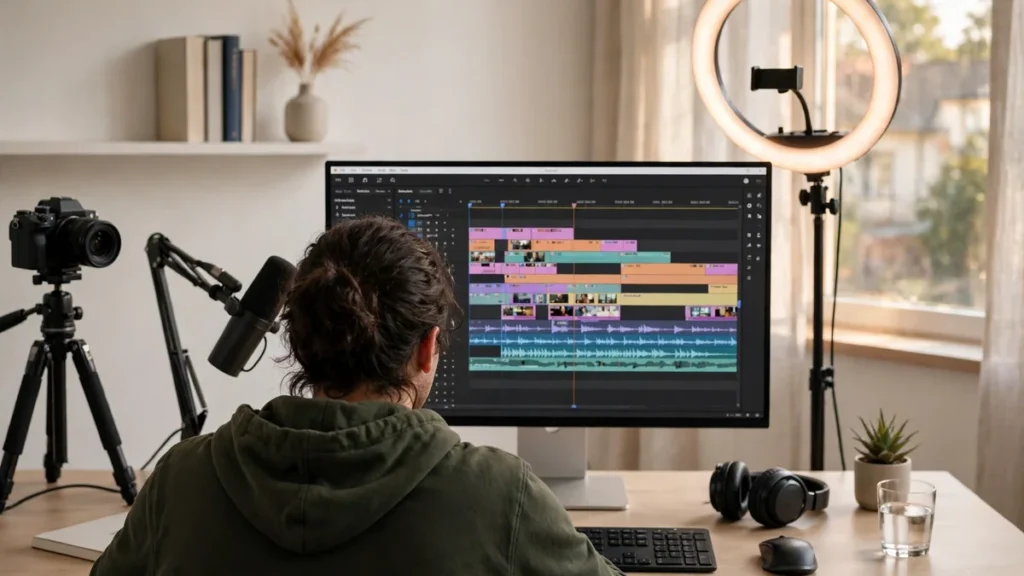
Running a YouTube channel in 2026 is a full production job, and the creators who grow fastest treat artificial intelligence as a member of their team rather than a gimmick. The best AI tools for YouTubers now handle the slow, repetitive parts of the job: turning a rough idea into a structured script, cutting hours of footage into a tight final edit, designing thumbnails that earn the click, and finding the exact words viewers are searching for. Used well, they do not replace your judgement or your voice. They give you back the hours you used to spend on busywork so you can spend them on making videos people genuinely want to watch.
The market has exploded, and that is exactly the problem this guide solves. Hundreds of tools promise to write your scripts, edit your videos, and grow your channel overnight, but many are thin wrappers around the same models, priced to catch creators who are in a hurry. Some are genuinely excellent and worth every cent. Others waste your money, produce generic content viewers can spot from the first sentence, or lock your best work behind exports that cost extra. Choosing badly costs more than the subscription fee, because it costs you the trust of your audience and weeks of momentum.
This guide cuts through that noise with honest, practical recommendations. Every tool below was judged on what it actually does for a working YouTuber: how much time it saves, how good its output looks and sounds, how fairly it is priced, and how easily it fits into a real upload schedule. You will find tools for scripting, editing, thumbnails, search optimisation, voiceovers, analytics, and turning one long video into a week of short clips. Whether you are starting your first channel or running one with a hundred thousand subscribers, you will finish this article knowing exactly which tools to try first and which to skip.
Key takeaways
- Start with one tool per job, not an all-in-one platform: a dedicated scriptwriter, a dedicated editor, and a dedicated thumbnail tool will outperform a single app that does everything poorly.
- AI editing tools now remove silences, filler words, and dead air automatically, which is the single biggest time saving for most YouTubers.
- Thumbnails and titles decide whether a video gets watched at all, so invest in AI tools that test variations and analyse what your audience actually clicks.
- Never publish AI-generated scripts word for word; rewrite them in your own voice, check every fact, and keep the opinions and stories that make your channel yours.
- Free plans are genuinely useful for testing, but serious creators should budget for at least one paid editing tool and one paid research tool.
Why AI Tools Matter for YouTubers in 2026
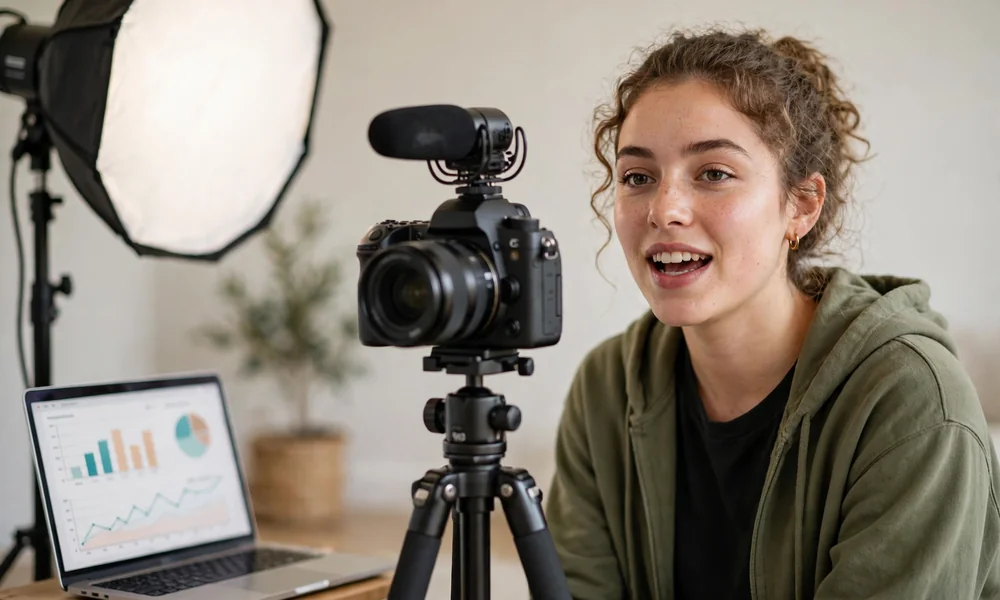
YouTube rewards consistency more than almost anything else. Channels that publish on a predictable schedule, with strong titles and thumbnails, grow faster than channels that publish brilliant videos once every two months. The problem is that consistency is expensive in time. A single ten-minute video can easily take eight to twelve hours from idea to upload when you count research, scripting, filming, editing, thumbnail design, description writing, and promotion. Most small creators do all of that alone, after work or between classes, and burnout is the most common reason channels die.
AI tools attack that time cost directly. A scriptwriting assistant can turn a bullet list of points into a structured first draft in minutes, which you then rewrite in your voice. An AI editor can remove every silence and filler word from a forty-minute recording in seconds, a job that used to take an hour of careful scrubbing. Caption tools generate accurate subtitles in dozens of languages, opening your videos to viewers who watch muted or who do not speak your language. None of this makes a bad video good, but it makes a good creator dramatically faster, and speed is what lets you publish twice a week instead of twice a month.
How We Picked the Best AI Tools for YouTubers
We judged every tool on five things that matter to working creators. First, real time saved: a tool earns its place only if it cuts hours from a normal upload week, not minutes from a demo. Second, output quality: scripts must sound human after a light edit, edits must look clean, and thumbnails must look professional rather than generated. Third, price against value: a tool that costs fifty dollars a month must save you more than fifty dollars of time or earn you more than fifty dollars of growth. Fourth, ease of use: a tool you need a course to learn will sit unused while your upload schedule slips. Fifth, honest limits: we note where a tool is weak, where it needs your supervision, and where a human still does the job better.
Best AI Tools for Scriptwriting and Ideas
ChatGPT remains the most flexible scriptwriting partner for most YouTubers, because it handles the whole chain from idea to outline to draft. Ask it for ten video ideas on your niche ranked by likely audience interest, then pick the strongest and ask for a detailed outline with a hook, three main sections, and a call to action. Feed it your rough bullet points and ask it to expand them into a conversational script in your tone, then edit heavily. The free tier is enough to test the workflow, and the paid tier is worth it if you script more than twice a week. Its weakness is factual accuracy, so never let it invent statistics, quotes, or claims without checking them yourself.
Claude is the stronger choice when your scripts need careful reasoning, nuance, or a distinctive voice. It tends to write cleaner, less repetitive prose than its rivals, and it is noticeably better at following detailed style instructions, such as writing at a particular reading level or matching the rhythm of a script you paste in as an example. Many creators use Claude for the final polish pass: paste your draft, ask for a tighter hook, stronger transitions, and the removal of any sentence that does not earn its place. If your channel depends on trust and expertise, that editing quality matters more than raw speed.
Best AI Tools for Video Editing
Editing is where AI saves the most hours, and it is the category where choosing the right tool changes your week the most. The breakthrough idea is text-based editing: the tool transcribes your footage, and you edit the video by deleting words from the transcript. Cut a sentence from the text and the video cuts itself. Remove every filler word with one click. Rearrange a section by dragging a paragraph. For talking-head videos, tutorials, and vlogs, this approach is dramatically faster than a traditional timeline, and it is easy enough that a new creator can learn it in an afternoon.
Descript is the leader in this approach and the single most valuable AI tool for most YouTubers. Its transcription is accurate, its filler-word removal is reliable, and its studio sound feature cleans up echo and background noise so convincingly that many creators skip buying an expensive microphone. It also generates captions, lets you fix a misspoken word by typing the correction, and publishes directly to YouTube. If you record yourself talking to camera, start here. The free plan lets you test the workflow, and the paid plan pays for itself the first time it saves you a full evening of editing.
CapCut has become the default editor for short-form video, and its desktop version is now strong enough for full YouTube videos as well. Its AI features include automatic captions with animated styles, background removal without a green screen, and templates that match current short-form trends. It is free or very cheap, it runs on almost any computer, and its caption styles are the ones viewers recognise from the most successful short videos. The trade-off is that it is less precise than a professional editor for long, complex projects, and its cloud features raise privacy questions for creators who handle sensitive footage. For most creators, though, it is the fastest route from raw footage to a finished video.
For creators who want the power of a professional editor with AI assistance layered on top, the best AI tools for video editing now include the AI features built into Adobe Premiere Pro and DaVinci Resolve. Premiere’s text-based editing, speech enhancement, and auto-reframe tools bring much of Descript’s speed into a full professional timeline, while DaVinci Resolve offers remarkable AI features, including voice isolation and smart reframing, in a free version that is genuinely powerful. These are the right choice when your videos involve multiple cameras, complex colour work, or effects that a simpler editor cannot handle. The learning curve is steeper, but the ceiling is higher, and neither tool will hold you back as your channel grows.
Best AI Tools for Thumbnails and Channel Art
Your thumbnail is the single most important image on your channel, because it decides whether anyone clicks. YouTube’s own data is clear: videos with strong thumbnails earn dramatically more clicks than identical videos with weak ones, and the difference between a three percent click-through rate and a six percent rate can be the difference between a video that dies and a video that takes off. AI thumbnail tools help in two ways: they generate striking images quickly, and they analyse which designs your audience actually responds to.
Midjourney remains the best tool for generating the raw image behind a thumbnail. Its images are vivid, detailed, and distinctive, and with the right prompt you can create a dramatic scene, a stylised portrait, or an impossible concept that would cost hundreds of dollars to photograph. The skill is in the prompt: describe the subject, the emotion, the lighting, and the composition, and ask for a simple background so your text stays readable. Always add your own face, text, and branding afterwards in a design tool, because a raw generated image is a starting point, not a finished thumbnail. Never use a generated face as if it were a real person, and never use a generated image to misrepresent what is in the video.
Canva’s AI features have made it the most practical thumbnail tool for most creators. Its background remover, magic resize, and text effects let you build a clean, consistent thumbnail style in minutes, and its AI image generator can fill gaps when you need a background or an object you do not have a photo of. The real advantage is consistency: save a template with your fonts, colours, and layout, and every thumbnail you make will look like it belongs on your channel. Viewers recognise channels by their thumbnails before they read the title, and that recognition is worth more than any single clever design.
Best AI Tools for Titles, Descriptions and YouTube SEO
A brilliant video that nobody can find is a wasted video. YouTube is the second-largest search engine in the world, and most of a channel’s long-term views come from search and suggested videos rather than from subscribers. That means titles, descriptions, and tags are not admin work to rush through after uploading. They are the mechanism that connects your video to the people looking for it, and AI research tools make that job far more precise than guessing.
VidIQ is the most popular YouTube SEO tool for good reason. Its browser extension shows search volume, competition, and related keywords while you are on YouTube itself, so you can see what people actually type before you commit to a title. Its AI tools generate title ideas, write descriptions, and score your video against the factors YouTube rewards, from keyword placement to thumbnail strength. The free version is genuinely useful, and the paid version is worth it for creators who publish weekly and want to track how their videos rank over time. Its daily ideas feature, which suggests video topics based on your channel’s performance, is one of the most practical growth tools available.
TubeBuddy is the main alternative and suits creators who want a lighter, cheaper tool focused on the essentials. Its keyword explorer, tag suggestions, and bulk processing tools save real time when you manage a large back catalogue, and its A/B testing feature lets you test two titles or thumbnails against each other with real viewers. The choice between VidIQ and TubeBuddy often comes down to personal preference: try both free versions for a week and keep the one whose interface you actually enjoy opening. The tool you use every upload beats the tool with more features that you open once a month.
For deeper keyword research, the AI tools for content marketing that work for blogs also work for YouTube, because the underlying questions are the same: what is your audience searching for, what are they struggling with, and what has nobody answered well yet. A keyword that is competitive on Google may be wide open on YouTube, and vice versa, so check both before you decide on a topic. The creators who grow fastest are usually the ones who find the gaps: questions with real search volume and weak existing videos. AI research tools find those gaps in minutes, where manual browsing would take hours.
Best AI Tools for Voiceovers, Captions and Dubbing
Not every YouTuber wants to be on camera, and not every video needs a human voice recorded in a studio. AI voice tools have improved so quickly that they are now a serious option for faceless channels, documentaries, explainer videos, and creators who want to reach audiences in other languages. The best of them sound natural enough that most viewers will not notice, provided you choose the right voice and edit the pacing carefully. The worst sound robotic, mispronounce names, and flatten every sentence into the same dull rhythm, which viewers punish with early exits.
ElevenLabs is the current leader for AI voiceovers, and its quality is the reason faceless channels have become so viable. Its voices have natural pauses, emphasis, and emotion, and its voice cloning feature lets you create a consistent narrator voice from a short sample of your own speech. That consistency matters: viewers bond with a voice over time, and a channel that changes narrator every video feels unstable. Use it for narration, explainers, and documentary-style content, and always listen to the full voiceover before you publish, because even the best tool misreads a sentence occasionally.
Best AI Tools for Analytics and Channel Growth
Growth on YouTube is not luck. It is the result of noticing patterns in your own data and acting on them, and AI analytics tools make those patterns visible. YouTube Studio already gives you the basics: which videos earn clicks, where viewers drop off, and which search terms bring people to your channel. The AI tools in this section go further, comparing your performance against similar channels, spotting trends in your niche, and telling you which of your ideas is most likely to work next.
VidIQ and TubeBuddy both include analytics features alongside their SEO tools, and for most creators those are enough. Their value is in the comparison: seeing that your click-through rate is below average for your niche tells you to work on thumbnails, while seeing that your average view duration is strong tells you the content is fine and the packaging is the problem. Without that context, raw numbers are hard to interpret. A five percent click-through rate sounds good until you learn that the best channels in your niche get nine percent.
Growth also depends on the business around the channel, and this is where planning matters as much as production. Learning how to make money with a YouTube channel turns a hobby into something sustainable, because a channel that pays for its own tools and its creator’s time can keep publishing long after enthusiasm alone would have run out. Sponsorships, affiliate links, memberships, and digital products all work better when your analytics tell you exactly who your audience is and what they will pay for.
Best AI Tools for Shorts, Clips and Repurposing
Short-form video is no longer a side project. Shorts bring in new subscribers at a rate long videos cannot match, and many channels now grow their audience almost entirely through short clips that lead viewers to their longer work. The problem is that making shorts by hand is slow: watching a forty-minute video, finding the best moments, cutting them vertically, adding captions, and exporting them can take longer than editing the original video. AI repurposing tools exist to remove that bottleneck entirely.
Opus Clip is the best-known tool in this category, and its workflow is simple: upload a long video, and it returns a set of vertical clips with captions, ranked by a virality score that predicts which moments are most likely to perform. The clips are genuinely good, especially for podcasts, interviews, and talking-head videos where the best moments are clear statements. Review every clip before you post it, because the AI sometimes picks a moment that is funny out of context or a statement that needs the surrounding explanation. The time saved is enormous: what took an afternoon now takes ten minutes of review.
A smart repurposing strategy treats every long video as raw material for a week of content. One strong video can become three Shorts, a clip for social media, a quote graphic, and a community post, each pointing back to the original. Schedule the clips across the week rather than posting them all at once, and watch which ones perform best, because that tells you what your audience wants more of. The goal is not to flood every platform with the same clip. It is to give each platform the version of your idea that fits it best, with the least extra work.
Best AI Tools for YouTubers at a Glance
The table below summarises the strongest tool in each category, what it does best, and what it costs. Use it as a shortlist, not a shopping list: start with the two or three tools that match the jobs you do most often, and add others only when you feel a specific gap. A creator who scripts twice a week and edits talking-head videos needs Descript and a scriptwriting assistant far more than they need a dubbing tool, while a faceless channel needs a voice tool before anything else.
| Job | Best tool | What it does best | Starting price |
|---|---|---|---|
| Scriptwriting | ChatGPT | Ideas, outlines, and first drafts in your tone | Free, paid from about $20 a month |
| Script polishing | Claude | Cleaner prose, stronger hooks, careful editing | Free, paid from about $20 a month |
| Video editing | Descript | Text-based editing, filler removal, studio sound | Free, paid from about $12 a month |
| Short-form editing | CapCut | Captions, templates, background removal | Free, paid from about $8 a month |
| Thumbnails | Midjourney and Canva | Striking images and consistent templates | From about $10 and $13 a month |
| YouTube SEO | VidIQ | Keyword research, titles, and ranking tracking | Free, paid from about $8 a month |
| Voiceovers | ElevenLabs | Natural narration and voice cloning | Free, paid from about $5 a month |
| Repurposing | Opus Clip | Long video to ranked vertical clips | Free, paid from about $15 a month |
How to Build Your AI Workflow for YouTube
Tools only help when they fit together into a repeatable workflow. The creators who get the most from AI do not collect subscriptions; they build a simple system and run every video through it the same way. A good workflow has five stages, and each stage has one tool that owns it, so you never waste time deciding what to use. The system below works for a solo creator publishing once or twice a week, and it scales: as your channel grows, you can hand individual stages to an editor or assistant without changing the system itself.
Start with research and scripting on the day you choose your topic. Check search data, pick the angle with the best balance of interest and competition, and draft the script with your AI writing assistant. Sleep on the draft if you can, then read it aloud and cut anything that sounds written rather than spoken. Film with the script as a guide rather than a teleprompter, because a natural delivery beats a perfect reading every time. The goal of this stage is a script you believe in, not a script that is merely finished.
Your weekly AI workflow checklist
- Research one topic with real search data and confirm the angle before you write a word.
- Draft the script with an AI writing assistant, then rewrite it in your own voice and check every fact.
- Film in one focused session and back up the footage before you start editing.
- Edit with text-based tools, remove filler automatically, and watch the full video once before export.
- Create two thumbnails and three title options, then pick the strongest combination.
- Publish, repurpose the best moments into Shorts, and review the analytics after three days.
Common Mistakes to Avoid With AI Tools
The most common mistake is publishing AI output without editing it. Viewers can tell when a script was written by a machine: the sentences are too even, the examples are generic, and the opinions are missing. A video that sounds like everyone else’s will perform like everyone else’s, which is to say it will be ignored. AI should give you a draft to react to, not a final script to read aloud. Your stories, your opinions, and your specific experience are the reason people subscribe to your channel rather than to a channel that covers the same topic.
The second mistake is trusting AI with facts. Language models are confident even when they are wrong, and they will invent statistics, dates, and quotes that sound completely plausible. A single false claim can damage your credibility for months, especially if your channel covers money, health, or news. Check every number, every quote, and every claim that your audience might repeat. If you cannot verify it from a source you trust, cut it or say that you could not confirm it. Honesty about uncertainty builds trust; false confidence destroys it.
Frequently Asked Questions
What is the best AI tool for YouTubers in 2026?
There is no single best tool, because the answer depends on your biggest bottleneck. If editing takes most of your time, Descript will change your week more than any other tool. If you struggle to start scripts, ChatGPT or Claude will help most. If your videos are good but nobody clicks them, VidIQ and a better thumbnail workflow will help most. Start with the tool that fixes the job you dread.
Are AI tools for YouTubers free?
Many of the best tools offer free plans that are genuinely useful for testing and for small channels. CapCut, VidIQ, ChatGPT, and ElevenLabs all have free tiers that cover the basics. The paid plans remove limits and unlock the best features, and usually cost between five and twenty dollars a month each. A serious creator should expect to spend twenty to fifty dollars a month on tools once the channel earns money.
Can AI tools write a full YouTube script?
They can write a complete first draft, but you should never publish it unchanged. Use AI to build the outline, draft the sections, and suggest hooks and transitions, then rewrite it in your own voice, add your own stories and opinions, and check every fact. A script that is entirely AI-written sounds generic, and viewers leave generic videos quickly. The best results come from a partnership: the tool does the structure and the speed, and you do the judgement and the personality.
Will YouTube penalise videos made with AI tools?
YouTube does not penalise videos for using AI tools to edit, caption, or research, and most successful creators use them openly. What YouTube does penalise is low-effort, mass-produced content that offers little original value, especially when it is misleading or repetitive. A video you planned, filmed, and edited with AI assistance is your work, and it is treated as such. A video that is entirely generated with no human input is likely to struggle, with or without a penalty.
Which AI tool is best for YouTube Shorts?
CapCut is the best all-round tool for Shorts, because its caption styles, templates, and mobile app match how short-form videos are made and watched. Opus Clip is the best choice for turning long videos into Shorts automatically, since it finds the strongest moments and ranks them for you. Many creators use both: Opus Clip to find and cut the clips, then CapCut to polish the captions and branding before posting.
How do I choose between VidIQ and TubeBuddy?
Try both free versions for a week on real uploads and keep the one you enjoy using. VidIQ is stronger on keyword research and daily video ideas, while TubeBuddy is lighter, cheaper, and better for bulk work on a large back catalogue. The differences are small compared with the difference between using one of them and using neither, so do not spend weeks deciding. Pick one, learn it properly, and use it on every upload.
The Bottom Line
The best AI tools for YouTubers in 2026 are the ones that give you back your time without taking away your voice. Start with a scriptwriting assistant and Descript, add VidIQ for research and titles, and build your thumbnails in Canva with images from Midjourney when you need them. Learn one tool at a time, edit everything the AI produces, check every fact, and spend the hours you save on the parts of YouTube that only a human can do: having a real point of view, telling stories only you can tell, and paying attention to the audience that chose your channel.

Keep what speaks to you.
Leave room for your own perspective.