Planning a wedding means holding hundreds of small decisions together at once, from the first venue visit to the last dance, and the best AI tools for wedding planners in 2026 are built to carry exactly that kind of load. They do not replace the judgement, taste and calm that a good planner brings to a couple on the most important day of their lives, but they take over the repetitive work that used to eat entire evenings: chasing RSVPs, rebuilding seating charts, recalculating budgets after every change, and answering the same questions from guests again and again. When those jobs run quietly in the background, a planner gets their time back for the work that actually matters, which is listening to the couple, solving real problems and making the day feel effortless.
A wedding is also one of the most complex events a person can plan, because it combines a budget, a guest list, a venue, a dozen vendors, a strict timeline and a great deal of emotion into a single day that cannot be rehearsed in full. A small mistake in the guest count changes the catering order, a late vendor changes the timeline, and a missed dietary note can ruin a guest’s evening. The best AI tools for wedding planners help by keeping every detail connected, so a change in one place flows through to the budget, the seating plan, the timeline and the vendor messages without anyone having to retype it five times. That connection is what turns a busy planning season from stressful into manageable.
Choosing the right tools matters more than collecting the most tools, because a planner who juggles six disconnected apps ends up doing more admin work, not less. This guide looks at the kinds of AI tools that genuinely help wedding planners, how each one fits into a real planning workflow, what to check before paying for anything, and how to introduce new tools without confusing couples or vendors. Whether you plan three weddings a year or thirty, the goal is the same: a calmer planning process, happier couples, and a wedding day that runs on time.
Key takeaways
- Choose tools that connect planning, budget, guests and timelines in one place, so a single change updates everything at once.
- Use AI for drafting, scheduling, seating and reminders, but keep final decisions, vendor negotiations and creative choices in human hands.
- Test every tool on a real wedding before offering it to couples, and check how it handles guest data, payments and privacy.
- Start with one planning tool, one guest tool and one communication tool, then add more only when a clear gap appears.
- Measure success by hours saved, mistakes avoided and couple satisfaction, not by how many features a tool lists on its website.
What AI Tools Actually Do for Wedding Planners
At their simplest, AI tools for wedding planners are software that learns from the information you give it and uses that information to draft, organise, remind and suggest. A planning tool can turn a couple’s answers to a short questionnaire into a first draft timeline, a budget split across categories, and a checklist of tasks with sensible deadlines. A guest tool can read RSVPs as they arrive, update the headcount, flag dietary requirements, and suggest a seating arrangement that keeps families together and former partners apart. None of this is magic, and none of it works without good input, but when the input is complete the output can save hours of manual work every single week.
It is also worth being clear about what AI cannot do well. It cannot read a couple’s mood in a meeting, sense that a mother and daughter need a quiet conversation before a decision, or judge whether a venue feels right at golden hour. It cannot negotiate with a florist who is having a difficult season, or rescue a timeline when a ceremony runs twenty minutes late. The planners who get the most from AI treat it as a capable assistant that handles drafts, reminders and calculations, while they keep the judgement, the relationships and the creative direction firmly in their own hands.
How to Choose the Right AI Tools for Your Wedding Business
Start by writing down the three jobs that take the most of your time in a typical week, because those are the jobs worth automating first. For many planners the list looks the same: answering guest and couple questions, updating budgets and timelines, and chasing vendors for confirmations. If guest questions eat your evenings, a smart FAQ and messaging tool will help more than a design generator. If budgets are the pain point, a tool with live budget tracking and clear couple-facing reports is the better buy. Buying a tool because it looks impressive, rather than because it solves a named problem, is the fastest way to waste money.
Next, check how a tool handles the practical details that matter on a wedding day. Can more than one person work in it at once, so an assistant can update the timeline while you talk to the couple? Does it work well on a phone, since so much wedding work happens at venues rather than at a desk? Can you export the data, including guest lists and budgets, if you ever decide to leave? Does it let you control exactly what couples and vendors can see, so a guest never sees the full budget and a vendor never sees another vendor’s price? These questions matter far more than a long list of features, and the answers are usually easy to find in a free trial.
Finally, think about cost in honest terms. A tool that costs a little each month but saves five hours a week is cheap, while a free tool that needs constant fixing is expensive. Look at whether the price is per wedding, per planner or per guest, whether there are limits on guests or events, and whether support is available at weekends, when most weddings actually happen. A tool that only offers help on weekday mornings will not be much use at nine o’clock on a Saturday night, which is exactly when a planner needs it most. The best AI tools for event planners share this same test, and the comparison is worth reading before you commit to a new system.
Best AI Tools for Wedding Planners in 2026
There is no single tool that does everything well, so most successful planners build a small set of tools that cover planning, guests, money, design and communication between them. The tools below are grouped by the job they do best, and each group explains what to look for, how the tool fits into a real workflow, and where its limits lie. Use the groups to build your own set rather than copying someone else’s, because a planner who works mainly with small intimate weddings needs different tools from one who runs large destination celebrations with hundreds of guests.
When you read reviews and comparisons, pay attention to who wrote them. A review from a planner who handles ten weddings a year will tell you more than a review from a software company describing its own product. Look for mentions of real weddings, real guest numbers and real problems, such as a seating chart that had to change the week before the wedding, or a budget that had to be rebuilt after a venue change. Those details tell you whether a tool survives contact with a real wedding, which is the only test that matters.
AI Planning and Timeline Tools
Planning and timeline tools are the backbone of a wedding planner’s toolkit, because almost every other job depends on the plan being right. A good planning tool builds a timeline from the wedding date backwards, sets sensible deadlines for booking vendors, sending invitations and confirming final numbers, and then adjusts those deadlines when dates move. It should let you create a template from your best-run wedding and reuse it, so you are not rebuilding the same checklist from scratch for every new couple. The AI part usually shows up as suggestions: a reminder that the cake tasting is overdue, a warning that two vendor arrivals clash, or a draft day-of schedule based on the ceremony time, the sunset time and the venue’s rules.
The best planning tools also make the plan visible to the right people in the right way. Couples should see a clean, reassuring version of the plan with their tasks clearly marked, while vendors should see only the timings and details that affect them. Assistants should be able to check off tasks and add notes without accidentally changing the budget or the guest list. If a tool makes sharing the plan difficult, couples will fall back to long email threads and scattered messages, and the planner will spend more time answering questions than planning the wedding. A clean shared plan is one of the simplest ways to reduce stress for everyone involved.
AI Guest List, RSVP and Seating Tools
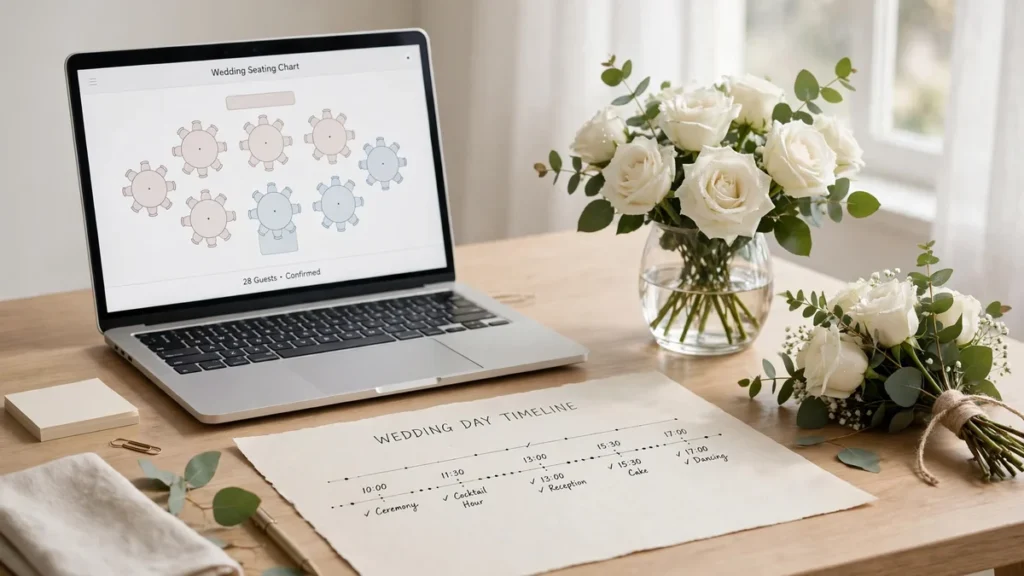
Guest management is where AI earns its keep most visibly, because it turns a messy pile of replies into an organised list without hours of manual checking. A good guest tool collects RSVPs through a simple online form, records meal choices and dietary needs, tracks plus-ones and children, and keeps a running headcount that the caterer can rely on. It should flag duplicates, catch guests who reply twice with different answers, and make it easy to send a gentle reminder to the people who have not replied yet. The AI features that matter most are the small ones: suggesting table groupings based on family and friendship, warning when a table is over capacity, and spotting a guest whose dietary note contradicts their meal choice.
Seating is the part of guest management that couples dread most, and it is also the part where a good tool saves the most time. Instead of moving paper names around a table for an evening, a planner can enter the guest list, mark the important relationships and constraints, and let the tool propose a first draft. The draft will not be perfect, and it should not be treated as final, but it gives the couple something concrete to react to instead of a blank page. Planners who use seating tools well always review the draft with the couple, because only the couple knows that two guests who seem friendly should not sit together, or that a particular aunt needs to be near the dance floor rather than the bar.
AI Budget and Cost Tracking Tools
Wedding budgets fail quietly, a little at a time, as small extras add up and nobody notices until the total has moved far beyond the original figure. A good budget tool makes the running total visible at all times, splits spending into clear categories such as venue, catering, flowers, photography and music, and shows what has been paid, what is due and what is still to be decided. The AI contribution is usually in forecasting: warning that catering will cost more than planned if the guest count rises, suggesting where savings are possible without changing the feel of the day, and spotting a category that is drifting far from its original share of the budget.
Couples are often nervous about money, and a clear budget report can turn a difficult conversation into a calm one. Look for tools that produce a simple, readable summary a couple can understand at a glance, with plain language and no jargon. The tool should also handle different currencies and payment schedules cleanly, since many weddings involve deposits months in advance and final payments close to the day. A planner who can show a couple exactly where their money has gone, what remains, and what each remaining decision will cost is a planner the couple will trust, and trust is what turns a one-off booking into a recommendation to friends.
AI Design, Mood Board and Inspiration Tools
Design tools help couples move from a vague feeling about their wedding to a clear visual plan they can share with vendors. A couple might say they want something romantic but not fussy, or elegant but relaxed, and those words mean different things to different people. An AI design tool can turn those words, plus a few saved images, into a mood board with a colour palette, flower suggestions, table settings and lighting ideas. The board becomes a shared reference that the florist, the decorator and the couple can all look at, which reduces misunderstandings and makes vendor meetings shorter and more useful.
The important limit here is that a mood board is a starting point, not a finished design. AI-generated images can suggest a style, but they cannot tell you whether a particular flower will be in season, whether a colour will look right in a specific venue, or whether a design fits the budget. Good planners use design tools to speed up the early conversation and then bring in real vendor knowledge to turn the board into something that can actually be built. The result is a faster design process that still ends with flowers, fabrics and lighting chosen by people who understand the venue and the season.
AI Communication and Scheduling Tools
Much of wedding planning is communication: answering couple questions, confirming vendors, reminding guests and keeping everyone on the same page. AI communication tools help by drafting replies, summarising long email threads, and sending reminders at the right time without the planner having to remember each one. A good tool can draft a polite follow-up to a vendor, turn a rambling voice note into a clear task list, or answer common guest questions about dress code, parking and accommodation from a simple FAQ. The planner reviews every message before it goes out, so the tone stays warm and personal, but the drafting time drops sharply.
Scheduling is the other half of this group, and it matters because wedding planning involves many people with busy calendars. Tools that handle appointments well let couples book consultations, vendors confirm site visits, and guests choose times for tastings or fittings without a long exchange of messages. The same thinking applies to the wedding day itself, and planners who compare AI tools for appointment scheduling often find that the features which work for consultations, such as automatic reminders and easy rescheduling, work just as well for vendor meetings and final walkthroughs. The key is choosing tools that keep every appointment in one place, so nothing is booked twice and nothing is forgotten.
AI Photography, Video and Content Tools
Photography and video are among the largest parts of a wedding budget and the most lasting memories a couple takes home, so tools that help with them deserve careful attention. AI photo tools can help a planner and a photographer agree on a shot list, organise hundreds of images by moment or by person, and pick the strongest images for a preview album. Some tools can sort photos by face, so a couple can quickly find every picture of a particular guest, while others help with simple edits such as straightening a horizon or improving the light in a dim church. These tools save time after the wedding, when couples are eager to see their photos and photographers are working through a long editing queue.
Content tools also help planners show their work and attract new couples. A planner can use AI to draft a blog post about a recent wedding, write captions for portfolio images, or turn a planning tip into a short social media post. The drafts still need a human eye, because only the planner knows the story behind a particular wedding and the details that made it special. Planners who work closely with photographers often look at AI tools for photographers to understand what is possible, and the best partnerships come when the planner and the photographer agree early on how photos will be chosen, shared and delivered.
Which AI Tool Fits Each Wedding Job
| Job | What AI Helps With | What Stays Human |
|---|---|---|
| Planning and timelines | Draft timelines, deadlines and reminders | Judgement, priorities and final decisions |
| Guests and seating | RSVP tracking, headcounts and draft seating | Sensitive calls and family knowledge |
| Budgets | Running totals, forecasts and due dates | Negotiation and honest couple advice |
| Design | Mood boards, palettes and inspiration | Season, venue and budget reality checks |
| Communication | Drafts, reminders and summaries | Tone, warmth and difficult conversations |
| Photography | Sorting, shot lists and previews | Creative direction and the final edit |
Pricing, Privacy and What to Watch Out For
Pricing for AI wedding tools varies widely, from free tools with limited features to monthly subscriptions and per-wedding charges. Before paying, check exactly what is included: how many weddings, guests and team members the price covers, whether there are extra charges for features such as seating tools or budget reports, and whether the price rises after a trial period. A tool that looks cheap can become expensive when a planner needs to add a second team member or a third wedding, so read the pricing page carefully and ask the company directly if anything is unclear.
Privacy is the issue planners most often overlook, and it matters because wedding planning involves a great deal of personal information. Guest lists contain names, addresses, dietary needs and sometimes health information. Couple questionnaires can include financial details and family circumstances. Before using a tool, check where the data is stored, who can access it, how long it is kept, and whether it is shared with anyone else. Couples should be told what tools are being used and what data they hold, and planners should choose tools that allow data to be deleted when the wedding is over and the couple no longer needs the service.
There are also practical risks to watch for. A tool that depends on an internet connection will fail if the venue has poor signal, so always have a printed copy of the timeline and the guest list on the day. A tool that changes its features or prices without warning can disrupt a planner’s workflow mid-season, so keep your own copies of important data. And a tool that makes promises it cannot keep, such as guaranteeing a perfect seating plan or a flawless timeline, should be treated with caution. The best tools are honest about their limits, and the best planners are honest with couples about what AI can and cannot do.
A Practical Setup: Your First 30 Days with AI Tools
The first week should be spent choosing, not buying. Pick one planning tool, one guest tool and one communication tool, and test each of them with a real wedding that is already in progress. Enter the real guest list, the real budget and the real timeline, and see how the tool handles them. If a tool struggles with your real data, it will not get better with a different wedding. Keep notes on what works, what is confusing, and what takes longer than your current method, and be honest with yourself about the results.
In the second and third weeks, start using the chosen tools with couples, but keep your old system running alongside them. Tell couples that you are trying a new planning tool and ask for their feedback, since couples who feel involved are more forgiving of small teething problems. Use the tools for the jobs they do best, such as sending reminders and updating budgets, and keep doing the sensitive work, such as difficult conversations and creative decisions, in the way you always have. This gradual approach avoids the risk of a new tool failing at a critical moment.
By the fourth week, review the results and decide what to keep. Ask yourself how many hours the tools saved, how many mistakes they prevented, and whether couples found them helpful or confusing. If a tool saved time and couples liked it, keep it and learn its deeper features. If a tool caused confusion or took more time than it saved, drop it without guilt. The goal is not to use the most tools, but to build a small, reliable set that makes your work easier and your weddings better, and that set will look different for every planner.
Checklist: Choosing AI Tools for Wedding Planning
- Choose one planning tool, one guest tool and one communication tool, and test them on a real wedding.
- Enter the real guest list, budget and timeline, and check that changes update everywhere at once.
- Review privacy, data storage and deletion options before sharing any couple or guest details.
- Share a clean plan with couples and vendors, with each person seeing only what they need.
- Keep a printed timeline and guest list on the wedding day in case of poor signal or a flat battery.
- Review each wedding afterwards and update your templates with what actually worked.
Frequently Asked Questions
What is the best AI tool for wedding planners?
There is no single best tool for every planner, because the right choice depends on the size of your weddings, the number of team members and the jobs that take most of your time. The best approach is to choose one planning tool, one guest tool and one communication tool, test them on a real wedding, and keep the ones that save time and reduce mistakes. A tool that fits a planner handling thirty large weddings a year may be far too complex for a planner handling five small ones, so judge tools by how they handle your real work rather than by how many features they list.
Can AI plan a whole wedding on its own?
No, AI cannot plan a whole wedding on its own, and it should not be asked to. It can draft timelines, track budgets, organise RSVPs and suggest seating arrangements, but it cannot read a couple’s feelings, negotiate with vendors, judge whether a venue feels right, or solve a problem on the day when something goes wrong. The best results come when AI handles the repetitive and organisational work while the planner keeps the judgement, the relationships and the creative direction. A wedding planned entirely by software would miss the human care that makes the day special.
How much do AI tools for wedding planners cost?
Prices vary from free tools with basic features to monthly subscriptions and per-wedding charges that can add up over a busy season. Before paying, check how many weddings, guests and team members are included, whether seating, budget reports and other key features cost extra, and whether the price changes after a trial. A tool that saves five hours a week is good value even at a higher price, while a cheap tool that needs constant fixing is expensive in time. Always test a tool on a real wedding before committing to a paid plan.
Are AI wedding tools safe for guest and couple data?
They can be safe, but only if the planner checks privacy carefully before using them. Guest lists contain names, addresses and dietary needs, and couple questionnaires can include financial and family details, so it is important to know where data is stored, who can access it, how long it is kept and how it can be deleted. Choose tools that let you control who sees what, tell couples which tools you use, and delete data when the wedding is over. Avoid tools that are vague about privacy or that share data with third parties without clear consent.
Will couples trust a planner who uses AI tools?
Most couples are happy for a planner to use AI tools, as long as the planner is honest about it and the tools make the experience better rather than colder. Couples care about clear communication, accurate budgets, reliable timelines and a calm planner on the day, and AI tools that support those things build trust rather than damaging it. Problems only arise when a planner hides behind software, sends impersonal messages, or lets a tool make decisions that should be human. Used well, AI makes a planner more available and more organised, which couples notice and appreciate.
How do I start using AI tools without disrupting my weddings?
Start small, with one tool at a time, and test it on a wedding that is already in progress before offering it to a new couple. Keep your existing system running alongside the new tool for the first few weddings, so nothing is lost if the tool fails. Tell couples you are trying a new planning tool and ask for their feedback, and keep a printed timeline and guest list on the day as a backup. After a month, review how much time the tool saved and whether couples found it helpful, then keep it, adjust it or drop it based on the evidence.
The Bottom Line
AI tools will not make a wedding planner unnecessary, and they will not turn a rushed plan into a beautiful celebration on their own. What they will do, when chosen carefully and used well, is take over the repetitive work that used to fill evenings and weekends, keep every detail connected so that a change in one place updates everything else, and give planners more time for the couples, the vendors and the creative decisions that actually make a wedding memorable. The planners who benefit most are not the ones who buy the most tools, but the ones who pick a small, reliable set, test it on real weddings, and keep the human judgement at the centre of everything they do.
Start with the three jobs that take most of your time, choose one tool for each, and give yourself a month to test them properly. Talk to your couples, listen to your vendors, and keep what works. The best AI tools for wedding planners in 2026 are the ones that quietly make the planning process calmer, the budgets clearer and the wedding day smoother, so that when the music starts and the doors open, the planner can stand back and watch a day they helped to build unfold exactly as it should.

Keep what speaks to you.
Leave room for your own perspective.