
A storm shelter is one of the few home improvements a customer buys hoping they never have to use. That makes selling and installing one different from almost any other contracting job. The homeowner is buying peace of mind, the installer is staking a reputation on concrete, steel, and anchoring that must hold in the worst weather a region ever sees, and the margin for error on either side is close to zero. The best AI tools for storm shelter installation startups exist to close that gap: they measure the site precisely, price the job honestly, document every bolt and weld, and keep the permit, inspection, and installation schedule moving without anything falling through the cracks.
Storm shelter installation is also a business built on trust and timing. Demand spikes after every major tornado outbreak, when homeowners who spent a night in a closet or a bathtub start calling installers the next morning. A startup that can answer fast, survey a property the same week, and produce a clear, itemised quote before the fear fades will win jobs that a slower competitor never hears about. The tools in this guide are the ones that make that speed possible without cutting corners on the engineering that matters, from FEMA-rated safe room specifications to the anchor bolts that tie a shelter to its slab.
This guide covers nine tools, each chosen for a specific job inside a storm shelter installation business: measuring and modelling the site, documenting the work, estimating and selling, finding customers, scheduling crews, and managing the job from first call to final inspection. None of them replaces a structural engineer or a building inspector, and none of them should. What they do is take the paperwork, the measuring, the follow-up, and the scheduling off a small crew’s plate, so the crew can spend its time on the concrete and steel that actually keep people safe.
Key takeaways
- Site measurement is the highest-value place to use AI in storm shelter work: a wrong measurement means a shelter that does not fit, a door that will not swing, or anchors that miss the slab.
- Photo documentation protects both sides: timestamped, annotated photos prove the anchoring, ventilation, and door hardware were installed to specification.
- The fastest-growing shelter startups win on response time, so estimating and scheduling tools matter as much as the tools used on the job site itself.
- Every shelter should be sold against a recognised standard, such as FEMA P-320 or ICC 500, and the paperwork proving it should live in the job file.
- Start with one measurement tool and one job-management tool, then add sales and marketing tools only once the first ten jobs are running smoothly.
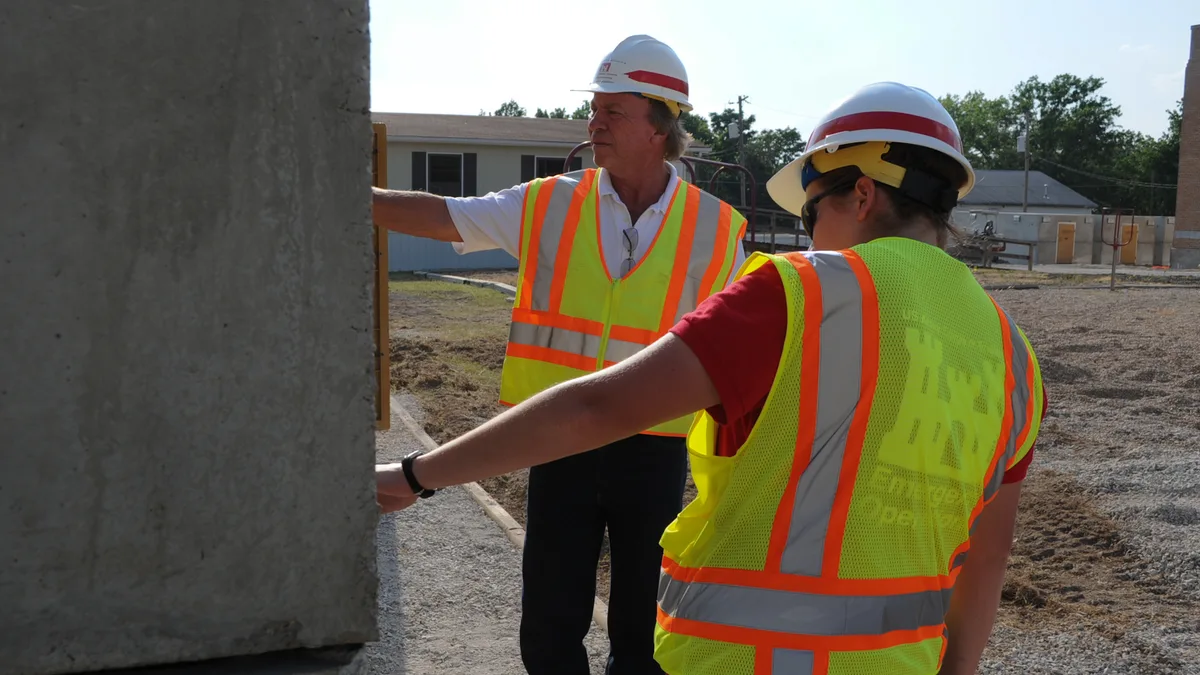
The best AI tools for storm shelter installation startups at a glance
| Tool | Best for | Standout AI feature |
|---|---|---|
| Matterport | 3D site surveys and shelter placement | AI-generated measurements and digital twins |
| CompanyCam | Job photo documentation | AI photo organisation and annotation |
| AccuLynx | Estimating and job management | Automated production tracking and ordering |
| Leap | In-home sales and digital contracts | Guided selling with good, better, best packages |
| SalesRabbit | Canvassing storm-affected neighbourhoods | AI lead scoring and territory mapping |
| Estimate Rocket | Fast estimates and invoicing | One-tap estimate to invoice conversion |
| Housecall Pro | Scheduling, dispatch, and customer updates | Automated reminders and online booking |
| JobNimbus | CRM and project boards | Workflow automations across the job pipeline |
| DroneDeploy | Aerial site and drainage surveys | AI maps and measurements from drone photos |
How we chose the best AI tools for storm shelter installation startups
Every tool in this guide was judged against the same five tests. First, does it solve a real problem in shelter work, such as measuring a tight garage, proving an anchor pattern, or getting a quote out the same day? Second, can a two- or three-person crew actually use it on a job site, with gloves on and a phone in one hand? Third, does it produce a record a homeowner, an inspector, or an insurer would accept? Fourth, does it pay for itself within the first few jobs, either by saving hours or by winning work? And fifth, does it play well with the other tools on the list, so a startup is not rebuilding its process every time it adds a new app?
We weighted site accuracy and documentation more heavily than in a general contracting roundup, because a shelter is a life-safety product. A kitchen remodel with a measurement error costs a week; a shelter with a measurement error can cost the whole job, or worse. That is why measurement and photo tools lead this list, and why the sales tools are judged on whether they help a homeowner understand what they are buying, not just on whether they close the deal faster.
The 9 best AI tools for storm shelter installation startups
1. Matterport
Matterport turns a phone or a 3D camera into a survey instrument. Walk through a garage, basement, or yard with the app, and it builds a measured digital twin of the space that the crew can revisit from the office, share with the homeowner, and use to test where a shelter will fit before a single anchor is drilled. For a storm shelter installation startup, that matters more than it does for most trades, because the available space is almost always awkward: a garage with a water heater in the corner, a basement with a low beam, a slab with a slope the eye cannot see.
The AI measurements inside a Matterport scan give the crew dimensions they can trust to within a small margin, which means the shelter footprint, door swing, and ventilation path can all be planned before the truck leaves the yard. A scan also settles arguments before they start. When a homeowner asks whether a six-person above-ground safe room will fit beside their car, the answer is a shared 3D model, not a guess. That shared model shortens the sales cycle and reduces the change orders that eat a small startup’s margin.
2. CompanyCam
CompanyCam is the camera roll a shelter business wishes it had: every photo from every job, organised by project, stamped with time and location, and annotated so anyone can see what was done and why. A storm shelter install generates exactly the kind of evidence that needs to survive the job: the anchor bolt pattern before the shelter is set, the torque marks on the hardware, the ventilation intake and exhaust, the door seal, and the finished installation from four angles.
The AI organisation is what separates CompanyCam from a shared phone album. Photos sort themselves into the right job and the right stage, and the crew can tag problems, add voice notes, and mark up an image to show the office what changed on site. When an inspector asks how the shelter was anchored, or a homeowner asks a year later whether the door was adjusted after installation, the answer is a dated photo, not a memory. That record is also the startup’s best defence if a warranty claim ever turns into a dispute.
3. AccuLynx
AccuLynx is built for contractors who juggle estimating, ordering, scheduling, and customer communication on the same job, which describes a storm shelter installation startup almost exactly. A shelter job has a long tail: the steel unit or concrete panels have a lead time, the anchor hardware is specific to the slab, the permit takes days or weeks, and the installation itself is a single intense day. AccuLynx keeps all of that in one place, so the office can see at a glance which jobs are waiting on materials, which are waiting on permits, and which crews are free next Tuesday.
The estimating side is where the tool earns its keep for shelter work. A shelter quote is not a single number; it is the unit, the anchoring, the ventilation, the electrical work for lighting and communication, the concrete work if a pad is needed, and the permit fees. AccuLynx lets a startup build that quote from a template and adjust it for the site, so two similar garages get similar prices and the margin does not depend on who happened to write the estimate that day. The ordering integration then turns the accepted estimate into a material order without retyping part numbers, which is where expensive mistakes usually happen.
4. Leap
Leap, formerly Leap SalesPro, is designed for the kitchen-table conversation where a shelter is actually sold. The salesperson walks the homeowner through good, better, and best options on a tablet: a basic in-ground unit, a mid-range above-ground safe room with better ventilation and lighting, and a premium unit with more capacity and a heavier door. Each option shows its price, its features, and its trade-offs side by side, so the homeowner is choosing between clear packages rather than haggling over a single mysterious number.
That structure suits storm shelter sales unusually well, because most buyers do not know what they are buying. They know they are afraid of tornadoes; they do not know the difference between a FEMA-rated safe room and a prefabricated cellar, or why one anchoring system costs more than another. Leap’s guided presentation turns the salesperson into a teacher, and the digital contract and financing options mean a homeowner who decides at the table can sign the same evening, while the motivation is fresh. For a startup, that same-evening close is often the difference between a booked job and a quote that goes cold.
5. SalesRabbit
SalesRabbit is a canvassing tool, and canvassing is how most storm shelter startups find their first customers. After a tornado warning, a near miss, or a storm that damages a neighbouring town, the homeowners most likely to buy a shelter are the ones who just spent a frightening night thinking about one. A crew that knocks on doors in the right streets, at the right time, with a clear offer and a way to book a free site survey on the spot will fill a pipeline faster than any online ad campaign.
The AI in SalesRabbit scores leads and maps territories, so the canvassing team is not wandering. It shows which streets have been covered, which doors were answered, which homeowners asked for a callback, and which ones booked a survey, and it keeps that history so a second visit does not repeat the first. For a startup, that discipline matters, because canvassing without a system burns out a team in weeks: the same houses get knocked twice, the interested homeowner never gets a follow-up call, and the crew cannot tell whether the effort is working.
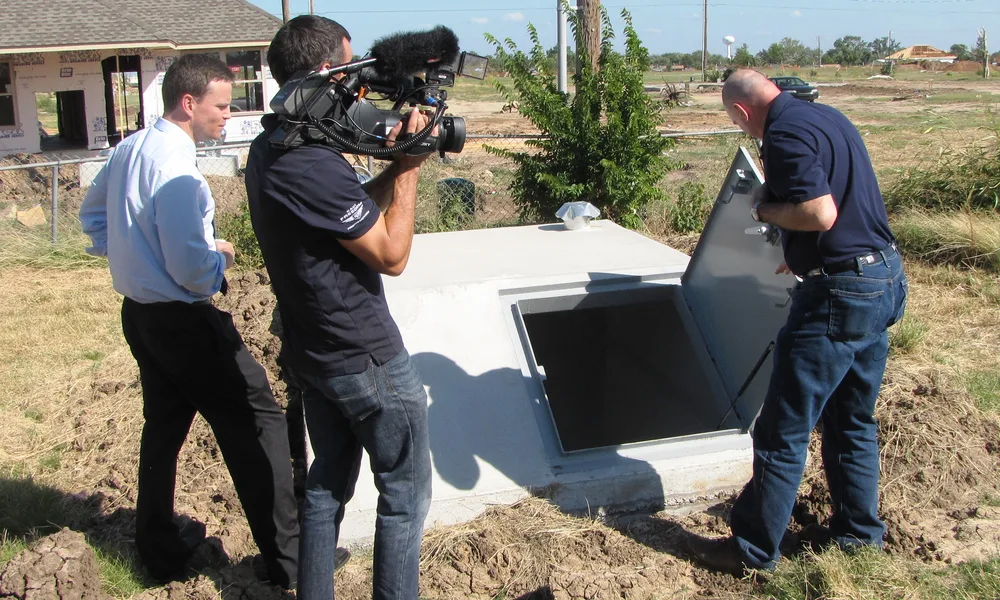
6. Estimate Rocket
Estimate Rocket does one thing and does it fast: it turns a site visit into a professional estimate, and an accepted estimate into an invoice, with almost no office work in between. For a storm shelter installation startup, that speed is a competitive weapon. A homeowner who has just had a survey will often collect two or three quotes, and the first clear, itemised, professional-looking estimate sets the standard the others are judged against. A quote that arrives three days later, as a vague single number in a text message, loses to a detailed estimate that arrived the same evening.
The tool’s strength is its simplicity. The estimator picks the shelter type, adds the anchoring, ventilation, and concrete line items, and sends the estimate from the driveway. The homeowner can accept it on their phone, pay a deposit, and get on the schedule without a single phone call to the office. Follow-up reminders go out automatically, so the quotes that do not close immediately are not forgotten, and the invoicing side means the crew does not leave a job without the paperwork done.
7. Housecall Pro
Housecall Pro runs the day-to-day logistics of an installation business: scheduling, dispatch, customer notifications, invoicing, and payments. A storm shelter install day is a choreography problem. The shelter unit arrives on a truck, the crew arrives with the anchoring kit, the concrete saw or core drill is either on site or it is not, and the homeowner needs to know when to be home and when the garage will be usable again. Housecall Pro keeps that choreography visible to everyone, including the customer.
The automated reminders and on-my-way texts are the features homeowners notice most. A shelter customer is already anxious, and a message saying the crew is thirty minutes away, followed by a photo of the finished installation and a digital invoice, turns a stressful day into a professional experience. Behind the scenes, the scheduling board shows which crew is where, which jobs are waiting on permits, and where the gaps are that a new booking can fill, which is how a small startup keeps its crews busy through the quiet weeks between storm seasons.
8. JobNimbus
JobNimbus is a CRM and project-management board built for contractors, and a storm shelter job is a project with more stages than most homeowners realise: first call, site survey, estimate, deposit, permit application, material order, installation, inspection, and final walkthrough. JobNimbus puts every job on a board where its stage is visible at a glance, and its automations move the job forward, sending the permit reminder when the deposit lands, or the inspection checklist when the installation is marked complete.
The value for a shelter startup is that nothing gets lost between stages. Permits are the classic failure point: a job sits for three weeks because nobody chased the building department, and the homeowner starts calling competitors. With JobNimbus, a job that has been sitting in the permit stage for too long is visible to everyone, and the automation can nudge the right person before the customer has to ask. The same visibility helps with materials, since a shelter unit on order, a unit in transit, and a unit on site are three different stages with three different risks.
9. DroneDeploy
DroneDeploy turns drone photos into measured maps and 3D models of a property, and for storm shelter work the view from above answers questions a ground-level survey cannot. Where does water pool in the yard after heavy rain? How steep is the grade where an in-ground shelter would go? Is there enough clear access for a truck carrying a steel safe room, or will the unit need a crane? A drone survey answers all three in a single flight, and the AI measurements give the crew distances, areas, and elevations they can plan around.
The drainage question is the one that saves the most money. An in-ground shelter installed in a spot where water collects will have moisture problems for its whole life, and a homeowner who finds standing water in their shelter will not recommend the installer to anyone. Aerial maps show the drainage pattern of the whole property, not just the corner where the shelter will sit, so the crew can choose the high ground, plan a drain, or recommend an above-ground unit instead. That judgement is worth more than the drone itself, and it is the kind of expertise that earns referrals.
DroneDeploy also helps with the anchoring decision, because the condition of the slab and the surrounding concrete is visible from above in a way that is easy to miss at ground level. Cracks, patching, and previous repairs all show up in a high-resolution map, and the crew can plan the anchor layout before drilling. Shelter anchoring lives or dies on the slab it bolts to, and the estimating habits that work for foundation repair startups translate directly, since both trades are really in the business of tying steel to concrete and proving it will hold. A startup using DroneDeploy should check local drone rules before its first flight, and it should budget for the learning curve, since good drone maps take practice, but the survey capability is a genuine differentiator in a crowded local market.
What a storm shelter installation startup should budget for AI tools
A new storm shelter installation startup should expect to spend roughly the cost of one small installation per year on software, spread across two or three tools. The measurement tool comes first, because a bad measurement is the most expensive mistake in the business, and the job-management tool comes second, because a lost permit or a missed follow-up costs a whole job. Sales and canvassing tools come third, once the business is winning enough work to need a bigger pipeline.
The honest way to judge the spend is cost per job, not cost per month. A tool that costs a few hundred dollars a month and saves two hours on every install, or wins one extra job a month, is cheap. A tool that costs the same amount and sits unused because nobody on the crew likes opening it is expensive at any price. Before committing to a yearly plan, a startup should run each tool on five real jobs, with the whole crew using it, and then decide on evidence rather than on a sales demo.
A simple AI workflow for your first ten shelter jobs
The first job sets the pattern, so it is worth designing the workflow deliberately. When the call comes in, the job goes into the CRM the same day, with the homeowner’s address, the reason for the call, and the date of the next storm season in their area. The site survey is booked within a week, and the surveyor arrives with the 3D scanning app and the photo documentation app already open, so the scan and the photos happen as a matter of routine rather than as an afterthought.
Back at the office, the scan is measured, the shelter size and placement are decided, and the estimate is built from a template and sent the same evening. The homeowner accepts on their phone, pays the deposit, and the job moves to the permit stage, where the CRM tracks the application and nudges the office if it sits too long. Materials are ordered the day the permit is filed, not the day it is approved, so the lead time runs in parallel with the bureaucracy rather than after it.
On installation day, the crew photographs the slab, the anchor pattern, and the finished unit, and the customer gets an on-my-way text, a completion photo, and a digital invoice before the truck leaves. The final walkthrough is recorded in the job file, with the door operation demonstrated and the ventilation explained, and a follow-up message goes out a week later asking whether everything is working as expected. That follow-up is where the next referral comes from, and it costs nothing but a template and a reminder.
Below-grade installs deserve one extra step in this workflow: a drainage check before the hole is dug. Water is the enemy of an in-ground shelter, and the waterproofing and drainage thinking that basement finishing startups build into every job applies directly, since both trades are putting a dry, usable room below ground level and keeping it dry for decades. A drone survey, a look at the property’s low points, and a conversation with the homeowner about where water goes in a heavy storm will prevent the callbacks that sink a young company’s reputation.
Mistakes to avoid with AI tools in storm shelter installation
The most common mistake is trusting a measurement tool without verifying it. AI measurements are good, but they are not perfect, and a shelter that is ordered to a scanned dimension without a tape-measure check is a gamble. Measure twice, once with the app and once with a tape, and the two should agree. If they do not, find out why before ordering anything.
The second mistake is documenting everything except the work that matters. A folder full of photos of the finished shelter is nice for marketing, but the photos that protect the business are the unglamorous ones: the anchor bolts before the shelter is set, the torque marks, the ventilation ducting before it is covered. Photograph the work nobody will ever see again, because that is the work an inspector or an insurer will ask about.
The third mistake is selling the tool instead of the shelter. A homeowner does not care which app measured their garage; they care whether the shelter will fit, whether it will hold, and whether the company will answer the phone if something goes wrong. The software should be invisible to the customer, showing up only as a faster quote, a clearer explanation, and a smoother installation day. If the sales conversation spends more time on the technology than on the shelter, the startup has its priorities backwards.
Storm shelter installation startup checklist
- Choose one measurement tool and use it on every site survey, verifying AI dimensions with a tape measure before ordering.
- Build a shelter estimate template with separate lines for the unit, anchoring, ventilation, electrical work, concrete, and permits.
- Set up a photo routine: slab, anchor pattern, ventilation, door hardware, and finished installation, every job, no exceptions.
- Confirm the shelter meets a recognised standard, such as FEMA P-320 or ICC 500, and keep the compliance paperwork in the job file.
- Put every job on a board with visible stages, from first call to final inspection, so no permit or material order goes untracked.
- Send a one-week follow-up after every installation, asking about the door, the ventilation, and anything the homeowner is unsure about.
Frequently asked questions
How much do AI tools cost for a storm shelter installation startup?
Most of the tools in this guide charge a monthly subscription per user, and a two-person startup can usually cover measurement, documentation, and job management for roughly the cost of a small installation per year. The right way to judge the price is cost per job: if a tool saves two hours on every install or wins one extra job a month, it pays for itself quickly. Start with two tools, run them on five real jobs, and only add more software when a specific problem appears that a new tool would actually solve.
Do storm shelters need to meet FEMA standards?
Homeowners should look for shelters designed to recognised standards, most commonly FEMA P-320 for residential safe rooms and ICC 500 for storm shelter design and construction. These standards cover the structural design, the door and hardware, ventilation, and the anchoring that holds the shelter in place. A reputable installer should be able to explain which standard a unit meets and show the documentation, and the startup should keep that paperwork in the job file alongside the installation photos.
Can AI tools measure a garage or basement accurately enough to plan a shelter?
Modern 3D scanning and drone mapping tools produce measurements that are accurate enough to plan a shelter layout, choose a unit size, and check door swing and clearances. They are not a substitute for a final tape-measure verification before ordering, and any discrepancy between the scan and the tape should be investigated rather than ignored. Used that way, as a planning tool checked by hand, AI measurement is faster and more consistent than measuring a complex garage by hand alone.
What is the difference between an above-ground safe room and an in-ground shelter?
An above-ground safe room is a reinforced room, usually steel or concrete, installed in a garage or inside the home, and it is the right choice where the water table is high, the soil is rocky, or the homeowner needs step-free access. An in-ground shelter is set below grade, often in a garage floor or yard, and it needs careful attention to drainage and waterproofing, since water is its main long-term enemy. Both types can meet the same safety standards when they are properly designed and anchored, and the choice usually comes down to the site, the budget, and how the homeowner will use the space.
How do AI tools help with permits and inspections?
Permits and inspections are mostly a paperwork and timing problem, which is exactly what job-management software is good at. A CRM with visible job stages shows which permits have been filed, which are waiting, and which have been sitting too long, and automated reminders chase the office before the customer has to. Photo documentation apps provide the evidence an inspector wants: the anchor pattern, the ventilation, and the door hardware, all timestamped. The tools do not replace the permit or the inspector, but they make sure the paperwork is ready when the inspector arrives. Every shelter also needs a second way out or a clear ventilation path, and the same egress thinking that egress window installation startups plan around applies here, since a shelter is only safe if the people inside can get out and breathe.
What is the first AI tool a storm shelter installation startup should buy?
Buy a measurement tool first, because every job in this business starts with a measurement and a wrong one is the most expensive mistake a startup can make. A 3D scanning app that produces a measured model of the garage or basement pays for itself on the first job it saves from a mis-ordered shelter. Add a job-management tool second, so permits, materials, and installations stop living on a whiteboard, and add sales and canvassing tools only once the first ten jobs are running smoothly and the business needs a bigger pipeline rather than a better process.
The bottom line
A storm shelter installation startup sells something no other trade sells: the confidence that a family will be safe on the worst night of their lives. The AI tools in this guide do not build that confidence by themselves. They build it indirectly, by making the measurement right, the quote honest, the anchoring documented, and the installation day smooth, so the homeowner’s trust is earned by evidence rather than asked for on faith. Start with measurement and job management, photograph everything that will be hidden once the shelter is in place, and let the software handle the paperwork while the crew handles the concrete and steel. Do that for the first ten jobs, and the eleventh will come from a referral.

Keep what speaks to you.
Leave room for your own perspective.


