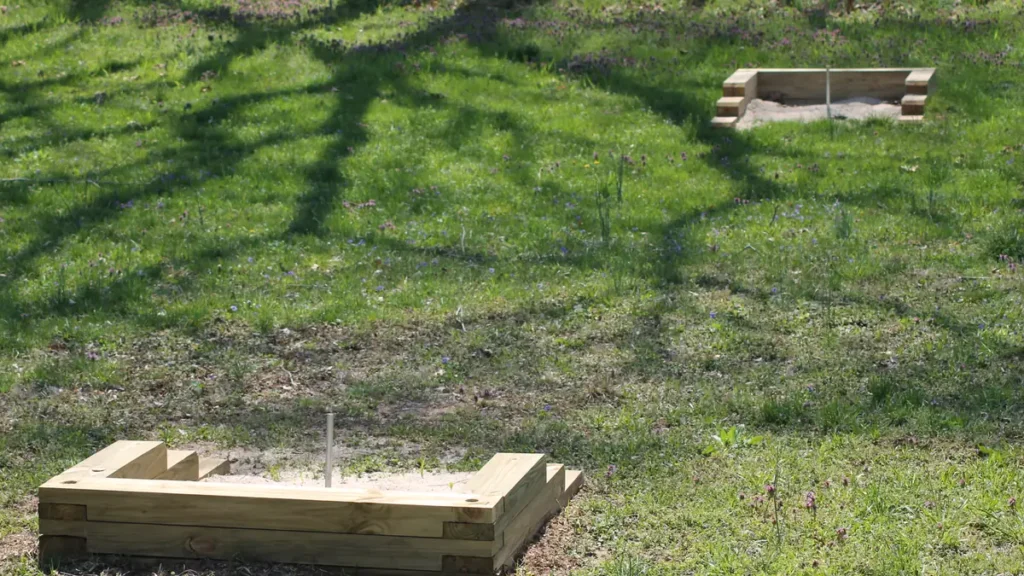
A horseshoe pit looks like the simplest thing a contractor can build: two stakes, a rectangle of sand or clay, and a backstop behind each end. Then you price your first job and discover how much hides inside that rectangle. The stakes sit 40 feet apart, the pit itself runs about 36 inches wide and 72 inches long, the sand or blue clay has to sit at the right depth and moisture, the stakes lean a few inches toward each other, and the backstop has to catch a four-pound shoe thrown hard without sending it back at the thrower. Get any of those details wrong and the court plays badly, the customer complains, and your margin disappears into a return visit.
That gap between how simple a pit looks and how precisely it must be built is where a small startup makes or loses money. Most of your costs are not materials. They are the hours spent driving to a yard, measuring a space that turns out two feet short, re-quoting because the drainage was worse than the photos suggested, and chasing invoices while the next job waits.
This guide rounds up nine AI tools that fit the way horseshoe pit installation actually works: measuring a backyard, quoting a fixed-price job, scheduling a small crew, documenting the pit before the sand goes in, and getting paid without a second visit. Every tool below was judged on whether it helps with the specific work of stakes, pits, sand and clay, backstops and drainage, not on generic business features. Use the comparison table to shortlist two or three, then test them on a real quote before you commit.
Key Takeaways
- Horseshoe pit work is precision work in disguise: 40-foot stake spacing, a 36-by-72-inch pit, stake lean and sand or clay depth all have to be right, so estimating and measurement tools matter more than marketing tools.
- Start with one quoting and scheduling tool, one measurement tool and one photo documentation tool; that trio covers most of the mistakes that cost new installers money.
- Drone and photo AI pay for themselves fastest on jobs where you cannot see the drainage problem from the driveway, because a bad grade is the most expensive surprise in a pit build.
- Price every job from a written checklist of pit dimensions, material volumes and backstop work, and let the software remember the numbers so the next quote takes minutes instead of an afternoon.
- Reviews and referrals are the main source of work in this niche, so build the ask for a review into the same workflow as the final invoice instead of treating it as an afterthought.
Why Horseshoe Pit Installation Startups Need AI in 2026
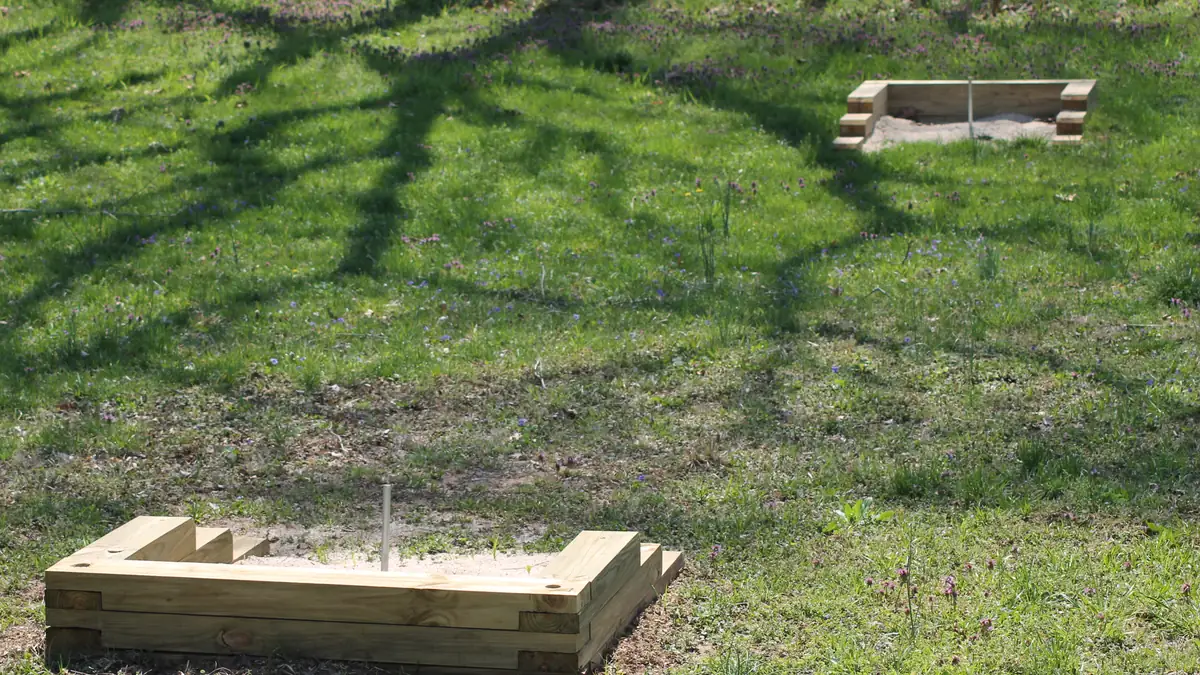
A horseshoe court is a small job with a long tail of detail. You need a level, well-drained base under the pit so the sand does not turn into a pond after the first rain, edging that holds the pit shape, a backstop strong enough to stop a shoe, and stakes set at the right height and lean. The standard layout puts the stakes 40 feet apart with the court running about 46 feet from backstop to backstop, which often leaves only a few feet spare in a suburban yard.
AI tools help most at the survey and quoting stage, where a startup loses the most unpaid time. A drone survey or a 3D measurement app can confirm the yard is long enough, show the slope across the court, and flag the low corner where water will collect, all before you load the truck. A takeoff tool turns pit dimensions into sand and clay volumes and a materials list in minutes, so two quotes for the same job come out the same.
The second place AI earns its keep is on site. A pit is built in layers — excavation, base, edging, pit fill, stakes, backstop — and each layer is hidden by the next. If the customer later questions the base depth or the stake setting, a phone full of disorganised photos will not settle it, while AI photo tools that tag and timestamp site photos give you a record of every layer without extra paperwork. The estimating discipline is close to the work of other backyard court builders, and the best AI tools for bocce court installation startups show how the same quoting and documentation habits transfer between court types.
Finally, the business side of a pit startup is almost entirely repeatable: the same quote, the same schedule, the same invoice, the same review request. Software that automates those steps stops the small errors that cost real money, like quoting a clay pit at sand prices or invoicing a job two weeks after it finished. In a niche where a good month is eight to twelve jobs, one avoided mistake a month is a meaningful change in profit.
How We Compared the Tools
We judged each tool against the work of a horseshoe pit installation startup, not a generic small business checklist. Can it measure a 46-foot court and its slope, turn pit dimensions into a materials list, work on a phone with dirty hands, and keep a record that protects you if a customer disputes the work?
The 9 Best AI Tools for Horseshoe Pit Installation Startups at a Glance
| Tool | Best for | Starting price | Standout feature |
|---|---|---|---|
| Jobber | Quoting, scheduling and CRM | From about $49 a month | Quote-to-invoice flow built for small crews |
| FieldPulse | Field service management | From about $39 a month | Simple job tracking your crew will actually use |
| Buildertrend | Project management and client updates | From about $99 a month | Client portal with photos and change orders |
| DroneDeploy | Drone site surveys and grading | From about $99 a month | Maps and elevation data from drone flights |
| OpenSpace | AI photo documentation | From about $129 a month | Automatic photo capture and site timelines |
| ArcSite | Mobile drawings and pit layouts | From about $40 a month | Draw-to-scale plans on a phone or tablet |
| ClockShark | Crew time tracking | From about $49 a month | GPS clock-ins tied to each job site |
| QuickBooks Online | Accounting and job costing | From about $35 a month | Real profit per job, not just bank balance |
| NiceJob | Reviews and referrals | From about $75 a month | Automatic review requests after each job |
The 9 Best AI Tools for Horseshoe Pit Installation Startups in Detail
1. Jobber for Quoting, Scheduling and CRM
Jobber is the closest thing to a default choice for a small outdoor installation business, and it fits a horseshoe pit startup well. It handles the whole arc of a job in one place: a customer calls, you build a quote, the customer approves it online, the job lands on the schedule, the crew sees the address and the pit dimensions, and the invoice goes out when the work is done. For a startup doing a handful of pits a week, that single flow removes the spreadsheet-and-text-message chaos that causes double bookings and forgotten quotes.
The quoting side is where Jobber earns its place. Save a template for a standard two-pit court — excavation, base, edging, sand or clay fill, stakes and backstop — then adjust quantities per yard instead of starting from zero. Optional lines price upgrades cleanly, such as a taller backstop or a clay pit instead of sand, and customers approve on their phone, which shortens the gap between the site visit and a signed job.
Jobber also includes AI-assisted quoting and client messaging, which help when a customer asks for a ballpark figure before you have visited. You can answer with a realistic range based on your saved templates instead of guessing. Watch the cost as you add team members, since pricing scales with users, and make sure your pit template includes the backstop and the drainage base as separate lines so neither gets forgotten on a rushed quote.
2. FieldPulse for Field Service Management
FieldPulse is a simpler, lighter alternative for installers who want job management without the weight of a large platform. It covers estimates, scheduling, dispatch, invoicing and customer records, and it is designed to be learned in a day rather than a week. For a horseshoe pit startup with one crew and a part-time helper, that simplicity is a feature: the tool gets used, which is more valuable than a powerful tool that sits idle.
The estimate builder suits pit work because it is fast to repeat. Build one estimate for a standard court, duplicate it, change the fill from sand to blue clay, adjust the edging length, and send it. The customer history keeps every past pit, price and note in one place, so a callback a year later for a second court or a re-sand does not start with a search through old messages.
The trade-off is depth. FieldPulse does not offer the advanced project management or client portal features of bigger construction platforms, and its reporting is straightforward rather than deep. If your plan is to stay small and fast, that is the right trade. If you expect to grow into multi-court commercial jobs for parks and resorts, you may outgrow it within a year or two.
3. Buildertrend for Project Management and Client Updates
Buildertrend is the tool to reach for when a horseshoe pit job stops being a one-day install and becomes a small project with a waiting customer. That happens more often than new installers expect: a backyard court may need drainage work first, a park job may need a permit, and a resort may want two courts, a walkway and lighting. Buildertrend keeps the schedule, the budget, the photos and the customer messages in one project, so nothing falls between the cracks.
The client portal is the feature that matters most. Customers see the schedule, approve a change order when the soil turns out to be rock, and check progress photos without calling for an update. If excavation reveals a drainage problem, you price the extra work, get it approved in writing and keep the job moving instead of arguing about it after the sand is in.
Buildertrend costs more than the field service tools on this list, and it takes longer to set up, so it is a poor first purchase for a one-person startup doing simple residential pits. It becomes worth the money when your jobs regularly involve more than one visit, more than one trade, or a customer who needs to see progress before paying the next instalment.
4. DroneDeploy for Drone Site Surveys and Grading
A horseshoe pit fails most often on drainage, and drainage is a grading problem you cannot always see from the ground. DroneDeploy turns a short drone flight into a map, an elevation model and a measurement set for the whole yard, showing where water will run and how much the ground falls across a 46-foot court. For a startup, that is the difference between quoting a pit and quoting a pit plus a drainage fix you discovered too late.
The practical workflow is simple: fly the yard, mark the court corners on the map, measure the length and the slope, and share the map with the customer when you explain why the pit needs a raised base or a drain at the low end. The measurements also feed your materials estimate, since the base volume depends on how much fill the low side needs.
Two cautions. First, check the drone rules for your area before you fly, including any restrictions near airports and the need for a commercial drone licence, because the rules vary and the fines do not. Second, a drone does not replace a tape measure for the final stake positions; use the map for the survey and the quote, then set the stakes with a tape and a level on the day.
5. OpenSpace for AI Photo Documentation
OpenSpace is a photo documentation tool built for construction, and it solves a problem every pit installer knows: the most important work disappears under the next layer. The base goes in, then the edging, then the sand, and by the time the customer sees the finished pit, the base depth and the stake footings are invisible. If a question comes up later, your only defence is a clear record.
The tool works by capturing photos as you walk the site, then using AI to place them on the plan and build a timeline of the job. You can pull up the photos from the day the base went in and settle a dispute in minutes — excavation, base layer, stake setting with its lean, edging and finished surface, all timestamped without anyone stopping work to file paperwork.
OpenSpace is priced for construction teams, so it is the most expensive tool on this list relative to a small pit job. It makes sense when you are doing commercial work for parks, resorts or leagues, where a disputed job can cost far more than the software. For simple residential pits, a disciplined habit of taking dated photos in a shared folder may be enough until your job values rise.
6. ArcSite for Mobile Drawings and Pit Layouts
ArcSite lets you draw a pit layout to scale on a phone or tablet while you are standing in the yard, and that sketch becomes one of the most persuasive parts of your quote. Instead of describing a 46-foot court in words, you show the customer where the stakes will sit, where the pits go, how much lawn is left, and where the backstops stand. Customers who can see the layout say yes faster and argue less later, because the plan was agreed before the digging started.
The drawing tools suit pit work well. Measure the yard with the device, drop in the pit rectangles at 36 by 72 inches, mark the 40-foot stake spacing and the foul lines, and note the backstop positions. The drawing then feeds a materials list, so the edging length, fill volume and backstop sizes come from the same plan the customer approved.
ArcSite is a drawing tool, not a full job management system, so it pairs best with a quoting tool such as Jobber or FieldPulse. The combination is strong: ArcSite for the plan and the measurements, the other tool for the quote, the schedule and the invoice. Keep your pit templates saved in ArcSite so every layout starts from the regulation dimensions and you adjust from there.
7. ClockShark for Crew Time Tracking
ClockShark tracks crew time with GPS, and for a pit installation startup its value is job costing rather than supervision. A horseshoe pit job has several distinct phases — survey, excavation, base, pit fill, stakes and backstop — and if you do not know how long each phase takes, you cannot price the next job accurately. ClockShark lets the crew clock in at the job site, switch between tasks, and clock out, so you learn that a clay pit takes an extra hour over sand, or that backstop assembly is the phase that always runs long.
The GPS feature also settles the small disputes that waste a startup’s time: whether the crew arrived when they said they did, and how long a return visit took. That record matters when a customer questions the labour line on an invoice, and when you pay a helper by the hour and need to know which jobs are profitable.
ClockShark is a single-purpose tool, so it needs to connect to your accounting or payroll software to be fully useful. It integrates with QuickBooks and similar platforms, which keeps the data flowing without double entry. If you work alone, you do not need it yet; the moment you hire a second pair of hands, it becomes one of the cheapest ways to find out where your labour money goes.
8. QuickBooks Online for Accounting and Job Costing
QuickBooks Online is the accounting backbone of this stack, and its job costing is the reason it belongs on the list. A horseshoe pit startup can look busy and still lose money if the books only show the bank balance. QuickBooks lets you tag every expense — sand, clay, edging, stakes, backstop timber, fuel, helper wages — to a specific job, so you can see the real profit on each pit instead of guessing at the end of the month.
That per-job view changes how you quote. After ten jobs you will know your true cost for a standard sand pit, a clay pit and a pit with drainage work, and your quotes will reflect those numbers instead of a hopeful round figure. QuickBooks also handles invoicing, payment reminders and tax categories, removing the admin pile-up after a busy week of installs.
The learning curve is real, and QuickBooks rewards a weekly bookkeeping habit more than a monthly scramble. Set aside an hour each week to reconcile the account and review job profitability, and keep your materials suppliers and your pit types set up as consistent categories so the reports stay meaningful. If your accountant already uses QuickBooks, that alone is a strong reason to choose it over a standalone invoicing app.
9. NiceJob for Reviews and Referrals
NiceJob automates the part of the business most installers neglect: asking for the review. A horseshoe pit is a social feature — it gets used at barbecues, league nights and family gatherings — which means every finished pit is a showroom. The neighbours see it, ask who built it, and check the reviews. A startup with fifteen strong reviews will win jobs over a larger competitor with three, and NiceJob exists to make those fifteen happen without awkward follow-up calls.
The workflow is automatic: when a job is marked complete, the customer gets a polite request for a review on Google, with a follow-up if they do not respond. For pit work, where the purchase is discretionary and trust matters, that social proof is often the deciding factor when a customer compares installers.
NiceJob is a marketing expense, so judge it on results rather than features. If your review count is not growing month by month, check that the request is going out after every job and that the timing is right — the best moment is the day the pit is finished, while the customer is still pleased with it. Pair it with a simple referral offer, such as a free re-sand for a customer whose neighbour books a pit, and the tool starts paying for itself.
Building Your Launch Stack
A new horseshoe pit installation startup does not need all nine tools on day one. It needs a stack that covers the three places money leaks: quoting, measuring and getting paid. The starter stack below costs roughly $150 to $250 a month and fits a one-person or two-person business doing residential pits.
Start with Jobber for quotes, scheduling and invoicing, ArcSite for the yard layout and measurements, and QuickBooks Online for the books. Add NiceJob once you have five finished jobs to ask for reviews about. That combination gives you a professional quote with a drawing, a schedule that does not double-book, and books that tell you the truth about profit.
Grow into DroneDeploy and OpenSpace when you take on commercial work for parks, resorts, schools or leagues, where the site is bigger, the drainage questions are harder and the customer needs a formal record. Add ClockShark the day you hire your first helper, and Buildertrend when your jobs regularly span more than one visit or need a client portal. Buy tools in the order your problems appear, not in the order a sales page lists them.
Common Mistakes to Avoid
The most expensive mistake in this niche is quoting from a photo. A yard can look flat in a photo and fall six inches across the court, which changes the base work, the drainage and the price. Always visit the site, or fly it with a drone, before you commit to a fixed price. A quote that has to be revised after the customer has said yes is a trust problem as well as a money problem.
The second mistake is pricing the pit and forgetting the rest of the court. The sand or clay is the cheapest part; the excavation, base, edging and backstop are where the cost sits. Build your quote template with every element as its own line so nothing gets left out. The same discipline applies to other backyard court work, and the best AI tools for shuffleboard court installation startups show how installers in a neighbouring niche keep their quotes complete.
The third mistake is setting the stakes by eye. Stakes need the right height above the pit surface, the right lean toward each other and a solid footing, and a stake that works loose in the first month will cost you a free return visit. Photograph the stake setting before the pit fill goes in, and keep the photo with the job record.
The fourth mistake is treating sand and clay as interchangeable. Sand drains well and plays fast, while blue clay holds moisture and plays slower, and the maintenance advice you give the customer is different for each. Quote the right material, explain the upkeep, and write the choice into the job record so a later top-up uses the same fill.
The fifth mistake is finishing the job and disappearing. The customer needs to know how to top up the pit, when to water clay, and how to keep the backstop sound. A short handover note, sent with the invoice, prevents the call three months later asking why the pit plays differently, and it is the natural moment to ask for a review.
Checklist: Launching Your Horseshoe Pit Installation Startup
- Measure three local yards and build a standard quote template for a two-pit court, with separate lines for excavation, base, edging, pit fill, stakes and backstop.
- Choose one quoting and scheduling tool, one measurement tool and one accounting tool, and run all three on a real quote before you pay for any of them.
- Set up a photo routine for every job: excavation, base, stake setting, edging, finished pit and backstop, with the photos stored against the job.
- Price a sand pit and a clay pit separately, and write down the maintenance advice for each so every customer gets the same handover.
- Decide your service area and your drone rules before you advertise, so you never quote a job you cannot legally survey or reach profitably.
- Ask every customer for a review on the day the pit is finished, and track which jobs came from referrals so you know where your work actually comes from.
Frequently Asked Questions
How much do AI tools for a horseshoe pit installation startup cost?
Expect roughly $150 to $250 a month for a starter stack of a quoting tool, a measurement tool and accounting software. A fuller stack with drone surveys, photo documentation and review automation runs roughly $400 to $700 a month, which suits commercial work or two crews. Start small and add a tool only when a specific problem is costing you money.
Do I need a drone survey for every horseshoe pit?
No. A simple flat backyard can be measured with a tape, a level and a drawing app. A drone survey earns its fee on larger or sloping sites, on park and resort jobs, and anywhere the drainage is uncertain. If you cannot tell where the water goes after rain by standing in the yard, that is the job to fly.
Can AI tools really help with horseshoe pit drainage?
Yes, mainly by showing you the slope before you dig. A drone map or a 3D measurement gives you the fall across the court and the low spots where water will collect, so you can plan the base depth and any drainage work in the quote instead of discovering it mid-job. The tools measure and model the ground; the judgement about soil and drainage still belongs to the installer on site.
What is the best first AI tool for a horseshoe pit installation startup?
A quoting and scheduling tool such as Jobber or FieldPulse, because it fixes the two problems that cost new installers the most: slow quotes and lost jobs. Once your quotes go out the same day as the site visit, add a measurement tool such as ArcSite or DroneDeploy. The right first tool is the one that shortens the gap between a customer calling and a signed job.
How long does it take to set up AI tools for a horseshoe pit installation startup?
A quoting tool can be running in a day if you build one pit template and one invoice template and test them on a real job. Accounting and time tracking take a week of steady use to settle in, because the value comes from consistent categories and habits rather than the setup itself. Drone and photo documentation tools need a few practice jobs before they feel natural on site, so do not debut them on a paying commercial job.
Should I use one all-in-one tool or several specialist tools?
Most small pit installers do best with one core tool for quotes, scheduling and invoicing, plus specialists for measurement and accounting. An all-in-one tool keeps everything in one place but rarely measures a yard or documents a build as well as a specialist does. The test is practical: if a tool saves you an hour a week and keeps a record that would settle a dispute, keep it. The same question faces installers in every backyard niche, and the best AI tools for basketball hoop installation startups reach the same conclusion for driveway and backyard jobs.
The Bottom Line
A horseshoe pit installation startup succeeds on accuracy, not volume. The courts are small, the customers are local, and the reputation you build in your first season follows you for years. The right AI tools make that accuracy repeatable: a measured yard, a complete quote, a documented build and an invoice that goes out on time. Start with Jobber or FieldPulse, ArcSite and QuickBooks Online, then add drone surveys, photo documentation and review automation as your jobs get bigger.

Keep what speaks to you.
Leave room for your own perspective.


