
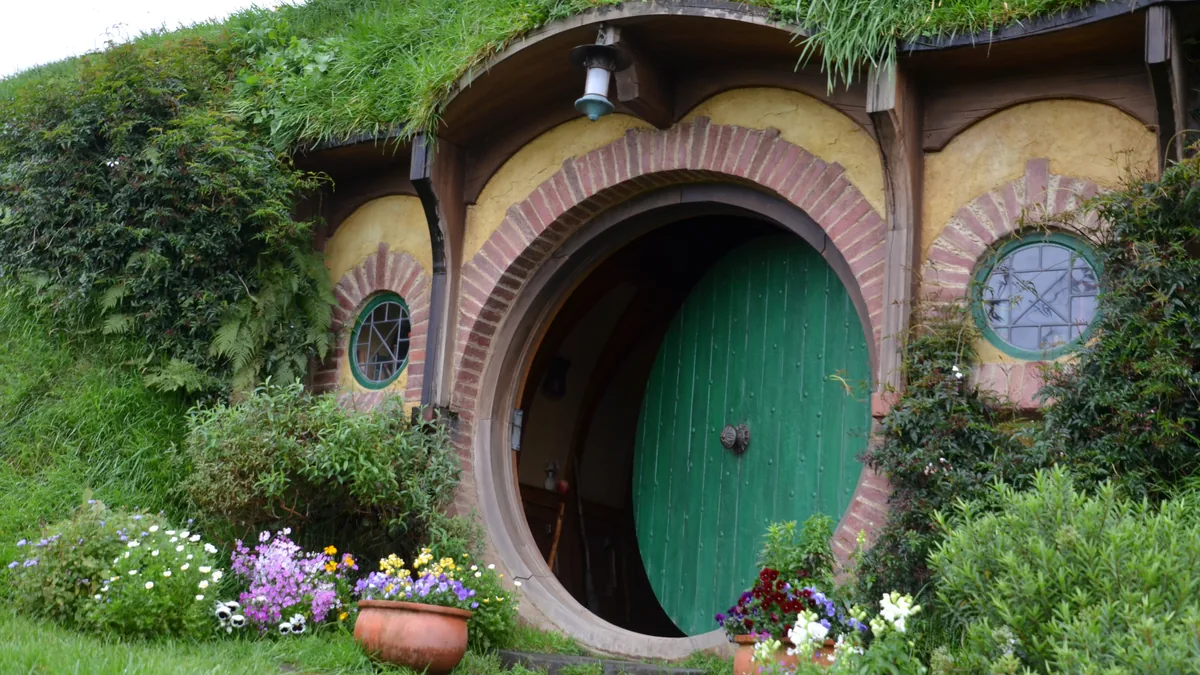
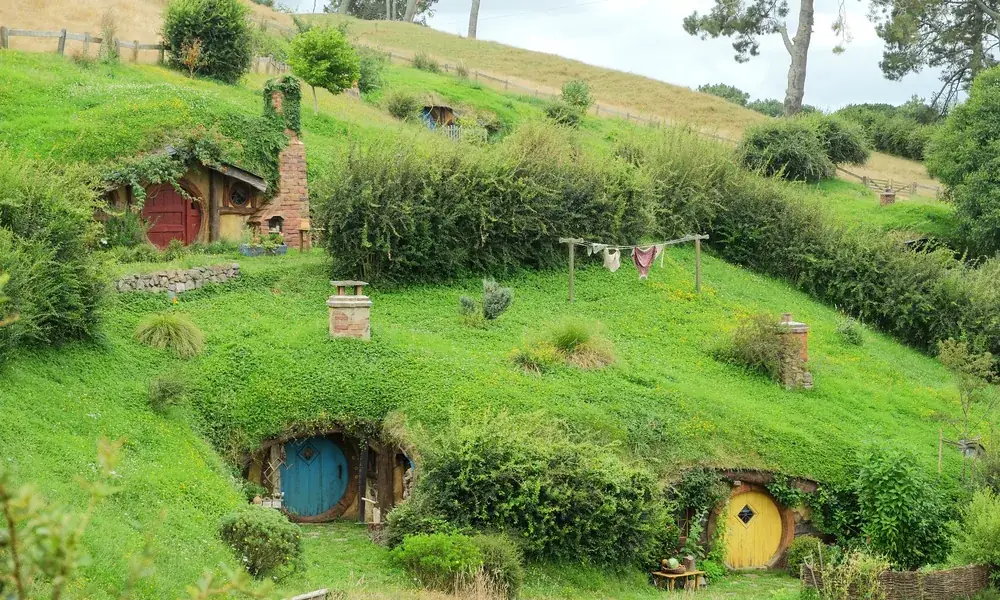
A hobbit house is not a house that happens to sit underground. It is a turf-roofed, round-doored hillside burrow dwelling, built into a slope so the grass roof, the curved walls and the circular front door read as one shape. The round door is the signature, the round windows repeat it, and the turf roof finishes the illusion that the home grew out of the hill rather than being placed on it. That themed, storybook form is what clients pay for, and it is also what makes the build unforgiving: a round opening cut a few centimetres out, a turf layer laid too thin, or a burrow dug on the wrong part of the slope will show in every photograph the client takes.
A hobbit house installation startup therefore lives or dies on its tooling. The crew must model curved walls that standard rectangular house plans never describe, survey a hillside that is never flat, price turf and round joinery that no supplier lists as a standard line, and then show a nervous client exactly what their burrow will look like before a single spade hits the ground. The nine tools below cover that whole arc, from the first hillside survey to the final handover pack, and each one earns its place by solving a problem that is specific to round doors, turf roofs and hillside burrow forms rather than to housebuilding in general.
What follows is a practical shortlist, not a catalogue. Every tool was chosen because it handles one of the three hard parts of this niche: designing curves and turf, reading a slope, or running a small install crew profitably. Together they let a two- or three-person startup quote accurately, build the round details clients photograph, and hand over a burrow that still looks like a hobbit house in five years, when the turf has rooted and the round door has settled into its frame. If you are comparing this niche with a built underground house installation startups guide, the difference is the theme: the underground house is a conventional home set below ground, while the hobbit house is a themed burrow where the round door, the round windows and the turf roof are the product.
Key takeaways
- A hobbit house is a themed hillside burrow defined by its round doors, round windows and turf roof — design tools must handle curves, not rectangles.
- SketchUp with Diffusion, Midjourney and D5 Render cover concept, modelling and client-ready renders of the burrow form.
- TestFit and Polycam read the hillside before you dig, so the burrow sits on the right part of the slope with realistic cut and fill.
- Twinmotion turns the turf roof and round-door design into a walkthrough clients can approve before construction starts.
- Jobber, FreshBooks and Notion AI run quoting, invoicing and handover for a small install crew without a back office.
The 9 best AI tools for hobbit house installation startups at a glance
The table below summarises the shortlist; each tool is covered in full further down the page.
| Tool | Best for | Standout AI feature | Starting point |
|---|---|---|---|
| SketchUp | Modelling the burrow form | Diffusion turns sketches into renders | Free trial, then paid plans |
| Midjourney | Themed concept art | Image generation from text prompts | Paid subscription |
| D5 Render | Client-ready renders | AI-assisted lighting and vegetation | Free version, Pro paid |
| TestFit | Hillside plot feasibility | Generative site studies in seconds | Paid, by project size |
| Polycam | 3D hillside capture | LiDAR scans from a phone | Free tier, Pro paid |
| Twinmotion | Real-time walkthroughs | Live turf, light and landscape | Free for small studios |
| Jobber | Quoting and crew scheduling | AI-assisted quote follow-ups | Paid, per user |
| FreshBooks | Invoicing and expenses | Automated reminders and reports | Paid, per month |
| Notion AI | Handover packs and docs | Drafts guides from your notes | Paid add-on |
Design the burrow before you dig
Everything in a hobbit house is curved or sloped, so the design stage decides whether the finished burrow looks charming or homemade. A round door needs a true circle, a turf roof needs a pitch that sheds water but still holds grass, and round windows need frames that can be cut, glazed and sealed without square corners to hide behind. The three tools in this section handle that design work in sequence: one models the burrow, one explores the theme, and one renders it so the client can say yes with confidence.
1. SketchUp
SketchUp is the modelling core of a hobbit house startup because it treats curves as first-class geometry. You draw the burrow as a series of arcs: the round door opening, the curved front wall, the barrel-vaulted living space and the turf roof profile that follows the hillside. Push-pull and follow-me tools turn those arcs into solid forms fast, and the component system lets you save a round door, a round window and a turf roof build-up once, then reuse them across every project with the dimensions changed. For a small startup that is the difference between designing each burrow from scratch and building a repeatable kit of parts.
SketchUp Diffusion, its AI image feature, is what makes the tool earn its place here rather than being just another modeller. Feed it a rough model of the burrow and a short prompt about turf, round timber doors and a grassy hillside, and it returns a rendered view that shows the client the mood of the finished home, not just grey geometry. That matters because hobbit house clients buy a feeling as much as a floor plan. Use Diffusion early, while the design is still loose, to test whether the roof pitch reads as a burrow or a bump, and whether the round door dominates the frontage the way it should.
In practice, keep one master SketchUp file per burrow with scenes for the front elevation, the turf roof section and the round door detail. Export the section through the turf roof to the turf supplier so the build-up depths are unambiguous, and send the Diffusion renders with every quote. Pricing is subscription-based with a free web trial, which is enough to model a first burrow and test the workflow before committing. The learning curve is gentle, and there is a large library of shared components, though you will still model your own round joinery because off-the-shelf parts are almost always rectangular.
2. Midjourney
Midjourney is the concept tool for a themed dwelling, and a hobbit house is nothing if not themed. Before any modelling starts, generate a board of reference images: round green doors set into grassy banks, circular windows glowing at dusk, turf roofs with wildflowers, stone paths curving up a hillside. Those images do two jobs. They align the client and the builder on the same vision, which prevents the expensive moment when a client sees the finished burrow and says it is not what they imagined. And they give the design team a visual target for proportions, colours and planting that a written brief never captures.
The workflow is simple and cheap. Write prompts that name the exact features — round door, round windows, turf roof, hillside burrow, timber and stone — and iterate in small batches until three or four images feel right. Keep the winning images in the project file and refer back to them at every decision: the door colour, the roof planting, the path material. When the client asks for changes, generate variations rather than arguing from memory. Midjourney images are inspiration and presentation material, not construction drawings, so never send them to a joiner or turf supplier as a specification.
For a startup, the cost is a modest monthly subscription, and the return is fewer redesigns and faster sign-offs. The risk is a client falling in love with an image that cannot be built on their slope or budget, so always pair the concept board with an honest note about what the hillside allows. Used that way, Midjourney turns the most subjective part of a hobbit house — its storybook look — into a shared, visible target that the whole crew can work towards.
3. D5 Render
D5 Render takes the SketchUp burrow model and turns it into images a client can believe in. Its AI-assisted lighting and vegetation tools are a natural fit for a turf-roofed dwelling: grass, wildflowers and shrubs can be scattered across the roof and the hillside in minutes, and the round windows can be shown glowing warm against the green bank at dusk. That is the image that sells a hobbit house, and D5 produces it without the days of manual material work that traditional rendering demands. The real-time preview means you can adjust the roof pitch or the door colour live while the client watches.
The practical value is in the quote meeting. Instead of flat elevations, show the client a dusk render of their own burrow with the turf roof in place, the round door open and light spilling onto the path. Objections about the roof looking bare or the door looking small evaporate when the render answers them. D5 also handles the interior well: round windows throw distinctive arcs of light across curved walls, and the render shows whether the living space feels cosy or cramped before the vault is built. Export stills for the quote pack and short camera flights for the website.
D5 offers a free version that covers still renders, with a paid Pro tier for higher resolution and more assets. It runs on Windows with a capable graphics card, so budget for hardware if your laptop is old. Keep render settings consistent across projects so quotes look like they come from one company. The one habit to build is rendering the turf roof in both summer green and winter brown, so the client is never surprised by the seasonal look of their burrow.
Read the hillside, then price the build
A hobbit house is dug into a slope, so the hillside is the first material you work with and the first risk you price. The wrong slope means drainage problems behind the burrow, a turf roof that dries out, or an access track that swallows the budget. The tools in this section answer the hillside question before the diggers arrive: one tests whether the plot works, one captures the slope in three dimensions, and one shows the finished burrow sitting in its real landscape. The contrast with a rock-carved dwelling is instructive — a cave house installation startups guide starts with solid rock, while a hobbit house starts with soil, grass and drainage, which is a different survey entirely.
4. TestFit
TestFit is a feasibility tool that answers the question every hobbit house startup asks first: does this hillside plot actually work? Feed it the plot boundary and the slope data, and its generative engine tests burrow placements, orientations and access routes in seconds, showing how much cut and fill each option needs and where the turf roof will sit against the hill. That is far faster than sketching one layout at a time, and it turns the first client meeting into a discussion of real options rather than a guess about whether the dream fits the land.
For a burrow dwelling the orientation study is the valuable part. A south-facing round door catches the sun, a north-facing turf roof stays damp, and a burrow set too low on the slope collects water at the door. TestFit lets you compare those placements side by side and show the client why the burrow sits where it does, with numbers behind the recommendation. It also helps on small multi-burrow sites, such as a glamping field, where three or four round-doored units must share one hillside without overlooking each other.
TestFit is a paid professional tool priced by project size, so it suits startups that are quoting regularly rather than one-off builds. Use it on every paid feasibility assessment and charge for that assessment: the study itself is a sellable service, and it filters out plots that would have become loss-making builds. Keep the output simple for clients — a plan, a section through the turf roof, and a one-page summary of cut, fill and access — and keep the detailed data for your own costing.
5. Polycam
Polycam turns a phone into a 3D scanner, and for a hillside burrow that is a quiet revolution. Walk the slope with the phone’s LiDAR sensor and capture the ground levels, the trees, the existing banks and the access track as a textured 3D mesh. That mesh becomes the base of the design: the burrow is modelled into the real hillside rather than a flat guess, the turf roof profile follows the actual ground, and the drainage falls are checked against real levels instead of a contour map that may be years out of date.
The workflow fits a two-person crew. One person scans while the other photographs the round-door reference details and notes the soil and planting. Back at the desk, export the mesh into SketchUp and build the burrow into it, checking the door threshold against the path level and the roof edge against the bank. Polycam also captures the site for the record: before-and-after scans prove the turf was restored, the bank was regraded, and the hillside looks better than before, which is exactly the evidence planning officers and neighbours ask for.
Polycam has a free tier for basic scanning and a paid Pro tier for larger sites and exports. A recent phone with LiDAR gives the best results, though photogrammetry mode works on older devices. Scan on a dry, overcast day for the cleanest mesh, and scan twice — once wide for the whole hillside and once close around the burrow footprint. The scans also feed the client presentation, because nothing convinces a client like seeing their own slope with the burrow sitting in it.
6. Twinmotion
Twinmotion is the walkthrough tool that closes the sale. Import the burrow model and the Polycam hillside mesh, add turf, grass, wildflowers and a stone path, and the client can walk up to their own round door in real time. They can stand on the path, look up at the turf roof, step through the circular doorway and see the round window light inside. That experience resolves more doubts than any drawing set, especially for a themed home where the client is buying a feeling they have never lived in before.
For the startup, Twinmotion is also a design check. Walk the turf roof edge and you will see immediately whether the roof reads as a continuation of the hillside or as a green lump stuck on a box. Check the round door from the path and you will see whether it dominates the frontage or disappears behind planting. Seasonal presets show the burrow in summer green and autumn brown, which manages expectations about the turf roof honestly. Export a short video walkthrough with every quote and host it on the project page.
Twinmotion is free for small studios under its revenue threshold, which makes it a low-risk addition to the stack. It pairs naturally with SketchUp and D5 Render, so the same model serves modelling, still renders and walkthroughs without rebuilding. Keep walkthroughs short — ninety seconds from the path to the round door and through to the living space — because a tight video gets watched and a long one does not.
Run the install business
A hobbit house startup is a small crew business: quoting, scheduling diggers and joiners, ordering turf and round joinery, invoicing in stages, and handing over a care guide for a living roof. The tools in this section are unglamorous and essential. They keep the crew paid, the client informed and the paperwork straight, which is what lets a themed-dwelling specialist survive past its first three burrows. None of them designs anything, and that is the point — they buy back the hours the design tools consume.
7. Jobber
Jobber is the field-service core for an install crew that works on hillsides rather than in an office. Quotes go out with the turf roof, round door and round window lines itemised, so the client sees exactly what the themed details cost. When the quote is accepted it becomes a job, the job becomes a schedule, and the schedule tells the digger, the joiner and the turf layer where to be and when. That chain matters on a burrow build, where the excavation, the structure, the round joinery and the turfing must happen in sequence and a missed day cascades into a missed week.
The AI-assisted follow-ups are the feature that pays for the subscription. Quotes that sit unanswered get a polite, automatic nudge, and the system flags the ones most likely to close. For a startup that lives on a handful of quotes a month, one recovered quote can cover the annual cost. Jobber also handles on-site photos and client signatures, so the round door fitting and the turf roof completion are documented the day they happen, with the client signing off on the spot rather than weeks later by email.
Jobber is priced per user per month, which suits a small crew, and it includes invoicing and card payments so the deposit, the structure payment and the turfing payment can be taken on schedule. Set up job templates for the standard burrow stages — survey, excavation, structure, round joinery, turf roof, handover — and every new project starts from a proven checklist instead of a blank page. The reporting shows which burrow sizes are profitable and which ones are not, which is the information a startup needs most in its first year.
8. FreshBooks
FreshBooks handles the money side of a hobbit house startup with a minimum of fuss. Send the deposit invoice the day the quote is accepted, the stage invoices as the excavation, structure and turf roof complete, and the final invoice at handover. Expenses — turf rolls, round timber, stone, fuel for the hillside access — are photographed and logged from the phone, so the true cost of each burrow is visible instead of discovered at year end. Automated reminders chase late payments politely, which protects cash flow without awkward phone calls.
For a themed-dwelling business the project view is the useful part. Each burrow gets its own profit picture: quoted price against turf, joinery, labour and hire costs, with time tracked against each stage. After three or four burrows the pattern is clear — perhaps the round windows cost more than quoted, or the turf roof takes a day longer than planned — and the next quote can be corrected before the mistake repeats. That learning loop is what turns a craft into a business, and FreshBooks makes it visible without an accountant on staff.
FreshBooks is a paid monthly subscription with a trial, and it scales from a sole trader to a small crew. It connects to bank feeds so payments reconcile automatically, and it produces the reports an accountant needs at year end. The one discipline it requires is logging expenses the day they happen, because a turf delivery receipt lost in a van is a cost the burrow never recovers. Pair it with Jobber for scheduling and the two cover the commercial side completely, leaving the design tools to do the creative work.
9. Notion AI
Notion AI is the documentation tool that turns a finished burrow into a handover the client actually reads. A hobbit house needs a care guide: how to water and mow the turf roof in its first summer, how to look after the round door seals, how to keep the round windows clear, and what to do if a damp patch appears behind the burrow. Notion AI drafts those guides from your crew notes, turning a list of bullet points into clear, friendly instructions in the client’s language, with a seasonal checklist the owner can follow year after year.
Inside the startup, Notion AI holds the knowledge that would otherwise live in one person’s head: the turf supplier’s lead times, the joiner’s round-door template dimensions, the hillside drainage details that worked, and the mistakes that must not repeat. Ask it to summarise a project page into a one-page brief for the next crew, or to turn a site visit transcript into a task list. The handover pack itself becomes a selling point — clients compare builders, and the one that hands over a beautiful, complete burrow manual wins the referral.
Notion AI is a paid add-on to Notion, which itself has a free tier for small teams. Keep the structure simple: one database of burrow projects, one page per project with the handover guide, and a shared library of turf, door and window notes. The guides should be printed as well as digital, because a burrow owner will keep a printed manual by the round door long after the app is forgotten. That manual, more than any advert, is what brings the next hobbit house client to your door.
Costing a burrow honestly means comparing it with other alternative dwellings, and the material lessons carry across: an earthbag house installation startups guide covers similar staged invoicing and bulk-material ordering, even though the wall system is entirely different. Use those comparisons to sharpen your own quote, not to copy it, because turf, round joinery and hillside drainage price differently from bagged earth.
Hobbit house installation checklist
Run through this checklist on every burrow before the diggers arrive. It takes an hour and prevents the mistakes that cost a week.
- Confirm the hillside first: Walk the slope, scan it with Polycam and check drainage, access and the turf roof orientation before quoting a price.
- Fix the round door early: Agree the round door diameter, timber and threshold with the joiner before excavation, because the opening sets the whole burrow geometry.
- Model the turf roof in section: Draw the turf build-up through the roof in SketchUp so depths, drainage layers and edge details are unambiguous.
- Render the burrow for sign-off: Show the client a D5 dusk render and a Twinmotion walkthrough, and get written approval before the diggers arrive.
- Sequence the trades: Book excavation, structure, round joinery and turfing in order in Jobber, with a day of slack between each stage.
- Hand over a turf care guide: Give the owner a Notion AI-drafted guide for watering, mowing and checking the turf roof through its first year.
Frequently asked questions
How much does a hobbit house installation cost?
A small one-room burrow with a round door, two round windows and a turf roof typically costs far more per square metre than a rectangular garden room, because the curved joinery and the turf build-up are bespoke. Expect the round door and windows to be the largest single joinery line, and excavation to vary widely with the slope. Always get a hillside-specific quote rather than a per-square-metre estimate, and budget a contingency for drainage work behind the burrow.
Can a hobbit house be built on a flat garden?
A true hillside burrow needs a slope, because the turf roof and the bank are what make it read as a burrow rather than a round shed. On flat ground, builders create an artificial bank by mounding soil over the structure, which works but costs more and needs careful drainage design. If your garden is flat, ask the startup for a mounded-bank option and check that the turf roof still sheds water. The round door and round windows work on flat ground, but the burrow form needs the bank to complete the illusion.
How long does a turf roof last?
A well-built turf roof lasts for decades when the build-up is right: a waterproof membrane, a drainage layer, a growing medium and turf that suits the local climate. The first summer is critical, with regular watering until the roots establish. After that, the roof needs mowing a few times a year and an annual check of the edges and the drainage outlets. The handover guide from the installer should cover all of this, and a roof that is looked after will outlast the round door seals several times over.
Do round doors and windows leak?
Round openings can be weathertight when they are made properly, with a circular frame, compression seals and a drip detail over the top. The risk is a joiner who treats the circle as a novelty and cuts corners on the seal, so ask how the door is sealed and what guarantee covers it. Round windows should be fixed or top-hung with proper gaskets, and the reveal should be flashed like any window. A reputable installer will show you a previous round door after a wet winter, which is the honest test.
Do I need planning permission for a hobbit house?
It depends on the size, the use and the local rules, and a hillside burrow is more likely to need permission than a small garden room because it changes the landform. A dwelling needs full permission in most areas, while a garden studio or glamping unit may fall under permitted development or need a change of use. Never start excavation on the assumption that a burrow is automatically permitted.
What maintenance does a hobbit house need each year?
The annual routine is short but specific: mow and feed the turf roof, check the round door and window seals, clear the drainage channel behind the burrow, inspect the turf roof edges after winter, and re-oil the round door timber. The hillside planting around the burrow also needs cutting back so it does not shade the turf roof. A good installer leaves a seasonal checklist in the handover pack, and following it is what keeps the burrow looking like a hobbit house rather than a grassy mound with a door.
Bottom line
A hobbit house installation startup succeeds when it treats the theme as a discipline, not a decoration. The round door must be a true circle, the turf roof must be a living roof with proper drainage, and the burrow must sit on the hillside as if it grew there. The nine tools above support each part of that discipline: SketchUp, Midjourney and D5 Render design the curves, TestFit, Polycam and Twinmotion read the slope and show the result, and Jobber, FreshBooks and Notion AI run the business that pays for it all. Pick the design trio first, add the hillside tools on your next two quotes, and put the business tools in place before the first deposit arrives.

Keep what speaks to you.
Leave room for your own perspective.


