The best AI tools for hoarding cleanup startups in 2026 do far more than book the next job. They help a small team plan a phased clear-out room by room, photograph and list every keepsake before anything leaves the house, keep careful notes from sensitive conversations with clients and their families, and turn a home that has felt overwhelming for years into a space that is safe and usable again. For a new hoarding cleanup startup, that combination matters more than any single clever feature, because the first year is won or lost on trust. Families invite you into a home at a difficult moment, and the way you handle their belongings decides whether they recommend you to the next family or never speak to you again.
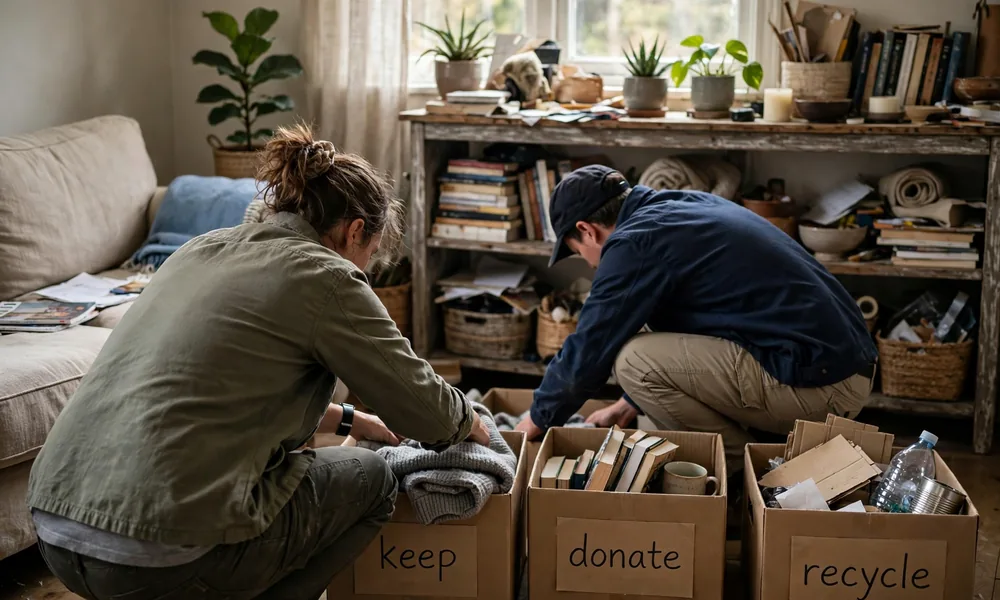
A hoarding cleanup is not a standard clean and it is not a simple haul-away job. The work moves slowly and deliberately, often over several days or weeks, because the client needs time to make decisions about things that carry memories. A team may spend a whole morning on one room, sorting photographs, letters, clothes and household goods into keep, donate, recycle and dispose piles, while the client sits nearby and decides what stays. Rushing that process, or treating every item as rubbish, breaks trust in minutes. AI tools help because they take the admin off the team while the team stays present with the client: the inventory is photographed and logged, the schedule is kept, the family is updated, and nothing important is thrown away by mistake.
This guide compares nine named tools that fit a new hoarding cleanup startup, from 3D home scans and photo inventory apps to client messaging, meeting notes, video updates and phased project boards. It focuses on what a small, caring team actually needs in its first years: simple setup, honest pricing, tools that work from a phone inside a client’s home, and software that grows from one job a week to several crews without forcing a painful switch. You will find a comparison table, a startup checklist, and answers to the questions new owners ask most often.
Key takeaways
- Start with one photo inventory tool for sorting and keepsake records, then add scheduling and client messaging rather than buying everything at once.
- Work in phases, room by room, with the client deciding what stays. A clear sorting system protects keepsakes and keeps the job moving.
- Photograph everything before it leaves the house. A dated photo record prevents disputes and reassures families who cannot be there in person.
- Keep communication gentle and regular. Short updates to the client and family build more trust than any discount ever will.
- Keep your stack small. One inventory tool, one scheduling tool, and one messaging tool will serve most startups better than six overlapping apps.
Best AI Tools for Hoarding Cleanup Startups at a Glance
The table below gives a quick view of where each tool helps most. The sections that follow explain how to use each one in a real hoarding cleanup startup, what to look for before you pay, and where small teams usually go wrong.
| Tool | Main job | Best for | Watch out for |
|---|---|---|---|
| Matterport | 3D home scans and room records | Planning phased clear-outs | Camera and scan costs |
| Encircle | Photo inventory of belongings | Keepsake lists and sorting | Learning the item categories |
| CompanyCam | Before and after photo records | Crew notes and family updates | Storage limits on cheaper plans |
| Thryv | Booking, messaging and payments | Startups wanting one client hub | Features you may not need at first |
| Otter.ai | Meeting notes and transcripts | Planning calls with families | Checking notes for sensitive errors |
| NiceJob | Reviews and referral requests | Referrals from care professionals | Asking at the wrong moment |
| Loom | Recorded video walkthroughs | Updates for distant family | Videos that show private items |
| FreshBooks | Invoicing and phased billing | Deposits and disposal costs | Fees on card payments |
| Monday.com | Phased project boards | Tracking rooms and disposal | Setup time before the first job |
What Makes a Hoarding Cleanup Startup Different
A hoarding cleanup startup is not a cleaning business and it is not a haul-away business, even though it shares tools and trucks with both. The first difference is pace. A cleaning crew finishes a house in a day and a junk removal service clears a garage in an afternoon, but a hoarding clear-out is measured in phases. One room at a time, one decision at a time, with breaks built in so the client does not feel rushed or cornered. The software has to support that pace, with project boards that show which rooms are done, which are in progress, and which have not started, rather than a single job that is either open or closed.
The second difference is what happens to each item. A mover delivers everything to a new address and a hauler takes everything to the tip, but a hoarding cleanup team has to decide the fate of every single thing with the client: keep it, donate it, recycle it, sell it, or dispose of it. Photographs, letters, medication, personal papers and family keepsakes all need care, and some items need to be set aside for a relative to collect later. That is why the inventory tool matters so much. If the record is slow, vague or missing, a keepsake can be lost, and no apology repairs that. The best AI tools for hoarding cleanup startups treat the item record as a core job, not an afterthought, with photos, lists and notes a crew can complete from a phone before anything leaves the room.
The third difference is who is watching. The client may be elderly, unwell, or struggling, and the person paying for the work is often a son, daughter or social worker who lives far away. Those people need proof that the work is careful and honest: dated photos, clear lists, and short updates they can read at night. A tool that only works for the crew on site will not help. You need software that shares progress with people who are not in the room, without sharing anything private or embarrassing. Teams that also handle the valuables in a home can compare notes with the best AI tools for estate sale company startups to see how cataloguing and valuation work differs when items are sold rather than sorted and cleared.
How to Judge an AI Tool Before You Pay
Start with the phone test. If a crew member cannot photograph an item, add it to the keep list, and mark a room complete from a phone with one hand, the tool will slow your team down no matter how good it looks on a desktop. Hoarding cleanup happens in hallways, lofts and crowded rooms, often with weak signal, so check that the app works offline and syncs later. A tool that freezes when the signal drops will cost you the very records you need most.
Next, check how the tool handles privacy. You are photographing somebody’s home and belongings, sometimes including letters, medical items and financial papers. The software should let you keep those photos inside the job, share only what the client approves, and delete records when the job is done if the client asks. Ask the vendor where data is stored, who can see it, and how to remove it. A tool that makes sharing too easy is a risk in this trade, and a careful answer from the vendor tells you a lot about whether they understand sensitive work. The same care applies to your wider service habits, and the best AI tools for cleaning startups show how booking, checklists and photo check-ins work when a crew visits homes every day.
Finally, look at the price the way a startup should. A tool with a large monthly fee before the first job is a poor choice for a company doing one or two clear-outs a month, while a per-job or per-user plan that grows with you is far easier to justify. Add up the real cost for your first three months, including any camera, storage or add-on charges, and compare it with the revenue from one average job. If the software costs more than a day’s work before you have steady bookings, start with a cheaper plan and upgrade when the diary fills.
The 9 Best AI Tools for Hoarding Cleanup Startups
1. Matterport
Matterport turns a home into a 3D digital twin that the whole team can walk through from a phone or laptop before anyone lifts a box. For a hoarding cleanup startup, that scan is the foundation of the plan. You can see which rooms are blocked, where the narrow doorways are, how much floor space a sorting station needs, and how many days each room is likely to take, all without making the client walk you through the house again and again. The scan also becomes a respectful record of the home as it was, which matters when a family wants to remember how a loved one lived, or when an insurer or housing officer asks what the property looked like at the start.
The AI inside Matterport measures rooms, labels spaces, and helps you build a floor plan that the crew can follow phase by phase. You can mark the first room to clear, the route boxes will travel to the van, and the spot where donations will be stacked for collection. When a relative lives far away, you can share a link to the scan so they can see the scale of the job honestly, instead of trying to describe a crowded house over the phone. That shared understanding prevents the most common argument in this work, which is a family member expecting a three-day job to take one afternoon.
Start with a phone scan on your first jobs and move to a dedicated 3D camera only when the diary justifies it. Keep scans private to the job, share them only with the client’s permission, and agree in writing what happens to the scan when the work ends. The cost to watch is the camera and the monthly hosting, so price it into larger jobs rather than absorbing it on small ones.
2. Encircle
Encircle is a contents inventory app that lets a crew photograph every item, or every group of similar items, and log it against a room in seconds. For a hoarding cleanup startup, that is the heart of the job. A box of photographs gets a photo and a note, a set of books gets a count, and a keepsake the client wants to keep gets flagged so it is never mixed into a donation pile. The app builds a room-by-room list the whole team can see, so the person sorting in the bedroom and the person loading the van are working from the same record.
The AI helps by suggesting categories for items from the photo, which speeds up the logging when a room holds hundreds of small things. Over a phased job, that list becomes the proof the family needs: everything that left the house is on it, with a photo and a destination. If a relative asks where a particular item went, the answer is in the list, not in somebody’s memory. That single feature has saved more than one startup from a painful dispute, and it is worth showing to every new client at the first meeting.
Take time to set up your own categories before the first job: keep, donate, recycle, sell, dispose, and hold for family. Train the crew to photograph first and move second, because an item logged after it is already in a bag is an item that may as well not exist. The learning curve is short, but the habit is everything.
3. CompanyCam
CompanyCam is a photo documentation app built for trade crews, and it fits hoarding cleanup because every photo is stamped with the time, the place and the job, and stored in one shared timeline. A crew member opens the job, takes a photo of a room before work starts, adds a short note, and takes the same shot when the room is done. The manager sees the progress without visiting the site, and the family gets a clear, honest picture of what changed and when.
The AI features help by grouping photos by room, tagging them automatically, and turning a day’s photos into a simple before-and-after report. That report is gold at the end of a phased job: the client can see, room by room, how far the home has come, and a housing officer or social worker can see the same evidence without a site visit. For a startup, those reports also become your quiet portfolio, shown only with permission, that proves your team works carefully and finishes what it starts.
Keep the photo habit strict: one wide shot of each room at the start and end of every day, plus close shots of anything fragile or valuable. Never photograph letters, medication or financial papers in readable detail, and agree with the client which photos may be shared outside the job. Watch the storage limit on cheaper plans, because a photo-heavy clear-out can fill it faster than you expect.
4. Thryv
Thryv is a small-business hub that brings booking, client messaging, estimates, invoices and payments into one place, which suits a hoarding cleanup startup that cannot afford a separate app for every admin job. A worried relative can book a first consultation online, the client can message the team with a question, the estimate for phase one can be sent and approved in the same thread, and the deposit can be paid without a single phone call chasing paperwork.
The AI side drafts replies to common questions, reminds clients about upcoming visits, and nudges the team when an estimate has gone unanswered for a few days. That matters in this trade because enquiries often arrive at emotional moments, late at night, when nobody is in the office. A fast, gentle reply the next morning, with a clear next step and no pressure, wins far more work than a cheaper quote sent three days later. Thryv also keeps the whole conversation in one thread, so a new team member can read the history before visiting and avoid asking the client to repeat a painful story.
Do not switch on every feature on day one. Start with booking, messaging and payments, and add the rest once the diary is steady. The price to watch is the monthly plan against your early job count, so begin on the smallest plan that covers your needs and upgrade when the bookings justify it.
5. Otter.ai
Otter.ai records planning calls and meetings and turns them into a written transcript with a short summary, which is quietly one of the most useful tools a hoarding cleanup startup can own. The first call with a family often covers a lot: which rooms matter most, which items must never be thrown away, who should be called before anything is donated, what the budget is, and what a good outcome looks like. Memory alone will lose half of that, and a notebook will lose the exact words. A transcript keeps it.
The AI summary pulls out the decisions and the action points, so the team starts the job with a written care plan instead of a vague memory. You can search the notes later, for example to check whether the client said the piano should be kept or sold, and you can share the summary with the family so everyone agrees on the plan before work begins. That shared record prevents misunderstandings that, in sensitive work, can feel like betrayal even when nobody meant any harm.
Always tell people the call is being recorded and get their agreement first, and store transcripts inside the job, not in a shared folder. Read the summary before you act on it, because AI can mishear a name or a number, and a wrong note about a keepsake is worse than no note at all. Use the transcript as a helper, never as a replacement for listening carefully.
6. NiceJob
NiceJob automates review and referral requests, and for a hoarding cleanup startup its value is in the referral, not the public star rating. Most new clients in this trade come from a social worker, a housing officer, a therapist, a solicitor or a past family, not from a search result. NiceJob helps you ask those people, at the right moment, whether they would recommend you, and it makes it easy for them to do so with a short message rather than a long form.
The AI drafts the request in a gentle tone and times it for after the job is finished and the client is happy, not in the middle of a stressful clear-out. It also tracks who has been asked and who has replied, so nobody is asked twice and nobody is forgotten. Over a year, that steady habit builds the referral network that keeps a sensitive service busy, and it does so without the team having to remember to ask while they are carrying boxes.
The one rule is timing. Never ask for a review while the client is still distressed or while the job is unfinished, and never offer anything in exchange for a kind word. A single honest recommendation from a care professional is worth more than ten rushed reviews, and it is the kind of reputation that cannot be bought.
7. Loom
Loom lets the team record a short video walkthrough of a room, with voiceover, and send it to a family member who cannot be there. For a hoarding cleanup startup, that is often the kindest feature you can offer. A daughter living abroad can watch a two-minute video of her late mother’s kitchen, see what has been sorted, and hear the team explain what will happen next, instead of waiting for a phone call she cannot picture.
The AI adds a transcript and a short summary to each video, so the family can search for a room or an item later without rewatching everything. It also lets you keep the videos inside the job record, so there is a clear history of what was shown and when. Used well, a weekly video update does more for trust than a dozen written messages, because the family can see the care in the work with their own eyes.
Keep videos short, film only what the client has agreed to share, and never show letters, photographs of people, medication or financial papers on camera. Check the video before you send it, and store it privately with a link that expires when the job ends if the client prefers. A careless video can do real harm, so the review step is not optional.
8. FreshBooks
FreshBooks handles invoicing, deposits, expenses and payment reminders, which matters because hoarding cleanup jobs are usually billed in phases rather than in one lump sum. A client can pay a deposit for phase one, receive an invoice when the first rooms are done, and see the disposal fees and donation receipts listed clearly, instead of facing one large bill at the end of a long job.
The AI categorises expenses, chases overdue invoices with polite reminders, and shows the owner which jobs are profitable and which are not. That last point matters more than it sounds: disposal fees, van hire and extra crew hours can quietly eat the margin on a long clear-out, and a startup that does not track them will work hard and still lose money. FreshBooks makes the numbers visible while the job is still running, so the owner can adjust the next phase price honestly instead of discovering the loss at the end.
Set up phased invoice templates before your first job, and record every disposal fee and donation receipt on the day it happens. The fee to watch is the card payment charge on larger invoices, so offer bank transfer for big phase payments where the client is comfortable with it.
9. Monday.com
Monday.com is a visual project board that fits phased hoarding cleanup work because a whole job can be seen at a glance: each room is a row, each phase is a column, and each item’s destination is a status the crew updates from a phone. The owner can see that the kitchen is done, the bedroom is half sorted, and the loft has not started, without calling the site for an update.
The AI helps by flagging tasks that are overdue, summarising the board for the weekly family update, and suggesting the next room to start based on what is already complete. Automations can move a room to done when its checklist is finished, remind the crew to photograph the after shots, and alert the owner when disposal bookings need to be made. For a team that grows from one crew to two, that shared board is what stops the two crews sorting the same room twice or leaving a room half done.
Keep the board simple at first: one board per job, one row per room, and a short checklist inside each row. The setup time is the cost to watch, so build one template and copy it for every new job instead of starting from scratch. A board with fifty columns looks impressive and helps nobody.
Startup Checklist: Launching Your Hoarding Cleanup Startup
Use this checklist before your first paid job, and run through it again each time you take on a new phase of work.
- Write your care promise in one page: how you sort, what you never throw away without asking, and how you protect privacy.
- Set up your inventory habit first: photo first, log second, move third, on every item that matters.
- Build one job template with phased rooms, a sorting system, and a photo checklist, then copy it for every new client.
- Agree the update routine with each family: who gets updates, how often, and what is never shared.
- Price in phases with a deposit, and list disposal fees and donation receipts separately on every invoice.
- Ask one care professional or past family for a referral after each finished job, and record who you asked.
Frequently Asked Questions
How much does it cost to start a hoarding cleanup startup?
Most founders start with a van or a hired vehicle, basic sorting supplies, insurance, and two or three software subscriptions, which usually comes to a few thousand pounds or dollars before the first job. The software in this guide can start small: an inventory app, a scheduling tool and a messaging tool are enough, and the rest can wait until the diary is steady. The expensive mistakes are buying a full stack before you have clients, and underpricing the first jobs so disposal fees eat the margin.
Do I need training to work with hoarding clients?
Formal qualifications are not always required, but training in hoarding awareness, mental health first aid, and safeguarding is strongly recommended, and some referrers will ask about it before they send you work. The training teaches you to work at the client’s pace, to recognise distress, and to know when to pause and involve a care professional. It also protects your team, because this work is emotionally heavy and a crew that is not prepared will burn out fast.
How long does a hoarding clear-out usually take?
A single room can take a day and a full house can take several weeks, because the pace is set by the client’s decisions, not by the crew’s speed. Phased work is normal: one or two rooms per visit, with breaks and review points built in. A startup that promises a whole house in a weekend is either planning to throw things away without asking, or it has never done this work. Honest timescales are part of the trust you are selling.
What happens to items that are donated or recycled?
Donations go to charities the client chooses, recycling goes to licensed facilities, and anything for disposal goes to a licensed waste carrier, with receipts kept on the job record. The inventory app should show the destination of every item that leaves the house, so the family can check it later. Never sell a client’s belongings without written agreement, and never take items home for yourself or the crew.
Should I work with therapists or social workers?
Yes, whenever you can. Hoarding is often linked to loss, trauma or mental health difficulties, and a cleanup that ignores that side of the story rarely lasts. Care professionals can support the client through decisions, help set realistic goals, and refer future work to teams they trust. Build those relationships slowly, share your care promise with them, and accept that they may visit a job to check your standards before they recommend you.
How do I find my first hoarding cleanup clients?
Start with the people who already see the need: housing officers, social workers, solicitors handling estates, and local charities. Offer a short, honest introduction to your service and your care promise, and ask what a good referral looks like from their side. A clear website, a gentle first consultation, and one finished job with a happy family will bring more work than any advert, because this is a service people choose on trust.
The Bottom Line
The best AI tools for hoarding cleanup startups are the ones that protect the client while they speed up the admin: a 3D scan that plans the phases, a photo inventory that keeps every keepsake safe, a camera record that proves the care, and simple booking, notes, video and billing tools that keep families informed without adding stress. Start with Matterport for planning, Encircle for inventory, and Thryv for client care, then add CompanyCam, Otter.ai, NiceJob, Loom, FreshBooks and Monday.com as the diary grows. Work slowly, photograph everything, and let the software carry the paperwork while your team carries the trust.

Keep what speaks to you.
Leave room for your own perspective.