The best AI tools for cleaning startups in 2026 do far more than answer the phone. They take online bookings while you are scrubbing a kitchen, build crew schedules that actually fit the day, plan routes that save fuel, send quotes in minutes instead of hours, and turn one happy customer into a steady stream of recurring work. For a new cleaning business, that combination matters more than any single feature, because the first year is won or lost on how many jobs you can complete well without dropping the admin that keeps clients coming back.
A cleaning startup is a logistics business dressed up as a service business. Every job has a place, a time, a crew, a set of supplies, and a customer waiting for a clean result. When any one of those pieces slips, the whole day wobbles. A missed message becomes a lost booking, a badly planned route eats an hour of paid time, and a crew sent to the wrong address damages trust that took months to build. AI tools help because they watch all of those moving pieces at once and flag problems before they reach the customer.
This guide compares the tools that matter most for a cleaning startup, from booking and scheduling to quoting, routes, reviews, and payments. It focuses on what a small, growing team actually needs in its first years: simple setup, honest pricing, tools that work from a phone in a van, and software that grows from one cleaner to several crews without forcing a painful switch. You will find a comparison table, a startup checklist, and answers to the questions new owners ask most often.
Key takeaways
- Start with booking, scheduling, and payments. Those three systems carry the most revenue for a new cleaning startup, and AI makes each one faster and less error prone.
- Choose tools that work well on a phone. Crews check jobs, routes, and checklists in the field, so a tool that only works nicely on a desktop will slow your team down.
- Automate quotes and follow-ups first. Speed wins cleaning jobs, and a quote sent in ten minutes beats a perfect quote sent the next day.
- Keep your stack small. One booking tool, one crew tool, and one marketing tool will serve most startups better than six overlapping apps.
- Measure the numbers weekly. Track booking conversion, no-show rates, travel time, and repeat bookings, and change one thing at a time until the numbers move.
Best AI Tools for Cleaning Startups at a Glance
The table below gives a quick view of where each type of tool helps most. The sections that follow explain how to use each one in a real cleaning business, what to look for before you pay, and where small teams usually go wrong.
| Tool type | Main job | Best for | Watch out for |
|---|---|---|---|
| Booking and scheduling | Online bookings, calendars, reminders | Residential and commercial startups | Tools with no recurring booking support |
| Crew management | Shifts, checklists, time tracking | Teams of two or more cleaners | Apps crews find hard to use on phones |
| Route planning | Daily routes, travel time, fuel savings | Multi-job days across a city | Routes that ignore real traffic |
| Quoting and pricing | Instant estimates, quotes, upsells | Startups competing on speed | Quotes that miss travel or supplies |
| Marketing and reviews | Local search, review requests, follow-up | Winning repeat and referral work | Review tools that feel pushy to clients |
| Payments and billing | Cards, invoicing, subscriptions | Recurring weekly and monthly cleans | High fees on small transactions |
| Supplies and inventory | Stock levels, reordering, costs per job | Startups with vans and storage | Systems that need constant manual entry |
What AI Actually Does for a Cleaning Startup
AI in a cleaning business is not a robot with a mop. It is software that reads patterns in your bookings, messages, routes, and reviews, then acts on them faster than a person juggling a phone and a mop bucket can. A booking assistant can answer a customer at midnight, ask the right questions about rooms and pets, and offer the next free slot before a competitor replies in the morning. A scheduling tool can notice that two jobs are ten minutes apart and place them back to back, saving a cross-town drive.
The most useful AI features for cleaning startups are practical ones. Smart replies draft answers to common questions about prices, availability, and what is included in a deep clean. Automatic reminders cut no-shows, which are one of the quietest profit leaks in this trade. Job checklists adjust themselves to the property, so a three-bedroom house with two bathrooms gets a different list from a small office. Photo check-ins let a crew prove a job is done well, and a manager can review quality without visiting every site.
None of this replaces good cleaning. A tool cannot make a streaky mirror shine or a missed corner disappear. What it does is protect the time and attention of the people doing the cleaning. When admin shrinks, crews arrive calmer, customers get faster answers, and the owner can spend the day winning work instead of chasing messages. That is the real return on AI for a cleaning startup, and it shows up in the bank account long before any fancy feature does.
How to Choose AI Tools for a Cleaning Startup
Start with your biggest pain, not the shiniest feature. If bookings are slipping through because you reply late, a booking tool comes first. If crews are confused about where to go and what to do, a scheduling and checklist tool comes first. If cash flow is the problem, a payments tool with deposits and recurring billing comes first. Write down the one problem that costs you the most money each week, then buy the tool that fixes that problem.
Next, check how the tool fits a cleaning day. Can a cleaner open it with wet hands and see the next job in two taps? Does it work when the signal is weak in a basement or a large office block? Can the owner change a job time from a phone while driving between sites? If the answer to any of these is no, the tool will be abandoned within a month, however good its website looks. Ask for a trial and test it on a real working day, not in a quiet office.
Pricing deserves a careful look too. Many tools charge per user, per booking, or per location, and those costs behave very differently as you grow. A tool that is cheap for one cleaner can become expensive with four crews and two hundred monthly bookings. Look for clear monthly pricing, no long contract in the first year, and a plan that covers recurring bookings without a large jump in price. Add up the full monthly cost of your whole stack before you commit, and compare it with the value of the jobs it saves or wins.
Booking and Scheduling Tools
Booking is the front door of a cleaning startup. Customers now expect to check availability, pick a time, and pay a deposit without waiting for a callback. AI booking tools make that possible around the clock, and they do it while asking the questions that prevent surprises on the day. How many bedrooms, how many bathrooms, are there pets, is this a first deep clean or a regular visit? Each answer shapes the time, the price, and the crew size.
A good booking tool also protects your calendar. It spaces jobs realistically, adds travel time between addresses, and blocks time for deep cleans that run longer than standard visits. AI helps here by learning from your real job times. If two-bedroom flats usually take two hours and forty minutes with two cleaners, the tool stops offering two-hour slots that set the next client up for a late arrival. Over a few weeks, the schedule becomes honest, and late arrivals become rare.
Reminders are the quiet hero of booking software. Automatic texts and emails before a job cut no-shows sharply, and a simple confirm button lets the customer say yes with one tap. If a customer does need to move a booking, the tool can offer the nearest free slot instead of starting a long message thread. That keeps the diary full and the owner out of the middle of every small change. For a startup, every saved no-show is a job that would otherwise have been lost income.
Recurring bookings deserve special attention, because they are the backbone of a stable cleaning business. Weekly and fortnightly clients provide predictable income and predictable routes. The best tools let customers set a recurring pattern, pause it while on holiday, and restart it without a phone call. AI can also spot clients who are drifting, such as a fortnightly customer who has skipped twice, and prompt a friendly check-in before they quietly disappear to a competitor.
When comparing booking tools, look for online payment at booking, clear recurring options, automatic reminders, and a customer view that works well on a phone. The wider market of AI tools built for cleaning businesses shows how much choice there is, so test two or three with real bookings before you choose. Pick the one your customers find easiest, not the one with the longest feature list, because the booking tool your customers enjoy is the one that fills your diary.
Crew Management and Scheduling
A cleaning startup lives or dies on its crew. Even a team of two needs to know where to go, when to arrive, what to clean, and who is responsible for what. AI crew tools turn a messy group chat into a clear daily plan: each cleaner sees their jobs, the address, the access notes, the checklist, and the customer notes in one place. When a job changes, everyone sees the change at once, and nobody works from an old screenshot.
Checklists are where crew tools earn their keep. A digital checklist for each property means nothing is left to memory, and a new cleaner can do a good job on their first week because the standard is written down. AI can tailor those lists by property type and past feedback, adding extra attention to the rooms customers mention most. Photo uploads at the end of a job give the owner a quick quality check and give the customer confidence that the work was done properly.
Time tracking matters too, especially as the team grows. Cleaners clock in when they arrive and out when they leave, and the owner can see real job times instead of guesses. That data feeds better quotes, fairer pay, and smarter scheduling. If one property always runs thirty minutes over, the schedule or the price needs to change, and the numbers make that conversation easy and fair for everyone.
Communication inside the crew app keeps job details away from personal message apps, where they get lost. A cleaner can flag a broken vacuum, a locked gate, or a customer request in the job itself, and the owner sees it in context. That small change prevents the most common startup headache: a message about a problem that arrives after the crew has already left the site. For growing teams, the specialist guides to AI tools for shift scheduling are worth reading alongside any crew tool, because clean shifts and clean jobs go together.
Route Planning and Travel Time
Travel is unpaid time in a cleaning business, so every wasted mile is money lost. AI route tools look at the whole day, the addresses, the job lengths, and live traffic, then order the jobs so crews drive less and clean more. A startup with six jobs across a city can easily save an hour a day with a sensible route, and that hour is another job, an earlier finish, or time to handle a new enquiry.
Good routing also respects real life. It leaves room for a job that runs long, a lunch break, and a gap for an urgent call-out. It groups jobs by area so the same crew works the same neighbourhoods and learns the buildings, the parking, and the access codes. Over time, crews become faster in familiar areas, and customers notice when the same friendly faces arrive on time, week after week.
Quoting and Pricing Tools
Speed wins cleaning work. A customer who asks for a price on a Tuesday evening will often book with whoever replies first, and a quote that arrives the next afternoon can already be too late. AI quoting tools answer in minutes, using the details the customer provides to build a fair estimate. Number of rooms, type of clean, frequency, and extras like ovens or windows all feed into a price that the customer can accept on the spot.
Accurate quoting needs good inputs, and that is where AI helps most. A smart form asks follow-up questions when answers are vague, such as the size of a home or whether it has been cleaned recently. Some tools use photos the customer uploads to spot the extra work a deep clean will need. The result is fewer surprises: fewer jobs that were priced for two hours and take four, and fewer customers upset by a price that jumps on the day.
Upsells are another quiet benefit. When a customer books a standard clean, the tool can offer an oven clean, a fridge clean, or a window clean as a simple add-on, with a clear price. Many customers say yes to one extra when it is offered at the right moment, and those extras lift the value of every booking without any extra marketing spend. AI can learn which offers each type of customer accepts, and stop offering extras that are always refused.
Quoting tools also protect the owner from undercharging. By tracking real job times and costs, they show the true cost of each job type, including travel, supplies, and crew time. That makes it easier to raise prices when costs rise, because the decision rests on numbers rather than nerves. A cleaning startup that prices on real costs survives its first year; one that prices on guesswork often works hard and still loses money.
Marketing, Reviews, and Local Growth
Most cleaning customers come from nearby, so local marketing matters more than broad advertising. AI marketing tools help a startup show up where local customers look: search results, maps, and review sites. They keep business details consistent, suggest posts about the work, and help answer reviews quickly and warmly. A startup with twenty genuine five-star reviews and fast replies will win work over a larger firm with a silent profile.
Review requests are best sent at the right moment, and AI timing helps. A request sent an hour after a clean, while the customer is still enjoying a fresh home, gets far more replies than one sent three days later. The tool can also spot an unhappy customer from their reply and alert the owner before a public review appears, giving the business a chance to fix the problem first. That kind of care turns a complaint into a loyal customer more often than people expect.
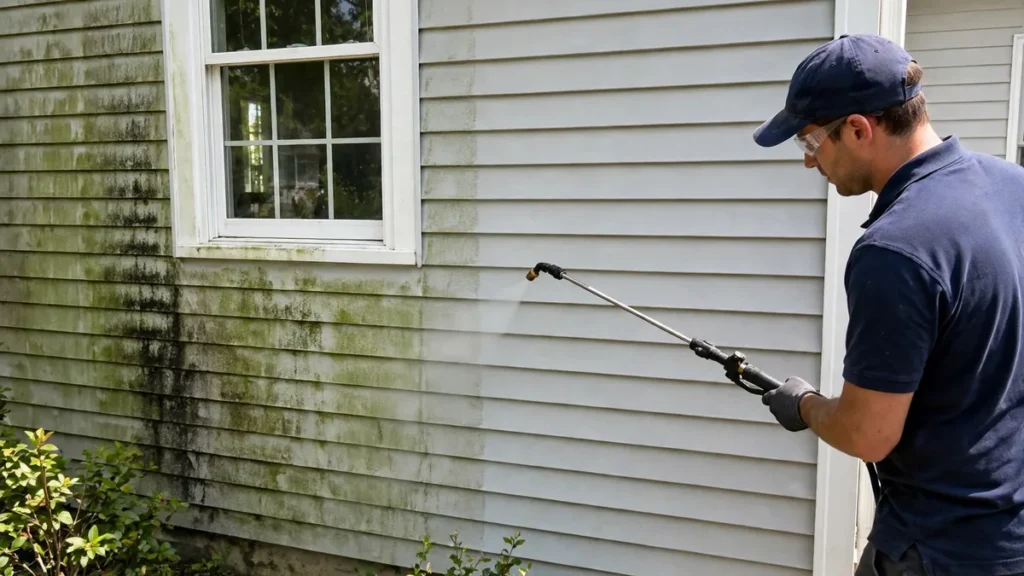
Growth beyond homes is worth planning early too. Many cleaning startups add offices, holiday lets, or end-of-tenancy work as they grow, and each market needs slightly different messages. Looking at how AI tools for pressure washing companies handle seasonal and exterior work can spark ideas for your own off-peak offers, because every cleaning trade faces the same quiet weeks and the same need to keep crews busy. The lesson transfers well: sell the right service at the right time of year, and the diary stays full.
Payments, Invoicing, and Recurring Billing
Getting paid should be the easiest part of a cleaning job, yet many startups lose hours chasing invoices. AI payment tools fix this by taking a card at booking, charging automatically after the clean, and sending a receipt without anyone lifting a finger. Customers like it because there is no awkward cash handover, and owners like it because the money arrives on time, every time.
Recurring billing is where payment tools shine for cleaning businesses. Weekly and monthly clients can be charged on a set day, with the invoice and receipt sent automatically. If a card fails, the tool retries and alerts the customer politely, so the owner does not have to make an uncomfortable phone call. Deposits for one-off deep cleans and end-of-tenancy jobs protect against last-minute cancellations, and a clear cancellation policy, shown at booking, prevents most arguments before they start.
Good payment tools also show the owner what is really happening with money. Which clients pay late, which services earn the most per hour, and which months are thin can all be seen at a glance. That clarity helps with the practical decisions of a startup: when to hire, when to raise prices, and when to invest in a second van. A tool that shows cash flow honestly is worth more than one with a pretty dashboard and vague numbers.
Supplies, Inventory, and Cost per Job
Cleaning supplies seem cheap until you add them up across a month of jobs. Bottles, cloths, vacuum bags, and specialist products quietly eat into every booking, and a startup that does not track them will wonder where the profit went. AI inventory tools track what each crew uses, what each job costs in supplies, and when stock is running low, so reordering happens before a crew arrives at a job without the right product.
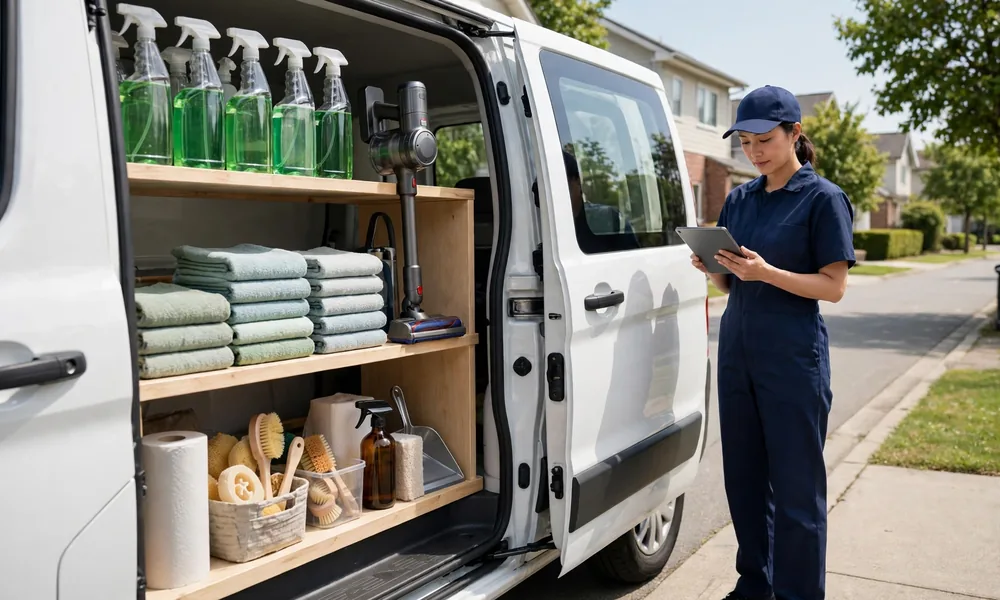
Standard kits make this much easier. When every van carries the same set of products in the same places, crews work faster and stock counts take minutes. AI can suggest the right kit for each job type, flag products that are rarely used, and warn when a cheaper alternative is performing just as well. Over a year, those small savings add up to real money, and they also reduce waste, which customers increasingly notice and appreciate.
Cost per job is the number that ties supplies to pricing. If a deep clean uses twice the supplies of a standard clean, the price should reflect that. AI tools calculate this automatically from real usage, so quotes stay honest as product prices rise. Review the cost per job each month, and adjust prices or products when the numbers drift. A startup that knows its true costs can grow with confidence instead of guessing.
Customer Communication and Support
Customers judge a cleaning business on two things: the clean, and how easy it is to deal with. AI messaging tools help with the second half by answering common questions instantly, confirming bookings, and keeping every conversation in one place. A customer who messages at nine in the evening about a changed door code should not have to wait until morning for a reply that affects a job at eight.
Smart replies work best when they sound like the business, not a robot. Short, warm answers with the right details, such as the arrival window and what is included, build trust quickly. For anything unusual, the tool should hand over to a person fast, with the full conversation attached, so the customer never has to repeat themselves. The goal is not to remove humans from customer service, but to let humans spend their time on the conversations that actually need a human.
After-job messages matter as much as booking messages. A short thank-you note with a photo of the finished rooms, a reminder of the next visit, and a simple way to report a problem shows care and catches issues early. Customers who can report a missed spot easily, and get it fixed quickly, stay far longer than customers who have to hunt for a phone number and wait days for an answer. AI can draft these messages and send them at the best time, while the owner stays in control of the tone.
Common Mistakes Cleaning Startups Make With AI Tools
The first mistake is buying too many tools at once. A new owner signs up for six apps in a week, the crew is confused, data is spread everywhere, and nothing is used properly. A better path is to start with one tool, use it well for a month, and add the next only when the first is working smoothly. A small stack used well beats a large stack used badly, every time.
The second mistake is trusting automation without checking it. An AI reply that gives the wrong price, a reminder sent to the wrong day, or a route that ignores a road closure can all damage trust quickly. Check automated messages in the first weeks, read the replies customers send, and fix the templates until they are right. Automation should be reviewed regularly, like any other part of the business, not switched on and forgotten.
The third mistake is forgetting the people. Tools can schedule, remind, and invoice, but they cannot train a cleaner, praise good work, or handle a sensitive customer conversation. Startups that invest in their crews, with clear standards, fair pay, and honest feedback, keep good people longer, and good people are the real product in a cleaning business. Use AI to give your team more time with customers, not less.
Cleaning Startup AI Checklist
Use this checklist before you spend money on any new tool. If you cannot tick every item, fix that gap first, because it will cost more later than it costs now.
- Define your services and prices clearly, including what each clean includes and how long it takes.
- Choose a booking tool that takes online payments, handles recurring visits, and sends automatic reminders.
- Set up crew checklists for every property type, with photos at the end of each job.
- Plan daily routes the night before, and review real travel time every week.
- Automate quotes, review requests, and after-job messages, and check them monthly.
- Track the numbers weekly: bookings, repeat rate, no-shows, travel time, and profit per job.
Frequently Asked Questions
What is the best AI tool for a new cleaning startup?
There is no single best tool, because the right choice depends on your biggest problem. A startup losing bookings to slow replies needs a booking tool first. A startup with a growing crew needs scheduling and checklists first. A startup struggling with cash flow needs payments and recurring billing first. Start with the tool that fixes your most expensive problem, test it on real jobs for a month, and only then add the next tool. The best stack is the one your team actually uses every day.
How much should a cleaning startup spend on AI tools each month?
Most small cleaning startups spend between a modest monthly fee for one booking tool and a larger sum for a full stack covering booking, crew, routes, and payments. The right test is simple: does the tool save or win more than it costs? If a booking tool costs less than one average clean a month and it wins you even two extra bookings, it pays for itself. Add up the full monthly cost before you buy, avoid long contracts in the first year, and review every subscription each quarter to cancel anything the team has stopped using.
Can AI tools really reduce no-shows for cleaning jobs?
Yes, and this is one of the clearest wins. Automatic reminders by text and email, with a one-tap confirm button, cut no-shows sharply for most cleaning businesses. The effect is strongest when the reminder goes out the day before and again a few hours before the job, and when rescheduling is easy. Customers rarely miss a job on purpose; they forget, or their plans change. A good reminder system catches both cases early enough to fill the gap with another booking.
Do cleaning crews actually like using AI scheduling apps?
Crews like apps that make their day clearer and easier, and dislike apps that add fiddly admin to every job. The difference is usually in the design: a good crew app shows the next job, the address, and the checklist in two taps, works with a weak signal, and lets cleaners flag problems quickly. Involve your cleaners in the choice, test the app on real jobs before paying, and listen when they say a feature is annoying. A tool the crew trusts will be used properly, and one they resent will be quietly ignored.
How do AI quoting tools handle unusual homes and jobs?
Good quoting tools ask follow-up questions when a job is unusual, such as extra rooms, heavy build-up, pets, or access problems, and they let the owner review and adjust any quote before it is sent. Photos from the customer help the tool spot extra work early. For very unusual jobs, the best approach is a quick video call or a short visit before quoting, because no software can judge every property from a form alone. Use AI quotes for standard jobs, and keep a human step for the jobs that are genuinely different.
Should a cleaning startup use AI to reply to customer reviews?
AI can draft review replies, and that saves time, but every reply should be read and personalised before it is published. A generic reply to a detailed review looks careless, and customers notice. Use AI to suggest a warm, accurate draft, then add a specific detail from the job, such as the deep clean or the regular slot, and sign it in your own voice. Replying to every review, good and bad, shows future customers that the business cares, and that care is worth more than speed alone.
The Bottom Line
The best AI tools for cleaning startups in 2026 are the ones that give a small team the organisation of a much larger company without the cost or the complexity. Booking tools fill the diary, crew tools keep standards high, route tools save hours of driving, quoting tools win jobs in minutes, and payment tools make sure the money arrives. Together, they turn a cleaning startup from a daily scramble into a business with systems, and systems are what let a good cleaner become a successful owner.
Start small, choose tools your crew and your customers both find easy, and measure the results every week. Fix the biggest problem first, then the next one, and keep the stack simple enough that everyone uses it properly. Do that, and the technology fades into the background where it belongs, leaving what customers actually remember: a team that arrives on time, cleans beautifully, and is easy to book again.

Keep what speaks to you.
Leave room for your own perspective.