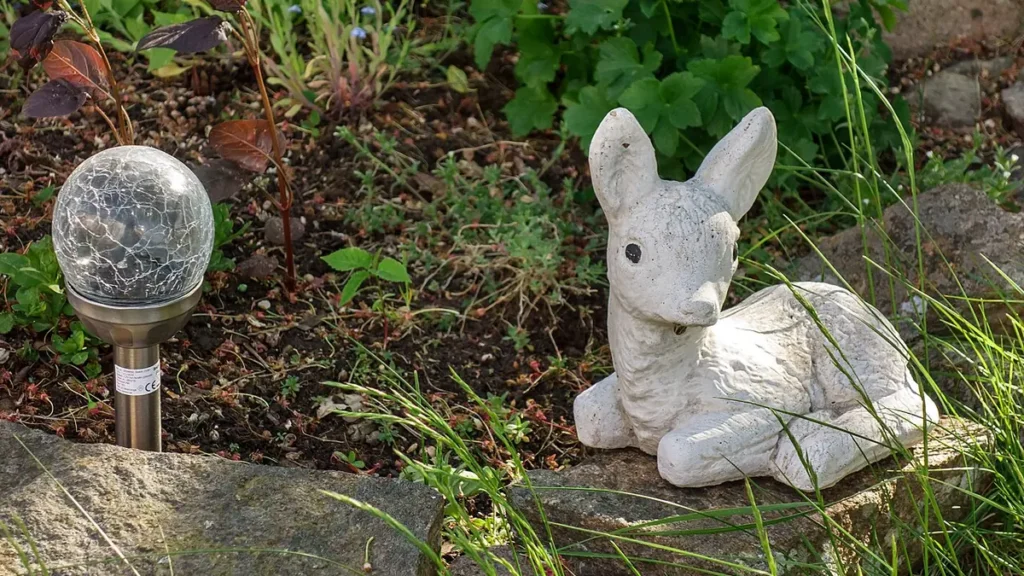
A garden statue is a heavy object pretending to be a decoration. Before it ever stands in a flower bed, somebody has to choose the figure, agree the scale with the client, check that the ground will carry it, pour or set a plinth, lift a stone or bronze figure that can weigh several hundred kilos, anchor it so wind and frost cannot move it, and leave the planting around it looking as if nothing heavy ever passed through. Get the footing wrong and the statue leans within a year. Get the scale wrong and a figure bought for a cottage garden towers over the house. Get the anchoring wrong and the first winter storm turns an expensive sculpture into a repair bill.
That is why a garden statue installation startup is a craft and logistics trade disguised as a garden trade. The founder has to think like a sculptor’s agent about proportion, material and finish, like a mason about footings and levelling, and like a small haulage firm about lifting and weight. Most new founders know one of those trades well and learn the others on the job, which is where mistakes happen. A resin figure that looks like stone in a photograph can fade and crack in two summers if never sealed, and a plinth set on soft ground without a proper base will sink and take the statue with it.
Artificial intelligence will not lift a statue or pour a plinth. What it can do is take the work around the install and make it fast, consistent and cheap: scanning a statue and a garden in three dimensions before you quote, showing a client the finished figure standing in their own garden, turning a site visit into a priced quote in minutes, keeping a photographic record of every footing and fixing, and following up so that one happy garden leads to the next. This guide compares the nine AI tools that matter most for a garden statue installation startup in 2026, from 3D scanning and placement visualisation to quoting, scheduling, photo records and customer messages. Every tool below is judged on what a new founder actually needs: a low starting cost, no long contract, useful from the first week, and able to grow with the business from a solo installer to a small crew.
Key takeaways
- Start with three tools only: AI 3D scanning, AI placement visualisation, and AI quoting. Everything else can wait until the diary is full.
- Scale and weight are the whole job. A statue that is the wrong size for the garden, or too heavy for the ground and the plinth, is a refund, so the tools that check dimensions and loads earn their keep on every install.
- Placement visualisation is the fastest sale in this trade, because a homeowner who can see the finished statue standing in their own garden says yes far sooner than one staring at a catalogue photograph.
- Plinth levelling, anchoring and sealing are where installs go wrong, so use AI site measurement and photo records to protect yourself on every job.
- Pick tools that charge per month or per job with no long contract, so a quiet winter month does not punish a young business. Keep the human in charge of lifting, fixing and customer relationships. AI should speed those decisions up, never make them alone.

The best AI tools for garden statue installation startups at a glance
| Tool | Best for | What it does best | Starting cost |
|---|---|---|---|
| Polycam | 3D scanning | Phone scans of statues, plinths and garden corners | Free plan, paid plans from about $8 a month |
| Twinmotion | Placement visualisation | Photorealistic statue views in the client’s own garden | Free trial, paid plans from about $40 a month |
| Matterport | 3D site capture | Measured digital twins and client walkthroughs | Free plan, paid plans from about $10 a month |
| Buildertrend | Quotes and scheduling | Estimates, crew days and client updates in one place | Subscription pricing on request |
| OpenSpace | Photo records | AI-mapped site photos of every footing and fixing | Pricing on request |
| Clear Estimates | Estimating | Line-item quotes for stone, bronze and resin work | Paid plans from about $50 a month |
| JobNimbus | CRM and follow-up | Leads, jobs and customer messages in one place | Paid plans from about $39 a month |
| Birdeye | Reviews and referrals | Review requests and referrals after every install | Pricing on request |
| QuickBooks Online | Bookkeeping | Invoices, expenses and cash flow for a small trade | Paid plans from about $15 a month |
Why garden statue installation is a different kind of startup
A garden statue installation startup is not a general garden business, and it is not a masonry business either. It sits between the two, with a sculptor’s eye in the middle. The founder has to think like a gardener about placement, planting and sightlines, like a mason about footings, plinths and levelling, and like a rigger about weight, lifting and access. A statue is often the single most expensive object in a garden, and it is usually bought to mark something: a new home, a wedding, an anniversary, a retirement, or a memorial. That makes the sale emotional as well as practical, and it makes a mistake far more visible than a crooked fence panel. A statue that leans, a plinth that cracks, or a figure that looks lost in a large lawn is noticed every single day by the person who paid for it.
The first difference is weight. A small resin figure can be carried by one person, but a carved stone or cast bronze statue can weigh hundreds of kilos, and the plinth under it adds more. The ground has to carry that load without sinking, the plinth has to be level to the millimetre, and the figure has to be anchored so that frost heave, high wind and the occasional bump from a mower cannot shift it. Tools that help you measure the site, record the footing and prove the anchoring were done properly are not admin extras in this trade. They are the evidence that protects you when a client rings a year later to say the statue has moved.
The second difference is scale. Statues are bought from photographs, and photographs lie about size. A figure that looks grand in a catalogue can look like a garden gnome once it stands in a real garden, and a figure that looks modest online can dominate a small courtyard. The most expensive mistake in this trade is not a bad plinth. It is the wrong statue in the wrong garden, discovered only on delivery day when the lorry is already there. Showing the client a true-to-scale view of the exact figure in their own garden, from the kitchen window and from the path, is the single best way to prevent that mistake, and it is also the fastest way to close the sale.
The third difference is material. Stone, bronze and resin behave differently, and the client rarely knows that. Stone is heavy and porous and needs sealing against frost and algae. Bronze is lighter for its size, develops a patina some clients love and others hate, and needs fixings that will not stain it. Resin is light and cheap, but it fades, cracks and blows over if not anchored and sealed. A founder who explains those differences and photographs the sealing and anchoring wins trust a cheaper competitor cannot match. A fountain, by contrast, is a water feature, so its tools revolve around pumps and plumbing, and our guide to the best AI tools for fountain installation startups covers that side of the work. A statue has no water, no pump and no power. The engineering questions here are weight, scale, ground and fixings.
The shape of the job is lumpy. A statue install is a one-off project, usually one or two days, not a repeating visit, so the business has to keep winning new jobs. Spring and early summer bring a rush, autumn brings repair and sealing work, and winter is quiet. The right stack is therefore cheap to start and easy to pause. Hotels, wedding venues and public gardens also buy statues as features visitors photograph, so the finish has to be flawless and the install tidy.
How to choose AI tools for a garden statue installation startup
Start with the job, not the software. A tool earns its place only if it removes a real bottleneck: a client who cannot picture the finished statue, a quote that takes two evenings to write, a plinth that goes in out of level, or a diary that double-books a crew on the one dry day of the week. Before you pay for anything, write down the three jobs that cost you the most time in a week, then buy only the tools that fix those. Accuracy comes before polish. The first two tools in this guide are about scanning and scale, not about marketing, because a statue that is the wrong size or the wrong weight for its plinth is a refund and a bad review no matter how pretty the brochure was.
Check that any scanning or visualisation tool works on a phone in a garden with poor signal, shows true dimensions rather than a flattering render, and lets you save the scan against the job. A render that makes a statue look bigger or smaller than it really is will cost you more than it earns. The same test applies to quoting tools: a generic tool that prices by the hour will not catch a crane lift, a stone plinth, a bronze fixing kit or a second sealing visit. Judge every tool on figures, plinths, anchoring, sealing and placement.
Cost structure matters more than headline price. A statue startup earns in bursts, so prefer tools with a free tier or a monthly plan you can pause over an annual contract. Add up the monthly total before you buy a fourth or fifth tool, and set a rule: if a tool does not save you an hour a week or win you a job a month, cancel it. The scan, the design, the quote, the schedule and the invoice should flow from one record of the job, not four separate systems. A client who changes the statue should not force you to update the price in three places. A sundial only works when its angles are exact, and our guide to the best AI tools for sundial installation startups shows how measurement tools earn their keep there, just as scanning and scale tools earn theirs here.
The 9 best AI tools for garden statue installation startups
1. Polycam for 3D scanning of statues, plinths and garden corners
Polycam turns a phone into a 3D scanner, and for a statue installer that is the most useful trick in this whole guide. Walk around a statue in a supplier’s yard, or around the corner of a garden where it will stand, and the app builds a measured three-dimensional model from the photographs. That model gives you the figure’s true height, width and depth, the shape of the plinth it needs, and the slope and size of the ground it will stand on. You can check whether a two-metre figure will clear a low branch, whether a wide plinth will fit between a path and a hedge, and whether the delivery route through a side gate is wide enough for the statue on its trolley.
The scan also becomes part of the quote. Send the client the model and they can turn the statue around on their own phone, which settles arguments about scale before any money changes hands. Save the scan against the job as a record of the site on the day you quoted. The free plan is enough to test the workflow, and the paid plan adds higher-resolution scans. Its weakness is that phone scanning struggles in bright sunlight and on shiny bronze, so scan in soft light.
2. Twinmotion for photorealistic statue placement visualisation
Twinmotion is the tool that turns a scan into a sale. It builds photorealistic views of a garden with the statue standing in it, in natural light, from the angles the client actually cares about: the kitchen window, the patio chairs, the front path. A homeowner who can see the finished figure in their own garden, at the right scale, with the planting around it, says yes far sooner than one staring at a catalogue photograph of the same statue in somebody else’s garden. That is the fastest sale in this trade, and it is worth more than any discount.
The workflow is simple once it is set up. Import the garden scan, drop in a model of the statue at true scale, set the time of day, and render a handful of views. Show the client two or three options if they are torn between figures, and let the render settle it. The drawback is the learning curve. Budget an evening to learn it on a garden you know well, build a reusable template for your standard plinth and planting, and each new job becomes a quick variation.
3. Matterport for 3D site capture and client walkthroughs
Matterport captures a whole garden as a measured digital twin that the client can walk through on a phone or a laptop. Where Polycam is best for scanning a single statue or a single corner, Matterport is best for the whole site: the house, the paths, the planting, the slopes and the access route from the gate to the plinth. That matters on larger jobs, where the statue is one part of a redesigned garden, or where the client is remote and cannot be on site for every decision. Send them the walkthrough link and they can check the placement, the sightlines and the access for themselves.
The measurements inside a Matterport model are the other half of its value. You can measure distances and plan the delivery route without a second site visit. The free plan covers a small number of spaces, enough to test it, and the paid plans add more. The drawback is cost for a solo founder. Use it for larger jobs and for clients who cannot attend site visits, and keep Polycam for everyday scans.
4. Buildertrend for quotes, scheduling and client updates
Buildertrend is the job platform that holds a statue install together once the client has said yes. It turns the quote into a schedule, the schedule into crew days, and the crew days into invoices, with the client able to follow progress in one place. For a statue job that means the quote lists the figure, the plinth, the anchoring kit, the sealing, the delivery and the labour as separate lines, the crew sees the day’s jobs and the access notes on their phones, and the client gets updates without ringing you while you are lifting a stone figure.
The client portal is the feature that earns its keep here. Statue clients are often nervous about a large, expensive object arriving in their garden, and a portal showing the schedule, materials and photographs turns that nervousness into confidence. The drawback is that Buildertrend is built for builders, so it has more features than a two-person firm will use, and pricing is quoted rather than published. Trial it on one real job and judge it on whether the crew actually opens it on site.
5. OpenSpace for AI photo records of every footing and fixing
OpenSpace maps site photographs onto the plan of the job automatically, so every photo you take is filed in the right place without any sorting. Walk the garden with a phone or a small camera and it builds a visual record of the footing being dug, the plinth being levelled, the anchoring being fitted and the sealing being applied. That record is the best protection a statue installer has. If a client rings a year later to say the statue has moved, you can show them the photographs of the footing, the level readings and the fixings on the day of the install.
The AI tagging is what separates it from a folder of phone photographs. It organises images by location and date, so you can find the photograph of a particular plinth in seconds. The drawback is cost: pricing is quoted, and the workflow suits firms doing several jobs a week. If that is too much for year one, use a disciplined phone-photo routine and move to OpenSpace when the diary justifies it.

6. Clear Estimates for line-item quotes on stone, bronze and resin work
Clear Estimates is the tool for the part of the job that loses money quietly: the quote itself. It builds line-item estimates from templates, so the figure, the plinth, the anchoring kit, the sealing, the delivery, the crane or trolley hire and the labour each appear as their own line with their own price. That matters in this trade because the three materials price so differently. A stone figure needs a heavier plinth and more lifting time than a resin one, and a bronze figure needs fixings and sealing that a stone one does not. A quote that lumps all of that into one number will be wrong in one direction or the other on almost every job.
The template system is the real time saver. Build one template for stone, one for bronze and one for resin, and each new quote becomes a matter of adjusting the lines. The software also tracks which quotes were accepted, so you can see where your pricing is winning or losing. The drawback is that it is a pure estimating tool: it does not schedule crews or send invoices. Pair it with Buildertrend and treat it as the pricing brain of the stack.
7. JobNimbus for leads, jobs and customer messages
JobNimbus keeps the commercial side of the business in one place: the enquiries, the quotes, the jobs, the invoices and the messages. A statue startup lives or dies on follow-up, because most enquiries arrive in a spring rush and most clients need two or three contacts before they commit to an expensive figure. JobNimbus tracks every lead, reminds you who needs a call back, and keeps the whole conversation with each client in one thread, so nothing falls through the cracks when you are out on site all day.
The workflow tools are the other half of its value. Build a simple pipeline, from enquiry to site visit to quote to install to follow-up, and see at a glance how many jobs are at each stage. That view tells you whether the diary is full next month or whether you need to chase quiet quotes. The drawback is that it is a general trade CRM, so set up your own fields and stages properly in the first week rather than rushing.
8. Birdeye for reviews and referrals after every install
Birdeye turns a finished install into the next enquiry. It sends a review request to the client shortly after the job, collects the review on the platforms that matter, and makes it easy for a happy client to refer a neighbour. In a trade where the work is visible from the street and neighbours talk, that referral loop is the cheapest marketing there is. A statue standing in a front garden is an advertisement in itself, and a review that names the installer turns a glance over the fence into a phone call.
The automation is what makes it work for a small firm. The request goes out on a schedule you set, and the reminders go out too, so you never have to remember to ask. The drawback is that pricing is quoted and the full feature set is more than a solo founder needs in year one. Start with review requests alone, measure the new enquiries they produce, and add more features only when the numbers justify it.
9. QuickBooks Online for bookkeeping, invoices and cash flow
QuickBooks Online is the bookkeeping tool that keeps a statue startup solvent through the quiet winter. It handles invoices, expenses, receipts and cash flow, and it shows you whether the business is actually making money once the cost of figures, plinths, delivery and labour is counted. That last point matters more than it sounds, because a statue job has large material costs that arrive before the client pays, and a founder who cannot see the cash position can take on three jobs at once and run out of money to buy the figures.
The invoicing is the feature you will use every week. Send the deposit invoice when the client accepts the quote and the balance invoice when the statue is standing, and chase late payers with automatic reminders. The app also photographs receipts on site. The drawback is the monthly cost, which stings in a quiet month. Even so, clean books are what a bank or supplier asks for when you want credit for larger figures.
Building your first-year AI stack
Buy in order, and only buy the next tool when the last one is earning its keep. Month one is Polycam, Twinmotion and Clear Estimates: scan the site, show the client the statue in their garden, and quote it properly. Those three decide whether you win the job and whether it makes money. Month two, add Buildertrend or JobNimbus to hold the jobs together, so the schedule, the crew and the client messages stop living in your head.
Month three, once the first installs are done, add OpenSpace or a disciplined photo routine, and Birdeye for reviews. The photographs protect you, and the reviews fill the diary. QuickBooks Online should be there from the start if you can afford it, because clean books from day one are far easier than reconstructing a year of receipts. The test for every tool is the same: does it save an hour a week, or win a job a month? If it does neither after a month of real use, cancel it and spend the money on a better statue sample for the garden instead. The closest dry-structure trade makes the same point about starting small: a wishing well is a stone structure with a roof rather than a figure on a plinth, and our guide to the best AI tools for wishing well installation startups shows how design, estimating and job management come first there too.
Checklist: launching a garden statue installation startup with AI
- Scan the statue and the garden with Polycam before you quote, and save the scan against the job.
- Show the client a true-to-scale Twinmotion view from the kitchen window and the path before they commit.
- Quote stone, bronze and resin as separate templates in Clear Estimates, with the plinth, anchoring and sealing as their own lines.
- Photograph every footing, level reading, fixing and sealing step, and file the photographs the same day.
- Confirm the delivery route, the lifting plan and the ground load before the lorry leaves the yard.
- Ask for a review through Birdeye within a week of the install, while the client is still delighted with the finished garden.
Frequently asked questions
How much should a garden statue installation startup spend on AI tools?
Budget roughly $100 to $250 a month for the first year, starting with the three core tools and adding the rest only when the diary justifies them. The scanning and visualisation tools pay for themselves on the first job they win. Avoid annual contracts in year one, so a quiet winter does not punish you.
Can AI really measure a statue accurately enough to build from?
Yes, for quoting and placement, with a human check. Phone scanning is accurate enough to confirm scale, fit and access, and to build a visualisation the client can trust. It is not a substitute for a tape measure and a spirit level on the day of the install. Always confirm the plinth dimensions and the level with hand tools before you pour or set anything.
Do I need a crane to install a garden statue?
Not always, but plan for lifting on every stone or bronze job. Small resin figures can be carried by two people, while a stone figure often needs a trolley, a gantry or a small crane, especially over a wall or through a narrow gate. Quote the lifting as its own line, and confirm access on the site visit rather than discovering the problem on delivery day.
What is the most common mistake new garden statue installers make?
Quoting the wrong scale. A figure that looks right in a catalogue and wrong in the garden is the most expensive mistake in the trade, because it is discovered on delivery day. Scan the garden, visualise the figure at true scale, and get the client to approve the view in writing before you order the statue.
Will customers mind that AI helps with their statue install?
No, if you are honest about what the AI does. Clients care that the statue is the right size, the plinth is level and the anchoring is sound. Tell them the scan and the visualisation help you get those things right, and keep the human in charge of the lifting, the fixing and the finish. Nobody has ever complained that a statue was measured too carefully.
How do I keep customers coming back after the install?
Follow up after the first month, offer an annual clean and reseal, and ask for a review while the client is still pleased. Statues need sealing, cleaning and occasional re-levelling, and the installer who offers that service is the one the client rings when a neighbour asks who did their garden.
The bottom line
A garden statue installation startup wins on three things: the right figure at the right scale, a plinth and anchoring that will not move, and a client who trusted you before the lorry arrived. The nine tools in this guide serve those three things in order. Polycam and Twinmotion win the sale honestly, Clear Estimates and Buildertrend make the job pay, OpenSpace proves the work was done properly, and JobNimbus, Birdeye and QuickBooks Online turn one good install into the next. Start with three tools, learn them on real jobs, and add the rest only when the diary demands it. The statue will stand in that garden for decades. Build the business the same way: slowly, levelly, and on solid ground.

Keep what speaks to you.
Leave room for your own perspective.


