The best AI tools for drive-in theater startups in 2026 turn an empty field, a tall screen and a projection booth into a business that can sell a carload of tickets at midnight, tune every radio to the same film, keep the popcorn moving between shows and still have the takings balanced before the last car leaves. A drive-in startup does not sell seats. It sells a night out in a car, where a family can spread a blanket on the grass, a couple can watch from the front seats and a group of friends can fill the back of a pickup truck without worrying about who is sitting behind them. Every part of that night has to work at once: the ticket has to match a real parking space, the sound has to reach every car clearly, the picture has to be bright enough after dusk and the concessions stand has to serve a queue that arrives all at once.
A drive-in is a different kind of entertainment business from an indoor cinema or a hire company. The stock never leaves the field, yet it is used hard for hours at a time. The screen stands in the weather all year, the projector runs for two full features every night, the FM transmitter serves hundreds of cars at once and the field itself has to drain, light and empty safely in the dark. Between the first and second feature there are only a few minutes to clear the exit lane, restock the concessions stand, check the sound and welcome the late arrivals. A startup that tries to run that turnaround on paper, on memory or on a shared spreadsheet will find the gaps quickly, usually on the busiest Saturday of the season.
Artificial intelligence fits this business because so much of the work is pattern and timing. The same car counts arrive every weekend, the same films sell out at the same times of year, the same snack combinations sell out on the same nights and the same kinds of customers ask the same questions about ticket prices, car sizes and start times. AI tools can learn those patterns from your own bookings, answer the routine questions, flag the quiet nights that need a promotion and build a show schedule that respects real sunset times and real turnaround times between features. The founder still makes the judgement calls, but the repetitive counting, copying and chasing is handled by software that does not get tired on a busy Saturday. This guide compares the tools that matter most for a drive-in theater startup, from per-car ticketing and FM sound to projection, film licensing, concessions, weather planning, pricing and finance, with a clear comparison table, a practical checklist and answers to the questions founders ask most often.
Key takeaways
- Choose one per-car ticketing and field capacity platform as the centre of your business, then add specialist AI tools around it rather than buying everything at once.
- Protect the showtime, the sound and the parking layout first, because a late start, a dead FM channel or a blocked exit lane costs more than any subscription.
- Film licensing and double-feature programming decide what you can legally show and when, so plan your season with the distributors before you spend on anything else.
- Concessions are the most profitable part of a drive-in night, so give them dedicated tools for carhop ordering, stock and queue times.
- Start with a free trial on every tool, test it on a real busy weekend, and only commit once it fits the way your team actually works on the field.
Why Drive-In Theater Startups Need AI in 2026
A drive-in theater lives or dies on Friday and Saturday nights. Most enquiries arrive on weekday evenings, most cars are booked for the weekend and most problems appear when two hundred cars arrive in the same half hour, the FM channel crackles or the rain starts ten minutes before the first feature. A founder who answers every message by hand, builds every quote from scratch and tracks parking spaces on a spreadsheet will run out of hours long before the business runs out of demand. AI tools take the repetitive half of that workload, so a small team can handle the volume that once needed a full box office behind the screen.
The second reason is speed. Customers planning a birthday, a date night or a family outing usually contact two or three venues in the same evening, and they book with the one that replies first with a clear price, a clear start time and a confident plan. An AI chatbot or an instant quoting tool can answer at ten in the evening, check the field capacity and send a sensible estimate while a competitor is still asleep. That first reply does not close the sale on its own, but it puts your venue at the front of the queue, and in a short summer season that advantage compounds across the whole year. Founders who also hire out screens for private events can learn from the AI tools for outdoor movie screen rentals when they choose screen sizes and sound coverage for a field full of cars.
Best AI Tools for Drive-In Theater Startups Compared
The table below gives a quick view of the nine tool types in this guide. Read it as a starting point, then use the detailed sections that follow to decide which tools fit your field, your audience and your budget.
| Tool type | Main job | Best for | Starting point |
|---|---|---|---|
| Per-car ticketing and field capacity | Car tickets, parking rows and capacity | Every drive-in startup | Free trial, then a monthly plan |
| FM radio audio and in-car sound | Clear sound in every car | Venues with FM sound | Free signal check, then a paid plan |
| Projection booth and dusk scheduler | Showtimes, brightness and playlists | Every drive-in startup | Free sunset tools first |
| Film licensing and programming | Distributor bookings and double features | Startups booking first-run films | Book one season ahead |
| Concessions and carhop ordering | Snack orders, stock and delivery to cars | Venues with a concessions stand | Free tier, then a monthly plan |
| Weather, rain-check and refund manager | Forecasts, rain checks and refunds | Every outdoor booking | Free forecast tools first |
| Dynamic pricing and season passes | Carload prices, passes and offers | Venues filling quiet nights | Start simple and test weekly |
| AI chat and booking assistant | Instant replies and enquiry capture | Weekend and evening enquiries | Free trial on the website |
| Local marketing, reviews and loyalty | Visibility, reviews and repeat visits | Startups that rely on local search | Free listing tools first |
The Best AI Tools for Drive-In Theater Startups
The tools below are grouped by the job they do, not by brand, because the right stack depends on how your theater works. A one-screen field that shows family films on summer weekends needs different tools from a two-screen venue that runs double features all year. Read each section for what the tool type does, what to look for and the mistakes to avoid, then build your stack one tool at a time.
1. Per-Car Ticketing and Field Capacity Platform
A per-car ticketing platform is the centre of a drive-in theater startup. It sells tickets by the car rather than by the seat, shows how many spaces are left on any night and stops overselling before it happens. When a customer books a car for Saturday, the platform reserves a space in the right row, takes the payment, sends the confirmation with the FM frequency and the gate time, and blocks anyone else from booking the same space for the same show. That single protection is worth more than any other feature, because an oversold field on a Saturday night cannot be fixed with an apology.
Good platforms also understand the shape of a drive-in field. They let you set different row sizes for small cars, large cars and tall vehicles, hold back the front rows for small cars so nobody behind them loses the view, and reserve accessible spaces near the concessions stand. They track walk-in guests separately from cars, handle group bookings for birthday parties, and let staff scan tickets at the gate with a phone instead of a printed list. Look for a platform that shows a live map of the field on a busy night, so the gate team can see at a glance which rows are full and which still have room.
The mistake to avoid is choosing a ticketing tool built for indoor cinemas or concerts. A seat-based system will sell tickets for rows that do not exist, charge per person when your price is per car, and leave the gate team guessing how many vehicles are actually coming. Test any platform with a real busy weekend in mind: can it sell a carload ticket, a season pass and a party package from the same page, and can it tell you before the gates open exactly how many cars to expect? If it cannot, keep looking.
2. FM Radio Audio and In-Car Sound Planner
Sound is the part of a drive-in that customers notice most when it goes wrong. A film with crackling audio, a weak signal at the back of the field or a neighbouring station bleeding through will be remembered far longer than the film itself. An FM audio planner helps a founder choose the right frequency, test signal strength across every row and set the transmitter power so the sound reaches the last car without breaking local broadcast rules. Some tools use AI to map dead spots from staff reports and customer feedback, then suggest a small change in antenna height or position that fixes the problem.
These tools also help with the practical side of sound. They can generate the audio settings for each screen, store the frequency for every show, and print the frequency on tickets, signs and the website automatically, so nobody has to remember it. For venues with two screens, they keep the two FM channels far enough apart that one film never leaks into the other. Look for a tool that logs signal checks by row and date, so you can spot a weak patch before a full field notices it.
3. Projection Booth and Dusk Showtime Scheduler
The projection booth is where a drive-in night is won or lost, and a dusk scheduler is the tool that keeps it on time. It works out the exact sunset time for your field on every night of the season, sets the first feature to start when the picture will actually be visible, and builds the playlist for the evening: trailers, the first feature, the intermission, the second feature and the closing message. When the schedule is right, the audience sees a bright picture from the first frame and the night runs without the booth team rushing.
Good schedulers also watch the projector itself. They track lamp hours and warn you before a lamp fails, log brightness readings so you can see when a picture is getting dim, and remind the team to clean the lens and check the focus before a big weekend. They can store different settings for different films, so a dark thriller gets the brightness it needs while a bright animation does not wash out. Look for a scheduler that links to your ticketing platform, so a change to the showtime updates the website, the tickets and the gate signs at the same time.
The mistake to avoid is starting the show too early. A picture projected before dusk looks washed out, and an audience that cannot see the opening scenes will blame the venue, not the sky. Build the schedule around the real sunset time for your field, not the time printed on a generic listing, and leave a buffer for a late summer sunset or a cloudy evening. Founders who hire out projectors as part of a package can also learn from the AI tools for projector rental startups when they choose brightness and throw distance for an open-air show.
4. Film Licensing and Double-Feature Programming Planner
A drive-in cannot show whatever it likes. Every film must be licensed from a distributor, and the terms decide what you can show, when you can show it and how much of the ticket money you keep. A licensing and programming planner helps a founder track those terms, compare the films on offer, and build a season of double features that actually sells. It can suggest pairings that work together, such as a family film followed by a comedy, or a classic followed by a new release, and it can flag a pairing that would split the audience in half.
These tools also keep the paperwork straight. They store the licence dates, the minimum run, the percentage split and the reporting deadline for every film, and they remind the founder before a licence expires or a report is due. Some tools use AI to look at your past ticket sales and suggest which genres fill your field on which nights, so a founder can book with evidence instead of hope. Look for a planner that shows the full cost of a film, including the licence fee, the delivery cost and the share of ticket sales, so the cheapest film on the list is not secretly the most expensive.
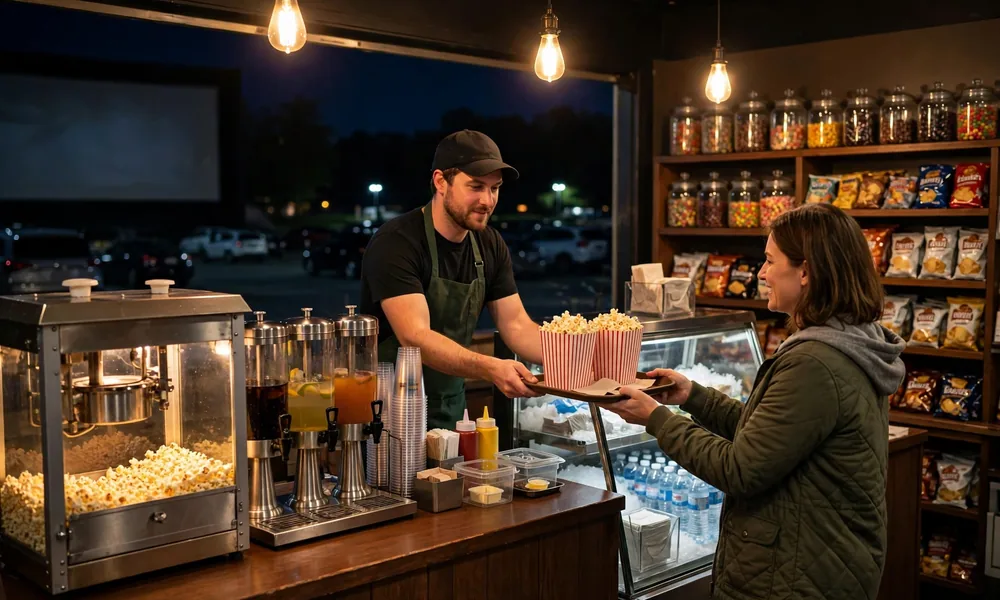
5. Concessions and Carhop Ordering System
Concessions are where a drive-in makes its money. The ticket covers the film, the screen and the field, but the popcorn, drinks and snacks are the margin that pays for the season. A concessions and carhop ordering system lets customers order from their cars, sends the order to the kitchen in the right sequence and tells the carhop exactly which row and space to deliver to. When it works, the queue at the stand stays short, the food arrives hot and the stand sells far more than it would from walk-up trade alone.
Good systems also manage the stock behind the counter. They track which items sell out on which nights, warn the team before a busy weekend if popcorn kernels or cups are running low, and suggest bundle deals that raise the average order, such as a family pack with popcorn, drinks and sweets. They can time orders around the intermission, so the kitchen is not swamped at the exact moment the first feature ends. Look for a system that works on a phone in a dark field, with big buttons and no fiddly menus, because a customer will not order twice from a screen they cannot read.
The mistake to avoid is a menu that is too long. A concessions stand with thirty items will slow the kitchen, confuse the carhops and leave the stock room full of things nobody buys. Start with a short menu of the items that sell, add one seasonal special at a time, and cut anything that does not earn its place. Founders building a food offer from scratch can learn from the AI tools for food truck startups when they plan a small menu, a fast service and a kitchen that fits in a tight space.
6. Weather, Rain-Check and Refund Manager
No other entertainment business depends so directly on the sky. A forecast that changes on Friday afternoon can turn a Saturday show into a safety decision, and a founder who spots the change early can move the start time, warn the audience or reschedule before two hundred cars are already on the field. A weather and rain-check manager watches the forecast for every show, flags the risky ones and drafts a calm message to customers with clear options. That early warning protects the audience, protects the equipment and protects the reputation of a young business far more than any single marketing campaign.
These tools also handle the part founders dread most: the refund. They can issue rain checks automatically when a show is cancelled, let customers move their ticket to another night without emailing the box office, and keep a clear record of who was refunded and who was moved. Look for a tool that sets a clear rain policy in advance and applies it the same way every time, so customers know what to expect and staff do not have to decide under pressure at the gate.
7. Dynamic Pricing and Season Pass Tool
A drive-in field has fixed costs whether it is full or empty, so an empty Thursday night is money that can never be recovered. A dynamic pricing tool looks at your booking history and spots the patterns: school holidays that always sell out, rainy weekends that need a discount, quiet weekday nights that could fill with a two-for-one offer and opening weekends that are worth more than a repeat showing. Instead of guessing, the owner can set rules that fill the gaps without cutting the price on the nights that would sell out anyway.
These tools also manage season passes, which are the cheapest working capital a new venue can find. A pass sold in spring brings money in before the season starts, and a pass holder who has already paid is far more likely to come every week. Look for a tool that tracks how often pass holders actually attend, so you can price next year’s pass on real numbers rather than hope, and that lets you offer a family pass, a couples pass and a single pass without a spreadsheet.
8. AI Chat and Booking Assistant
Most drive-in enquiries arrive in the evening, when families are planning the weekend and the box office is closed. An AI chat and booking assistant answers those enquiries in seconds, with real prices, real start times and real availability, and it takes the booking while the customer is still deciding. It can answer the questions every drive-in gets asked: what time does the film start, what is the FM frequency, can we bring our own food, is there room for a tall vehicle and what happens if it rains. When the question is unusual, it passes the customer to a human with the facts already attached.
Good assistants also learn from the conversations they have. They spot the questions that keep coming up and suggest a clearer answer on the website, they flag the nights that get the most enquiries, and they follow up with customers who started a booking but did not finish it. Look for an assistant that knows your real showtimes and your real field capacity, and that never invents a price or a start time it has not been given.
9. Local Marketing, Reviews and Loyalty Tool
A drive-in is a local business, and most of its customers live within a short drive of the field. A local marketing tool makes sure those customers can find you, with a complete listing on maps and search, accurate showtimes, clear directions and photos that show what a night at your theater actually looks like. It can watch your reviews, flag a complaint early and suggest a calm, helpful reply before a small problem becomes a public one.
These tools also turn one-off visitors into regulars. They can run a simple loyalty scheme, such as every fifth visit free or a free popcorn on a birthday, and they can send a reminder when a favourite film is coming back or when the season is about to start. Some tools use AI to look at your ticket sales and suggest the best night to promote a quiet show, or the best audience for a special event such as a classic film night or a horror double feature. Look for a tool that measures what matters: how many people saw the advert, how many booked and how many came back.
How to Build Your Drive-In Tech Stack
Start with the night, not the software. Write down the journey a customer takes from the first search to the morning after the film: they find you, check a date, choose a night, pay for the car, receive the gate time and the FM frequency, arrive at the gate, park in the right row, watch the film, order snacks, leave safely in the dark and then you ask for a review. Every tool you buy should make one step of that journey faster, clearer or more reliable. If a tool does not touch that journey, you do not need it yet.
Choose one platform as the centre and let everything else connect to it. For most drive-in startups that centre is a per-car ticketing system that knows what is free on any night and takes the payment. Around it you need a projection scheduler that knows when the picture will be bright, a concessions system that knows what is in stock, a messaging tool that answers enquiries fast and a simple finance tool that tracks ticket money, snack money and refunds. Buy those five pieces first and run them for a month before adding anything clever.
Drive-In Startup Checklist
Use this checklist to build your first software stack in order, before the season starts.
- Confirm your screen, projector, FM transmitter and field layout, then choose a per-car ticketing platform that matches your real capacity.
- Book your film licences and build a double-feature season plan, with start times set by real sunset times for your field.
- Test the FM signal in every row, print the frequency on tickets and signs, and keep a spare transmitter ready.
- Set up concessions ordering with a short menu, clear stock levels and a carhop delivery plan for the intermission rush.
- Write your weather and rain-check policy, set up automatic rain checks, and check the forecast every morning.
- Launch your local listing, collect reviews after every good night, and start a simple loyalty offer before the season opens.
Frequently Asked Questions
How much do AI tools cost for a drive-in theater startup?
Most drive-in startups spend between fifty and three hundred dollars a month on software in their first season, starting with a ticketing platform and adding tools one at a time. Almost every tool in this guide offers a free trial or a free tier, so a founder can test the stack on real busy weekends before committing to a monthly plan. The cheapest way to start is to buy the ticketing platform first, use free forecast and listing tools, and add paid tools only when a real problem appears.
Do I need a separate tool for each job?
No. Many ticketing platforms now include booking, payments, refunds and basic marketing in one place, and a good platform will cover half of this guide on its own. The specialist tools matter most where the job is unusual: FM sound, projection scheduling, film licensing and carhop ordering are all jobs that a general tool will handle badly. Start with one platform, add specialists only where the platform falls short, and keep the total number of tools small enough that your team can actually learn them.
Can AI tools handle film licensing?
AI tools can track licences, compare film offers, suggest double-feature pairings and remind you before a licence expires or a report is due, but they cannot sign a licence for you. The distributor relationship is still a human one, and the founder should talk to distributors directly, especially in the first season. Use the tool to keep the paperwork straight and the costs visible, and use your own judgement to choose the films.
What happens when it rains on show night?
Most drive-ins play through light rain and cancel only for heavy rain, high wind or lightning, and the exact rule should be written down before the season starts. A weather and rain-check manager can watch the forecast, warn customers early and issue rain checks automatically when a show is cancelled, so customers can move their ticket to another night without emailing the box office. Tell customers early, apply the same rule every time and keep a clear record of every rain check.
How do season passes work at a drive-in?
A season pass usually covers one car for every show in the season, or a set number of visits, and it is sold in spring before the season starts. The pass brings money in early, when the venue needs it most, and pass holders visit more often because they have already paid. A pricing tool can track how often pass holders actually attend, so next year’s pass can be priced on real numbers. Keep the pass simple, limit the number you sell to a level the field can hold, and make sure pass holders can book their spaces in advance.
Is a drive-in theater a good startup in 2026?
A drive-in can be a good startup where the land is affordable, the local audience is strong and the season is long enough to cover the costs of the screen, the projector and the field. The business works best when the founder treats it as a venue with several income streams: tickets, concessions, private hire, season passes and special events such as classic film nights. It is a capital-heavy startup, so test the demand with a small season, keep the monthly software costs low and build the audience before you spend on a second screen.
The Bottom Line
The best AI tools for drive-in theater startups do not replace the magic of a film under the stars. They protect it, by making sure the ticket matches a real space, the sound reaches every car, the picture starts on time and the popcorn arrives hot. Choose one ticketing platform as the centre of your business, add the specialist tools that fit your field, test everything on a real busy weekend and keep the stack simple enough that a small team can run it in the dark. Do that, and the technology will quietly disappear into the night, leaving the audience with exactly what they came for: a great film, a full car and a reason to come back next weekend.

Keep what speaks to you.
Leave room for your own perspective.