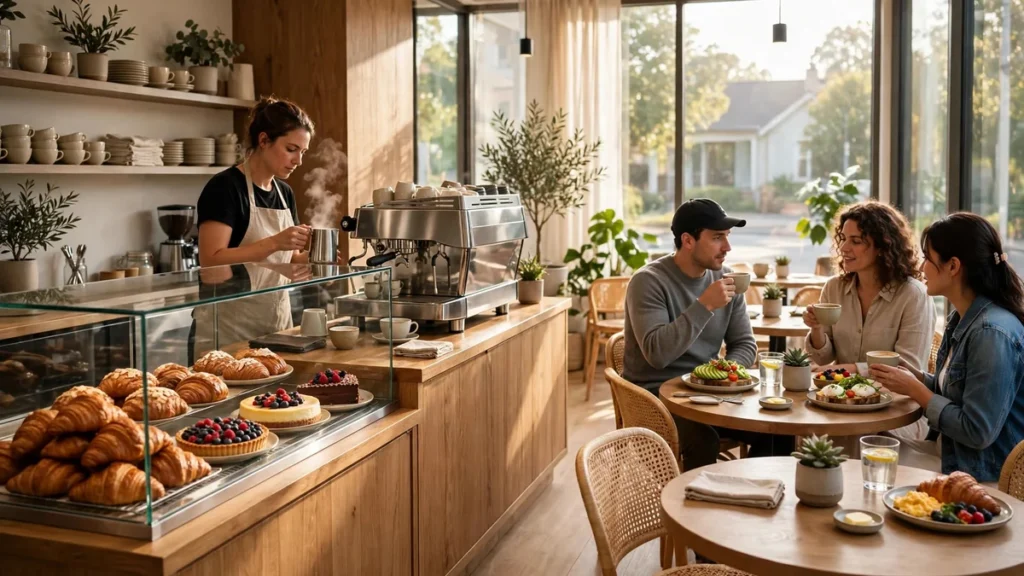
The best AI tools for cafe startups in 2026 do their hardest work in the places a new cafe feels the pressure most: at the counter when the morning queue meets the pastry case, at the tables when a laptop crowd settles in for the afternoon, and in the quiet hour after closing when the till, the pastry order and tomorrow’s rota all need decisions at once. A cafe is a full-day business in a way few small food businesses are. The same room serves a commuter grabbing a flat white and a croissant at eight, a parent with a pram ordering brunch at eleven, a freelancer nursing a coffee over a laptop at three, and a group of friends sharing cake and conversation at five. Each of those guests wants something slightly different, and a startup team of four or five people has to deliver all of it without dropping a plate, a booking or a regular’s name.
That full-day rhythm is what makes choosing software for a cafe different from choosing it for a narrower food business. A cafe needs a till that handles counter orders and table service in the same shift, a pastry case that empties at a different speed from the coffee machine, seating that turns over without feeling rushed, and a menu that changes with the seasons without confusing the regulars. The right tools take the repetitive work off the team: taking a pickup order before the guest arrives, remembering that a regular always orders oat milk, flagging that the almond croissants will run out by ten, and drafting a social post about the new autumn menu in the voice of the cafe. Used well, they protect margins, fill more seats and give a young cafe the polish of an established one, without making the room feel robotic.
This guide compares the strongest options for 2026 across the jobs that decide whether a cafe grows or stalls: counter and table point of sale, commission-free online ordering, pastry and pantry inventory, table reservations and seating, staff scheduling, bookkeeping, email and text marketing, menu and social design, and the reviews that turn a first visit into a habit. Every tool below is judged on whether it fits a small team, whether it pays for itself quickly, and whether it works with the other tools a young cafe already uses. The goal is not to buy the most software, but to build a lean stack that earns its keep from the first month and lets a small team run a room that feels warm, generous and unhurried.
Key takeaways
- Start with the till, online ordering and reservations, because they touch revenue, table turns and the guest experience every single day.
- Choose tools that understand a cafe’s full day, from the morning pastry case to the afternoon laptop crowd, or the automation will create more manual work than it saves.
- Let AI draft, suggest and sort, while people approve anything sensitive, from refunds to replies to an unhappy guest.
- Measure success in table turns, average spend per guest, pastry waste and repeat visits, not in how many features a tool lists.
- Keep the stack small at first, with three or four tools that work together, and add more only when a clear gap appears.
Best AI Tools for Cafe Startups at a Glance
| Tool | Best for | Typical starting price | Standout strength |
|---|---|---|---|
| Lightspeed Restaurant | Counter and table point of sale | From around $69 per month | One till for the counter, the tables and pickup |
| GloriaFood | Commission-free online ordering | Free plan, paid from around $89 per month | Pickup orders without aggregator fees |
| MarketMan | Pastry and pantry inventory | From around $149 per month | Honest food cost on every plate and pastry |
| OpenTable | Table reservations and seating | From around $99 per month | Fair bookings for a small room with walk-ins |
| Deputy | Staff scheduling and shift cover | From around $3.50 per user per month | Rotas that flex around the cafe day |
| QuickBooks Online | Bookkeeping and payroll | From around $35 per month | Clean daily sales and supplier tracking |
| Constant Contact | Email and text marketing | From around $12 per month | Simple campaigns regulars actually open |
| Canva | Menu, poster and social design | Free plan, paid from around $15 per month | Beautiful menus and posts without a designer |
| GatherUp | Reviews and reputation | From around $99 per month | Turns happy guests into public reviews |
What Makes an AI Tool Right for a Cafe Startup
A cafe startup is not a large restaurant group with an operations team, and the tools that suit a group often fail a small room. The best choices share a few qualities that matter far more than a long feature list. They are quick to set up, priced in a way a young business can afford, and built to work with the systems a startup already uses. A tool that needs weeks of configuration and a consultant to run it is the wrong tool, however impressive its demonstration looks, because a new cafe does not have weeks to spare before opening day.
The second test is whether the tool understands the shape of a cafe day. The morning is a sharp peak of counter orders and pastries, the middle of the day is slower table service with brunch and lunch, the afternoon belongs to the laptop crowd and the cake slice, and the early evening is a gentle wind-down. A tool that treats every hour the same will fail exactly when it matters. A cafe needs modifiers that work at speed, such as oat milk, an extra shot, no nuts and a name spelled correctly on the cup. It needs to know how many croissants the morning will sell, when a popular cake is about to run out, which tables are free for a walk-in, and which regulars order the same brunch every Saturday. Tools that treat a cafe like any other shop force the team to work around them, and those workarounds quietly eat the time the tool was supposed to save.
How We Chose the Tools in This Guide
We kept the angle firmly on the neighbourhood cafe as a full-day room: the counter, the pastry case, the tables, the seasonal menu and the regulars who come back all week. That is a different job from running an espresso-led counter, where the rush and the milk order dominate everything, and the best AI tools for coffee shop startups cover that side of the trade in detail, while this guide stays with the cafe itself: the tables, the brunch plates, the laptop crowd and the rota. It is also a different job from a grill-led room with all-day breakfast and late nights, which needs kitchen display and ticket flow above all else.
Every tool below was judged on five questions. Is it usable by a team of two to eight people with no dedicated technology staff? Does it pay for itself within a few months through saved hours, fewer mistakes or more repeat visits? Does it connect to a point of sale or share order data without retyping? Does it handle the small details of cafe service, from pastry counts and table turns to seasonal menus and regulars? And can a founder set it up in days, not weeks? Pricing figures below are typical starting ranges for a single small location in 2026 and should be confirmed with a quote, since most of these tools price by location, staff or monthly volume.
1. Lightspeed Restaurant: The Best Counter and Table Point of Sale for a Cafe Startup
Lightspeed Restaurant earns the first place in a cafe stack because it treats the counter and the tables as one room instead of two systems. A guest can order at the counter, another can be served at a table, and a third can pick up a pre-order, all through the same till, the same menu and the same end-of-day report. For a small team that is a real saving: nobody retypes an order, nobody reconciles two tills, and the founder sees the whole day in one place. The menu builder handles the details a cafe lives on, from milk alternatives and extra shots to pastry variants and brunch modifiers, and it keeps the kitchen display in the right order when the morning rush and the table orders arrive together.
The AI side of Lightspeed is quiet but useful. It surfaces the dishes and pastries that sell best at each hour, flags the combinations guests order together, and suggests menu changes based on what the room actually buys rather than what the founder guesses. A cafe that learns its avocado toast sells best with a flat white can bundle the two at brunch, and a pastry that always sells out by ten can be baked in larger numbers the next morning. Lightspeed also connects to accounting tools and to online ordering, so the stack grows without retyping. Setup takes a few days, the hardware is a tablet and a card reader rather than a fixed terminal, and the monthly cost is fair for a single room. Start here if the till is still a patchwork of a card reader and a notebook.
2. GloriaFood: The Best Commission-Free Online Ordering for a Cafe Startup
GloriaFood is the simplest way for a new cafe to take pickup and pre-orders without handing a third of every sale to an aggregator. Guests order from a branded page or a button on the cafe website, choose a pickup time, and pay online, while the order lands on the same screen the team already watches. Because there is no commission on each order, the margin on a pre-ordered brunch box or a dozen pastries for the office stays with the cafe, which matters enormously in a first year when every point of margin counts. The free plan covers the basics, and the paid plan adds the extras a growing cafe wants, such as scheduled orders, promo codes and a simple loyalty flow.
3. MarketMan: The Best Tool for Pastry and Pantry Inventory in a Cafe Startup
MarketMan is the tool that stops a cafe from quietly losing money on its own menu. A cafe buys butter, flour, milk, eggs, coffee and fruit in small amounts across hundreds of plates and pastries a day, and a dish that looks profitable can lose money once waste, spoilage and portion drift are counted. MarketMan tracks every ingredient from supplier invoice to plate, prices each recipe honestly, and flags the items whose margins have slipped since last month. When the price of butter rises, the founder sees which pastries are affected before the month ends, instead of discovering it in the accounts.
The AI forecasting is built for a room that bakes fresh each morning. MarketMan learns how many croissants a Tuesday sells, how much milk a Saturday brunch uses, and how much cake is left at closing, then suggests the next order so the cafe buys enough without over-ordering perishables. It also compares suppliers on the same ingredient, so a founder can see whether the cheaper flour is actually cheaper once waste is counted. For a cafe startup, that honesty is the difference between a menu that feels generous and a menu that quietly bleeds cash. MarketMan takes a week to set up properly, because every recipe needs its ingredients entered, but that week pays for itself within the first month.
4. OpenTable: The Best Tool for Table Reservations and Seating in a Cafe Startup
OpenTable gives a small cafe the reservation polish of a much larger room without turning it into a formal restaurant. Guests book a table for brunch or an afternoon gathering from the cafe website or the OpenTable app, the team sees the day’s covers at a glance, and walk-ins are fitted around the bookings instead of colliding with them. That matters for a cafe, where the room is small and a single large table can decide whether the lunch service feels calm or chaotic. The seating map shows which tables are free, which are turning over, and which guests are running late, so the host can seat a walk-in with confidence instead of guessing.
The AI side helps the cafe learn its own rhythm. OpenTable predicts the busy hours from past bookings, suggests how many covers to accept on a Saturday, and nudges guests with reminders that cut no-shows without a phone call. It also builds a quiet guest book: the regular who always books the window table, the family that comes every Sunday, the group that orders cake for a birthday. A founder who knows those patterns can hold the right table, prepare the right cake and make a guest feel remembered. OpenTable costs more than a paper diary, but for a cafe where tables are the scarcest resource, the bookings it protects pay for it quickly.
5. Deputy: The Best Tool for Staff Scheduling and Shift Cover in a Cafe Startup
Deputy is built for the way a cafe actually staffs: early starts, split shifts, part-time students, and a rota that changes every week. A founder can build the week’s rota in minutes, publish it to the team’s phones, and see the labour cost of each shift before it is confirmed. When a barista calls in sick at six in the morning, Deputy finds who is available, offers the shift, and confirms the cover without a chain of group messages. Staff clock in and out on their phones, so the hours are honest and the payroll is simple, and the team can swap shifts among themselves with the founder’s approval.
6. QuickBooks Online: The Best Bookkeeping and Payroll for a Cafe Startup
QuickBooks Online keeps a cafe’s first year honest, which is harder than it sounds when money arrives as card payments, cash tips, online orders and gift vouchers all in the same day. It pulls the till totals in automatically, matches them against the bank feed, tracks supplier invoices and payroll, and shows the founder a clear picture of the week: what came in, what went out, and what is left. The reports are simple enough for a founder with no accounting background to read, and the accountant can log in directly at year end instead of receiving a box of receipts.
The AI features do the sorting a tired founder would otherwise do at midnight. QuickBooks categorises supplier invoices, flags the expenses that look unusual, chases the overdue invoice from a catering client, and reminds the founder when the quarterly tax payment is due. It also forecasts cash flow from the cafe’s own pattern, so a quiet January does not arrive as a surprise. For a cafe startup, the value is not in clever accounting but in calm: the books are up to date every week, the wage bill is visible, and the founder can answer the question every owner eventually faces, which is whether the cafe is actually making money. Connect it to the till on day one and never let the paperwork pile up.
7. Constant Contact: The Best Email and Text Marketing for a Cafe Startup
Constant Contact is the tool that turns a cafe’s regulars into a community that comes back on purpose. A guest joins the list at the counter or through a QR code on the table, and the cafe can send a short email about the new seasonal menu, a text about a weekend cake special, or a birthday message with a free coffee. The templates are clean and simple, the audience stays organised, and the founder can see who opened what, so the next message goes to the people who actually care. For a cafe, that direct line matters more than any social algorithm, because the list belongs to the cafe and nobody can throttle it.
8. Canva: The Best Menu, Poster and Social Design for a Cafe Startup
Canva is the design department a cafe startup cannot yet afford to hire. The menu, the chalkboard poster, the Instagram post about the new autumn cake, the loyalty card and the catering flyer can all be made in one place, in the cafe’s own colours and fonts, without a designer on staff. The templates are clean, the photo library is generous, and the finished menu can be printed, pinned to the website and posted to social media from the same file. For a cafe, where the look of the menu and the look of the room are part of the same promise, that consistency is worth a great deal.
The AI tools inside Canva do the fiddly work. Magic Write drafts the menu descriptions and the social captions in a warm, simple voice, Magic Edit removes a stray object from a photo of the pastry case, and the background remover turns a phone photo of a cake into a clean image for a poster. A founder can photograph the morning bake, tidy the photo, add the day’s special, and post it before the first guest arrives. The free plan covers the basics, and the paid plan adds the brand kit that keeps every menu and post looking like it came from the same cafe. No other tool in this guide makes a small cafe look this polished for this little money.
9. GatherUp: The Best Tool for Reviews and Reputation in a Cafe Startup
GatherUp turns a happy guest into a public review, which is the cheapest marketing a new cafe will ever get. After a visit, a guest receives a short, friendly request for feedback, and the happy ones are guided to Google or TripAdvisor while the unhappy ones are invited to tell the cafe privately first. That split matters: it protects a young reputation from a single bad morning while giving the founder the honest feedback that actually improves the room. The dashboard shows every review in one place, so the team can reply quickly and in its own voice instead of discovering a review three weeks late.
The AI features make replying fast without making it sound robotic. GatherUp drafts a reply in the cafe’s tone, flags the reviews that need a human answer first, and summarises the themes across all feedback, such as praise for the pastries or a recurring complaint about the wait at the counter. A founder who reads that summary each week knows exactly what to fix next. GatherUp also builds the social proof a new cafe needs: the best reviews can be shown on the website and in the window, so a first-time guest sees that the room is loved before they sit down. For a cafe startup, a steady stream of genuine reviews is worth more than any advert.
A Full Day With Your Cafe Stack
The afternoon belongs to the laptop crowd and the cake slice, and this is where a cafe earns its second trade of the day. Canva has already posted the cake of the week, Constant Contact has reminded the regulars about the weekend special, and the tables turn gently as guests linger over a second coffee. The weekend peak is the hardest part of a cafe week to run well, and the best AI tools for brunch cafe startups cover the reservation and waitlist side of that peak in detail, while the stack in this guide keeps the whole day, from the first pre-order to the last table, moving as one system. In the evening, QuickBooks has already reconciled the day’s sales, GatherUp has sent the review requests, and the founder can see, before going home, whether the day made money and what tomorrow needs.
What AI Tools Cost a Cafe Startup
The morning trade deserves the same discipline. A cafe that opens at seven needs its pastry case full, its coffee dialled in and its counter moving before the commuters arrive, and the best AI tools for breakfast cafe startups cover the early-shift forecasting and phone ordering that a morning-led room needs, while a general cafe spreads the same care across the whole day. Judge every tool by the same test: does it save an hour a week, prevent a mistake, or bring a guest back? If it does none of those three things within a month, cancel it and spend the money on better coffee or another pair of hands on a Saturday.
Choosing Your First Cafe AI Stack
Start with the till. Lightspeed gives the cafe one system for the counter, the tables and pickup, and everything else in this guide connects to it or works beside it. Add GloriaFood in the same week, so the pre-orders start flowing before the queue becomes a problem. In the second month, add MarketMan for the food cost and Deputy for the rota, because those two protect the margin and the team at the same time. Then add the tools that grow the room: OpenTable for the tables, Constant Contact for the regulars, Canva for the look of the place, GatherUp for the reputation, and QuickBooks from the very first day so the books are never behind.
Cafe Startup Checklist
- Set up the till for counter orders, table service and pickup before opening day, and test it with a full mock service.
- List the pastry case and brunch menu online for pre-orders, with clear pickup times and no commission on each sale.
- Price every recipe honestly, including waste, and check the food cost on the top ten dishes every month.
- Publish the rota a week ahead, confirm the cover plan for sickness, and track who is trained on the espresso machine.
- Start the guest list at the counter on day one, and send one real message a week about the menu or the room.
- Ask every happy guest for a review, reply to every review within a day, and read the feedback themes each week.
Frequently Asked Questions
What is the best AI tool for a cafe startup to start with?
Start with the point of sale, because it touches every order, every guest and every pound or dollar the cafe takes. Lightspeed Restaurant covers the counter, the tables and pickup in one system, and it gives the founder the sales picture that every other decision depends on. Add online ordering in the same week, then inventory and scheduling in the second month, once the room is trading and the real gaps are visible.
How much should a cafe startup spend on AI tools each month?
A lean stack usually costs between three hundred and six hundred dollars a month for a single small room, with free plans covering the first weeks. That is less than a single part-time shift, and the tools should pay for themselves through saved hours, fewer mistakes and more repeat visits. If a tool cannot show that value within a month, cancel it and spend the money on the room instead.
Will AI tools make my cafe feel less personal?
They should do the opposite. The tools in this guide handle the repetitive work, such as taking pre-orders, sending reminders and sorting the books, so the team has more time for the work only a person can do: remembering a regular, recommending a pastry, and making the room feel warm. Let AI draft and suggest, and let people approve anything sensitive, from refunds to replies to an unhappy guest.
Can one person run a cafe with these tools?
One person can run a very small cafe with a lean stack, but a cafe is a team business and the tools are at their best with three to five people. The software covers the gaps a small team cannot, such as answering pre-orders while the counter is busy or forecasting the bake for tomorrow, but it cannot pour the coffee, plate the brunch or welcome a guest. Hire for warmth and train for the till, not the other way around.
How do I keep the pastry case full without wasting food?
Forecast from your own sales, not from a guess. MarketMan learns how many croissants each day of the week sells and suggests the bake accordingly, and the till shows which pastries sell out and which are left at closing. Bake to the forecast, hold a small reserve for the late morning, and turn the leftovers into a next-day special, such as a bread-and-butter pudding or a pastry box, instead of throwing them away.
Should a cafe take table reservations or stay walk-in only?
Take reservations for brunch and for larger tables, and keep the counter and a few small tables for walk-ins. A cafe that is entirely walk-in loses the guests who plan their weekend, while a cafe that is entirely booked feels stiff and unwelcoming. OpenTable lets a small room hold the balance: book the tables that need booking, keep the rest free for the neighbours who wander in, and seat everyone without a queue at the door.
The Bottom Line
The best AI tools for cafe startups in 2026 are the ones that understand a cafe is a full-day room, not a single rush. Start with a till that serves the counter and the tables, add commission-free ordering, honest food costing and a rota that flexes, and grow the stack only as the room proves it needs more. Keep the team small, the menu seasonal, the pastry case full and the regulars remembered, and let the software do the quiet work in the background. A cafe that runs calmly, charges fairly and welcomes its guests by name does not need the most software. It needs the right software, used well, from the first morning.

Keep what speaks to you.
Leave room for your own perspective.


