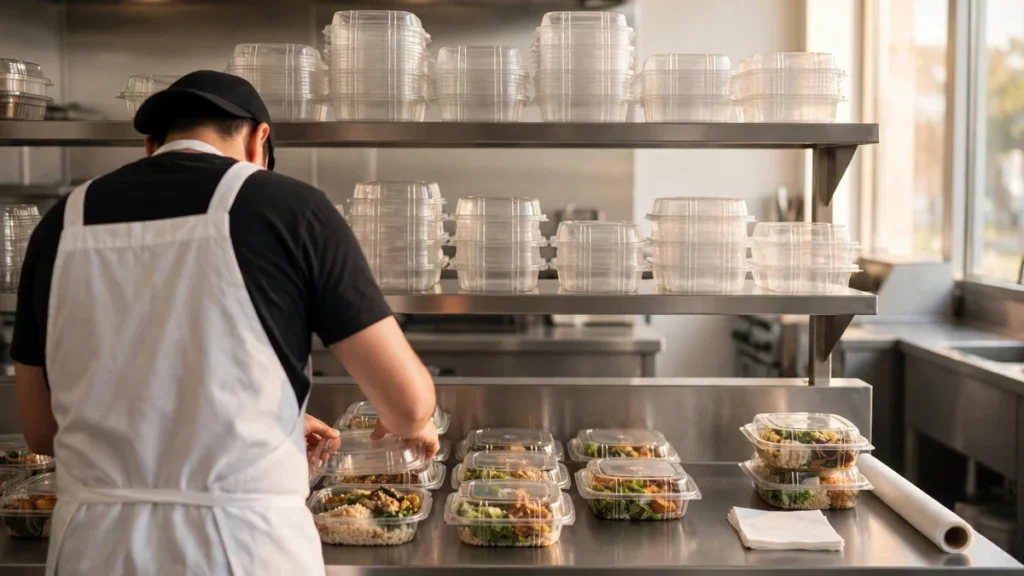
The best AI tools for ghost kitchens in 2026 do one thing above all else: they turn a small, delivery-only kitchen into a business that can take more orders, waste less food, and keep customers coming back, all without a dining room, a host stand, or a single table to bus. A ghost kitchen lives or dies on speed, accuracy, and margins, and every one of those is a data problem. When orders arrive from five apps at once, when a menu item sells out mid-rush, when a courier is late and a customer is already typing a one-star review, the kitchens that survive are the ones whose software sees the problem first and fixes it before a human has to.
That is why the conversation about ghost kitchens has shifted. A few years ago, the question was whether a delivery-only model could work at all. Today, the question is which software stack makes it profitable. The best AI tools for ghost kitchens now cover the whole journey of an order: forecasting how much food to prep, taking the order by phone or app, routing it to the right station, timing the courier pickup, and learning from every sale so the menu gets smarter every week. Used well, they replace the guesswork that used to eat a kitchen’s margin.
This guide compares the tools that matter most for a delivery-only kitchen in 2026. It covers order aggregation, voice ordering, demand forecasting, inventory, menu engineering, delivery routing, and customer marketing, and it explains how to combine them into a stack that fits a single-brand kitchen or a multi-brand operation. Every tool here was chosen because it solves a real ghost kitchen problem, not because it has the flashiest demo, and the guide ends with a practical checklist you can use before you spend anything.
Key takeaways
- Start with order aggregation and a single kitchen display system, because a ghost kitchen that cannot see all its orders in one place cannot run a rush.
- Demand forecasting and inventory tools pay for themselves fastest, by cutting food waste and preventing the stockouts that kill a Friday night.
- Voice AI is now reliable enough to answer phones during a rush, take accurate orders, and upsell without tying up a cook.
- Delivery timing matters more than delivery speed, so routing and courier coordination tools protect your ratings as much as your food does.
- Buy tools that integrate with your point of sale and your delivery apps first, and add specialist tools only after the core stack is stable.
What a Ghost Kitchen Needs From AI
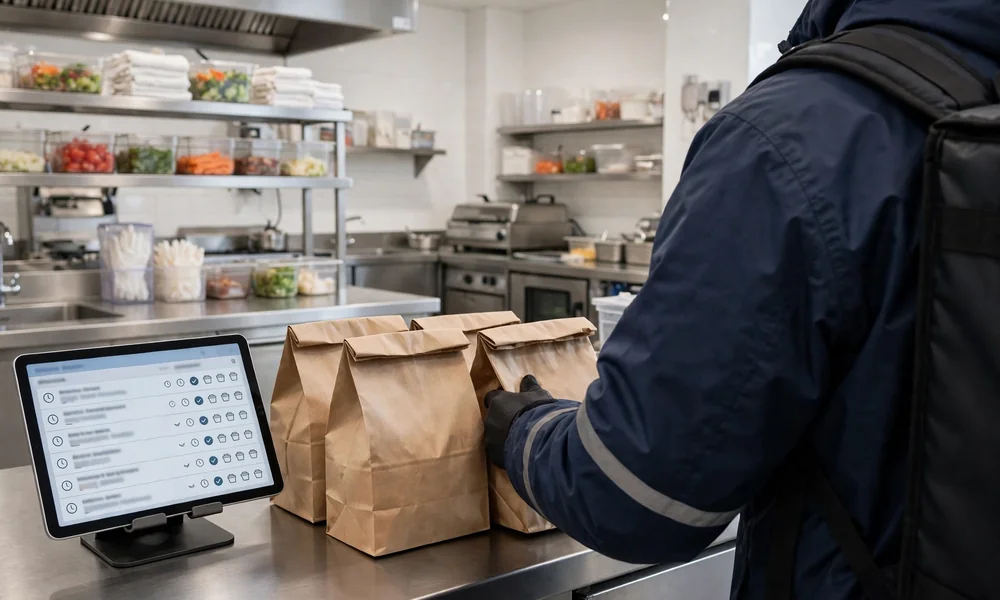
A ghost kitchen is a professional kitchen built for delivery and takeaway only. There is no dining room, no walk-in trade, and no server to smooth over a mistake. Every sale arrives through an app, a website, or a phone call, and every order has to be cooked, packed, handed to a courier, and delivered hot, often within thirty minutes. That leaves almost no room for error, and it means the business runs on information: which dishes are selling, how long each one takes, what is running low, and which courier is outside.
Traditional restaurant software was built for a different world, one where a manager could see the room and adjust. A ghost kitchen manager cannot see the customer at all, so the software has to be the eyes. Artificial intelligence earns its place here because it finds patterns a busy cook cannot: Tuesday rain means more soup orders, a local football match means a spike at half time, and a dish that sells well on one app underperforms on another. Those patterns decide what to prep, what to promote, and what to drop.
The strongest stacks share three traits. First, they connect: orders, inventory, and delivery data flow between tools instead of living in separate apps. Second, they automate the repetitive work, such as retyping orders, updating menus across apps, and answering the same phone questions. Third, they learn, so forecasts and suggestions improve as the kitchen serves more orders. A tool that does only one of those things can still be useful, but a tool that does all three is the one worth paying for.
It also helps to be honest about what AI cannot do. It cannot fix cold food, a badly written menu, or a kitchen layout that forces cooks to cross each other all night. The tools in this guide make a good kitchen better; they do not rescue a bad one. Before buying anything, a ghost kitchen owner should fix the basics: a menu that travels well, packaging that keeps food hot, and a pickup shelf that couriers can find without asking. Software then multiplies the benefit of those fixes.
Best AI Tools for Ghost Kitchens at a Glance
The table below compares the ten tools reviewed in this guide. It shows what each tool does best, who it suits, and where it fits in a ghost kitchen stack, so you can shortlist two or three to test before committing to a full setup.
| Tool | Best for | Main strength | Best suited to |
|---|---|---|---|
| Deliverect | Order aggregation | One dashboard for every delivery app | Multi-brand and multi-app kitchens |
| Otter | Order management | Unified orders, menus, and reporting | Small and growing delivery brands |
| Cuboh | Order aggregation | Simple, fast multi-app integration | Single kitchens with several apps |
| Checkmate | Menu management | Menus synced across all platforms | Kitchens running many brands |
| Kea | Voice ordering | AI phone ordering that handles rushes | High-volume phone order kitchens |
| SoundHound | Voice ordering | Conversational AI for phone and drive-through | Brands scaling voice ordering |
| ClearCOGS | Demand forecasting | Daily prep forecasts by item | Kitchens fighting waste and stockouts |
| PreciTaste | Kitchen operations | AI vision for portion and quality checks | Larger kitchens standardising quality |
| Routific | Delivery routing | Fast, optimised driver routes | Own-driver delivery operations |
| Tenzo | Menu engineering | Sales and labour insight in one place | Operators who decide by numbers |
1. Deliverect
Deliverect is the order aggregation platform most ghost kitchens meet first, and for good reason: it pulls orders from delivery apps, your own website, and other channels into a single stream that feeds straight into your point of sale and kitchen display. Instead of a cook watching four tablets, the kitchen sees one queue, one set of tickets, and one source of truth. That alone cuts missed orders and duplicate tickets, two of the most expensive mistakes a delivery kitchen can make.
Where Deliverect earns its keep is in menu management across brands. A ghost kitchen running three virtual brands from one kitchen can update a price, a description, or an item’s availability once and push it everywhere, instead of editing the same dish on each app by hand. During a rush, marking an item out of stock in one place and having it disappear from every menu in seconds is the difference between a smooth service and a string of cancelled orders.
2. Otter
Otter, formerly known as Tryotter, takes a similar idea and wraps it in a friendlier package aimed at smaller brands. It aggregates delivery orders into one system, syncs menus, and adds built-in reporting and business tools that help a new ghost kitchen understand its numbers without hiring an analyst. The interface is clean, the onboarding is quick, and the focus is on getting a kitchen live on several apps in days rather than weeks.
Otter’s strength is that it treats the whole business, not just the order flow. Its tools cover menu publishing, order analytics, and even virtual brand support, which suits owners who want to test a second brand from the same kitchen without building a second operation. The analytics highlight best sellers, slow movers, and peak hours in plain language, so a small team can act on them immediately.
The limits are scale and depth. Very large multi-location operators may outgrow Otter’s reporting or need deeper integrations than it offers, and its pricing rises with volume and locations. For a single kitchen or a small group testing the ghost kitchen model, though, it is one of the easiest ways to run several apps from one screen, and it pairs well with a separate forecasting tool for prep planning. Owners who already run a traditional restaurant will find its logic familiar, much like the tools covered in the guide to the best AI tools for restaurant owners, which shares several of the same ordering and menu ideas.
3. Cuboh
Cuboh is a lighter, faster order aggregator built for kitchens that want multi-app orders in one place without a long implementation project. It connects delivery apps to the point of sale, sends orders to the kitchen display, and keeps menus in sync, and it does so with a setup process that many kitchens complete in a day. That speed matters for a ghost kitchen, where every week spent setting up software is a week of rent with no sales.
The product’s real advantage is reliability during a rush. Cuboh is designed to keep orders flowing when volumes spike, with clear error handling when an app connection drops. For a kitchen doing most of its business between six and nine in the evening, that reliability is worth more than a long feature list. Its menu tools are straightforward rather than fancy, covering the essentials: prices, availability, modifiers, and hours.
4. Checkmate
Checkmate solves a problem that grows quietly and then suddenly hurts: menus that disagree with each other. A ghost kitchen with three brands on four apps has twelve menus to keep correct, and a price change or a sold-out item can take an hour to fix by hand. Checkmate keeps menus synchronised from one central source, so a change made once appears everywhere, and it flags mismatches before customers see them.
The tool also handles the small details that cause big complaints: modifiers, item descriptions, photos, and dietary labels. When a customer orders a dish without an allergen and the kitchen gets the wrong modifier, the cost is a refund and a bad review. Checkmate reduces that risk by making the menu data consistent at the source, and its AI-assisted tools help write and organise menu content for new brands.
Checkmate is a specialist, not an all-in-one platform, so it works best alongside an order aggregator rather than instead of one. Its value grows with the number of brands and apps you run: a single-brand kitchen may not need it, but a kitchen running four virtual brands will feel the difference within a week. Pair it with a strong aggregator and the menu becomes something you manage, not something you chase.
5. Kea
Kea provides an AI voice agent that answers the phone, takes orders, and handles common questions for restaurants and delivery kitchens. For a ghost kitchen, the phone is often the most neglected channel: cooks are too busy to answer, calls go to voicemail, and orders go to a competitor. Kea answers every call, every time, in a natural voice, and it takes the order directly into the kitchen’s system.
The practical benefits show up fast. During a rush, Kea can handle several calls at once, so no customer waits on hold while the kitchen is slammed. It asks the right follow-up questions, suggests add-ons, and reads the order back for confirmation, which cuts errors. It also handles the routine questions that interrupt cooks, such as opening hours, delivery areas, and whether an item is available.
6. SoundHound
SoundHound is best known for its voice AI, and its restaurant ordering tools bring the same conversational technology to phone orders and drive-through lanes. For a ghost kitchen, the phone channel is the natural fit: SoundHound’s system can take orders, answer questions, and handle custom requests in a flowing conversation, rather than forcing the caller through a rigid menu of options.
The strength of SoundHound is its language ability. It handles complex orders, substitutions, and multi-item baskets more gracefully than simpler voice tools, and it can be trained on a kitchen’s specific menu language, including dish names that a generic system would mishear. It also integrates with ordering and point-of-sale systems, so a phone order lands in the same queue as an app order.
7. ClearCOGS
ClearCOGS turns past sales, weather, local events, and calendar patterns into a daily prep forecast for each menu item, telling the kitchen how much to prepare and when. For a ghost kitchen, that is the difference between throwing food away and running out at the worst moment. Over-prepping wastes money every single day, and under-prepping loses sales and disappoints customers who then order elsewhere.
The tool is deliberately practical. It does not ask a kitchen manager to become a data scientist; it gives a clear daily number per item, explains the main drivers behind it, and updates as new sales come in. Managers report that the biggest win is not a single dramatic saving but the steady removal of small daily waste: a few portions here, a batch there, adding up to a real margin improvement over a month.
8. PreciTaste
PreciTaste uses AI vision in the kitchen to check portions, catch mistakes, and keep quality consistent across every order. Cameras above the prep line watch dishes as they are built and flag missing items, wrong portions, or incorrect builds before the order leaves the kitchen. For a ghost kitchen with several brands and a fast line, that check catches the errors that lead to refunds and bad reviews.
The appeal is consistency. A customer ordering the same dish twice should get the same dish twice, and in a busy kitchen with new staff, that is harder than it sounds. PreciTaste gives the kitchen a second pair of eyes that never gets tired, and its reports show which stations and which dishes produce the most errors, so training can target the real problem instead of guessing.
This is the most specialised and most expensive kind of tool on this list, and it needs hardware installed in the kitchen, so it is not a first purchase. It suits larger ghost kitchens, multi-brand operations, and kitchens where quality complaints are already a problem. Smaller kitchens should start with forecasting and order management, and consider vision tools once volume justifies the investment.
9. Routific
Routific optimises delivery routes for kitchens that run their own drivers, turning a list of addresses into the fastest sensible order of drops. A ghost kitchen that delivers with its own couriers lives or dies on route efficiency: a badly planned route means cold food, late deliveries, and drivers doing fewer drops per hour. Routific’s AI plans routes that account for traffic, time windows, and driver capacity, and it updates them as new orders arrive.
The tool is simple to use, which is exactly what a small delivery operation needs. A dispatcher can plan a route in minutes, send it to drivers’ phones, and watch progress live. Customers get accurate arrival estimates, and the kitchen gets proof of delivery and a record of what happened on each run. That record is useful when a customer complains, because the kitchen can see exactly when the food left and when it arrived.
Routific is only relevant if you run your own drivers; kitchens that rely entirely on third-party delivery apps do not need it. But for any ghost kitchen with even two or three of its own couriers, it pays for itself in fuel, time, and fewer late deliveries. The same routing logic matters for mobile food businesses generally, as the guide to the best AI tools for food truck owners shows, since a truck and a ghost kitchen both live on tight delivery windows.
10. Tenzo
Tenzo pulls sales, labour, and forecast data into one dashboard and uses AI to show a ghost kitchen operator what is actually happening in the business. It connects to the point of sale and other systems, then answers the questions that matter daily: which dishes make money, which shifts are overstaffed, and what tomorrow is likely to look like. For an owner who is not in the kitchen every hour, that visibility is essential.
Tenzo’s forecasting helps with staffing as much as with food. A ghost kitchen that staffs for a quiet Tuesday as if it were a busy Friday wastes labour cost; one that staffs a Friday like a Tuesday drowns. Tenzo’s predictions, built from the kitchen’s own sales history, help managers roster the right number of people at the right times, and its alerts flag unusual patterns, such as a sudden drop in a best seller, before they become a week-long problem.
The trade-off is that Tenzo is a management tool, not an order tool: it will not take an order or route a driver. It belongs at the end of the stack, once orders, menus, and deliveries are already running through other tools. For an owner-operator who likes to decide by numbers, it is the dashboard that turns all the other tools’ data into decisions.
How to Choose the Right Tools for Your Kitchen
Start with your biggest pain, not with the most impressive demo. If orders are being missed, buy order aggregation first. If food waste is eating your margin, buy forecasting first. If the phone never stops ringing during a rush, buy voice ordering first. A tool that solves your worst problem will pay for itself; a tool that solves a problem you do not have will sit unused and still charge you every month.
Next, check integration before price. Ask each vendor exactly which point-of-sale systems and delivery apps it connects to, and ask for a named customer using the same combination you run. A tool that does not connect to your point of sale will create manual work that cancels out its benefit, and a tool that only syncs menus once a day will leave you fixing sold-out items by hand. A short pilot at one location, with real orders, tells you more than any sales call.
Think about the stack, not the single tool. The strongest ghost kitchens run a core of three things: one order aggregator, one point of sale with a kitchen display, and one forecasting or inventory tool. Everything else is added on top once the core is stable. Adding five tools in one week is a recipe for confusion; adding one, training the team, and measuring the result before adding the next is how a small team actually adopts software.
What AI Tools for Ghost Kitchens Cost in 2026
Costs vary widely, and most vendors quote by location, brand, or volume, so treat the ranges below as planning figures rather than prices. Order aggregation and menu tools typically cost a monthly fee per location, often in the low hundreds of dollars, with higher tiers for multi-brand operations. Voice ordering usually charges per call or per minute, so the monthly bill follows your phone volume. Forecasting and analytics tools are generally a monthly fee per location, while delivery routing is often priced per driver or per route.
Watch for hidden costs. Some vendors charge extra for each delivery app connection, for menu photo hosting, or for support outside business hours, and a ghost kitchen’s busiest hours are evenings and weekends. Ask for the full price list in writing, ask what a busy month would cost at your expected volume, and ask how easy it is to cancel. A tool that is cheap to start and expensive to leave is not cheap.
Building Your Ghost Kitchen AI Stack
A good stack has layers, and each layer has one job. The order layer takes orders from every channel and puts them in one queue. The kitchen layer shows those orders to cooks in the right sequence and tracks how long each one takes. The supply layer forecasts demand and keeps inventory accurate. The delivery layer gets food to customers hot and on time. The customer layer brings people back with the right offer at the right moment.
For most ghost kitchens, the order layer comes first, because nothing else works if orders are scattered across tablets. The kitchen layer is usually part of the point of sale, so choose those two together. The supply layer comes next, because waste is the fastest leak to plug. The delivery layer matters most for kitchens running their own drivers, where route planning directly decides whether food arrives hot; the tools that handle this well are covered in the guide to the best AI tools for route optimization, which explains how routing, timing, and driver capacity fit together.
Ghost Kitchen AI Setup Checklist
Use this checklist before you pay for any tool, and again before you go live with it. It takes an afternoon, and it prevents the most common expensive mistakes.
- List every channel that takes an order today, including each delivery app, your website, and the phone, and confirm the new tool connects to all of them.
- Check that the tool works with your point of sale and kitchen display, and test a real order end to end before signing a contract.
- Clean the menu first: remove dead items, fix prices and modifiers, and agree on one correct name and description for every dish.
- Give the tool two weeks of real sales data to learn from, and check its first forecasts against what actually happened.
- Train the whole team, including a backup person for every task the tool handles, so a sick day does not break the system.
- Set one number to judge the tool by, such as orders missed, food waste, or average delivery time, and review it weekly for the first month.
Mistakes to Avoid With AI Tools
The most common mistake is buying too many tools at once. A kitchen that installs an aggregator, a voice agent, a forecasting tool, and a marketing platform in the same week will spend a month untangling them, and the team will trust none of them. Add one tool, learn it, measure it, and only then add the next.
The second mistake is trusting the tool more than the kitchen. Forecasts are wrong sometimes, voice agents mishear orders sometimes, and routing tools cannot know about a road closure that nobody reported. Keep a human checking the work, especially in the first month, and keep a simple fallback: a printed menu, a phone list, and a way to take orders if the internet drops.
Frequently Asked Questions
What is the best AI tool for a ghost kitchen starting out?
For most new ghost kitchens, an order aggregator is the best first tool, because it puts every delivery app order into one queue and one kitchen display. Deliverect, Otter, or Cuboh all do this well, and the right choice depends on how many apps and brands you run. Add a demand forecasting tool second, once orders are flowing, because it starts saving money on waste almost immediately.
How much do AI tools for ghost kitchens cost?
A single-location ghost kitchen typically spends a monthly fee per tool, with order and menu tools in the low hundreds of dollars per month and voice tools charged by call volume. Total stack costs vary with the number of locations, brands, and orders, so ask vendors for a quote at your expected volume and a pilot price. Always count per-order and per-call charges, not just the headline monthly fee.
Can AI really take phone orders accurately?
Yes, modern voice AI handles most phone orders accurately once it is trained on your menu, prices, and modifiers. It performs best on standard orders and common questions, and it can ask for confirmation before sending an order to the kitchen. Accuracy improves over the first few weeks as the system learns your dish names, so review transcripts early and correct mistakes quickly.
Do ghost kitchens need their own delivery drivers?
No, most ghost kitchens rely on third-party delivery apps for couriers, and that is often the right choice at the start. Own drivers make sense when order volume is high, delivery distances are short, or you want more control over timing and presentation. If you do run your own drivers, a routing tool is essential to keep deliveries fast and food hot.
How does AI reduce food waste in a ghost kitchen?
Demand forecasting tools predict how much of each dish will sell each day, using past sales, weather, and local events, so the kitchen preps the right amount. Inventory tools then track what is actually used and flag items that are about to expire. Together they cut the two biggest sources of waste: over-prepping for a quiet day and forgetting stock that is already in the fridge.
Can one kitchen run several brands with AI tools?
Yes, running several virtual brands from one kitchen is one of the main reasons ghost kitchens use AI tools. Order aggregators and menu managers keep each brand’s orders and menus separate while sharing one kitchen display and one inventory, and forecasting tools can predict demand per brand. Start with two brands, learn how they share kitchen capacity, and add more only when the operation is smooth.
The Bottom Line
The best AI tools for ghost kitchens in 2026 are the ones that make a small, delivery-only kitchen calmer, faster, and more profitable: an order aggregator to see every order in one place, a forecasting tool to prep the right amount, a voice agent to answer the phone during a rush, and routing and menu tools to keep deliveries hot and menus correct. Buy the tool that fixes your worst problem first, test it with real orders, and add the next one only when the first is earning its keep. A ghost kitchen does not need the most software; it needs the right software, used well, every single service.

Keep what speaks to you.
Leave room for your own perspective.