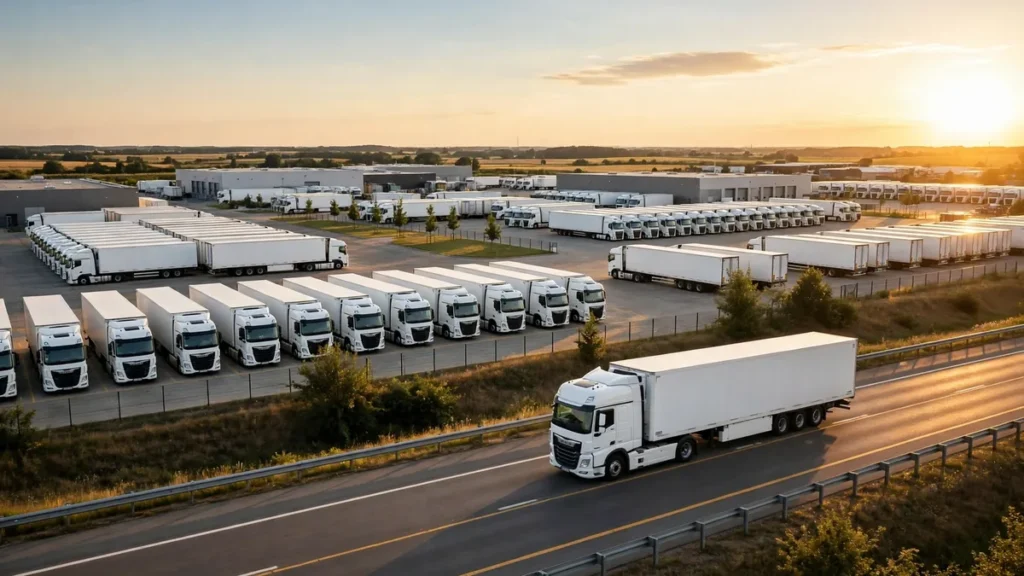
The best AI tools for trucking companies in 2026 help owners and dispatchers move more freight with fewer empty miles, safer drivers, and steadier cash flow. A trucking company no longer wins on trucks alone. It wins on how quickly it finds the right load, plans the right route, keeps drivers rested and compliant, and turns every delivery into the next booking. Artificial intelligence now supports each of those decisions, often in real time, and the companies that use it well can see the difference in fuel bills, detention time, and revenue per truck within a single quarter.
For a small fleet, the change is practical rather than dramatic. A dispatcher who once spent hours on the phone can now see ranked load options, predicted arrival times, and driver hours in one place. A safety manager can spot risky driving patterns before they become accidents. An owner can check which lanes actually make money, rather than guessing from a busy week. The tools in this guide are grouped by the job they do best, so a company can start with one clear problem and add more tools only when the first one is working.
This guide compares the main types of AI tools for trucking companies, explains what each one does, and shows how to choose and roll out the right combination. It covers route planning, load matching, fleet maintenance, driver safety, dispatch, fuel, compliance, and sales. It also includes a comparison table, a short checklist, and answers to the questions owners ask most often. The goal is simple: help a trucking company pick tools that pay for themselves and fit the way its drivers and dispatchers already work.
Key takeaways
- Start with the biggest cost or delay in your fleet, usually empty miles, fuel, or detention, and pick one AI tool that fixes that problem first.
- Route and load tools deliver the fastest return, because better lanes and fewer empty miles show up in revenue per truck within weeks.
- Driver safety and maintenance tools protect profit over time by cutting accidents, breakdowns, and unplanned downtime.
- Choose tools that connect with your dispatch, ELD, and accounting systems, so your team enters each fact only once.
- Train drivers and dispatchers before you switch anything on, and measure the result for thirty days before you add another tool.
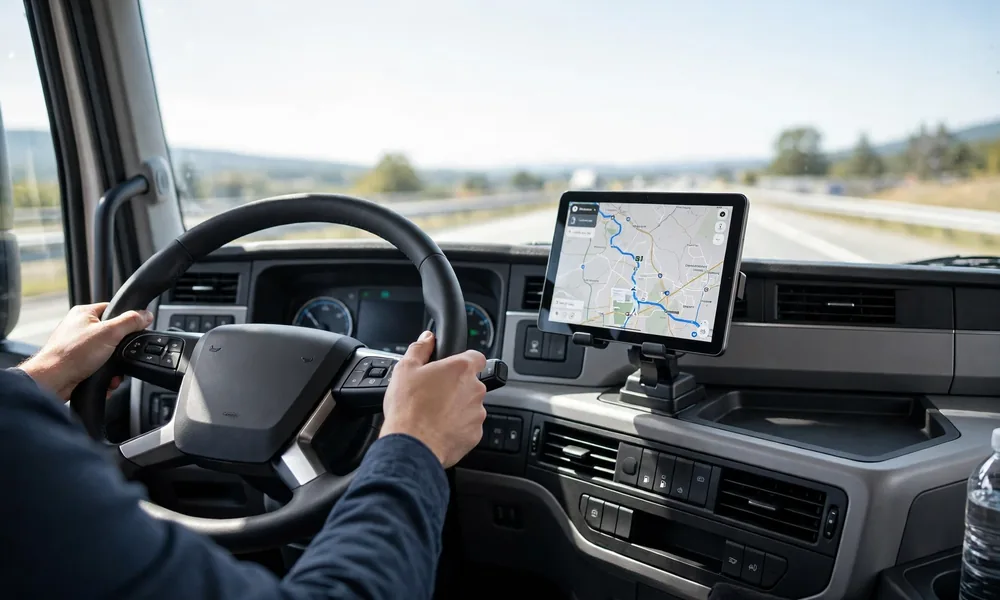
What AI Actually Does for a Trucking Company
Artificial intelligence in trucking is not one product. It is a set of tools that learn from a fleet’s own data, such as past routes, fuel use, delivery times, driver hours, and maintenance records, and then use those patterns to make better suggestions. A route tool learns which roads slow a truck at certain hours. A load tool learns which lanes pay best for a given trailer type. A maintenance tool learns which trucks tend to fail after a certain mileage. None of these tools replaces a dispatcher or a driver. They give those people faster, clearer information so they can decide with less guesswork.
The most useful tools share three traits. First, they work with live data, not last week’s spreadsheet, so a dispatcher sees traffic, weather, and driver hours as they change. Second, they explain their suggestion in plain terms, such as a route that saves forty minutes or a load that adds two hundred dollars after fuel. Third, they fit into the systems a company already uses, including electronic logging devices, dispatch software, fuel cards, and accounting. A tool that needs double entry will be ignored, however clever its predictions may be.
For owners, the practical test is simple. A good AI tool should save time, save fuel, reduce empty miles, or reduce risk, and the saving should be easy to measure. If a tool cannot show that result in thirty to sixty days, it is either the wrong tool or it has not been set up properly. The sections below follow that test, tool by tool, so a company can judge each category on its own merits.
Comparison Table: The Main AI Tools for Trucking Companies
| Tool type | Main job | Best for | Typical result |
|---|---|---|---|
| Route optimization | Plans the fastest, cheapest route for each truck | Multi-stop and regional fleets | Less fuel and fewer late deliveries |
| Load matching | Finds loads that fit each truck, lane, and schedule | Owner-operators and small fleets | Fewer empty miles and higher revenue per mile |
| Fleet management | Tracks trucks, drivers, and maintenance in one place | Fleets of five trucks or more | Less downtime and clearer costs |
| Driver safety | Spots risky driving and coaches drivers | All fleets, especially long-haul | Fewer incidents and lower insurance risk |
| Dispatch automation | Assigns loads, messages drivers, and updates customers | Busy dispatch teams | Faster booking and fewer missed updates |
| Fuel optimization | Finds cheaper fuel and cuts idling and waste | Long-haul and high-mileage fleets | Lower fuel cost per mile |
| Predictive maintenance | Flags trucks likely to need repair soon | Older or high-mileage fleets | Fewer roadside breakdowns |
| Back-office automation | Handles paperwork, invoices, and compliance checks | Small teams with heavy admin | Faster payment and fewer errors |
| Sales and customer tools | Finds shippers, follows up, and tracks quotes | Fleets that want direct freight | More repeat customers and steadier lanes |
The table above is a starting point, not a shopping list. Most trucking companies need only three or four of these categories at first. A five-truck regional carrier may gain most from route, load, and safety tools. A long-haul fleet may gain most from fuel, maintenance, and dispatch tools. The right mix depends on where the money is leaking, and the rest of this guide helps an owner find that leak before spending anything.
Route Optimization Tools
Route optimization tools plan the best path for each truck, taking account of delivery windows, truck size and weight, road restrictions, traffic, weather, and driver hours. A simple map gives a driver one route. An AI route tool compares many routes and picks the one that saves the most time or fuel while still meeting every delivery deadline. For a fleet with several stops, that difference can be large, because the order of stops matters as much as the roads between them.
When comparing route tools, look for live traffic and weather data, support for truck-specific restrictions such as low bridges and weight limits, and a clear way to send the plan to the driver’s phone or cab device. The tool should also record what actually happened, so the plan keeps improving. A good starting question is whether the tool can show the saving for a real week of routes, not just a demo. If it cannot, keep looking. For a closer look at how routing fits into a wider fleet plan, see the guide to best AI tools for route optimization, which explains the routing features that matter most for busy fleets.
Load Matching and Freight Sales Tools
Load matching tools help a trucking company find freight that fits its trucks, lanes, and schedule. Instead of searching load boards one load at a time, a dispatcher or owner sees ranked options, with the rate, the distance, the pickup and delivery times, and the deadhead miles needed to reach the load. The best tools learn which lanes a fleet prefers and which shippers pay on time, then bring those loads to the top of the list.
Empty miles are the clearest cost in trucking. A truck that drives a hundred miles without a load still burns fuel, pays the driver, and wears out the vehicle. Load tools cut that waste by finding a backhaul before the truck leaves, or by suggesting a slightly longer loaded route that pays far more than a short empty return. Over a year, even a small cut in empty miles can add thousands of dollars per truck, which is why this category often pays back fastest.
Sales tools work alongside load matching. They help a small fleet find direct shippers, track quotes, follow up on time, and keep a record of which customers repeat. Direct freight usually pays better and is steadier than spot freight, but it takes regular contact to win. An AI sales tool can remind a dispatcher to follow up, suggest the right rate for a lane, and flag a customer who has gone quiet. That steady follow-up turns one-off loads into regular lanes, which makes planning far easier.
When judging a load tool, look at the quality of the loads, not just the count. A board with thousands of cheap loads is less useful than a smaller list of well-paid, well-timed loads that fit your trailers. Check whether the tool shows the true rate after fuel and tolls, whether it warns about difficult pickup sites, and whether it connects with your dispatch system so a booked load flows straight into the driver’s schedule. A tool that makes booking faster but creates extra admin work has not really helped.
Fleet Management Tools
Fleet management tools bring trucks, drivers, fuel, and maintenance into one dashboard. An owner can see where each truck is, how many hours each driver has left, which trucks are due for service, and how much each truck is costing per mile. That single view replaces several spreadsheets and phone calls, and it makes problems visible before they become expensive. A truck that is idling too long, a driver who is nearing hours limits, or a vehicle that is overdue for service all show up in one place.
These tools are most useful once a fleet grows past a handful of trucks. With three trucks, an owner can keep most facts in mind. With ten or twenty, that is no longer possible, and small problems start to slip through. A fleet tool helps a manager spot the truck that is costing more than the rest, the lane that is losing money, or the driver who needs coaching. It also helps with planning, because the same data shows which trucks are ready for a long run and which need a day in the shop.
For a detailed look at the wider fleet category, including tracking, maintenance, and cost reporting, read the guide to best AI tools for fleet management. It covers the features that separate a simple tracker from a tool that actually helps a manager run a fleet day to day.
Driver Safety and Retention Tools
Driver safety tools use cameras, sensors, and driving data to spot risky behaviour such as harsh braking, sharp turns, speeding, distraction, and fatigue. The best tools do not just record an event. They coach the driver in the moment with a short alert, and they give the manager a clear summary that can be used for training rather than blame. Over time, that coaching reduces accidents, protects drivers, and can help with insurance costs.
Safety is also a retention issue. Good drivers leave fleets where they feel watched but not supported, or where schedules push them into unsafe hours. A safety tool that is used fairly, with clear rules and regular feedback, helps drivers feel safer and more respected. It also helps a manager prove that a driver was driving well, which matters when a claim or a dispute arises. The tone matters: introduce the tool as a way to protect drivers, not to catch them out.
Dispatch Automation Tools
Dispatch automation tools take over the repetitive parts of dispatch, such as assigning loads, sending updates to drivers, notifying customers, and tracking deliveries. A dispatcher still makes the important decisions, but the tool handles the messages, the status updates, and the paperwork that used to fill the day. That frees the dispatcher to solve problems, find better loads, and talk to customers, rather than copying the same update into three different systems.
These tools work best for fleets where dispatchers are busy and mistakes are costly. A missed update can mean a driver waiting at a dock, a customer calling for news, or a load booked twice. Automation reduces those errors by keeping one source of truth for each load, from booking to delivery. When a driver marks a delivery complete, the customer can be told at once, the invoice can be started, and the truck can be offered its next load without delay.
Fuel Optimization and Cost Control Tools
Fuel is usually the largest running cost for a trucking company, so even a small saving per mile adds up quickly. Fuel tools help in three ways. They find cheaper fuel along a route, they spot waste such as idling and harsh driving, and they show fuel cost per truck, per driver, and per lane. With that information, an owner can see which trucks are thirsty, which drivers need coaching, and which lanes are only profitable when fuel is cheap.
Route and driving behaviour matter as much as fuel price. A truck that idles for an hour at a dock, accelerates hard, or takes a hilly route will use more fuel than a truck that does not. AI tools can link fuel use to the route, the load, and the driver, so the cause is clear. That link turns a vague fuel bill into a specific action, such as coaching one driver, fixing one truck, or changing one regular route.
Predictive Maintenance Tools
Predictive maintenance tools watch a truck’s engine, brakes, tyres, and other systems, and flag a problem before it causes a breakdown. They use data from the truck’s own sensors, plus the fleet’s repair history, to predict which parts are wearing out and when a truck should come in for service. A planned repair in the yard is far cheaper than a roadside breakdown, a missed delivery, and a tow.
These tools are most valuable for older fleets and high-mileage trucks, where breakdowns are more likely and more costly. They also help a small fleet plan its work, because the tool can suggest the best day to service each truck, based on its schedule and its condition. That planning reduces the number of trucks off the road at the same time, which keeps revenue steadier.
Back-Office, Compliance, and Sales Tools
Back-office tools handle the paperwork that follows every load, including invoices, proof of delivery, rate confirmations, and payment tracking. AI can read a document, pull out the key facts, check them against the booking, and flag any mismatch. That cuts the time between delivery and payment, and it reduces the errors that delay payment. For a small team, that speed can improve cash flow more than any single load.
These three categories work best together. A load that is booked well, delivered on time, invoiced quickly, and followed up properly is more likely to lead to a repeat booking. A fleet that treats back-office, compliance, and sales as one process, rather than three separate jobs, will see the benefit in steadier revenue and fewer surprises. The wider supply chain view matters here too, because a trucking company is one link in a longer chain, and tools that share clear updates with shippers and receivers make the whole chain work better. For that broader view, see the guide to best AI tools for supply chain management, which explains how freight, warehousing, and delivery fit together.
How to Choose the Right Tools for Your Fleet
Choosing AI tools starts with a clear look at your own numbers. Before talking to any vendor, write down your cost per mile, your empty-mile rate, your fuel cost per mile, your on-time rate, and your average days to payment. Those five numbers show where the money is going and where a tool could help most. A fleet with high empty miles needs load tools first. A fleet with high fuel costs needs route and fuel tools first. A fleet with late payments needs back-office tools first.
Next, check your current systems. List the tools you already use for dispatch, logging, fuel, and accounting, and ask each new vendor how its tool connects with them. A tool that connects cleanly will be used every day. A tool that needs double entry will be used for a week and then forgotten. Ask for a trial with your own data and your own trucks, not a demo with perfect sample data. A trial shows whether the tool works in your real world, with your real lanes and drivers.
Questions to Ask Every Vendor
Ask how the tool handles your truck types, your lanes, and your trailer types. Ask what happens when the internet drops, because trucks do not always have a signal. Ask how long setup takes, who does the training, and what support is available at night and at weekends, when trucks are still moving. Ask how the tool stores your data, who can see it, and how you can export it if you leave. Ask for the total cost, including setup, training, and any per-truck or per-user fees, so there are no surprises later.
Ask for references from fleets of a similar size and type. A tool that works well for a hundred-truck fleet may be too complex for a five-truck fleet, and a tool built for local delivery may not suit long-haul work. A good vendor will be happy to connect you with a similar customer. A vendor that cannot do that is worth avoiding. Take the time to make one call to a reference fleet, because that call can save months of frustration.
Your Checklist Before You Buy
- Write down your cost per mile, empty-mile rate, fuel cost, on-time rate, and days to payment before you talk to any vendor.
- Pick the one problem that costs the most money or time, and choose a tool that fixes that problem first.
- Check that the tool connects with your dispatch, ELD, fuel card, and accounting systems, so no fact is entered twice.
- Run a thirty-day trial with your own trucks, lanes, and drivers, and measure the result against your starting numbers.
- Train drivers and dispatchers before launch, explain what the tool records and why, and name one person to answer questions in the first month.
- Review the result after thirty days, keep the tool only if the saving is clear, and add the next tool only after the first one is working well.
A Simple 30-60-90 Day Rollout Plan
In the first thirty days, focus on one tool and one problem. Set up the tool, connect it to your existing systems, and train the team. Run it alongside your old way of working for a short time, so the team can compare and trust the new numbers. Measure the result each week, and fix any setup problems quickly. Do not add a second tool in this period, however tempting it may be.
In the next thirty days, make the first tool part of daily work. Use its reports in your weekly meeting, share the results with drivers, and adjust routes, loads, or schedules based on what the data shows. If the tool is working, the numbers should move in the right direction. If they are not, talk to the vendor and to your team before deciding whether to keep it. This is also the time to clean up any data problems, such as missing fuel records or out-of-date driver hours.
In the final thirty days, decide whether to keep the tool and which tool to add next. A good second tool is one that builds on the first, such as adding load matching after route optimization, or adding maintenance alerts after fleet tracking. Keep the same discipline: one tool at a time, one clear problem, thirty days of measurement. A fleet that follows this plan will have two or three working tools in ninety days, without the confusion of trying to change everything at once.
Costs, Pricing, and Return on Investment
Most AI tools for trucking charge per truck per month, with some charging per user or per load as well. Prices vary widely, so an owner should ask for the total monthly cost for their fleet size, including any setup or training fees. A small fleet may pay a few hundred dollars a month for one tool. A larger fleet may pay several thousand for a full set. The right question is not whether the tool is cheap, but whether it saves more than it costs.
To work out the return, use your own numbers. If a route tool saves five percent of fuel, multiply your monthly fuel bill by five percent and compare the saving with the tool’s cost. If a load tool cuts empty miles by ten percent, work out the extra revenue from those miles and compare it with the cost. If a safety tool cuts incidents, the saving is harder to count, but it is real, in repairs, downtime, and insurance. Do this calculation before you buy, and again after thirty days, using real results.
Common Mistakes to Avoid
The most common mistake is buying too many tools at once. A fleet that tries to change routing, dispatch, safety, and sales in the same month will confuse its team and learn nothing about which tool helped. Start with one tool, measure it, and add the next only when the first is working. The second mistake is ignoring drivers. A tool that drivers do not trust will not be used properly, however good its predictions may be. Involve drivers early, listen to them, and fix the problems they raise.
Frequently Asked Questions
What are the best AI tools for trucking companies in 2026?
The best AI tools for trucking companies in 2026 are the ones that fix the fleet’s biggest cost first, usually route optimization, load matching, fleet management, driver safety, or fuel tools. A small fleet should start with one tool that cuts empty miles or fuel use, measure the result for thirty days, and add more tools only when the first one is working. The right mix depends on fleet size, lanes, and where the money is leaking, not on which tool has the longest feature list.
How much do AI tools for trucking companies cost?
Most AI tools for trucking charge per truck per month, and the total depends on fleet size, features, and any hardware needed. A single tool for a small fleet may cost a few hundred dollars a month, while a full set for a larger fleet may cost several thousand. Owners should ask for the total cost in writing, including setup, training, and support, and compare it with the saving from fuel, empty miles, or downtime before deciding.
Can a small trucking company with five trucks use AI tools?
Yes, a small trucking company can use AI tools, and it often gains the most, because one better load or one avoided breakdown matters more when there are only five trucks. Small fleets should start with a single tool, such as load matching or route planning, choose one that works with their existing dispatch and logging systems, and trial it for thirty days. The tool should be simple enough for drivers and dispatchers to use every day without extra admin work.
Do AI tools replace dispatchers or drivers?
No, AI tools do not replace dispatchers or drivers. They handle repetitive work, such as ranking loads, planning routes, and sending updates, so dispatchers can solve problems and talk to customers, and drivers can focus on safe driving. The best results come when people use the tool’s suggestions and apply their own judgement, especially when a customer changes a plan, a road closes, or a driver needs a break.
How long does it take to see a return from AI trucking tools?
Many fleets see a return within thirty to sixty days, especially from route and load tools, because better lanes and fewer empty miles show up quickly in revenue per truck. Safety and maintenance tools take longer to prove their value, because their saving comes from accidents and breakdowns that do not happen. Owners should set a clear starting number, such as cost per mile or empty-mile rate, and compare it after thirty days.
What should a trucking company check before buying an AI tool?
A trucking company should check that the tool works with its truck types, lanes, and existing systems, that it works when the internet drops, and that drivers can use it easily. It should also check the total cost, the contract length, the support hours, and how data can be exported. A thirty-day trial with the fleet’s own trucks and data, plus a call to a similar fleet already using the tool, is the best check before signing anything.
The Bottom Line
The best AI tools for trucking companies in 2026 are the ones that make a real fleet more profitable, safer, and easier to run, one clear problem at a time. Start with the biggest leak, whether that is empty miles, fuel, detention, or admin time, and pick the tool that fixes it. Trial it with your own trucks and drivers, measure the result for thirty days, and keep it only if the saving is clear. Then add the next tool, and the next, until the fleet is running on better information every day. A trucking company that follows that simple plan will haul more freight, spend less on fuel and repairs, keep its drivers safer, and build steadier lanes with customers who come back.

Keep what speaks to you.
Leave room for your own perspective.