The best AI tools for nurses in 2026 are finally doing what nurses have asked technology to do for years: taking the paperwork off the bedside and putting the nurse back beside the patient. A twelve-hour shift still runs on the same human skills it always has, watching a breathing pattern change, noticing that a patient who was joking an hour ago has gone quiet, calming a frightened family, and catching the small detail that changes a care plan. What has changed is how much of the shift is spent typing, clicking, chasing charts, and re-entering the same information in three different systems. The strongest AI tools for nurses cut that administrative load without cutting the nurse out of any decision that matters.
That matters because nursing time is patient safety. Every minute spent finishing notes after a shift is a minute that is not spent assessing, teaching, or simply being present, and every hour of documentation backlog is an hour in which the record lags behind the patient. When a nurse finishes a shift with two hours of charting still to do, the problem is not effort or organisation. It is a system that asks highly trained professionals to act as data-entry clerks for much of their working day. The best AI tools for nurses attack exactly that gap. They listen, draft, summarise, schedule, flag, and organise, and they hand the finished draft back to the nurse to check, correct, and sign.
This guide compares the strongest options available in 2026 for the work nurses actually do: ambient charting and clinical documentation, shift scheduling and staffing, patient monitoring and early warning, clinical communication, medication safety, learning and revision, and day-to-day ward organisation. Every tool below was judged on the things that matter most on a real ward: accuracy, ease of use during a busy shift, how well it fits into the systems a hospital or clinic already runs, whether it protects patient privacy, and whether it saves real hours every week rather than simply moving the same work into a prettier screen. You will find a comparison table, a practical checklist, answers to the questions nurses ask most often, and a clear recommendation at the end for different roles and settings.
Key takeaways
- The best AI tools for nurses cut documentation time first, because charting is the largest source of after-shift work and the fastest place to win hours back.
- Ambient scribes that draft notes from the patient conversation are the single biggest change for ward and clinic nurses in 2026.
- Choose tools that fit the systems you already use, so notes, schedules, and messages flow automatically instead of being re-entered by hand.
- Patient safety comes from a nurse checking every AI draft, alert, and suggestion; the tool prepares the work, and the nurse stays in charge of it.
- Start with one tool, measure the hours it saves in two weeks, and only then add a second one for scheduling or communication.
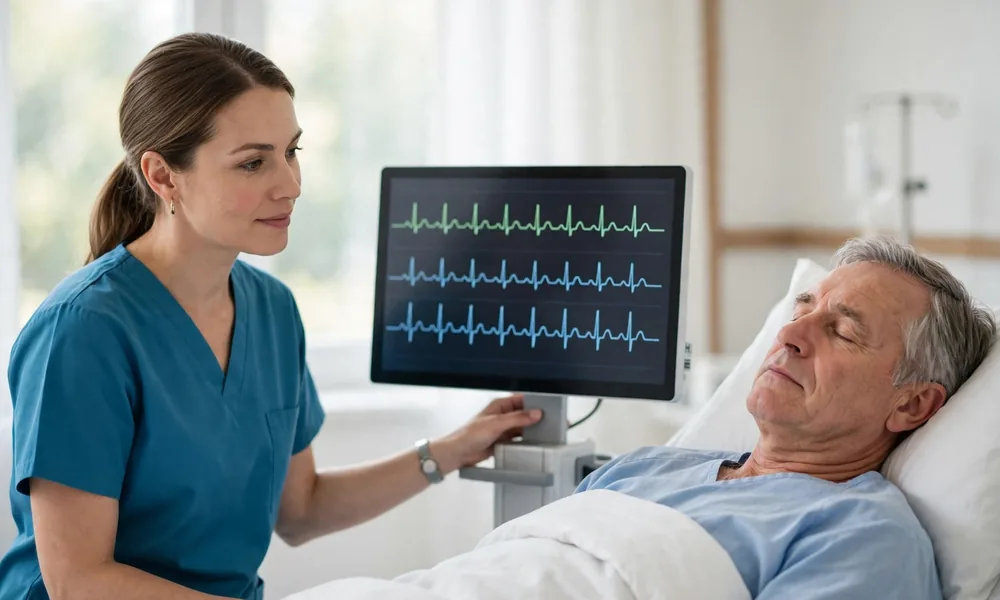
What Nurses Actually Need From AI in 2026
A nurse’s shift is a mix of care and administration, and the balance has been wrong for a long time. The care includes assessment, medication rounds, wound care, patient education, family conversations, and the constant quiet observation that spots deterioration early. The administration includes admission notes, progress notes, discharge summaries, handover sheets, incident forms, care plans, and the endless updating of records that other teams rely on. Both matter, but only one of them needs a registered nurse to do it. When documentation eats half the shift, patients get less of the nurse and the nurse goes home exhausted by work that a well-designed tool could have drafted in minutes.
The tools that help most are the ones built around the real rhythm of nursing work. A good ambient scribe works while the nurse talks with the patient, so there is nothing extra to type and nothing to remember for later. A good scheduling tool understands night shifts, rest days, skill mix, and last-minute sickness cover, instead of treating a ward like a spreadsheet of interchangeable names. A good communication tool gets the right message to the right clinician in seconds, with the patient context attached, instead of relying on bleep chains, corridor conversations, and messages that arrive too late. The common thread is simple: the tool should reduce the number of things a nurse has to remember, repeat, or chase.
Privacy and trust matter just as much as speed. Nurses handle the most sensitive information a hospital holds, and patients trust them with it because they believe it will be handled carefully. Any AI tool used at the bedside has to earn that same trust, with clear rules about where recordings and notes are stored, who can see them, and how long they are kept. The tools in this guide are judged with that standard in mind, and every recommendation below assumes the same rule: the nurse reviews everything before it becomes part of the record. Colleagues in neighbouring clinical roles face the same documentation pressure, and AI tools for physical therapists show how similar the charting problem is across hands-on professions.
How We Compared the Tools
Each tool in this guide was assessed against the same five questions. First, does it save measurable time on a real shift, not just in a demonstration? Second, can a tired nurse use it at three in the morning without a manual, a training course, or a second pair of hands? Third, does it work with the electronic health record, scheduling system, and messaging tools a ward already uses, or does it create a new island of information? Fourth, does it protect patient data and keep the nurse clearly in control of every note, alert, and decision? And fifth, does it hold up across different settings, from a large hospital ward to a small clinic, a community team, and a care home?
We also weighted the evidence differently for different kinds of tool. For documentation tools, draft accuracy matters most, because a wrong draft is worse than no draft at all. For scheduling tools, fairness and flexibility matter most. For monitoring tools, the balance between catching real deterioration and crying wolf matters most, because alert fatigue is a genuine safety risk. For communication tools, speed and clarity matter most.
Best AI Tools for Nurses at a Glance
The table below gives a quick comparison of the ten tools in this guide. Read it to narrow the list to two or three candidates, then read the detailed reviews that follow before choosing. No single tool does everything, and the right answer for a busy medical ward is often different from the right answer for a community nurse or a clinic nurse working alone.
| Tool | Main Job | Best For | Standout Strength |
|---|---|---|---|
| Freed | Ambient charting | Clinic and ward nurses | Fast, clean visit notes |
| Nabla | Ambient documentation | Consultations and clinics | Structured, editable drafts |
| Abridge | Conversation to notes | Hospital and outpatient care | Linked evidence in notes |
| Suki | Voice clinical assistant | Busy ward rounds | Voice-first documentation |
| Dragon Copilot | Ambient documentation | Large hospital systems | Deep record integration |
| QGenda | Scheduling and staffing | Large wards and rotas | Fair, flexible rostering |
| TigerConnect | Clinical communication | Whole care teams | Fast, secure messaging |
| Vocera | Hands-free communication | Hands-busy ward work | Voice calling on the move |
| UpToDate | Clinical decision support | Everyday clinical questions | Trusted, current guidance |
| Osmosis | Learning and revision | Students and new nurses | Clear, memorable teaching |
The Best AI Tools for Nurses in 2026
The ten tools below cover the full shape of a nurse’s working week. Start with the category that costs you the most time, which for most nurses is documentation, and work outward from there. Each review explains what the tool does, how it fits into a real shift, and where its limits sit, so you can judge it against your own ward, clinic, or community caseload rather than against a sales pitch.
1. Freed
Freed is an ambient AI scribe that listens to the conversation between a nurse and a patient and turns it into a structured clinical note. The nurse starts the visit, talks naturally, and finishes with a draft note ready to review instead of a blank screen and a long list of things to remember. It is designed for the pace of clinic and outpatient work, where one consultation follows another and the notes from the morning can easily still be unfinished by lunchtime. The draft follows a familiar structure, with the history, examination, assessment, and plan laid out clearly, so the nurse can scan it, correct anything it misunderstood, and sign it off.
What nurses like most about Freed is how little it asks of them during the consultation itself. There is no dictation to learn, no template to fill in while the patient is talking, and no need to remember exact phrasing for later. The nurse can keep eye contact, listen properly, and ask the follow-up question that matters, because the recording and the drafting are happening in the background. That change in attention is the real benefit. Patients notice when they are being listened to, and nurses notice when they stop having to split their attention between a person and a keyboard.
The limit to keep in mind is that Freed is a drafting tool, not a decision-maker, and its notes still need a careful human read. Accents, overlapping speech, background ward noise, and quiet patients can all produce small errors, and a small error in a medication dose or an allergy is not a small thing. Used well, Freed is strongest for nurses with a high volume of similar consultations, where the time saved is large and the pattern of each note is familiar enough to check quickly.
2. Nabla
Nabla is another ambient documentation assistant, built around the same idea of turning a natural patient conversation into a finished note, but with a strong emphasis on structure and editing. It produces a draft that the nurse can reshape easily, moving sections, adding observations, and tightening the wording before the note is saved. That matters on wards and in clinics where the record has to follow a particular local format, because a draft that cannot be edited cleanly is a draft that creates extra work instead of removing it.
The strength of Nabla in daily use is its handling of longer, more complex conversations. A new admission, a difficult family discussion, or a patient with several overlapping problems produces a long conversation, and the draft has to keep the threads separate instead of blurring them together. Nabla does this well, keeping the history, the current problems, and the plan distinct, and flagging the points it is less sure about so the nurse knows where to look first. For nurses who spend a lot of time on assessment and care planning, that clarity is worth as much as the time saved.
Like every scribe, Nabla needs a quiet enough moment to hear properly and a nurse who checks the draft every time. It is at its best when it is used consistently, so the nurse learns its habits, its strengths, and the kinds of phrase it tends to mishear. Give it two weeks of steady use before judging it, and compare the time you spend reviewing drafts with the time you used to spend writing notes from scratch. Most nurses who stick with it find the review is far quicker than the writing ever was.
3. Abridge
Abridge turns patient conversations into clinical notes with one feature that sets it apart: the finished note is linked back to the moments in the conversation it came from. A nurse who reads a surprising line in the draft can tap through to the exact part of the recording and hear what was actually said. That link between the note and the evidence behind it makes review faster and more confident, because the nurse is not guessing whether the tool heard correctly. It also makes the note easier to defend later, since the reasoning behind each line is traceable.
In hospital and outpatient settings, Abridge is particularly useful for nurses who document complex care, where a single visit can cover symptoms, test results, medication changes, and a care plan all at once. The draft keeps those elements organised, and the nurse can check each one against the recording before signing. That structure helps at handover too, because the next nurse can see not just what was decided but what the patient actually said about their pain, their sleep, or their worries at home.
The trade-off is that Abridge asks a little more of the nurse at review time than the simplest scribes do, because its drafts are detailed and the evidence links invite a proper check rather than a quick skim. That is a good trade for complex patients and a poor one for very short, routine contacts, where a simpler note would do. Choose Abridge when the quality and traceability of the record matter most, and when your caseload includes enough complex conversations to justify the extra minute of review.
4. Suki
Suki is a voice-first clinical assistant that lets nurses document by speaking, rather than by typing or by relying on a full ambient recording. A nurse can dictate a note, ask Suki to pull up a patient summary, or give a short voice command between tasks, and the tool handles the transcription and the formatting. That voice-first design fits ward rounds particularly well, because a nurse on a round is walking, examining, and talking, and stopping to type after every bed is exactly how notes fall behind.
The practical advantage of Suki is its flexibility across the shift. It works for a quick note after a dressing change, a longer summary after a ward round, and a handover note dictated while walking to the next patient. Nurses who are comfortable speaking their notes find it faster than any keyboard, and the habit builds quickly because it mirrors the way nurses already think out loud about their patients. It also helps nurses who find typing slow or tiring, turning documentation from a chore at a desk into something that happens as the work itself happens.
Voice tools do need a little discipline to work well. A noisy corridor, a hurried mumble, or a sentence that trails off will produce a draft that needs fixing, and medical terms and drug names need to be spoken clearly. The habit that makes Suki work is a short pause to review the draft before moving on, which takes seconds and prevents errors from travelling into the record. Used that way, it is one of the fastest ways to keep notes current through a busy shift.
5. Dragon Copilot
Dragon Copilot, the ambient documentation tool from Microsoft, is built for large hospital systems that already run on Microsoft infrastructure and need a scribe that fits deeply into their electronic health record. It listens to the patient encounter, drafts the note, and places it where the nurse expects to find it, inside the existing workflow rather than in a separate app that has to be opened, checked, and copied across. For a large organisation, that integration is the difference between a tool that gets used and a tool that gets abandoned after the pilot.
For nurses in big hospitals, the appeal is consistency at scale. The same tool, the same note structure, and the same review step can run across wards, clinics, and departments, which makes training simpler and handover smoother. A nurse who moves between teams does not have to learn a new system each time, and the record looks the same wherever the patient is seen. The drafts are thorough, covering the full encounter rather than just the headline points, which suits complex inpatient care where the record has to carry a lot of detail.
The cost of that depth is that Dragon Copilot is a bigger commitment than a small standalone scribe. It needs proper setup, integration work, and a decision at organisational level rather than a choice by one nurse or one ward. Individual nurses are unlikely to adopt it alone, but if your hospital already offers it, it is worth learning properly. The nurses who get the most from it are the ones who treat the review step seriously and who feed back the errors they spot, because the tool improves fastest when its users correct it.
6. QGenda
QGenda is a scheduling and staffing platform that uses AI to build fair, workable rotas for large nursing teams. It takes account of contracted hours, night-shift limits, rest days, skill mix, and individual preferences, and it flags gaps before they become a crisis on the day. When someone calls in sick, it can suggest cover from the nurses who are available, qualified, and rested, instead of leaving the charge nurse to work through a phone list at six in the morning. For wards that run on complex rotas, that planning support is worth as much as any documentation tool.
The benefit nurses feel most is fairness. A rota built by hand can quietly load the same people with the hardest shifts, while QGenda makes the pattern visible and spreads nights, weekends, and on-call duties more evenly. It also gives nurses more control, letting them request shifts, swap with colleagues, and see their pattern weeks ahead. The limit is that it is a team-level tool, so one nurse cannot adopt it alone; it needs the ward or the organisation to commit to it, and the rota it produces still needs a human to check that the numbers on the screen match the reality on the ward.
7. TigerConnect
TigerConnect is a secure clinical communication platform that replaces pagers, personal phones, and corridor messages with fast, organised messaging for the whole care team. A nurse can message a doctor, a pharmacist, or a therapist directly, attach the patient context, and see when the message has been read. Urgent messages can be marked as urgent, routine messages can wait, and the whole conversation stays in one place instead of scattered across devices and notebooks. In a busy hospital, that clarity saves phone calls, repeated trips, and the long wait for a reply that may never come.
What makes TigerConnect work on a ward is that it is built for clinical urgency rather than general chat. Roles, not just names, can be messaged, so a nurse can reach the on-call doctor without knowing who is on call or hunting for a number. Messages are secure and auditable, which matters when communication is part of the clinical record. The habit that makes it work is discipline: short messages, clear requests, and the patient details attached first time, so the person receiving it can act without asking for the information that should have been there already.
8. Vocera
Vocera is a hands-free, voice-controlled communication system designed for nurses whose hands are busy and who cannot stop to pick up a phone. A nurse wearing a small badge can call a colleague by name or by role, speak a short message, and get a reply without touching a device or leaving the bedside. On a ward where a nurse is turning a patient, setting up an infusion, or holding a dressing in place, that hands-free link is not a convenience. It is the difference between getting help now and getting it ten minutes later.
The strength of Vocera is speed in the moments that matter, and its limit is that it depends on the whole team using it consistently. If only half the ward wears a badge, the system breaks down and nurses go back to hunting for people in person. It also needs a quiet enough environment to hear voice commands clearly, which is not always true on a busy ward. Similar hands-on clinical teams face the same communication problem, and the guide to AI tools for chiropractors shows how voice-first tools help in other busy practice settings. Where Vocera is fully adopted, though, nurses describe it as one of the few technologies that genuinely fits the physical reality of their work.
9. UpToDate
UpToDate is a clinical decision-support resource that gives nurses fast, trusted answers to everyday clinical questions. A nurse who is unsure about a drug interaction, a wound-care protocol, or the signs that should trigger an escalation can look up current, evidence-based guidance in seconds, written clearly and reviewed by specialists. It is not a flashy AI tool, and it does not write notes or build rotas, but it supports the judgement that sits behind every nursing decision, and that makes it one of the most used tools on this list.
The reason UpToDate earns its place is trust. Nurses need to know that the guidance they are following is current and reliable, because the alternative is guessing, asking around, or waiting for someone more senior to be free. Used well, it makes a nurse faster and more confident, particularly when caring for patients with conditions outside their usual specialty. The limit is that it supports decisions rather than making them, and it cannot replace assessment, experience, or a conversation with the wider team when a patient is deteriorating.
10. Osmosis
Osmosis is a learning platform that helps student nurses and newly qualified nurses revise and remember the knowledge behind their practice. It turns complex topics into short videos, clear explanations, and questions that test understanding, using spaced repetition so that what is learned is still there weeks later when it matters on the ward. For a student facing exams, or a new nurse facing their first months of real responsibility, that structured revision is far more effective than re-reading the same notes again and again.
The strength of Osmosis is how it connects theory to practice, explaining not just what to do but why it works, which is what a nurse needs when a textbook situation meets a real patient who does not follow the textbook. It is at its best as a daily habit, with short sessions that build steadily, rather than a last-minute rush before an exam. It will not help with documentation or scheduling, and it is not a tool for experienced nurses managing a ward, but for learning and confidence at the start of a nursing career, it is one of the strongest options available.
Choosing the Right Tool for Your Role
The right choice depends on where your time goes and where your setting sits. A clinic nurse with back-to-back consultations should start with an ambient scribe such as Freed or Nabla, because documentation is the biggest drain on their day. A ward nurse on a large rota should look at scheduling and communication first, because a fair rota and a fast message change the whole shift. A community nurse working alone should prioritise a scribe and a reliable reference tool, because there is no colleague in the next room to ask. A student nurse should start with learning, because confidence and knowledge pay off in every other part of the job.
Whatever you choose, pilot it properly before committing. Use it for two full weeks on real shifts, keep a simple record of the time it saves and the errors you catch, and check that its data handling meets your organisation’s rules. A tool that saves an hour a day for one nurse and nothing for another is not a bad tool. It is a tool matched to the wrong role, and the pilot is how you find that out before you pay for it.
Checklist: Choosing an AI Tool for Your Nursing Work
Work through this list before you commit to any tool, and score each candidate honestly against it.
- It saves at least thirty minutes on a normal shift, measured over two real weeks of use.
- Every draft, alert, and suggestion is reviewed by a nurse before it enters the record.
- It fits the systems you already use, without double entry or copy-and-paste work.
- Patient data is stored securely, with clear rules on access, retention, and deletion.
- A tired nurse can use it at three in the morning without a manual or extra training.
- It works for your setting, whether that is a hospital ward, a clinic, or community visits.
Frequently Asked Questions
Will AI replace nurses?
No. AI handles drafting, scheduling, and flagging, while assessment, judgement, compassion, and hands-on care stay firmly with the nurse. The tools in this guide make nursing more human by removing paperwork, not by removing the nurse from the bedside.
Is it safe to let AI write patient notes?
It is safe when the nurse reviews and signs every draft, which is how all of these tools are designed to be used. Never let a note enter the record unchecked, and correct errors when you spot them so the tool learns from them.
Which AI tool should a nurse try first?
Start with an ambient scribe such as Freed or Nabla, because documentation is the largest time cost for most nurses. Measure the hours saved over two weeks before adding a scheduling or communication tool.
Do these tools work for community and care-home nurses?
Yes, and they can matter even more there, because a lone nurse has no colleague to share the admin load. Scribes and reference tools travel well, while large scheduling systems suit hospital wards better. Nurses in talking therapies face similar pressures, and AI tools for therapists show how documentation help works in one-to-one care.
What about patient privacy?
Choose tools that explain clearly where recordings and notes are stored, who can access them, and how long they are kept. Check that the tool meets your organisation’s rules and your local data-protection law before using it with real patients.
How much do AI tools for nurses cost?
Costs vary widely, from free learning tools to team-priced hospital systems, and most charge per user or per organisation. Start with a free trial or pilot, measure the time saved, and judge the price against the hours it returns.
The Bottom Line
For most nurses in 2026, the best place to start is an ambient scribe: Freed for fast clinic notes, Nabla for structured editable drafts, or Abridge when traceability matters most. Add QGenda for fair rotas and TigerConnect for team communication when the ward needs them, keep UpToDate close for clinical questions, and use Osmosis if you are still learning. Choose one tool, pilot it for two weeks, and let the hours it saves decide whether it stays.

Keep what speaks to you.
Leave room for your own perspective.