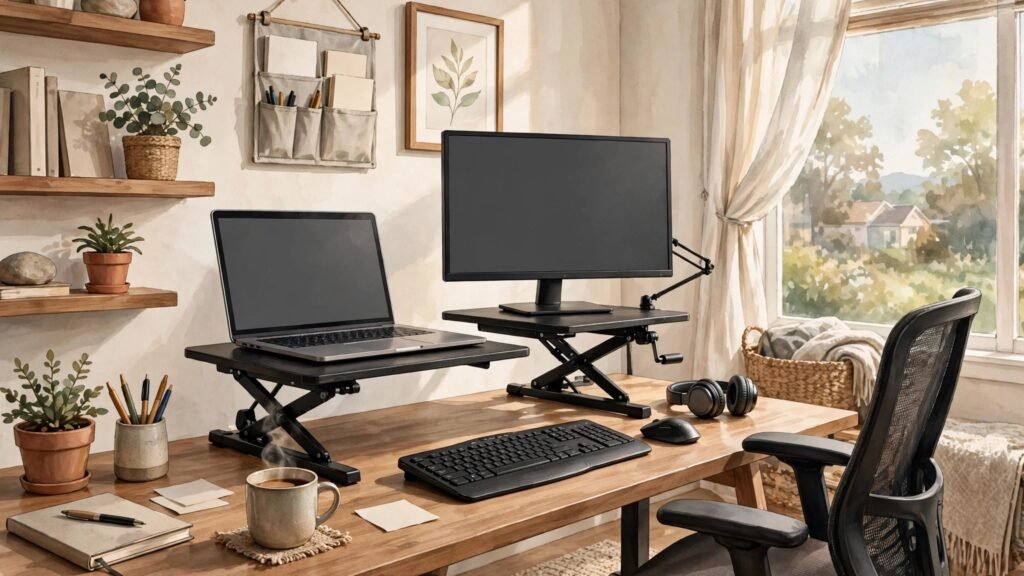
Most desks are built for sitting, and most workdays are spent doing exactly that — for hours at a time, day after day. If your shoulders ache by lunch, your lower back complains by three o’clock, and your energy fades long before the day ends, the problem may not be your chair or your willpower. It may be that your desk only offers you one position. A riser desk is a simple, affordable answer to that problem, and it has quietly become one of the most popular home-office upgrades of recent years.
A riser desk, also called a desk riser or a sit-stand converter, is a height-adjustable platform that sits on top of your existing desk. It holds your monitor, keyboard and mouse, and it lifts them up and down in seconds, so you can switch between sitting and standing without buying a whole new desk. When you want to stand, you raise the platform; when you want to sit, you lower it back down. Your desk, your chair and your monitor all stay where they are.
This guide from Face Zem explains exactly what a riser desk is, how the different types work, the real benefits of standing at work, and how to choose one that fits your desk, your equipment and your budget. By the end, you will know whether a riser desk is right for you — and, if it is, which kind to buy.
Key takeaways
- A riser desk is a height-adjustable platform that sits on your existing desk and lifts your screen and keyboard so you can work standing up.
- Manual risers use gas springs or levers, while electric risers use a motor and a button — electric models are smoother and easier, but they cost more.
- Standing for parts of the day can ease back and neck strain, improve posture and help you stay alert, especially when you alternate with sitting.
- Before you buy, check the weight capacity, the work surface size, the height range and how stable the platform feels when raised.
- Set your screen at eye level and your elbows at about 90 degrees, and build up your standing time gradually — short standing breaks work better than one long stretch.
What Is a Riser Desk?
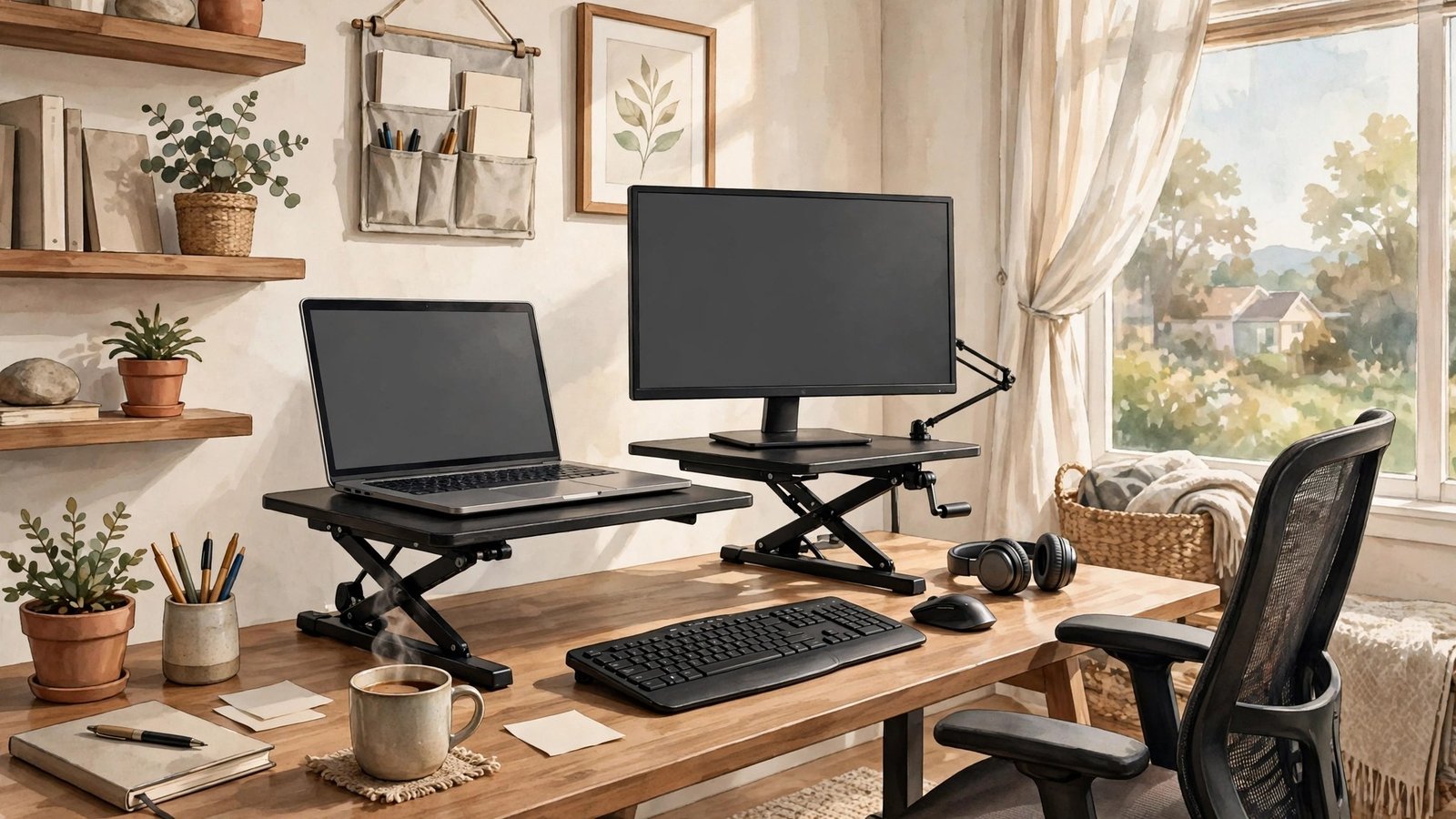
A riser desk is a separate, height-adjustable unit that rests on the surface of an ordinary desk. It has two levels: an upper level for your monitor (or monitors) and a lower level for your keyboard and mouse. A lever, a gas spring or an electric motor raises and lowers the whole unit, usually from around 10–15 centimetres above the desk at its lowest point to 40–50 centimetres at its highest. That range is enough to take a monitor from seated eye level to standing eye level for most adults.
The idea is simple. A full standing desk replaces your whole desk and costs hundreds of pounds or dollars. A riser desk keeps your existing desk and adds the standing function on top, usually for much less money, and it can be set up in a few minutes without tools. When you are not using it, you lower it back down and your desk looks and works like a normal desk again. For renters, students and anyone who works from a small space, that flexibility is a big part of the appeal.
Riser desks are sometimes confused with monitor stands, but they are not the same thing. A monitor stand is a fixed box that lifts your screen a few centimetres and never moves. A riser desk moves up and down through a wide range, carries your keyboard and your screen together, and is designed to change your working position several times a day. If it does not move, it is not a riser desk.
How a Riser Desk Works
Every riser desk has three parts: a base that sits on your desk, a lifting mechanism, and the work surfaces that move up and down. The base is usually a flat, heavy platform with non-slip pads underneath, so it stays put on your desk. The lifting mechanism connects the base to the moving surfaces. On most models, the keyboard tray is attached to the same moving frame as the monitor surface, so both rise together and stay at the same relative height.
On a manual riser, you squeeze a lever or press a handle, and a gas spring or a counterbalance helps lift the weight of your equipment. You guide the platform to the height you want and release the lever to lock it. The motion should feel smooth and controlled — if it jumps or drops, the gas spring is not matched to the weight on the platform, and you should adjust the tension if your model allows it.
On an electric riser, a small motor does the lifting. You press an up or down button, or hold a touch panel, and the platform glides to the height you want. Some electric models remember your favourite heights, so one tap returns the platform to your saved sitting or standing position. Electric risers are the easiest to use, especially if you share the desk with someone of a different height, because changing positions takes no effort at all.
Manual vs Electric Riser Desks
The choice between a manual and an electric riser desk is the first decision most buyers face, and it comes down to budget, convenience and how often you will change position. Manual risers are cheaper, lighter and need no power socket. Electric risers cost more and need a nearby outlet, but they are smoother and far easier to adjust. Neither is better for everyone, so it helps to compare them side by side.
| Feature | Manual riser desk | Electric riser desk |
|---|---|---|
| How it lifts | Gas spring or lever, powered by you | Electric motor, button or touch panel |
| Typical price | Lower — often half the price of electric | Higher — the motor and controls add cost |
| Speed and smoothness | Good, but depends on the weight on the platform | Very smooth and steady at any load |
| Height memory | No — you find the height by feel each time | Often yes — one tap returns to a saved height |
| Power needed | None — works anywhere | A mains socket nearby |
| Weight capacity | Usually 10–15 kg | Often 15–25 kg or more |
| Best for | One user, a light setup, a tight budget | Shared desks, heavy monitors, frequent changes |
If you work alone, have a single monitor and a laptop, and you plan to stand once or twice a day, a good manual riser is usually enough. If two people share the desk, if you run two large monitors, or if you want to switch between sitting and standing four or five times a day, an electric model will feel much easier after the first week — and you are far more likely to keep using it.
The Benefits of Standing at Work
The best-known benefit of a riser desk is less sitting. Long hours in a chair are linked with stiff hips, a sore lower back and tired shoulders, and standing for part of the day breaks that pattern. Many people find that standing for 20–30 minutes at a time eases the ache across the shoulders and the lower back, because the muscles that hold you upright get to work instead of switching off. It is not a cure for back pain, and anyone with a serious back problem should talk to a doctor, but for the ordinary stiffness of desk work it often helps.
Posture is the second benefit. When you stand, it is harder to slump forward over your keyboard, and easier to keep your chest open and your head above your shoulders. That upright posture takes pressure off the neck, which is one of the most common complaints of laptop users. A riser desk helps here only if it is set to the right height, though — a screen that is too low will make you hunch whether you are sitting or standing.
Energy and focus are the third benefit, and the one people notice first. Sitting still for hours can make you feel sluggish, especially after lunch. Standing, even briefly, raises your heart rate slightly, improves circulation and makes it easier to stay alert. Many riser-desk users report that they do their best thinking while standing, and save sitting for routine tasks such as reading email. The effect is modest, but for a long workday it adds up.
What a Riser Desk Cannot Do
It is worth being honest about the limits. A riser desk does not turn a bad workspace into a good one on its own. If your monitor is too low, your keyboard is too far away, or your chair does not support your back, a riser will simply move those problems up and down with you. The desk is a tool for changing position, not a replacement for good ergonomics.
Standing all day is not the goal either. Standing for eight hours can be just as tiring as sitting for eight hours, and it can cause sore feet, tired legs and swollen ankles. Health researchers who study sitting and standing generally recommend a mix — for example, sitting for 30–60 minutes, then standing for 20–30 minutes, and repeating that cycle. The advantage of a riser desk is that it makes the mix easy, not that it lets you stand all day.
Finally, a riser desk will not fix a desk that is too small. It needs a stable, flat surface with enough depth for its base, and enough space behind it for cables. If your desk is very narrow, or if it wobbles, a riser may make things worse. Measure first, buy second.
How to Choose the Right Size
Size is the most common mistake people make when buying a riser desk, so it deserves careful attention. Start by measuring your desk: the width, the depth, and how much clear space you have between the back of the desk and the wall. The riser base needs to fit comfortably on the desk with a little room to spare, and the keyboard tray needs space to slide out without hitting the edge of the desk or your chair arms.
Next, measure your equipment. A single 24-inch monitor needs a platform roughly 60–70 centimetres wide. Two monitors, or one very wide monitor, usually need 80–90 centimetres or more. Add the width of any speakers, a docking station or a notepad you keep beside the keyboard. A platform that is too narrow will force you to perch things on the edge, which is unsafe and uncomfortable.
Depth matters too. The monitor surface should be deep enough that your screen sits at least an arm’s length away from your eyes, and the keyboard tray should be deep enough for your keyboard and mouse with room for your wrists. If you use a large mouse mat or a number pad, check that they fit on the tray. Many buyers focus on width and forget depth — and end up with a keyboard tray that is too shallow to use comfortably.
Weight Capacity and Stability
Weight capacity is the number that decides whether a riser desk will work with your setup. Add up the weight of everything that will sit on the moving parts: your monitor or monitors, your laptop if it lives on the platform, speakers, a docking station and anything else you keep there. Then compare that total with the manufacturer’s stated capacity — and leave a margin of at least a couple of kilograms. A platform loaded close to its limit will feel stiff, slow and hard to adjust, and it may sag over time.
Stability is just as important as capacity, and it is harder to judge from a product page. When a riser is raised to its full height, it should feel solid: no wobble when you type, no sway when you lean on it, and no bounce when you move the mouse. The best way to judge this is to read reviews from people who use the same model with a similar setup, and to look for a wide base and a frame that uses an X or Z shape rather than a single thin column. A riser that wobbles will annoy you every day, and you will stop raising it.
If you use a monitor arm, check whether it can clamp to the riser platform or whether it needs to clamp to the desk itself. Some risers have a grommet hole or a reinforced edge for a monitor arm, while others do not. A monitor arm on a riser can be a great combination, because it lets you adjust the screen height separately from the platform — but only if the platform is strong enough to carry the clamp and the monitor together.
Setting Up Your Riser Desk Ergonomically
Setting up a riser desk correctly takes about ten minutes, and it makes the difference between a tool you love and a tool you abandon. Start with the sitting position. Lower the platform fully, sit in your chair with your feet flat on the floor, and check that your elbows are at about 90 degrees when your hands rest on the keyboard, and that the top of your monitor is roughly at eye level. Adjust your chair first, then the platform, until both feel right.
Now raise the platform to your standing height. Stand with your feet flat, your shoulders relaxed and your elbows at about 90 degrees again. The top of the monitor should still be at eye level, and the screen should be about an arm’s length away. If you find yourself looking down at the screen or reaching up to the keyboard, adjust the platform — and if the platform cannot reach the right height for you, it is the wrong size or the wrong model for your height.
Cables are the part most people forget. When the platform moves up and down, the cables attached to your monitor and keyboard need enough slack to follow it, without dangling or snagging. Use cable ties or a small cable tray to keep them tidy, and leave a gentle loop of slack between the desk and the platform. A tidy cable setup is not just neat — it stops you pulling a monitor off the platform by accident.
How to Build a Standing Habit
Buying a riser desk is easy. Using it every day is the hard part, and most people who give up do so in the first two weeks. The trick is to start small. Begin with one standing session a day, for 15–20 minutes, at a time when you have energy — for many people, that is mid-morning. Stand while you read email, take a call, or review a document. Then sit down. Add a second session the following week, and build up gradually over a month.
Pair standing with a task, not with a clock. “I will stand while I answer email” is easier to remember than “I will stand at 10:30”. Put a reminder on your phone or a sticky note on your monitor for the first few weeks. Some people raise the desk at the start of a task and lower it when the task is done, which turns standing into a natural part of the workflow instead of an interruption.
Wear comfortable shoes, or keep a pair of flat shoes at your desk. High heels and hard soles make standing unpleasant, and unpleasant standing is standing you will avoid. A soft mat under your feet — an anti-fatigue mat — also helps a lot, especially on hard floors. It costs little and makes standing for 20–30 minutes far more comfortable.
Who a Riser Desk Suits Best
Riser desks suit anyone who works at a desk for long hours and wants more movement in the day, but some people benefit more than others. Home workers are the obvious group: they often work at a dining table or a small desk that cannot be replaced, and a riser adds standing without a new desk. Students with long study sessions, writers, designers and programmers — anyone who spends four or more hours a day at a screen — will feel the difference quickly.
They also suit shared workspaces. In an office where two people share a desk on different shifts, an electric riser with height memory lets each person return to their own setting with one tap. In a household where one partner works from home and the other uses the same desk in the evening, the same applies. The riser adapts to whoever is using it, instead of forcing one fixed setup on everyone.
A riser desk is less useful if you rarely sit at a desk at all, if your work is mostly on paper or in meetings, or if your desk is too small or unstable to carry one safely. It is also worth thinking twice if you have a medical condition that makes standing painful, such as severe varicose veins or a joint problem — in that case, talk to a doctor before you buy, and consider whether a better chair might help you more.
Riser Desk vs Standing Desk
Many buyers wonder whether to choose a riser desk or a full standing desk, and the honest answer is that both do the same job — they let you change position — but they suit different situations. A full standing desk replaces your whole desk with a height-adjustable one. It is more stable, it can carry more weight, and it looks cleaner, because there is no extra platform on top. It also costs more, takes longer to set up, and cannot be moved easily.
A riser desk keeps your existing desk and adds the standing function on top. It is cheaper, faster to set up, and portable — you can take it with you if you move house or change offices. The trade-offs are a smaller work surface, a lower weight limit, and a little less stability at full height. For most home workers, those trade-offs are worth it, because the riser costs a fraction of a full standing desk and does the same essential job.
If you are furnishing a new office from scratch and you have the budget, a full standing desk is the better long-term choice. If you already have a desk you like, if you rent, or if you want to try standing at work without a big commitment, a riser desk is the smarter first step. You can always upgrade later — and many people never do, because the riser does everything they need.
Costs and What to Expect
Riser desks come in a wide price range, and price usually follows the lifting mechanism and the size. A basic manual riser for a single monitor often costs less than a good office chair. A large electric riser with height memory and a wide platform can cost several times as much. As a rough guide, expect to pay more for electric models, for larger platforms, and for higher weight capacities — and be wary of very cheap models, which often wobble, stick, or sag under a normal monitor.
When you compare prices, look at what is included. Some risers come with a keyboard tray, some do not. Some include cable management, a phone holder or a cup holder; others charge extra. Check the warranty too — a one-year warranty is standard, but better models offer two or three years, which tells you something about how long the manufacturer expects the mechanism to last.
There are also a few running costs to keep in mind. An electric riser uses a small amount of electricity, though far less than a monitor. A manual riser has no running cost at all. Both may need a new gas spring or a replacement part after several years of daily use, so it is worth buying from a brand that sells spare parts rather than a brand that disappears after the sale.
Checklist: Before You Buy a Riser Desk
Run through this checklist before you order, and you will avoid the most common buying mistakes.
- Measure your desk — width, depth and clear space behind it — and make sure the riser base fits with room to spare.
- Add up the weight of everything that will sit on the platform and choose a model with capacity to spare.
- Check the height range against your own height, sitting and standing, so the platform reaches your eye level in both positions.
- Confirm the platform is wide and deep enough for your monitor, keyboard and mouse with space for your wrists.
- Decide manual or electric based on how often you will change position and whether anyone else shares the desk.
- Read reviews from people with a similar setup and look for comments about stability at full height.
Frequently Asked Questions
Is a riser desk worth it?
For most desk workers, yes. It is one of the cheapest ways to add standing to your day without replacing your desk, and most users notice less stiffness and better focus within a few weeks. It is worth it only if you actually use it, though — so start with short standing sessions and build the habit gradually.
Can I use a riser desk with two monitors?
Yes, if the platform is wide enough and the weight capacity is high enough. Two 24-inch monitors usually need a platform at least 80 centimetres wide and a capacity of 15 kg or more. Check both numbers before you buy, and consider an electric model, which handles heavy loads more smoothly.
Will a riser desk damage my desk?
Not normally. Most risers have non-slip pads or a soft base that protects the desk surface. Very heavy risers on a thin or glass desk can be a problem, so check your desk’s weight limit and surface material first, and use a protective mat if you are unsure.
How long should I stand at a riser desk?
Start with 15–20 minutes at a time, once or twice a day, and build up over a few weeks. A good long-term rhythm is sitting for 30–60 minutes and then standing for 20–30 minutes, repeated through the day. If your feet or legs ache, sit down — discomfort is a sign to change position, not to push through.
Do I need a special chair with a riser desk?
No, your existing chair works fine, as long as it supports your back and lets your feet rest flat on the floor when the platform is lowered. A chair with adjustable height is helpful, because it lets you fine-tune the sitting position to match the platform.
Can I put a laptop on a riser desk?
Yes, and many people do. Put the laptop on the upper level and use a separate keyboard and mouse on the lower tray, so the screen is at eye level and your arms stay relaxed. If you use the laptop’s own keyboard, the screen will be too low when you stand, which defeats the purpose.
Bottom line
A riser desk is a simple idea that solves a real problem: it lets you stand at a desk that was built for sitting, without buying a new desk. Choose the right size and weight capacity, decide between manual and electric based on how you work, set it up so your screen is at eye level and your elbows are at 90 degrees, and build the standing habit gradually. Do that, and a riser desk can make long workdays noticeably more comfortable — one small change of position at a time.
For more practical guides from Face Zem, take a look at How to Build Wealth in Your 20s, Best Books on Passive Income and How to Make Money With AI.
Note: This article is a general guide to riser desks and home-office ergonomics. Individual needs vary, and if you have a medical condition that affects sitting or standing, talk to a doctor before changing how you work.

Keep what speaks to you.
Leave room for your own perspective.