The best AI tools for remodeling contractors in 2026 are no longer a novelty reserved for large design-build firms. They are practical, affordable systems that help small and mid-sized remodeling businesses design faster, price more accurately, schedule crews with fewer conflicts, and win more jobs without adding office staff. A contractor who once spent an entire evening turning a site visit into a proposal can now walk out of a home with measurements, a visual concept, and a draft estimate in hand, and that speed changes which jobs a company can take on and how profitably it can deliver them.
Remodeling is a business where small errors compound quickly. A missed measurement becomes a change order, a vague scope becomes a dispute, and a slow estimate becomes a lost job when a homeowner chooses the contractor who replied first. The best AI tools for remodeling contractors attack exactly those pressure points. They turn photos into floor plans, turn floor plans into material lists, turn material lists into budgets, and turn budgets into polished proposals that homeowners can approve on the spot. None of this replaces craftsmanship, and none of it replaces the judgment of an experienced builder, but it removes hours of repetitive office work from every project.
This guide compares the leading options across the jobs a remodeling contractor actually does: design and visualization, estimating and takeoffs, scheduling and crew management, customer communication, and sales. Every tool below was judged on the same questions a working contractor would ask. Does it save real time on a real project? Does it fit a business that runs on job sites rather than desks? Does it pay for itself within a few jobs? And does it make the homeowner experience better, not just the back office? The answers, the comparison table, and the checklist at the end will help you pick a starting set rather than buying software you never open.
Key takeaways
- Start with one design tool and one estimating tool; most remodeling firms see the fastest return from faster proposals, not from buying a full suite at once.
- Photo-to-3D and AI rendering tools shorten the design conversation from weeks to days and cut the number of revision rounds on kitchens and bathrooms.
- AI takeoffs and estimating reduce pricing errors and make it possible to send a detailed, professional proposal within 24 hours of a site visit.
- Scheduling and communication tools protect margins by reducing crew downtime, missed calls, and the small delays that push projects past their deadlines.
- Measure success by proposal turnaround time, close rate, and change-order frequency, and drop any tool that does not improve at least one of those numbers within two months.
How AI Fits a Remodeling Business
A remodeling project moves through the same stages whether it is a powder room refresh or a whole-house renovation. First comes the first call and the site visit, then design and selections, then pricing, then scheduling, then the build itself, and finally the walkthrough and closeout. AI tools now touch every one of those stages, and the firms getting the most value are the ones that map each tool to a specific stage instead of treating AI as one vague idea. A design tool earns its place by shortening the design stage. An estimating tool earns its place by making pricing faster and more consistent. A scheduling tool earns its place by keeping crews busy and clients informed.
The most useful way to think about these tools is as a production line for decisions. Homeowners make dozens of decisions during a remodel, and every decision that waits costs time. When a client can see a realistic rendering of their new kitchen on the first visit, they decide on layout and finishes sooner. When a contractor can generate a material list from a floor plan in minutes, the proposal goes out while the homeowner is still excited. When the schedule updates automatically as tasks finish, the client stops calling for updates and the project manager stops spending mornings on the phone. Each of these is a small gain on its own, and together they are the difference between a firm that completes four projects a month and one that completes six with the same crew.
What to Look for Before You Buy
Before comparing individual products, it helps to set the criteria you will judge them by, because every vendor promises speed and savings. The first criterion is ease of use on a job site. A tool that needs a desktop computer and a training course will sit unused while a tool that works from a phone on a ladder gets used every day. Look for mobile apps, photo capture, voice notes, and offline access, because remodeling happens in basements and attics where the signal is weak and the hands are dirty.
The second criterion is integration. A design tool that cannot hand its measurements to your estimating tool forces double entry, and double entry is where errors creep in. The strongest setups in 2026 connect design, estimating, scheduling, and customer messaging so that a change in one place flows through the rest. You do not need every integration on day one, but you should check that the tool you choose can connect to the accounting, scheduling, or customer relationship software you already use, or at least export clean data you can move yourself.
The third criterion is pricing that matches how you work. Some tools charge per user, some per project, and some take a percentage of the job value. A per-project price can be attractive for a small firm, while a per-user price suits a larger crew. Watch for the hidden costs as well: charges for extra renderings, for storage, for additional team members, or for the premium features that the sales page shows but the basic plan does not include. A tool that costs a little more but includes everything you need is usually cheaper than a bargain tool that bills you for every useful feature.
The fourth criterion is the quality of the output your client sees. Homeowners judge a contractor by the documents they receive, and an AI-generated proposal or rendering is now part of that first impression. A rendering that looks like a cartoon will hurt you, while a clean, realistic image builds trust. An estimate that arrives as a neat, itemized document with clear allowances reads as professional, while a confusing spreadsheet reads as careless. Test every tool with a real past project before you show it to a real client, and judge it by the document the homeowner receives, not by the dashboard you see.
Comparison Table: The Leading AI Tools at a Glance
| Tool | Best for | Standout strength | Pricing style |
|---|---|---|---|
| Houzz Pro | All-in-one business management | Design, estimating, and client communication in one place | Monthly subscription |
| Buildertrend | Project management | Scheduling, budgets, and client updates | Monthly subscription |
| JobTread | Estimating and job costing | Fast estimates tied to real job costs | Monthly subscription |
| CoConstruct | Custom remodelers | Selections, change orders, and client portals | Monthly subscription |
| MagicPlan | Measurements and floor plans | Room scans from a phone camera | Monthly subscription |
| Planner 5D | Design and visualization | Realistic 3D rooms homeowners understand | Monthly subscription |
| Chief Architect | Detailed design work | Professional plans and 3D models | One-time or subscription |
| JobProgress | Sales and field operations | Estimates, photos, and crew tracking | Monthly subscription |
| Leap | Sales proposals | Fast, polished proposals with financing options | Monthly subscription |
| CompanyCam | Photo documentation | Organized job photos with AI tagging | Monthly subscription |
Design and Visualization Tools
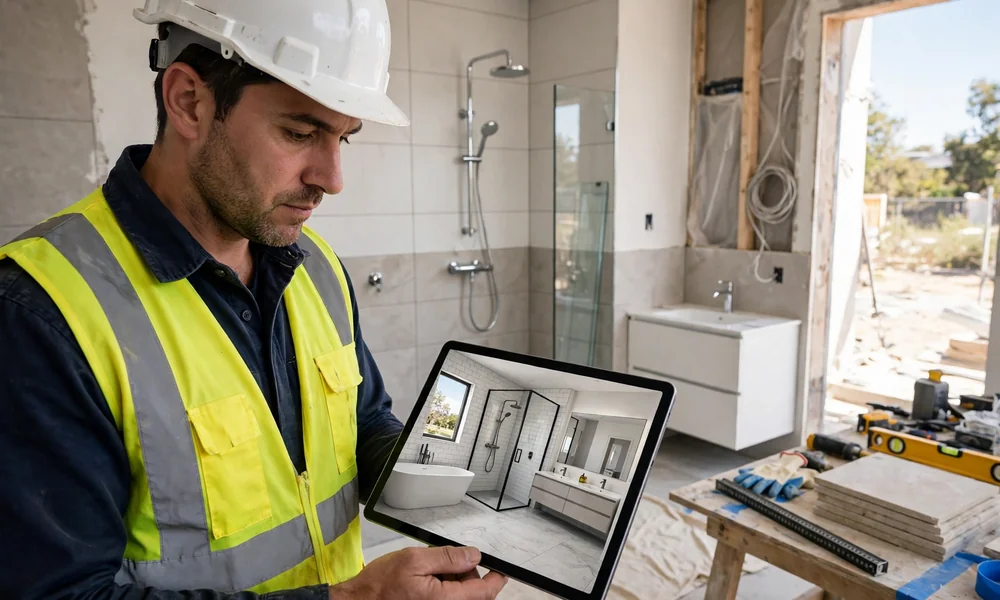
Design is where most remodeling jobs are won or lost, and it is also where AI has made the most visible progress. A homeowner who cannot picture the finished room will hesitate, ask for more options, and delay the decision. A homeowner who sees a realistic image of their own kitchen with new cabinets, new lighting, and a new island will decide quickly, because the result no longer feels like a gamble. AI design tools close that gap by turning a photo of the existing room into a believable image of the finished room in minutes rather than the days a traditional rendering used to take.
The practical workflow is simple. You photograph the room, set the dimensions, choose a style and a few finishes, and the tool produces a rendering the client can react to. The first version is rarely perfect, and that is fine, because the point is to start a conversation with something concrete. The client points at the image and says the cabinets should be darker, the island should be longer, or the tile should be warmer, and you adjust the image while you are still in the room. Three or four rounds of that conversation can happen in a single meeting, where the old way of working would have stretched them across three weeks of emails.
For firms that do heavier design work, the same ideas scale up. The best AI tools for architects share much of the same technology, and a remodeling contractor who works closely with an architect can use compatible tools to pass plans back and forth without redrawing them. That handoff matters on larger projects, where the design and the build are handled by different teams and a misread drawing can cost thousands. Keeping design and estimating in tools that speak to each other is one of the simplest ways to protect a project budget.
Houzz Pro
Houzz Pro is the closest thing to a complete business system for a remodeling contractor. It combines design tools, lead management, estimating, scheduling, and client communication, and its large library of project photos gives homeowners a starting point for their own ideas. A contractor can build a mood board with a client, turn it into a proposal, and track the project through to completion without leaving the platform, which is a real advantage for a small firm that cannot afford five separate subscriptions.
Planner 5D
Planner 5D is a design and visualization tool that a contractor can use in front of a client without a design degree. It builds realistic three-dimensional rooms from a floor plan, lets you place furniture and fixtures, and produces images that homeowners immediately understand. For a remodeling contractor, the value is in the first meeting: you can sketch a layout, show the client what their bathroom could look like with a walk-in shower and a double vanity, and get a reaction before anyone has spent money on detailed drawings.
Chief Architect
Chief Architect is the heavyweight option for remodeling firms that do their own detailed design. It produces professional floor plans, elevations, and three-dimensional models, and its material and cabinet libraries are deep enough to price from. A firm that designs kitchens and bathrooms every week will find that the time invested in learning the software pays back quickly, because a single model can produce the plan, the rendering, the material list, and the client presentation.
Estimating, Takeoffs, and Job Costing
Estimating is where remodeling businesses make or lose their money, and it is also the work contractors dislike most. A careful estimate takes hours, and a rushed one creates the change orders and disputes that destroy a project’s profit. AI estimating tools change the arithmetic by doing the tedious counting quickly and consistently, so the contractor’s time goes to judgment rather than arithmetic. You upload a plan or scan a room, and the tool counts the flooring, the drywall, the tile, and the fixtures, then prices them from your own price list. The result is not a guess; it is a repeatable calculation that two different estimators in your company will produce the same way.
Speed matters just as much as accuracy. Homeowners in 2026 often contact three contractors and hire the one who responds with a credible number first. A firm that sends a detailed proposal within a day of the site visit wins jobs that a slower firm never gets to compete for, even when the slower firm’s price is lower. AI estimating does not make a contractor sloppy; it makes the careful version of the estimate fast enough to send while the homeowner is still deciding. That combination of speed and detail is the single biggest competitive advantage a remodeling firm can buy.
JobTread
JobTread is built around the idea that an estimate should become a budget, and a budget should become a job cost report, without retyping anything. You build the estimate from your price list, convert it into a job budget with one step, and then track every purchase order and labor hour against that budget as the project runs. For a remodeling contractor, this means the question of whether a project is making money can be answered on any given day, not only when the final invoice is sent.
MagicPlan
MagicPlan turns a phone into a measuring tool. You walk through a room holding the phone, and the app builds a floor plan with measurements, which you can then use for estimating and design. For a remodeling contractor, the value is immediate: the site visit produces a usable plan on the spot, and there is no return trip with a tape measure because a dimension was missed. The plans are accurate enough for most remodeling estimates, and the app can add photos, notes, and annotations to each room so the office has the full picture.
Leap
Leap is a sales tool designed for contractors who sell in the home. It builds polished, itemized proposals that a homeowner can review and sign on a tablet, and it includes financing options so the monthly payment is visible next to the total price. For remodeling, where a project can cost as much as a car, showing the financing option at the same moment as the price changes the conversation from whether the client can afford the project to which version of the project they want.
Scheduling, Crews, and Client Communication
A remodeling schedule is a promise made to a homeowner, a crew, and a set of suppliers at the same time, and it breaks whenever any one of them slips. AI scheduling tools help by building schedules from the real duration of each task, by flagging conflicts before they happen, and by updating everyone automatically when a change is made. When the tile delivery moves by two days, the tool can show which later tasks move with it and notify the homeowner, the tile setter, and the plumber in one step, instead of the project manager spending an afternoon on the phone.
The design conversation also connects to other trades that work in the same homes. The best AI tools for interior designers overlap heavily with remodeling design tools, and a contractor who can share renderings and finish selections with the client’s designer avoids the duplicated work and conflicting choices that slow projects down. A shared visual language between the contractor, the designer, and the homeowner is worth more than any single feature in a software list, because it keeps everyone looking at the same finished room.
Buildertrend
Buildertrend is a project management platform built for residential construction and remodeling, and its strength is keeping the whole project visible to everyone involved. Schedules, budgets, change orders, selections, and client messages live in one place, and the client portal gives homeowners a window into progress without a phone call. For a remodeling firm running several projects at once, that visibility is the difference between controlled growth and chaos.
CoConstruct
CoConstruct is designed for custom home builders and remodelers who manage detailed selections and frequent change orders. Its selection sheets let clients choose finishes on a schedule, with prices and deadlines attached, so a late decision shows up as a schedule risk rather than a surprise. Change orders are documented, priced, and signed in the system, which protects both the contractor and the client when the scope changes, as it almost always does in remodeling.
CompanyCam
CompanyCam solves a problem every remodeling contractor knows: thousands of job photos scattered across phones, text messages, and email, impossible to find when they are needed. It organizes photos by project and by location on the job, timestamps them, and uses AI to tag what they show, so a photo of the plumbing rough-in can be found in seconds months later. That matters when a question comes up about what is behind a wall, when a warranty claim needs evidence, or when a client asks what was done on a particular day.
How to Choose Your Starting Set
The mistake most firms make is buying too much software at once. A better approach is to choose one tool for the bottleneck that costs you the most money today. If you lose jobs because proposals are slow, start with estimating. If you lose time because design revisions drag on, start with visualization. If projects run late because the schedule falls apart, start with project management. Fix the biggest bottleneck first, measure the improvement for two months, and only then add the next tool. A firm that adds one tool at a time actually uses each one; a firm that buys five at once uses none of them well.
Property and client work also benefits from the same discipline. The best AI tools for property managers cover scheduling, communication, and documentation for buildings full of tenants, and the overlap with remodeling is real: both businesses live or die on clear communication, reliable scheduling, and a paper trail that protects everyone. A remodeling contractor who works for property managers or landlords can learn a great deal from how those firms use software to keep many jobs moving at once.
Common Mistakes to Avoid
The first mistake is trusting an AI output without checking it. An AI takeoff can miss a wall, an AI rendering can show a fixture that does not exist, and an AI schedule can assume a task takes two days when your crew needs three. The tools are fast, but they are not a substitute for a walkthrough, a tape measure, and a second look at the numbers. Build a checking step into every workflow, and make it the same person’s job every time, so nothing goes out the door unreviewed.
The second mistake is showing a client a rendering or an estimate before it is ready. A rough draft that the client mistakes for a final design creates expectations that are hard to undo, and a price that changes after it was quoted damages trust. Label drafts as drafts, show renderings with the caveat that finishes and details are still to be confirmed, and never send a number you have not reviewed. The speed of AI tools makes it tempting to skip the review, and the review is exactly what keeps the speed from becoming a liability.
Remodeling Contractor AI Checklist
- Pick the one bottleneck that costs the most money, and choose a single tool to fix it first.
- Test the tool on a completed past project, and judge it by the document the homeowner would receive.
- Load your real price list and your real templates before the first live job, not after.
- Give one team member clear ownership of the setup, the training, and the daily use of the tool.
- Measure proposal turnaround time, close rate, and change-order frequency for two months before adding another tool.
- Keep a human review step on every estimate, rendering, and schedule before it reaches the client.
Frequently Asked Questions
What is the best AI tool for a small remodeling contractor?
For most small firms, the best starting point is a combination of a fast measuring and floor plan tool such as MagicPlan and an estimating and job costing tool such as JobTread. Together they cover the two jobs that cost a small contractor the most time, measuring and pricing, and both are affordable and easy to learn. A design visualization tool can be added once the estimating workflow is working smoothly, because a firm that prices quickly and accurately will win more of the jobs its designs help to sell.
How much do AI tools for remodeling contractors cost?
Most of the tools in this guide charge a monthly subscription, typically from around fifty dollars a month for a single-purpose tool to several hundred dollars a month for a full business platform. A small firm can start with one or two tools for roughly one to two hundred dollars a month, and a larger firm running several projects may spend five hundred to a thousand dollars a month across its whole stack. The right way to judge the cost is against the value of a single won job or a single avoided change order, because one extra project a month usually pays for the entire software bill many times over.
Can AI tools replace a designer or an estimator?
No, and they are not meant to. AI tools handle the repetitive parts of design and estimating, such as counting materials, drawing a first layout, and formatting a proposal, so that a designer or estimator can spend their time on the judgment calls that matter. A good designer still decides how a room should feel, and a good estimator still decides what a job should cost when the conditions are unusual. Firms that treat AI as a replacement for skilled people get poor results; firms that treat it as a way to let skilled people do more skilled work get the best return.
How accurate are AI measurements and takeoffs?
Phone-based room scans are accurate enough for most remodeling estimates, typically within a small margin that a contractor can verify with a tape measure on the key dimensions. AI takeoffs from plans are more accurate still, because they count exactly what the plan shows, but they can only count what is drawn, so a plan that omits a detail will produce a takeoff that omits it too. The practical rule is to let the tool do the counting and let a person verify the dimensions that drive the price, such as the length of a kitchen run or the area of a tiled floor.
Will AI renderings help me win more remodeling jobs?
Yes, in most cases, because they solve the homeowner’s biggest fear, which is not knowing what the finished room will look like. A realistic rendering turns an abstract proposal into something the client can picture living in, and that confidence shortens the decision. The effect is strongest on kitchens and bathrooms, where the finishes and layout are hard to imagine from a plan alone. The rendering does not need to be perfect; it needs to be clear enough that the client can react to it, and that reaction is what moves the project forward.
How long does it take to get a remodeling team using AI tools?
A single-purpose tool such as a measuring app can be in daily use within a week, while a full project management platform may take four to six weeks to set up properly with price lists, templates, and training. The fastest path is to start with one tool, use it on a small project, and let the team build confidence before adding the next one. Firms that try to change everything at once usually take longer than firms that change one thing at a time, because the team can only learn so much new process while still building projects.
The Bottom Line
The best AI tools for remodeling contractors in 2026 are the ones that make the business faster without making it sloppier. Start with the bottleneck that costs you the most, choose a tool your crew will actually open every day, and judge it by proposal turnaround time, close rate, and change-order frequency. Design tools that show homeowners a realistic finished room will help you win the job, estimating tools that count and price accurately will help you keep the profit, and scheduling and communication tools will help you deliver the project without the delays and misunderstandings that damage a reputation. Pick one tool, learn it properly on real projects, and add the next only when the first one is earning its place. That steady approach is how a remodeling firm turns new technology into a lasting advantage rather than another subscription it never uses.

Keep what speaks to you.
Leave room for your own perspective.