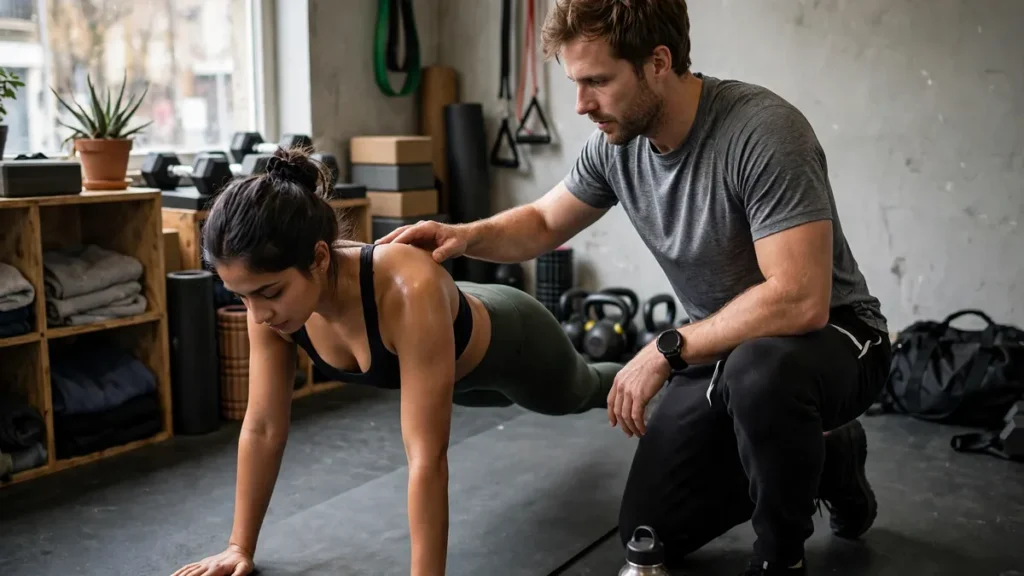
The best AI tools for personal training startups in 2026 help a small coaching practice do the work of a much larger team. They build individual training programmes, track every set and repetition a client completes, keep session notes in one place, and handle the booking and payment admin that used to eat up a trainer’s evenings. For a founder who is also the first coach, the first salesperson, and the first administrator, that leverage is the difference between a handful of clients and a practice that actually grows.
A personal training startup is a one-to-one coaching business first and a technology business second, and the tools that matter most are the ones that protect the personal relationship at its centre. Clients do not buy software when they hire a personal trainer. They buy attention, correction, and a programme built for their body, their schedule, and their goals. They want to know what to lift, how hard to push, when to rest, and whether they are genuinely getting stronger. A practice that answers those questions clearly, session after session, keeps clients far longer than one that simply offers more workouts.
This guide compares the best AI tools for personal training startups across the whole practice, from the first consultation to long-term client retention. It explains what each type of tool does well, what to watch out for, and how to combine them into a simple stack that a small team can actually run. Whether you coach clients in person, online, or in a mix of both, you will find a practical starting point here. The focus throughout is on running a personal training business well, with real coaches, real clients, and steady progress, rather than on building a software platform.
Key Takeaways
- Start with one clear personal training promise, such as getting measurably stronger, moving without pain, or building a consistent training habit, then choose AI tools that serve that promise directly.
- Programme design, session tracking, client check-ins, progress photos and measurements, and payments are the five areas where AI saves the most time for a small personal training team.
- Coaches are the product, so use AI to prepare, support, and organise them, never to replace the hands-on coaching that happens during a session.
- Clients stay when they see their own progress clearly, so short honest summaries after every session matter more than any extra feature.
- Check accuracy, privacy, and pricing carefully, because AI tools that invent training advice, handle client records loosely, or charge per client can quietly damage trust and margins.

What a Personal Training Startup Actually Needs from AI
A personal training startup is not one business but several running side by side. There is the one-to-one work, where a coach meets a client in person or on video and guides every set. There is the programming work, where the coach designs weeks of training around a client’s strength, movement, and recovery. There is the between-session work, where check-ins, habit reminders, and short home workouts keep a programme alive. And there is the business work: booking, payments, marketing, and record keeping. AI can help in every one of those areas, but only when the tool fits the job.
Programme design is the natural starting point. A good programming tool holds a library of exercises with video demonstrations, so a coach does not have to film the same squat or hinge pattern for every new client. It lets the coach set sets, repetitions, tempo, and rest periods, then adjust the load when a client beats their target. AI can suggest progressions based on what the client actually completed, flag a plateau when the numbers stop moving, and draft the next training block for the coach to review. The coach stays in charge of every decision, and the client gets a programme that adapts to their real performance rather than a fixed template.
Session tracking is the second area where AI earns its keep. During a one-to-one session, a coach’s attention belongs on the client’s movement, not on a clipboard. Tools that log sets and repetitions quickly, record rest times automatically, and turn the session into a short summary save the coach from an evening of admin. Over weeks and months, that record becomes the clearest proof of progress a client will ever see: heavier lifts, more repetitions, better technique, and fewer missed sessions. Clients who can see their own numbers improve rarely cancel.
Client check-ins between sessions are where personal training differs most clearly from its neighbours. A health coaching startup often works across broad daily habits such as sleep, stress, and movement, while a personal training startup stays focused on the training itself: the programme, the session, and the progress in strength and conditioning. AI helps by sending timely check-ins, collecting a short readiness score before a session, and recording what the client did on their own training days. When a client completes their homework workouts, the programme can celebrate that. When they go quiet, the coach can ask why, kindly, instead of guessing.
Progress tracking needs the same care with extra structure. Body measurements, progress photos, strength tests, and movement screens all tell part of the story, and a good tool keeps them together in one client record. AI can chart a client’s best lifts over time, compare this training block with the last one, and surface the clients whose progress has stalled. The coach does not hand the judgement to the software. Both of them keep the focus on what the client can do now that they could not do a month ago.
Finally, a startup needs tools that handle the ordinary business of coaching. Booking should be simple, reminders should go out on their own, payments should be collected without awkward conversations, and client records should live in one place. A practice that spends its evenings on admin cannot spend them on coaching. The best AI tools for personal training startups take the admin off the coach’s desk, so the coach can spend that time with clients instead.
How to Choose AI Tools for a Personal Training Startup
Choosing tools is easier when you start with the client journey rather than a feature list. Walk through a client’s first month in your mind: they find you, book a consultation, fill in their history and goals, meet their coach, receive a programme, train twice a week, check in between sessions, and come back for a review. Every step that feels slow, messy, or easy to forget is a place where a tool can help. Every step that already works well does not need new software. Buy tools for the gaps, not for the sake of having more tools.
Programming quality comes first, and it deserves real attention. A tool with a thin exercise library forces a coach to improvise, and a tool that only offers generic templates pushes every client toward the same workout. Look for a deep exercise library with clear video demonstrations, flexible ways to set load and tempo, and easy ways to copy a programme and adjust it for the next client. Ask whether the AI suggestions are based on the client’s own logged training or on generic rules, and whether the coach can override every suggestion in one tap. A tool that makes good programming faster is worth more than a clever tool that makes it complicated.
Accuracy matters just as much. AI can draft session summaries, suggest progressions, and spot patterns in training data, but it can also invent advice that sounds confident and is wrong for a particular client. Treat every AI draft as a first draft. A coach should read it, correct it, and only then send it to a client. Tools that show their reasoning, keep drafts clearly marked, and make editing easy are safer than tools that present AI text as finished work. Your reputation rests on what clients receive, not on what the software generated.
Privacy comes next. Personal training involves personal information, from health history to progress photos, so read the privacy terms before you sign up for anything. Ask where client data is stored, who can see it, whether session recordings are kept, and how a client can ask for their data to be deleted. A tool that makes privacy simple is worth more than a clever tool that makes it complicated. If a vendor cannot answer those questions plainly, that is an answer in itself.
Pricing is the third check, and it is easy to get wrong. Some tools charge per coach, some per client, and some take a cut of every payment. A per-client price looks small at first and grows with every new client, which is exactly when a startup can least afford it. Add up the cost at twenty clients, fifty clients, and a hundred clients before you commit. A flat monthly price is often kinder to a growing practice, even when it looks dearer on day one.
Ease of use decides whether a tool survives its first month. Coaches are busy, clients are busy, and a tool that needs a training course will sit unused. Look for a clean client app, a simple coach dashboard, and a setup that takes hours rather than weeks. Ask for a trial, invite one or two real clients to try it, and watch what happens. If they log their workouts without being chased, it is a good fit. If they ignore it, no feature list will save it. Founders who come from broader coaching often compare notes with the guides to AI tools for wellness coaching startups before settling on a training-focused stack.
Comparison Table: The Best AI Tools for Personal Training Startups at a Glance
| Tool | Best For | Standout Strength | Pricing |
|---|---|---|---|
| Trainerize | Programme delivery and client app | Exercise library, programmes, and client messaging in one place | Free trial, then paid plans |
| TrueCoach | Online one-to-one coaching | Programme building, video, and client check-ins | From about $19 per month |
| Everfit | Programming and client tracking | Programmes, wearable sync, and client messaging | Free trial, then paid plans |
| PT Distinction | Small PT business in one system | Programmes, payments, and client management together | From about $20 per month |
| My PT Hub | All-in-one personal training | Programmes, nutrition, payments, and branded app | From about $25 per month |
| CoachRx | Strength and conditioning programming | Detailed programming tools for serious strength coaches | Free trial, then paid plans |
| Superset | Simple online coaching | Clean programme builder and client app | Free plan, then paid plans |
| Exercise.com | Growing teams and branded apps | Custom-branded app, scheduling, and payments | Custom pricing |
| Virtuagym | Coaching plus club management | Training app, scheduling, and member management | Custom pricing |
The Best AI Tools for Personal Training Startups
1. Trainerize: Programme Delivery and a Client App That Clients Actually Open
Trainerize is built for personal trainers, and it shows in the way it handles the daily work of a one-to-one practice. A coach can build programmes from a large exercise library, send them to a client’s phone, and watch the client log every set as they train. AI features help a coach draft programme progressions and turn logged workouts into short summaries, which the coach then reviews and personalises before anything reaches the client.
For a startup, the strength of Trainerize is how much follow-up it removes. In-app messaging keeps the conversation in one place, habit tracking covers the work between sessions, and progress photos and measurements sit beside the training log. A small team can run a tidy, professional practice on this one platform, and clients get a single app for everything their coach asks them to do.
2. TrueCoach: Online One-to-One Coaching Done Properly
TrueCoach is a platform for trainers who coach clients online and want the programme to feel personal rather than templated. A coach can build a programme week by week, attach video demonstrations to every exercise, and add written cues that explain exactly what the client should feel. Clients log their workouts in the app, and the coach can see their numbers, their notes, and their questions before the next session.
What makes TrueCoach useful for a startup is the way it keeps the coach-client relationship at the centre. Messaging, check-ins, and programme adjustments all happen around the individual client, not around a generic workout feed. The pricing starts low, so a solo trainer can run a real online practice without a large monthly bill, and add clients one at a time as the business grows.
3. Everfit: Programming and Client Tracking in One Dashboard
Everfit is a coaching platform that helps personal trainers deliver programmes through a client app and watch how clients get on through a single dashboard. A coach can build programmes with strength work, conditioning, and daily tasks, then follow each client’s training, habits, and messages in one view. Wearable sync brings in activity data, and in-app messaging keeps the conversation going between sessions. Clients see their programme, their progress, and their next step in one place, which makes it easier to stay engaged.
For a startup, Everfit is a practical way to run one-to-one coaching at scale without losing the personal touch. A coach can manage many clients from one dashboard, send a quick message to someone who has gone quiet, and adjust a programme when the data shows it is not working. Group challenges are easy to set up alongside one-to-one work, so a practice can test a lower-priced group offer without buying a second platform.
4. PT Distinction: A Small Personal Training Business in One System
PT Distinction is designed for independent personal trainers who want the whole business in one place. Programmes, client records, session notes, and payments sit together, so a trainer does not have to stitch several tools into a working system. The programme builder covers strength, conditioning, and home workouts, and the client app gives each client their programme, their check-ins, and their messages in one spot.
The appeal for a new startup is simplicity with a business edge. PT Distinction handles packages, recurring payments, and client onboarding alongside the coaching itself, which means fewer evenings spent chasing invoices. A solo trainer can look professional from the first client, and the flat-style pricing makes costs predictable as the client list grows.
5. My PT Hub: All-in-One Personal Training with a Branded App
My PT Hub is an all-in-one platform that covers programmes, nutrition, payments, and client management for personal trainers. A coach can build training programmes, set nutrition targets, schedule sessions, and take payments without leaving the system. Clients get a branded app with their programme, their food diary, and their check-ins, which makes the practice feel like a proper business rather than a collection of spreadsheets.
For a startup, My PT Hub works best when the founder wants one tool to do most of the job. It does not try to be the deepest programming tool on the market, and that focus is a strength: the coach gets a clean, complete system that clients can use from day one. Pair it with a careful eye on programme quality, and a small team can run a polished practice without hiring admin help.
6. CoachRx: Serious Strength and Conditioning Programming
CoachRx is a programming platform built for strength and conditioning coaches who want real control over the training plan. It offers detailed ways to set load, tempo, rest, and progression across a full training block, with tools for testing, tracking, and reviewing performance over time. AI features help a coach draft the next block from the client’s logged results, which the coach then adjusts to fit the client in front of them.
The programming depth is the feature that sets CoachRx apart for personal training. A coach can look back over months of training data and see how a client’s strength, power, and conditioning have changed, which makes review sessions far more useful. It suits a startup that sells coaching quality first, especially one working with athletes, lifters, or clients with specific performance goals.
7. Superset: Simple Online Coaching Without the Clutter
Superset is a deliberately simple coaching platform for trainers who want to build programmes and stay close to their clients without learning a complicated system. The programme builder is clean, the client app is easy to follow, and messaging and check-ins sit right beside the training plan. A coach can see at a glance who trained, who missed a session, and who needs a personal message this week.
The tool is deliberately simple, and that is its appeal for a new startup. There is no steep learning curve, and clients receive clear programmes rather than a confusing dashboard. A trainer can start with a free plan, test it with real clients, and move to a paid plan only when the client list justifies it. For a practice built on personal attention and steady follow-through, that simplicity is worth more than a long list of extra features.
8. Exercise.com: Branded Apps and Tools for Growing Teams
Exercise.com is a platform for personal training businesses that want their own branded app and room to grow. A coach can deliver programmes through a custom-branded app, schedule sessions, sell packages, and take payments in one system. The platform handles the business side cleanly, from client onboarding to recurring billing, while the coach focuses on programming and sessions.
What makes Exercise.com useful for a startup with ambition is the way it scales. A solo coach can run a simple version of it, and a growing team can add coaches, share templates, and keep a consistent standard across the practice. The pricing is custom, so a founder should ask for a clear quote at their expected client numbers before deciding, and weigh the branded app against the simpler tools in this guide.
9. Virtuagym: Coaching Plus Club Management in One Platform
Virtuagym combines a coaching app with the management tools a small training studio needs. Coaches can build programmes, track client progress, and message clients through the app, while the business side covers scheduling, memberships, and payments. It suits a startup that runs sessions from its own space and wants the training and the studio admin in one system.
For a founder, the lesson of Virtuagym is about keeping the whole operation together. When programmes, bookings, and payments live in one place, fewer things fall through the cracks, and the client experience feels joined up from first consultation to monthly billing. A startup that plans to grow from one coach to a small team, possibly with its own studio, will get more from this kind of platform than from a programme-only tool.
Building Your First Personal Training Stack
A good starter stack is small: one coaching platform, one way to handle payments if the platform does not cover them, and one simple way to keep session notes. Trainerize or TrueCoach can anchor the coaching, handling programmes, tracking, and client messaging. PT Distinction or My PT Hub can carry the business as well, with packages and payments built in. That is enough for the first twenty clients, and it keeps costs and complexity low while the founder learns what clients actually need.
As the practice grows, add tools one at a time and only for a clear reason. If clients ask for strength testing and detailed progress reports, add a tool with strong programming depth such as CoachRx. If the team grows, choose a platform that handles multiple coaches well rather than forcing solo-coach software to do a team job. Each addition should solve a problem the practice already has, not a problem it might have one day. Founders who also run group sessions sometimes compare notes with the guides to AI tools for bootcamp fitness startups before adding a group offer, since group training needs different scheduling and programming from one-to-one work.
What AI Tools for Personal Training Startups Cost
Costs vary widely, and the honest answer is that a startup should expect to spend somewhere between fifty and a few hundred dollars a month on its core tools in the first year. Simple platforms such as TrueCoach and Superset start low, while all-in-one platforms such as PT Distinction and My PT Hub charge a flat monthly fee. Larger platforms such as Exercise.com and Virtuagym use custom pricing, which usually means a conversation with their sales team and a quote based on client numbers.
The cheapest tool is not always the cheapest choice. A tool that saves a coach five hours a week is worth far more than the difference between a twenty-dollar plan and a fifty-dollar plan. Work out the cost per client at your real numbers, and compare it with the price of one personal training session. If a tool costs less than a single session a month and saves several hours, it is almost certainly good value. If it costs more than a session a month and nobody on the team uses it, cancel it.
Watch out for the costs that hide behind the headline price. Per-client pricing grows with every new client. Payment processing takes a percentage of every sale. Some tools charge extra for messaging, for storage, or for additional coaches. Ask for the full price list before you sign up, and set a date in your calendar to review every subscription once a quarter. A tidy tool bill is part of running a tidy practice.
Checklist: Launching Your Personal Training Startup with AI
- Write down one clear personal training promise, then choose tools that serve that promise and nothing else.
- Set up consultations, intake forms, and a starting programme template before taking your first client.
- Build a simple session-tracking habit, with sets, repetitions, and a short summary recorded after every session.
- Agree on how clients will check in between sessions, and which numbers you will actually discuss together.
- Read the privacy terms of every tool, and make sure client records, notes, and progress photos are stored safely.
- Review costs, usage, and client feedback every quarter, and cancel any tool the team no longer uses.
Frequently Asked Questions
What is the best AI tool for a personal training startup?
There is no single best tool, because the right choice depends on what your practice does most. Trainerize suits startups that want programme delivery and a client app in one place. TrueCoach suits trainers who coach clients online one-to-one. Everfit suits practices that lean on programming and client tracking. Start with the job that takes most of your time, pick the tool that does that job best, and add others only when a clear gap appears.
Can AI replace a personal trainer?
No, and it should not try. AI is good at organising programmes, drafting summaries, spotting patterns in training data, and sending reminders on time. It is not good at watching a client move, correcting form in the moment, or knowing when to push and when to ease off. Clients hire a personal trainer for the coaching, the correction, and the judgement that comes from experience. The best tools make the coach better at that work, and they leave the coaching itself to the coach.
How much do AI tools cost for a personal training startup?
Most startups spend between fifty and a few hundred dollars a month on their core tools in the first year. Simple tools start from around twenty dollars a month, all-in-one platforms charge a flat monthly fee, and larger platforms use custom pricing based on client numbers. Always work out the cost at twenty, fifty, and a hundred clients before committing, and review every subscription once a quarter.
Is client training data safe in AI personal training tools?
It is safe when the tool is chosen carefully and used properly. Read the privacy terms, check where data is stored, find out who can see it, and make sure clients can ask for their data to be deleted. Avoid tools that keep session recordings without a clear reason, and never paste sensitive client details into a general-purpose AI chatbot. A tool built for personal training, with clear privacy terms, is a far safer choice than a general tool used for client data.
How do I sell one-to-one personal training as a new startup?
Sell the outcome and the coaching, not the tool. Clients want to know what will change, how often they will train with their coach, and what a typical week looks like. A clear programme with two coached sessions a week, a short home workout, and a monthly progress review is easier to sell than a vague promise of support. Start with one offer, deliver it well for a small group of clients, and use their results and feedback to shape the next version.
Should a personal training startup build its own app?
Almost certainly not at the start. Building an app is expensive, slow, and hard to maintain, and it distracts a founder from the work that actually brings in clients: coaching well, gathering feedback, and building a reputation. The tools in this guide already handle programmes, tracking, messaging, and payments. Use them until the practice is established and a clear gap appears that no existing tool can fill, and only then consider building anything of your own.
The Bottom Line
The best AI tools for personal training startups are the ones that give coaches more time with clients and give clients a clearer view of their own progress. Programme design, session tracking, check-ins, and progress records are the jobs that matter most, and the nine tools in this guide cover them in different ways. Trainerize and TrueCoach anchor the coaching, Everfit and CoachRx handle programming and tracking, PT Distinction and My PT Hub run the business, and Exercise.com and Virtuagym show what a growing team or studio can build on.
Start small, choose tools for the gaps in your client journey, and keep the coach at the centre of every decision. A personal training startup does not need the most tools, the newest tools, or the most expensive tools. It needs a simple stack that its coaches actually use, its clients actually enjoy, and its founder can afford. Build that, deliver it well for your first clients, and let their progress shape what you add next.

Keep what speaks to you.
Leave room for your own perspective.