
The best AI tools for lawn care companies in 2026 do far more than send a reminder when a mowing visit is due. They plan tighter routes, write quotes in minutes, keep crews on the same schedule, answer customers after hours, and turn completed visits into invoices without anyone retyping a job sheet at the end of a long day. For a lawn care company, that combination is the difference between a summer spent chasing paperwork and a summer spent growing greener lawns and a healthier business.
Lawn care is a business of small margins and tight timing. Grass does not wait for a slow office, rain moves a whole week of visits, and a crew that drives an extra hour between jobs loses money on every stop. Customers, meanwhile, expect a fast quote, a clear arrival time, and a lawn that looks cared for every single visit. No owner can hire their way out of that pressure, and no crew should spend its evenings on admin. The best AI tools for lawn care companies handle the repetitive half of the work so owners and crews can spend their time on the lawns, the customers, and the quality of the cut.
This guide compares the ten strongest options for 2026, explains what each one does best, and shows you how to choose without overbuying. Every tool here is judged on the same measures: how well it plans routes, how quickly it produces accurate quotes, how easily crews can use it in the field, how it handles customer messages and payments, and what it costs as your company grows. By the end, you will know exactly which tool fits your crew size, your services, and your budget.
Key takeaways
- Route planning and automated scheduling save the most time for companies running more than one crew, while smaller companies benefit most from fast quoting and simple customer messaging.
- Jobber and Aspire lead on complete lawn care operations, while Copilot and Yardbook offer strong value for small crews that want to start simply and grow.
- Good AI depends on good job data: keep your customer list, service history, and lawn sizes current, or every tool in this list will underperform.
- Measure success by drive time saved, quotes sent within an hour, and invoices paid on time, not by how many features the software has.
- Start with one service, usually weekly mowing, prove the results for thirty days, and only then add fertilising, aeration, and seasonal clean-ups.
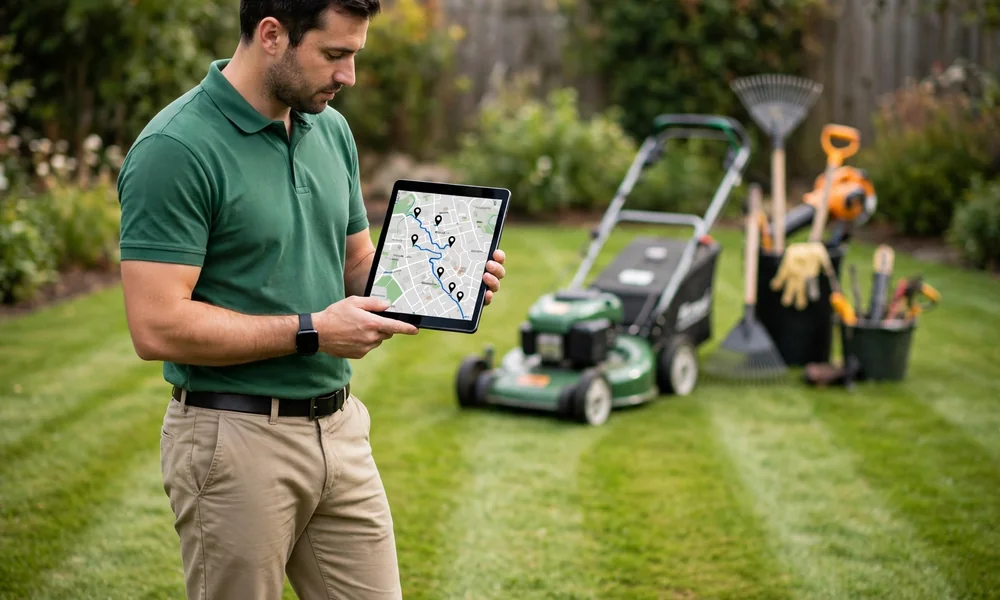
What AI Actually Does for a Lawn Care Company
AI in lawn care is not one feature. It is a set of capabilities that work together across the whole job, from the first quote to the final payment. The first is routing: when the day’s jobs are loaded, the system orders them into the shortest sensible drive, groups nearby lawns together, and re-plans in seconds when rain cancels a morning or a customer adds a visit. A crew that follows a planned route finishes earlier, uses less fuel, and arrives when the customer was told to expect them.
The second capability is quoting. A good system takes the lawn size, the service, and the visit frequency, then produces a clear price that matches how your company actually charges. Some tools estimate lawn size from maps and aerial images, so an owner can quote a new customer without driving out for a first look. That speed matters, because the company that replies first with a clear price usually wins the job, and a quote that takes two days to arrive often loses to one that takes twenty minutes.
The third capability is customer communication. AI drafting and automated messages send booking confirmations, arrival alerts, and completion notes with a photo of the finished lawn, all without the office writing each one by hand. Customers can reply, reschedule, or approve an extra service from the same message thread, and the system keeps a record of every exchange. When a customer asks for a price at nine in the evening, an AI reply can answer the common questions, collect the address and lawn details, and leave a warm handover for the morning.
The fourth capability is the office work that follows the job. When a crew marks a visit complete, the invoice should be ready, the card on file should be charged where the customer has agreed, and the next visit should already sit on the schedule. Tools that delay this step create a pile of unbilled work that grows all summer and a cash-flow problem in autumn. Before choosing any system, check that it supports the payment methods your customers actually use, that it handles recurring billing cleanly, and that it connects to your accounting software without manual retyping.
How We Chose the Best AI Tools for Lawn Care Companies
We judged every tool on the work a lawn care company actually does, not on a list of features that sound impressive in a sales demonstration. Route planning came first, because drive time is the largest hidden cost in this business. A tool earned high marks only if it could plan and re-plan a full day of stops quickly, cope with cancellations and added jobs, and show crews a clear order of visits on a phone.
Quoting came second. The best tools produce accurate prices from lawn size and service type, keep the price consistent from one estimator to the next, and let a customer accept a quote with one tap. We also looked at how each tool handles the services beyond mowing, because fertilising, weed control, aeration, overseeding, and leaf clean-up all have different pricing, timing, and follow-up needs. A tool that only understands mowing will force a company back to spreadsheets by July.
Ease of use in the field came third. A crew works in sun, rain, and poor signal, often with gloves on and a mower running nearby. The mobile app must be clear and fast, with large buttons, offline access to job details, and a simple way to mark a job done, add a photo, and note a problem such as a locked gate. If a crew will not use the app, the office data will be wrong, and wrong data makes every other feature useless.
Customer experience and value completed the test. We checked whether each tool sends clear messages, collects reviews, and handles payments without friction, and whether its price makes sense for a one-crew company as well as for a company with ten crews. The strongest tools in this guide are not always the most expensive, and the right choice for a small local company is often different from the right choice for a large regional operator. Companies that also care for gardens and planted beds can learn from the best AI tools for landscapers, which cover estimating and scheduling for broader outdoor work.
Best AI Tools for Lawn Care Companies at a Glance
The table below gives a quick comparison before the detailed reviews. Use it to shortlist two or three tools, then read the reviews for those tools in full and test them on a real route with a real crew.
| Tool | Best for | Standout strength | Crew size |
|---|---|---|---|
| Jobber | Complete lawn care operations | Quoting, scheduling, and invoicing in one place | 1 to 50 crews |
| Aspire | Growing and larger companies | Estimating, job costing, and reporting | 5 to 100 crews |
| Copilot | Simple, modern field service | Clean customer portal and messaging | 1 to 10 crews |
| Yardbook | Small companies starting out | Low cost and easy setup | 1 to 5 crews |
| Service Autopilot | Marketing and recurring services | Automated follow-ups and upsells | 2 to 30 crews |
| Real Green | Lawn care specialists | Lawn measurement and treatment plans | 3 to 50 crews |
| LawnPro | All-in-one lawn software | Routing, billing, and lawn care records | 1 to 20 crews |
| FieldEdge | Field service with strong dispatch | Live dispatch and price book | 3 to 40 crews |
| Arborgold | Lawn and landscape companies | Estimating and customer management | 2 to 30 crews |
| Workiz | Fast quoting and booking | Online booking and AI phone answering | 1 to 20 crews |
The 10 Best AI Tools for Lawn Care Companies in 2026
Each review below covers what the tool does well, where it is weaker, and which kind of lawn care company will get the most from it. Read the reviews for your shortlist, then run a trial on live jobs before you commit.
1. Jobber
Jobber is the strongest all-round choice for most lawn care companies, because it covers the whole job in one system without feeling complicated. An owner can build a quote, send it for approval, turn it into a recurring schedule, dispatch a crew, and invoice the customer from the same record. The AI features help draft customer messages, suggest the best time for a visit, and flag jobs that need attention, while the route view keeps the day in a sensible order.
Crews like Jobber because the mobile app is clear and forgiving. A crew member can see the day’s jobs, open the address in a maps app, check the notes for a gate code or a dog on the property, mark the job complete, and add a photo of the finished lawn. The office sees that update at once, so nobody has to phone in to confirm a visit, and the customer receives a completion message without extra work.
2. Aspire
Aspire is built for lawn care companies that have outgrown simple scheduling and need to understand their numbers. Its estimating tools are detailed, its job costing is strong, and its reporting shows margin by crew, by service, and by customer. An owner who wants to know exactly which routes earn money and which ones quietly lose it will find Aspire more useful than any other tool in this guide.
The system handles large teams well, with clear roles, permissions, and approval steps. A manager can review estimates before they go out, a dispatcher can plan several crews at once, and a crew leader can see only the jobs that belong to their team. That structure matters when a company grows past five crews, because informal habits that worked for a small team start to cause mistakes at scale.
3. Copilot
Copilot is a modern, simple option for lawn care companies that want a clean system without a long setup. Its customer portal is one of the best in this guide: customers can see their services, approve quotes, pay invoices, and message the office from one tidy page. That clarity reduces phone calls and missed messages, which is a real saving for a small office.
The AI features focus on the daily work. Copilot helps draft replies to customers, summarises long message threads, and keeps job notes tidy so the next crew member can pick up where the last one left off. Scheduling is straightforward, and the mobile app gives crews the address, the notes, and a simple way to mark a job done.
Copilot is less deep than Jobber or Aspire on estimating and reporting, so a large company with complex pricing may find it limiting. For a small to mid-sized company that values a modern feel, happy customers, and a system the whole team will actually use, Copilot is an excellent choice. It is also a good option for an owner who wants to move away from paper and text messages without learning a heavy enterprise system.
4. Yardbook
Yardbook is the best starting point for a small lawn care company, because it is affordable, easy to learn, and built around the services lawn companies actually sell. An owner can set up customers, services, and a weekly schedule in an afternoon, then send invoices and take card payments from the same system. The low price means a new company can afford proper software from the first month instead of waiting until the paperwork becomes unmanageable.
The routing and scheduling tools are simple but effective. Jobs can be grouped by area, crews can see their day on a phone, and the office can spot gaps in the week and fill them with one-off work such as clean-ups and hedge trimming. Yardbook also includes a customer-facing booking page, so new customers can request a quote without a phone call.
Yardbook does not have the deep reporting or advanced AI of the larger tools, and a company with many crews may eventually outgrow it. That is a fair trade for the price and simplicity, and many small companies use Yardbook happily for years. If you are running one to five crews and want a system that pays for itself quickly, start here.
5. Service Autopilot
Service Autopilot is built for lawn care companies that want to grow by keeping customers and selling more services to the people they already serve. Its automation is the strongest in this guide: it can send a fertilising reminder at the right time of year, follow up a quote that has gone quiet, ask for a review after a job, and suggest an aeration visit to customers whose lawns would benefit from one. Those small, well-timed messages add real revenue over a season.
The system also handles recurring services well, with clear schedules, visit checklists, and customer records that show every service a lawn has received. Crews can see what was done last time, what product was applied, and what the customer asked for, which reduces repeat visits and awkward questions at the gate.
Service Autopilot has a steeper learning curve than the simpler tools, and its full power only appears when an owner takes time to set up the automations properly. Companies that do that work are rewarded with steadier bookings and less time spent chasing customers. If growth and repeat business are your priorities, Service Autopilot deserves a close look.
6. Real Green
Real Green is designed for lawn care specialists, and it shows in the details. Its lawn measurement tools help an owner price treatments accurately from maps and aerial images, and its treatment plans track what was applied to each lawn, when it was applied, and when the next application is due. For a company that sells fertilising and weed control as well as mowing, that record-keeping is essential.
The routing and scheduling tools are built for crews that visit the same customers on a regular cycle, and the customer communication tools explain each treatment in plain language, which helps customers understand what they are paying for. Real Green also integrates with marketing tools, so a company can follow up with customers who have not booked a seasonal service.
Real Green is more specialised than the general tools in this guide, so a company that only mows may not need its treatment features. For a lawn care company that treats lawns, measures properties, and wants accurate records for every application, Real Green is the most focused choice available, and its depth in this niche is hard to match.
7. LawnPro
LawnPro is an all-in-one system built specifically for lawn care, and it covers routing, scheduling, billing, and customer records in one place. Its lawn care records are a real strength: each property carries its service history, its treatment plan, and its notes, so a crew never has to guess what was done last time. The system also handles recurring billing cleanly, which keeps cash flow steady through the season.
The mobile app is practical and clear, with job lists, maps, and a simple completion flow. Crews can add photos, note problems such as a damaged sprinkler head, and record the time spent on each job. The office can then check that record before invoicing, which reduces disputes and keeps customers informed.
LawnPro is less well known than some of the larger names here, and its marketing tools are lighter than those of Service Autopilot. For a company that wants a dedicated lawn care system with strong records and straightforward billing, however, LawnPro is a solid, dependable choice that does the daily work well without unnecessary complexity.
8. FieldEdge
FieldEdge is a strong field service platform with excellent dispatch, and it suits lawn care companies that run several crews across a wide area. Its live dispatch view shows where every crew is, which jobs are done, and which jobs are running late, so a dispatcher can move work between crews during the day instead of waiting until the evening to discover a problem.
FieldEdge is a general field service tool rather than a lawn-only system, so some lawn-specific features, such as treatment records, are less deep than those in Real Green or LawnPro. Companies that value live dispatch, clear pricing, and strong control over a busy day will still find it a good fit, especially if they also run other outdoor services alongside lawn care.
9. Arborgold
Arborgold serves lawn and landscape companies, and it is a good fit for a business that mows lawns in summer and offers other outdoor work through the year. Its estimating tools handle larger jobs well, its customer management is thorough, and its scheduling keeps crews busy across services. An owner can see the whole business in one place instead of running separate systems for mowing, planting, and clean-ups.
The system also handles customer communication and follow-up, with reminders, review requests, and clear invoices. Crews get job details on a mobile app, and the office can track progress through the day. That breadth makes Arborgold useful for a company that wants to grow beyond mowing without changing software.
Arborgold is more complex than the simplest tools here, and a small mowing-only company may find more than it needs. For a lawn and landscape business with varied services and a growing team, it is a capable choice that grows with the company and keeps the office organised through the busy season.
10. Workiz
Workiz is the fastest option in this guide for turning a new enquiry into a booked job. Its online booking flow lets a customer choose a service, pick a time, and confirm the visit without a phone call, and its AI phone answering takes messages and books jobs when the office is busy or closed. For a lawn care company that loses work to slow replies, that speed is worth more than any other feature.
Workiz is less deep on lawn treatment records and long-term reporting than the specialist tools, so a large company with complex pricing may want a deeper system. For a company that wins work by being fast, friendly, and easy to book, Workiz is an excellent choice, and its booking and phone features alone can pay for the subscription many times over.
Choosing the Right Tool for Your Crew Size
A one-crew company and a ten-crew company do not need the same software, and buying the larger system too early wastes money that could have gone into equipment or marketing. A single crew needs fast quoting, a clear daily list, simple invoicing, and messages that keep customers informed. Yardbook, Copilot, and Workiz cover those needs well, and they can be running within a day or two.
A company with three to five crews needs more structure. Routes must be planned for several teams at once, estimates must be consistent, and the office must see progress through the day. Jobber, LawnPro, and Service Autopilot fit this stage, because they add dispatch, automation, and reporting without demanding a full-time administrator. This is also the stage where route planning starts to pay for itself in fuel and time, and our guide to the best AI tools for route optimization explains how the strongest routing features work across service businesses.
A larger company needs control and reporting above all. Aspire, Real Green, and FieldEdge give managers the structure to run many crews, check estimates, track margins, and plan the season with real numbers. The setup takes longer, and the price is higher, but the cost of a bad route or a wrong price is also higher at this size. Whatever stage you are at, choose the tool that fits the company you have now, with room to grow for the next two years, rather than the company you hope to have in five.
Pricing, Seasons, and Getting Paid
Lawn care pricing is where many good operators lose money without realising it, because the cost of a job depends on lawn size, drive time, growth rate, and call-backs, and none of those are the same twice. AI-assisted estimating helps by turning past job data into realistic prices: how long a lawn actually takes, which properties always run over, and which routes cost more in fuel than they earn. An owner who prices from that evidence can quote weekly mowing with confidence instead of guessing and hoping the season is dry.
Seasonal work needs the same care. A company that mows in summer and clears snow in winter faces the same choices about contracts, pricing, and scheduling in both seasons, and the tools that handle one season well often handle the other with the same features. Our roundup of the best AI tools for snow removal companies shows how estimating, routing, and seasonal billing work when the weather changes the job completely.
What to Check Before You Buy
Buying software in spring is a different decision from buying it in winter, because there is no time to fix a bad choice once the grass starts growing fast. Use the checklist below as a final filter before you commit, and test the system on a real route with a real crew before the first busy week. A short trial on live jobs will reveal more than any sales demonstration, and it will show whether dispatchers and crews actually like using the tool when they are hot, tired, and behind schedule.
- Route planning: can it plan and re-plan a full day of stops in minutes, and does it cope when jobs are added or rain cancels a morning?
- Quoting speed: can it produce an accurate quote from lawn size and service type within an hour, and can the customer accept it with one tap?
- Mobile app: is it clear and fast on a phone in bright sun, rain, and weak signal, with offline access to job details?
- Customer messaging: does it send booking, arrival, and completion messages automatically, without the office writing each one?
- Billing: does it invoice from completed visits, handle recurring payments, and connect to your accounting software?
- Support: is help available during working hours, and can the system be set up properly before the season starts?
Frequently Asked Questions
What is the best AI tool for a small lawn care company?
For a small company with one to five crews, Jobber is the safest all-round choice, while Yardbook is the best low-cost starting point and Copilot is the simplest modern option. All three cover quoting, scheduling, and invoicing, and all three can be running within a few days. Choose Jobber if you want the most complete system, Yardbook if price matters most, and Copilot if you want the cleanest customer experience.
How much do AI tools for lawn care companies cost?
Most tools charge a monthly fee per user or per crew, with entry plans that suit a single crew and higher plans that add automation, reporting, and more users. Small companies usually pay a modest monthly amount, while larger companies pay more for deeper features and more seats. Always compare the price with the time saved: a tool that saves one hour of driving a day often pays for itself in the first week.
Can AI tools measure a lawn without visiting the property?
Yes, several tools in this guide estimate lawn size from maps and aerial images, which lets an owner quote a new customer without a first visit. The estimate is usually accurate enough for a standard mowing quote, and the crew can confirm the exact size on the first visit. For treatment work, where the exact area matters more, a site visit is still worth the time.
Do these tools work for fertilising and weed control as well as mowing?
Yes, the best tools handle the full range of lawn services, including fertilising, weed control, aeration, overseeding, and seasonal clean-ups. Real Green and LawnPro are the strongest on treatment records, while Jobber, Aspire, and Service Autopilot handle the scheduling and billing for mixed services well. Check that your chosen tool tracks what was applied, when it was applied, and when the next application is due.
Will my crews actually use the mobile app?
Crews use an app when it makes their day easier, not harder. The tools in this guide all offer a clear job list, maps, and a simple completion flow, but the owner still needs to set it up well, keep the job notes accurate, and listen to crew feedback in the first two weeks. A short trial on live jobs is the best way to find out whether your crews will adopt a tool before you pay for a full year.
How long does it take to switch to a new lawn care system?
A simple system such as Yardbook or Copilot can be running within a few days, while a deeper system such as Aspire or Real Green may take two to four weeks to set up properly, including customer records, service prices, and route areas. Plan the switch for a quieter period, move your customer list first, test the system on a small set of jobs, and train the crew before the busy season starts.
The Bottom Line
The best AI tool for your lawn care company is the one your crews will use every day, your customers will find easy to deal with, and your office can run without extra hours. For most companies, that tool is Jobber, with Aspire for larger operators, Yardbook for small crews starting out, and Workiz for companies that win work by being the fastest to reply. Shortlist two or three from this guide, test them on a real route with a real crew, and choose the one that makes the day feel lighter. The right system will not cut the grass for you, but it will give you back the hours, the routes, and the margins that let you grow greener lawns and a stronger business.

Keep what speaks to you.
Leave room for your own perspective.


