
The best AI tools for home inspectors in 2026 do far more than tidy up a report. They listen while you talk through a furnace, turn a phone full of photos into a labelled, organised narrative, flag the defect you almost walked past, and send the finished report to your client before you have even left the driveway. For inspectors who once spent their evenings typing, the change is hard to overstate: the hours that used to disappear into paperwork are now available for more inspections, better client conversations, and a life outside the crawl space.
Home inspection has always been a job of two halves. The first half is physical and skilled: climbing, crawling, testing, measuring, and knowing the difference between a harmless crack and a structural warning sign. The second half is administrative: writing it all down clearly enough that a buyer, a seller, and an agent can each understand what matters and what can wait. Artificial intelligence is now strong in exactly that second half. It drafts narratives from your notes, organises photos by room and system, summarises findings in plain language, and keeps your diary, reminders, and follow-ups running without you having to remember them.
This guide compares the tools that working inspectors actually rely on in 2026, from full inspection platforms with built-in AI report writing to specialist apps for photos, roofs, scheduling, and voice notes. You will find an honest look at what each tool does well, where it still needs a human eye, what it costs, and how to choose the right combination for a one-person business or a growing multi-inspector firm.
Key takeaways
- AI report writing is the single biggest time saver for home inspectors, often cutting report time from hours to under an hour.
- The best platforms combine mobile data capture, photo organisation, AI narrative drafting, and instant report delivery in one place.
- Specialist tools for photos, roofs, and scheduling add real value alongside a main inspection platform.
- Every AI draft still needs a human review, because accuracy and liability rest with the inspector who signs the report.
- Start with one core platform, master it for a month, and only then add a second tool for the job you find slowest.
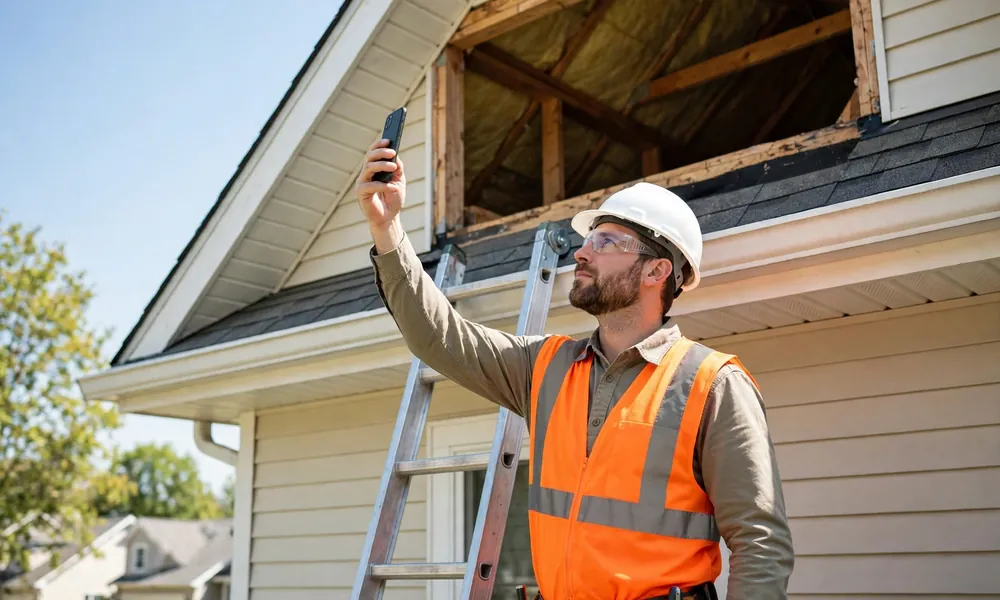
What AI tools actually do for home inspectors
Before choosing a tool, it helps to understand the four jobs AI now handles in an inspection business. The first is capture. Modern inspection apps let you dictate notes as you walk, photograph each defect in place, and tag every image to the right room and system automatically. Some tools use image recognition to suggest what a photo shows, such as a water heater, an electrical panel, or a roof valley, so the photo lands in the correct section without manual sorting later.
The second job is writing. AI report writers turn short notes and checklists into full, readable narratives. You might type or dictate “water heater, 2011, rust at base, recommend licensed plumber,” and the tool drafts a complete comment with the age, the observation, the implication, and the recommendation. Good tools learn your phrasing over time, so the drafts start to sound like you rather than a generic template. This is where most inspectors save the most time, and where careful review matters most.
The third job is organisation and delivery. Once the inspection is done, AI helps assemble the report, place photos beside the right comments, build a summary page of major findings, and send the finished document to the client and agent with a secure link. Some platforms also generate a repair request list from the report, which agents appreciate because it saves them rebuilding the list by hand. The fourth job is business support: scheduling, reminders, invoicing, review requests, and follow-up emails that keep the diary full without constant admin.
How we compared the tools
We judged each tool on the things that matter during a real working week. Report quality came first, because a fast report that reads badly helps nobody. We looked at whether the AI narratives were accurate, clear, and easy to edit, and whether the finished report looked professional on both a phone and a desktop screen. Ease of use on site came next: the app must work with gloves on, in a dark attic, with poor signal, and with one hand free.
We also weighed photo handling, because photos are the evidence behind every finding. The best tools make it simple to capture, label, annotate, and place photos exactly where they belong. Pricing and support mattered too, as did integration with scheduling and payment tools, since few inspectors want five separate subscriptions that do not talk to each other. Finally, we considered how well each tool serves a solo inspector compared with a multi-inspector firm, because the right choice for one is not always right for the other.
Best AI tools for home inspectors at a glance
| Tool | Best for | Standout AI feature | Good fit |
|---|---|---|---|
| Spectora | All-round reporting | AI narrative drafting and photo organisation | Solo and multi-inspector firms |
| HomeGauge | Detailed reports | AI-assisted comments and template library | Experienced inspectors |
| Tap Inspect | Fast mobile inspections | Voice-to-report and smart photo placement | Inspectors who work from a phone |
| Horizon | Consistent narratives | Large narrative library with AI suggestions | Firms wanting uniform reports |
| Home Inspector Pro | Flexible reporting | Customisable templates and AI drafting | Inspectors who want control |
| CompanyCam | Photo documentation | AI photo tagging and timeline | Any inspector with heavy photo use |
| Drone roof tools | Roof inspection | AI roof measurement and damage spotting | Inspectors covering roofs safely |
| ISN | Office automation | Automated scheduling, reminders, and agreements | Busy and growing firms |
| Voice and writing assistants | Notes and narratives | Transcription and plain-language summaries | Every inspector |
The 9 best AI tools for home inspectors in 2026
Each tool below earns its place for a different reason. Some are complete platforms that can run your whole inspection workflow, while others do one job so well that they are worth adding beside your main software. Read the strengths and limits of each, then match them to the part of your working day that costs you the most time.
1. Spectora
Spectora is the most popular all-round inspection platform among modern firms, and its AI features explain much of that popularity. The mobile app is quick to use on site, with a clean checklist layout, fast photo capture, and voice dictation that feeds straight into the report. Its AI drafting turns short notes into polished comments, suggests the right narrative for common defects, and helps keep the tone consistent from the first page to the last.
Where Spectora really earns its keep is after the inspection. Reports assemble themselves as you work, photos sit beside the comments they belong to, and the finished document can be published and sent within minutes of finishing the walkthrough. Clients receive a modern, easy-to-read report with a clear summary of major items, and agents can generate a repair request list directly from it. The platform also handles scheduling, agreements, online payment, and automatic review requests, so a solo inspector can run a professional operation without a separate office system.
The main limitation is that Spectora works best when you commit to its way of doing things. Inspectors with deeply custom report styles may need time to rebuild their templates, and the subscription cost rises with extra inspectors and add-ons. Even so, for most firms the time saved on reports pays for the subscription many times over. If you want one tool that covers capture, writing, delivery, and office admin, Spectora is the natural starting point.
2. HomeGauge
HomeGauge has served inspectors for many years, and its strength is depth. The template library is large and detailed, covering the systems and components that experienced inspectors check, and its AI-assisted comments help you write thorough narratives without starting from a blank page. The software supports photos, video, and diagrams, and the finished reports have a traditional, comprehensive feel that many agents and long-standing clients trust.
The platform suits inspectors who value completeness and control. You can shape reports to match your own style, add detailed narratives for unusual findings, and produce documents that stand up well when a client reads them carefully a week later. HomeGauge also offers scheduling and delivery features, and its companion app keeps the field workflow moving. Newer inspectors may find the learning curve steeper than simpler apps, because the range of options is wide, but the investment pays off in report quality.
HomeGauge is a strong choice if your selling point is a thorough, careful inspection and you want software that supports that rather than simplifying it. Pair it with a good photo tool and a voice assistant, and it becomes a powerful combination for inspectors who take pride in detailed work.
3. Tap Inspect
Tap Inspect is built for speed on a phone. The interface is deliberately simple: you move through the property, tap through items, photograph defects, and dictate notes as you go. Its AI features help place photos in the right sections, turn spoken notes into written comments, and keep the report building in the background while you keep inspecting. Many inspectors find they finish the report at the property rather than at the kitchen table later.
The appeal is the low friction. There is little to learn, the app stays out of your way, and the finished reports are clean and easy for clients to read. Tap Inspect works particularly well for inspectors who do a high volume of standard residential inspections and want to keep the admin light. The trade-off is that it offers less depth for highly customised reports than some larger platforms, so inspectors with unusual specialisms may need to add their own narratives.
If your biggest frustration is the hours lost to typing after each inspection, Tap Inspect deserves a close look. A free trial on a few real jobs will tell you quickly whether its pace suits your way of working.
4. Horizon by Carson Dunlop
Horizon is known for the quality and consistency of its narratives. Its library of pre-written comments is extensive, and its AI suggestions help you pick the right wording for each finding, keeping reports uniform across every inspector in a firm. That consistency matters: clients and agents learn to trust a report format they recognise, and multi-inspector firms avoid the problem of five inspectors writing the same defect five different ways.
The software handles photos, diagrams, and summary pages well, and the reports it produces are polished and professional. Horizon suits firms that want a house style and are willing to train their team on it properly. Solo inspectors also benefit, because the narrative library acts like an experienced colleague looking over your shoulder, reminding you of the details that belong in a complete comment.
The main consideration is setup time. Getting the templates and narratives tuned to your preferences takes effort at the start, and the platform rewards inspectors who invest that time. Once it is tuned, though, Horizon produces some of the most consistent reports in the business.
5. Home Inspector Pro
Home Inspector Pro gives inspectors unusual freedom to shape their reports. Templates are highly customisable, the mobile and desktop apps work together smoothly, and AI drafting helps turn quick notes into finished comments without forcing you into a rigid format. Inspectors who have a clear idea of how their reports should look often choose it precisely because it adapts to them rather than the other way round.
The software supports photos, video, and annotated diagrams, and it handles the full range of residential and commercial inspections. Its report output is clean and professional, and the ability to fine-tune layouts means your reports can carry a distinctive style that clients remember. The flexibility does mean there is more to set up at the start, and new users should expect a few days of tuning before the system feels natural.
For inspectors who value control and are willing to invest time in setup, Home Inspector Pro is one of the strongest options available. It rewards the effort with reports that look exactly the way you want them to look, every time.
6. CompanyCam
CompanyCam is not a report writer, but it solves a problem every inspector knows: the phone full of photos that takes an evening to sort. The app organises photos by project and location, tags them with AI, and builds a visual timeline of each job that the whole team can see. Photos taken on site appear instantly for office staff, which means questions can be answered while the inspector is still at the property rather than the next day.
The AI tagging is the quiet star of the show. It recognises rooms, systems, and common components, so a photo of an electrical panel or a water heater is filed where it belongs without manual effort. Annotations, notes, and voice comments attach directly to each photo, and the finished timeline is a useful record if a client asks about a detail weeks later. CompanyCam also makes it simple to share a photo set with an agent or a contractor when a follow-up is needed.
Used alongside a main inspection platform, CompanyCam sharpens the photo side of your work and removes one of the most tedious parts of the job. Inspectors who photograph heavily, or who work in teams, will notice the difference within the first week.
7. Drone and roof inspection tools
Roofs are where AI earns its keep in the most visible way. Drone platforms with AI analysis can photograph a roof from above, measure its planes, and flag missing shingles, damaged flashing, and worn areas that are hard to see from the ground. For steep, fragile, or wet roofs, a drone keeps the inspector safely on the ground while still producing a thorough record. Similar AI tools for roofers show how the same approach works across the trades, and inspectors who cover a lot of roofing work can learn from the way AI tools for roofers handle measurements and damage spotting.
The workflow is straightforward: fly the drone, let the software stitch the images into a clear roof map, review the flagged areas, and add the best images to your report with your own observations. The AI does not replace your judgement, and it should never be the only basis for a roof comment, but it gives you a far better view than binoculars from the driveway. Thermal camera attachments add another layer, revealing hidden moisture and missing insulation that the eye cannot see.
Before investing, check local drone rules and insurance requirements, and practise on your own roof first. The learning curve is real, but for inspectors who regularly face roofs they cannot safely walk, a drone with AI analysis is one of the most valuable additions to the toolkit.
8. Inspection Support Network (ISN)
ISN handles the office side of an inspection business, and its automation features quietly save hours every week. It manages online booking, sends confirmation and reminder messages, collects signed agreements before the inspection, and follows up with review requests after the report is delivered. Its AI-assisted messaging helps keep clients informed without you writing the same email for the hundredth time.
The real value shows in a busy diary. When several inspections run in a day, ISN keeps track of who has paid, who has signed, who needs a reminder, and which agent should receive the report. It integrates with the major report-writing platforms, so the office workflow and the inspection workflow stay connected. Multi-inspector firms benefit most, because ISN gives the office a single view of every job, but solo inspectors with a full diary will feel the difference too.
ISN is best seen as the engine room behind your inspection software rather than a replacement for it. Pair it with a strong reporting platform and you have a business that runs smoothly even on your busiest weeks.
9. Voice and writing assistants
The simplest AI tools are sometimes the most useful. A voice transcription app turns your spoken notes into accurate text as you walk through a property, so nothing is lost between the attic and the office. Writing assistants then help polish those notes into clear, professional language, fix grammar, and rewrite a technical sentence in words a first-time buyer can understand. Together, they remove the two slowest steps in report writing: getting the words down and making them readable.
These assistants shine on the details that matter. A dictated note about a double-tapped breaker becomes a clear, accurate comment. A rambling observation about a damp patch becomes a short paragraph with the location, the likely cause, and the recommendation. The same tools help with the business side too: drafting client emails, writing social media posts, and summarising a long report into a plain-language summary for a buyer who wants the key points first.
The cost is usually low, and most inspectors already carry the hardware in their pocket. The habit to build is reviewing every AI draft before it reaches a client, because a transcription error or a polished-sounding mistake is still your responsibility once it is in the report.
Choosing the right tool for your inspection business
Start with the bottleneck. If reports eat your evenings, a platform with strong AI writing such as Spectora or Tap Inspect will change your week the most. If your photos are a mess, add CompanyCam first. If your diary is chaos, ISN will calm it down. If roofs slow you down or worry you, a drone setup pays for itself in safety and coverage. Buying the tool that solves your biggest pain first gives you the fastest return and the clearest sense of whether AI suits your workflow.
Think about how the tool fits your properties as well. An inspector who mostly covers newer suburban homes has different needs from one who inspects century-old houses with complex systems. Older homes generate unusual findings that need custom narratives, so a platform with flexible templates and a strong narrative library matters more. Inspectors who work across trades will also notice that the best AI tools share the same pattern: good capture, clear writing, and honest organisation. The lessons carry across specialties, which is why reading about AI tools for plumbers can sharpen your thinking about the plumbing section of your own reports, and why the structured approach of AI tools for electricians is a useful model when you write up panels, wiring, and safety devices.
Finally, test before you commit. Every serious platform offers a trial, and a trial on real inspections tells you more than any demo. Run two or three genuine jobs through the tool, time how long the report takes, read the finished document as if you were the buyer, and ask your most honest agent contact what they thought of it. The right tool should feel faster by the third job, not slower, and the reports should read like you on your best day.
What AI inspection tools cost, and what they return
Most inspection platforms charge a monthly subscription, typically in the range of a single inspection fee, with extra costs for additional inspectors, add-ons, or higher report volumes. Specialist tools such as photo apps, transcription services, and drone software usually cost less per month, and some offer free tiers that are enough to test properly. A realistic budget for a solo inspector using one main platform plus one or two specialist tools is roughly the price of one or two inspections a month.
The return comes from time and capacity. If AI cuts two hours of report writing from each inspection, and you inspect four homes a week, that is a full working day returned every week. Some inspectors use that time for more inspections and earn more; others use it to finish earlier, answer clients properly, and keep their weekends free. Either way, the subscription pays for itself quickly when the tool genuinely fits your workflow.
Watch for hidden costs when comparing options. Check what is included in the base price and what is an add-on: extra users, report storage, agreement signing, online payment processing, and premium templates can all add up. Also check the exit terms. A tool that locks your reports and templates behind an export fee is a poor long-term partner, however good its AI looks on the first day.
A practical checklist for getting started with AI
You do not need to rebuild your whole business in a weekend. Work through this checklist one step at a time, and let each step settle before you add the next.
- Pick your bottleneck first. Decide whether reports, photos, scheduling, or roofs cost you the most time, and choose the tool that solves that one problem.
- Run a real trial. Use the tool on three genuine inspections, time the report, and read the finished document as a buyer would.
- Build your own narratives. Edit the AI drafts into your voice, save the good ones as templates, and keep improving them as you go.
- Set a review rule. Read every AI-generated comment before it is published, and check ages, locations, and recommendations against your notes.
- Tidy your photos. Adopt one photo system, tag images by room and system, and annotate defects clearly so the report writes itself.
- Automate the office. Turn on booking confirmations, agreement signing, payment, and review requests so the admin runs itself.
Frequently asked questions
Inspectors ask the same questions when they first consider AI tools. Here are the honest answers.
Will AI write the whole report for me?
No, and it should not. AI drafts narratives from your notes, photos, and checklists, and it organises the report well, but the observations, the judgement, and the final sign-off are yours. The inspector who visited the property is the one who knows what was seen, and the report carries your name and your liability. Treat AI as a fast assistant who prepares a good first draft, then review and correct every word before it goes to the client.
Are AI inspection reports accurate?
They are accurate when the input is accurate. AI works from the notes, photos, and checklist items you give it, so a careful inspector gets a careful draft. Mistakes usually come from vague notes, a mislabelled photo, or a template that does not match the property. That is why the review step matters so much: reading the draft against your own memory of the house catches the errors that no software can catch for you.
Do clients trust reports written with AI?
Clients trust reports that are clear, accurate, and professional, and they rarely ask how the report was produced. What matters to a buyer is whether the report explains the findings in plain language, shows clear photos, and makes it obvious what needs attention now and what can wait. A good AI-assisted report does all of that, often better than a tired inspector typing late at night. Be open about using modern tools if a client asks, and let the quality of the report speak for itself.
Can AI help with roof inspections?
Yes, and this is one of its strongest uses. Drone software with AI analysis maps the roof, measures its areas, and highlights damaged or missing materials, giving you a detailed record without walking a steep or fragile surface. Thermal imaging adds another view, revealing hidden moisture and insulation gaps. AI never replaces your own judgement about a roof, and a drone cannot feel a soft spot underfoot, but the images and measurements it provides make your roof comments stronger and safer to produce.
What does AI cost a small inspection business?
A solo inspector can start with one main platform for roughly the price of a single inspection each month, and add a photo or transcription tool for a small extra amount. The key is to count the hours saved, not just the subscription. If the tool saves two hours per inspection, it pays for itself within the first week of the month. Avoid buying several tools at once; add them one at a time and only keep the ones that clearly save you time.
Will AI replace home inspectors?
No. AI cannot climb into an attic, feel a damp wall, hear a struggling furnace, or judge whether a crack is cosmetic or structural. Those are human skills built on training and experience, and no software can perform them. What AI replaces is the typing, sorting, and admin that used to fill an inspector’s evenings. The inspectors who thrive will be the ones who use AI to spend more time inspecting well and less time doing paperwork.
Bottom line
The best AI tools for home inspectors in 2026 are the ones that give you your evenings back without lowering the quality of your reports. A strong platform such as Spectora or HomeGauge, paired with a photo tool and a voice assistant, covers most of what a busy inspector needs, and specialist tools for roofs and office automation fill the remaining gaps. Choose the tool that fixes your biggest bottleneck, trial it on real jobs, and build the habit of reviewing every AI draft before it reaches a client.
Done well, AI makes you a better inspector, not a lazier one. Your reports become clearer, your photos become evidence instead of clutter, and your clients get answers while the inspection is still fresh in your mind. That is the real promise of these tools: not that they inspect the house for you, but that they let you spend your time on the inspection itself, which is the part only you can do.

Keep what speaks to you.
Leave room for your own perspective.


