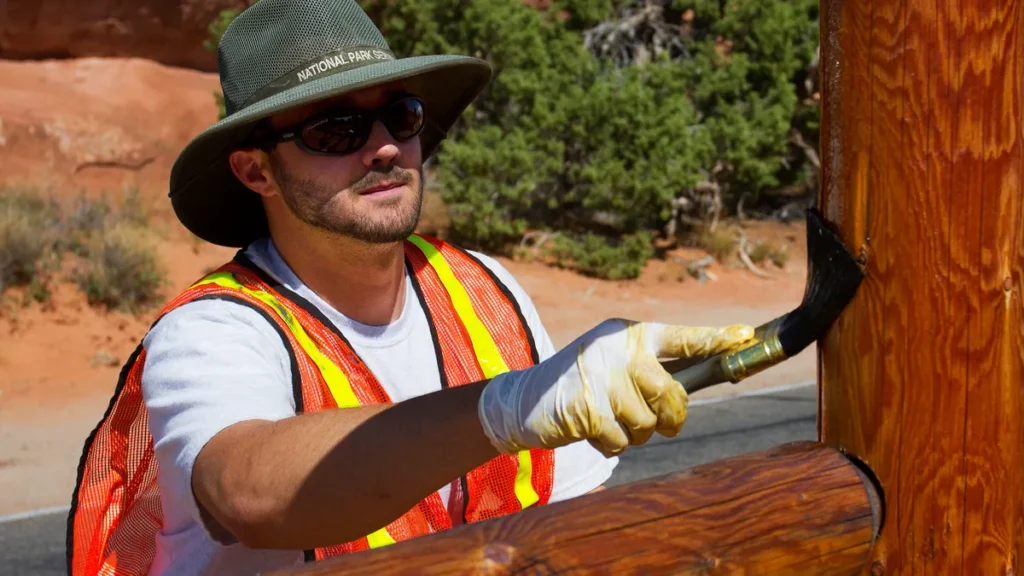
The best AI tools for fence staining startups in 2026 give a one-van finishing business something it has never had before: a colour studio, an estimating office and a booking desk that all fit in a pocket. A founder with a sprayer, a brush and a small crew can now show a homeowner exactly how a semi-transparent cedar stain will look on their own fence, price the job by the linear foot before leaving the driveway, and book the maintenance recoat two years out, all before a rival company has returned the first phone call. That speed matters because fence staining is won on trust and timing, not on scale, and the first company to show a believable finished result usually wins the job.
Staining is not painting, and the tools that work best for it are different for a good reason. Paint sits on the surface as an opaque coat that hides the wood underneath, as explained in our guide to fence painting startups, while stain soaks into the grain, colours it and protects it from sun and rain while the grain stays visible. That difference changes every decision a startup makes, from the way a colour is shown to a homeowner to the way a quote is built, because a stain job depends on the condition of the wood, the moisture in the boards, the previous finish and the weather window for drying. A tool that only matches paint colours will not tell you whether grey, weathered cedar will take a transparent stain evenly or whether it needs cleaning and brightening first.
This guide compares nine tools that fit a fence staining startup, from stain visualisers that preview transparent and semi-transparent finishes on vertical boards to estimating, scheduling, photo proof, bookkeeping and automation tools that keep a small crew organised. Each tool is judged on what it does for a staining business in particular, not on generic features, and the comparison table at the start of the guide makes it easy to see which tools belong in a starter stack and which can wait until the business grows. The aim is a simple, affordable setup that helps a new founder quote faster, stain better and get paid sooner.
Key takeaways
- Stain is not paint: transparent and semi-transparent stains soak into the grain and protect the wood, so visualisers and quotes must show grain, penetration and wood condition, not just colour.
- Price fence staining by the linear foot, with clear add-ons for cleaning, brightening, old stain removal and difficult access, and let AI quoting tools turn a photo and a fence length into a written estimate.
- Show the finish before you sell it: a stain visualiser that previews cedar, redwood and walnut tones on vertical boards prevents the most common complaint in this trade, which is a colour surprise.
- Weather and drying time decide the schedule, so use scheduling and photo tools that record moisture checks, drying windows and before-and-after proof for every fence.
- Start with a visualiser, a quoting and scheduling platform, photo proof and simple bookkeeping, then add reviews and automation once the first twenty jobs are complete.

How to choose AI tools for a fence staining startup
A fence staining startup needs tools that understand vertical wood. A fence is a long, narrow surface made of individual boards, posts and rails, and each board can absorb stain differently depending on its age, its exposure to sun and whether it was previously stained or painted. The best tools in this guide help a founder record those differences, explain them to a homeowner in plain language and price the extra preparation honestly, instead of treating every fence as one flat wall. Look for tools that handle linear-foot pricing, photo-based estimates, stain colour previews and weather-aware scheduling, because those four jobs decide whether a staining business makes money or loses it on callbacks.
Ease of use matters more than feature count in the first year. A founder who is on a ladder or behind a sprayer all day will not open a complicated dashboard in the evening, so the tools that survive are the ones that work from a phone, save automatically and share a quote or a photo with one tap. Check that each tool offers a free trial or a low-cost starter plan, that it exports customer and job data without a fee, and that it connects to the other tools in the stack without custom setup. A tool that locks a small business into expensive contracts or hides its data is a poor choice, however polished its marketing looks.
Finally, judge every tool by the staining job itself. A visualiser should show transparent and semi-transparent finishes with visible grain, not opaque paint swatches. An estimating tool should ask about fence length, board condition, previous finish and access, not just square footage. A scheduling tool should respect drying time between coats and rain forecasts, and a photo tool should record the wood before cleaning, after cleaning and after staining, so the homeowner can see the full transformation. The nine tools below were chosen against those tests, and each one earns its place by solving a real staining problem rather than a generic business problem.
Comparison table: the best AI tools for fence staining startups at a glance
| Tool | What it does | Cost | Best for |
|---|---|---|---|
| Thompson’s WaterSeal Visualizer | Stain colour preview | Free to use | Best for clear and tinted finishes |
| Penofin Stain Visualizer | Stain colour preview | Free to use | Best for transparent oil stains on cedar |
| Olympic Stains Visualizer | Stain colour preview | Free to use | Best for comparing semi-transparent colours |
| ServiceTitan | Quoting, scheduling and invoicing | Paid platform | Best all-round platform for a growing crew |
| FieldEdge | Dispatch and job tracking | Paid platform | Best for crews working across several fences |
| CompanyCam | Photo proof and job records | Paid subscription | Best for before, during and after photos |
| Claude | AI writing and quoting assistant | Free and paid plans | Best for quotes, messages and marketing |
| QuickBooks Online | Bookkeeping and invoicing | Paid subscription | Best for cash flow and tax-ready books |
| n8n | Automation between tools | Free and paid plans | Best for connecting the whole stack |
The best AI tools for fence staining startups in detail
1. Thompson’s WaterSeal Visualizer: the best tool for previewing clear and tinted fence finishes
Thompson’s WaterSeal is a name most homeowners already recognise from garden centres and hardware stores, and its visualiser turns that familiarity into a selling tool for a staining startup. The visualiser lets a founder show how a clear, tinted or semi-transparent finish will look on a fence, with the wood grain still visible through the colour, which is exactly the conversation a staining business needs to have before a single brush is lifted. A homeowner who can see the difference between a clear sealer and a warm cedar tint on their own style of fence is far less likely to be surprised by the finished result, and far more likely to approve the quote on the spot.
For a startup, the practical value is in the first visit. A founder can walk a fence line with a homeowner, point out grey boards, sun-bleached rails and areas where the previous finish has worn thin, and then use the visualiser to show how each finish will settle into the grain. The tool works best when it is paired with a real sample board, because a screen cannot show how stain soaks into rough-sawn cedar as honestly as a brushed test patch can. Used together, the visualiser and the sample board answer the two questions every customer asks: what colour will it be, and will the grain still show.
2. Penofin Stain Visualizer: the best tool for showing transparent oil stains on cedar and redwood
Penofin is known for penetrating oil stains that leave the grain of cedar and redwood clearly visible, and its visualiser is built around that idea. Instead of showing flat blocks of colour, it previews transparent and semi-transparent oil finishes that deepen the natural tone of the wood without hiding knots, grain lines or the variation between boards. For a fence staining startup that works mainly with cedar and redwood fences, that honesty is the point, because those customers chose wood fences precisely because they like the look of real timber.
The tool is most useful when a founder is explaining the difference between a transparent stain and a semi-transparent one. A transparent finish will show every mark and colour change in the wood, which suits a new, even fence but can look patchy on an older one. A semi-transparent finish evens out the tone while still letting the grain show, which is usually the safer recommendation for a weathered fence. The visualiser makes that trade-off visible in seconds, and it gives the founder a calm, visual way to recommend the finish that will actually look good in two years, not just on the day it is applied.
3. Olympic Stains Visualizer: the best tool for comparing semi-transparent fence colours side by side
Olympic stains are widely available and widely recognised, and the brand visualiser is useful for the most common staining decision of all: choosing between several semi-transparent colours that look similar in the shop but very different on a fence. The tool lets a founder compare cedar, redwood, walnut and grey tones side by side, which helps a homeowner move from a vague idea of a warm brown to a named shade that can be written into the quote. That written shade matters, because it protects both sides if the finished fence looks different from the colour card in the store.
A fence is a large surface, and a small colour card does it no justice. A shade that looks rich on a two-inch sample can look dark and heavy across a hundred feet of fence, while a lighter shade can wash out in strong sun. The visualiser helps a founder warn a customer about those effects before the work starts, and it encourages the habit of brushing a test patch on a hidden section of fence and letting it dry fully before the whole job is approved. That single habit prevents more rework than any other practice in fence staining.
4. ServiceTitan: the best all-round platform for quoting, scheduling and invoicing fence staining jobs
ServiceTitan is a full platform for home service businesses, and for a fence staining startup that plans to grow beyond a single van, it is the most complete option in this guide. It handles estimates, scheduling, dispatch, invoicing and customer history in one place, which means a founder can quote a fence from a photo, book the crew, send a reminder and chase payment without retyping the same details into four different tools. That single source of truth becomes more valuable with every job, because the customer record grows to include fence length, stain shade, previous finish and the date of the last coat.
The platform is built for linear, repeatable home service work, which suits fence staining well. A founder can build a price book with linear-foot rates for transparent, semi-transparent and solid stains, add line items for cleaning, brightening and old stain removal, and produce a written estimate that a homeowner can approve from a phone. Scheduling can respect drying time between coats and weather windows, and the job history makes it easy to offer a maintenance recoat at the right interval, which is where a staining business earns its repeat income.
5. FieldEdge: the best tool for dispatching fence staining crews and tracking jobs in the field
FieldEdge is designed for field service teams, and it fits a fence staining startup once the work moves from one founder to a small crew. It handles scheduling, dispatch, job tracking and customer communication, so the person in the office can see which crew is on which fence, what stage each job has reached and whether the drying time between coats has been respected. That visibility matters on staining work, because a crew that rushes a second coat before the first has dried will create lap marks and peeling that only show up weeks later.
The tool also helps with the practical details that decide whether a staining day runs smoothly. A crew can see the fence length, the stain shade, the access notes and the customer instructions on a phone, record the moisture check before starting, and upload photos at each stage of the job. The office can then send the customer a progress update and a completion message without phoning the crew, which keeps the working day calm and the customer informed. That combination of field visibility and customer updates is what turns a one-van operation into a business that customers recommend.
6. CompanyCam: the best tool for photo proof of every fence before, during and after staining
CompanyCam is a photo documentation tool built for contractors, and it is one of the most valuable tools a fence staining startup can own. It organises photos by job and by fence, stamps them with time and location, and makes it easy to show a customer the wood before cleaning, after cleaning and after staining. That record is the best protection a staining business has, because most disputes in this trade are about the condition of the wood before the work started, not about the stain itself.
The tool is simple to use in the field, which is why crews actually use it. A worker opens the job, takes a photo, and the image is saved to the right fence and the right stage without sorting or renaming. The founder can then send a before-and-after set to the customer, use the photos in a quote for a neighbouring fence, and keep a visual record of which stain shade was used on which property. Over a season, that library becomes a sales asset, because a homeowner who sees a similar fence transformed is far more likely to book.
7. Claude: the best AI assistant for quotes, messages and marketing for a fence staining startup
Claude is an AI assistant that a fence staining founder can use for the writing and thinking that fills the gaps between jobs. It drafts quotes, follow-up messages, review replies and short marketing posts, and it can turn rough notes from a fence visit into a clear written estimate with the fence length, the stain shade, the preparation work and the price laid out in plain language. That matters because a staining business wins work with clear, prompt communication, and a founder who is tired after a day of spraying will not write a good quote from scratch in the evening.
The assistant is also useful for the quieter parts of running a business. It can summarise a season of jobs, suggest a maintenance reminder for customers whose fences are due a recoat, draft a simple checklist for a new crew member, or help a founder compare two stain suppliers in plain terms. The key is to give it real details from the job: the fence length, the wood type, the previous finish and the weather window. With those details, its drafts are useful and specific; without them, they are generic and should not be sent.
8. QuickBooks Online: the best tool for bookkeeping, invoicing and cash flow for a fence staining startup
QuickBooks Online is the bookkeeping tool most small businesses and accountants already know, and that familiarity is its main strength for a fence staining startup. It records income and expenses, sends invoices, tracks who has paid and who has not, and produces the reports a founder needs at tax time. A staining business has lumpy cash flow, with busy spring weeks followed by quiet rainy spells, so a clear view of money in, money out and money owed is not a luxury but a necessity.
The tool fits staining work because it handles the details that matter: deposits before a job, staged payments for large fences, material costs for stain and cleaning products, and mileage for a van that covers a wide area. A founder can send an invoice from a phone on the day the fence is finished, while the customer is still pleased with the result, rather than waiting until the weekend and chasing payment a month later. That habit alone improves cash flow more than any discount or promotion.
9. n8n: the best tool for connecting the whole fence staining stack without expensive software
n8n is an automation tool that connects the other tools in a fence staining business, and it is the most flexible option in this guide. It can move information between tools without a person retyping it: a new enquiry can create a customer record, a signed estimate can create a scheduled job, a completed job can trigger a review request, and a paid invoice can update the books. Those small automations save hours in a week, and they prevent the mistakes that happen when a busy founder copies a fence length or a stain shade from one system to another.
The tool is open and adaptable, which suits a startup that wants to build its stack slowly. A founder can start with one simple automation, such as sending a thank-you message and a review request when a job is marked complete, and add more as the business grows. It can connect scheduling, photo, bookkeeping and messaging tools, and it can be self-hosted for a low cost or used as a cloud service. The trade-off is that it needs more setup than a simple connector, and a founder should budget time to test each automation before relying on it.
Building your starter stack for a fence staining startup
A sensible starter stack for a fence staining startup has four tools and costs very little to begin. Start with one stain visualiser, choosing the brand whose stains the business will actually use, and carry stained sample boards in the van so the screen preview is always backed by a real brushed patch. Add CompanyCam for photo proof on every job, a habit that also works well for deck staining startups, because the photo record protects the business and sells the next fence, and add QuickBooks Online for invoicing and bookkeeping from the first paid job, so cash flow is visible from the start.
The fourth tool in the starter stack is an AI assistant such as Claude, used for drafting quotes, follow-up messages and maintenance reminders. With those four tools, a founder can show the finish, prove the work, get paid and communicate clearly, which covers the whole first season. ServiceTitan or FieldEdge can wait until the business has a crew and several jobs a week, and n8n can wait until the other tools are creating double entry. That order matters, because a startup that buys a full platform before it has customers will spend its first profits on software instead of stain and fuel.
As the business grows, the stack should grow in the order the work demands it. The first addition is usually a scheduling and dispatch platform, because a crew cannot be run from a phone calendar once there are two vans and three fences a day. The second is a review tool, because a staining business lives on local recommendations and a steady flow of honest reviews. The third is automation, which ties the stack together and removes the evening admin that burns out founders. Each addition should be tested on real jobs for a month before it becomes part of the standard workflow, and any tool the crew will not use should be dropped, however good it looks in a demonstration.
Fence staining startup checklist
- Walk the whole fence line with the homeowner, note the length in linear feet, and record the wood type, the previous finish and any grey, damaged or rotten boards before quoting.
- Test the moisture in the boards, confirm the fence is dry enough to stain, and check the weather forecast for a clear drying window before booking the job.
- Brush a test patch of the chosen stain on a hidden section, let it dry fully, and get the shade approved in writing with the stain brand and shade named.
- Clean and brighten the fence, protect plants, paths and neighbouring fences, and photograph the wood before, during and after staining.
- Apply the stain evenly with the grain, respect the drying time between coats, and record the shade, the batch and the date in the job record.
- Send the invoice on the day the job finishes, request a review while the customer is pleased, and book the maintenance recoat date in the schedule.
Frequently asked questions
What is the best first AI tool for a fence staining startup?
The best first tool is a stain visualiser for the brand of stain the business will use most, paired with a set of stained sample boards. The visualiser shows a homeowner how a transparent or semi-transparent finish will look on vertical boards with the grain still visible, which prevents the colour surprises that cause most complaints. Add photo proof and simple invoicing next, because those two tools protect the business and get it paid, and add a full scheduling platform only when the job book grows beyond what a phone calendar can handle.
How much should a fence staining startup spend on AI tools each month?
A new staining startup can start with very little, because the three visualisers in this guide are free to use and an AI assistant has a free plan. A realistic starter budget covers a photo tool and a bookkeeping subscription, which together cost less than a single day of staining work in most areas. A full platform such as ServiceTitan or FieldEdge is a larger monthly cost and should be judged on whether it saves a crew several hours a week. Review every subscription each season, cancel any tool the crew does not use, and never let software costs grow faster than the number of fences completed.
Can AI really quote a fence staining job from a photo?
AI can help with a fence staining quote, but it cannot replace a site visit for the final price. A photo can show the fence length, the board condition and the general state of the wood, and an estimating tool can turn those details into a draft quote by the linear foot. The final price still depends on moisture, previous finish, access and preparation, which are hard to judge from a photo alone. Use AI quoting for fast, honest estimates and a clear range, in the same way fence repair startups price urgent callouts, then confirm the price after a short visit and a moisture check, and the customer will trust the quote more, not less.
Should a fence staining startup offer transparent, semi-transparent or solid stains?
A fence staining startup should offer all three, but it should recommend the finish that suits each fence rather than selling the same product to every customer. Transparent stains suit new, even cedar and redwood fences where the grain is the attraction. Semi-transparent stains suit most weathered fences, because they even out the tone while still showing the grain. Solid stains suit old fences with patchy colour or heavy wear, because they cover the most and last the longest. Explain the trade-off in plain language, show the options in a visualiser, and record the chosen shade in writing.
How do AI tools help with weather and drying time for fence staining?
AI tools help with weather and drying time by keeping the schedule honest. A scheduling tool can block out drying time between coats, warn when rain is forecast, and move a job before a crew drives to a wet fence. A photo tool can record the moisture check and the weather on the day, which protects the business if a finish is questioned later. An AI assistant can draft a clear message to the customer explaining a weather delay, which keeps the relationship warm. No tool can change the weather, but the right tools stop a founder from staining a damp fence and paying for the mistake.
Will AI tools replace the need for skilled fence stainers?
AI tools will not replace skilled fence stainers, because staining is physical work that depends on judgement. A tool can preview a colour, draft a quote and schedule a crew, but it cannot judge whether a board is dry enough, whether a previous finish needs removing, or whether a second coat should be brushed in by hand. The value of AI is that it takes the office work off a skilled stainer, so the stainer spends more time on the fence and less time on paperwork in the evening. The businesses that do best will be those that combine good staining craft with good tools, not those that try to replace one with the other.
The bottom line
The best AI tools for fence staining startups in 2026 are the ones that respect what staining actually is: a craft that protects wood while showing its grain, priced by the linear foot and scheduled around weather and drying time. A stain visualiser that previews transparent and semi-transparent finishes, a photo tool that records every stage, a simple bookkeeping tool that gets the business paid, and an AI assistant that handles the writing will carry a new founder through the first season. Add a full platform and automation only when the work demands it, and the business will grow on the strength of fences that look good, last well and bring in the next customer by recommendation.

Keep what speaks to you.
Leave room for your own perspective.


