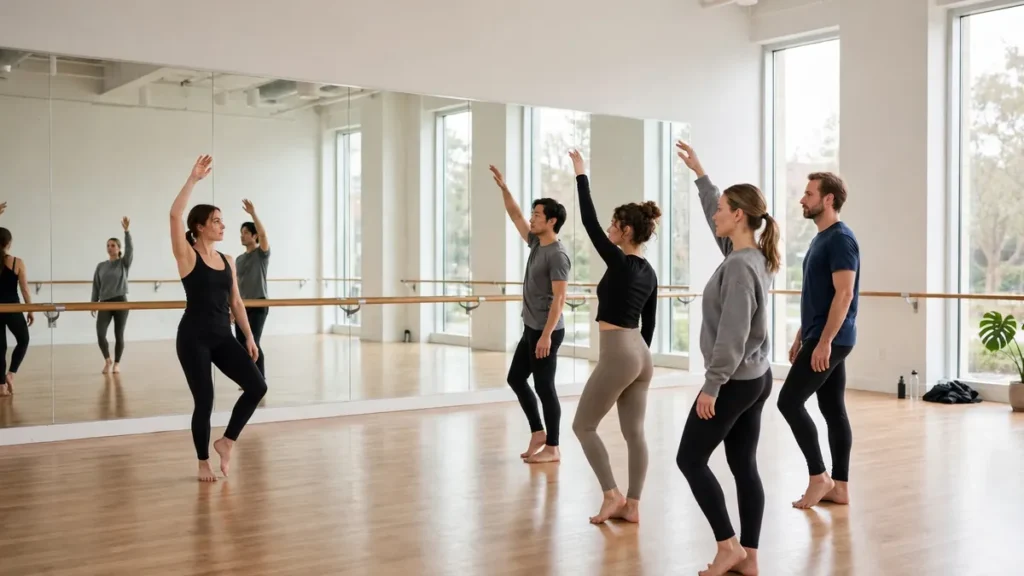
The best AI tools for dance classes in 2026 do far more than fill a timetable. They answer parent questions at midnight, remind students about the classes they love, spot the sessions that are quietly losing dancers, and turn a half-empty Tuesday evening into a waiting list. For a studio owner who teaches most of the day and runs the business in the gaps between classes, that kind of help is not a luxury. It is the difference between a studio that survives on effort alone and one that grows steadily, term after term, without burning out the people who run it.
Choosing the right tool matters because dance classes are not like ordinary appointments. A single family may have two children in different levels, a sibling discount, a costume fee, a recital rehearsal, and a holiday camp, all managed at once. The best AI tools for dance classes understand that complexity. They keep enrolments, payments, attendance, and communication in one place, and they use simple automation to handle the repetitive work so teachers can focus on the dancing itself. When the system works well, parents feel looked after, students feel noticed, and the studio feels calm even in the busiest weeks of the year.
This guide compares the strongest options for studios of every size, from a one-room school with a single teacher to a multi-room academy with hundreds of students. You will find a clear comparison table, honest notes on what each tool does best, a practical checklist for choosing, and answers to the questions studio owners ask most often. Every recommendation is judged on the same things that matter in real studios: easy enrolment, reliable scheduling, friendly communication, fair pricing, and tools that genuinely save time rather than creating new work.
Key takeaways
- Choose one system that handles enrolment, scheduling, payments, and messages together, rather than stitching four separate tools into a fragile chain.
- AI scheduling and waitlist tools fill empty places fastest, because they contact the right families at the right moment instead of waiting for someone to check the website.
- Automated reminders and friendly follow-up messages reduce missed classes and late payments more than any discount ever will.
- Small studios should start with a simple, affordable plan and add features as they grow, while larger academies need strong reporting and multi-room scheduling from day one.
- Always trial a tool with real class data and real parents before committing, because a system that looks simple in a demo can feel very different on a busy Monday evening.

What AI Actually Does for a Dance Studio
Artificial intelligence sounds grand, but inside a dance studio it shows up as small, practical help. It reads the patterns in your bookings and notices that the Saturday morning ballet class always fills first, while the Thursday jazz class loses two students every half term. It drafts a friendly message to the families on the waiting list the moment a place opens. It answers the same five questions parents ask every September, instantly, in a warm tone that matches your studio. None of this replaces a teacher. It simply removes the admin that eats into teaching time.
The most useful AI features fall into four groups. Scheduling intelligence keeps classes balanced, suggests better times, and manages waitlists without a spreadsheet. Communication tools send reminders, answer common questions, and follow up with families who have gone quiet. Enrolment tools make it easy for a new parent to book a trial, pay, and receive everything they need without a phone call. Reporting tools turn attendance and payment data into plain answers, such as which classes earn the most, which age groups are growing, and where a small change would bring the biggest improvement.
Studios that use these tools well often report the same three wins. First, fewer empty places, because waitlists and reminders work around the clock. Second, faster payments, because invoices, receipts, and gentle nudges happen automatically. Third, happier families, because parents get clear answers quickly and never feel forgotten. Those wins compound. A studio that fills five extra places a week and collects fees on time can afford better costumes, better music, and better training for its teachers, which in turn brings more students through the door.
It helps to compare dance studios with other class-based businesses, because the problems are remarkably similar. The same scheduling, reminder, and retention challenges appear in every studio that teaches people in groups, and the lessons travel well. For a broader look at how similar tools work in a neighbouring discipline, the guide to the best AI tools for dance studios covers the studio-management side in depth, including the booking and attendance features that matter most when classes run back to back all week.
Best AI Tools for Dance Classes at a Glance
The table below gives a quick view of the leading options. Read it as a starting point rather than a final verdict, because the best choice depends on your size, your budget, and the way your classes are organised. A small studio with forty students needs something very different from an academy with four rooms and a full timetable, and the right tool is the one your whole team will actually enjoy using every day.
| Tool | Best for | Standout AI feature | Starting price |
|---|---|---|---|
| Mindbody | Large studios and academies | Smart scheduling and demand forecasting | Paid plans from the low tens per month |
| Jackrabbit Dance | Dance-specific enrolment | Automated class recommendations | Paid plans from the low tens per month |
| The Studio Director | Growing multi-class schools | AI-assisted messaging and follow-ups | Paid plans from the low tens per month |
| ClassJuggler | Simple, affordable management | Automatic reminders and billing | Low-cost monthly plans |
| Momence | Modern booking and marketing | AI marketing and retention prompts | Paid plans from the low tens per month |
| WellnessLiving | Studios with classes and events | Smart rewards and rebooking nudges | Paid plans from the low tens per month |
| Sawyer | Children’s classes and camps | AI enrolment and waitlist handling | Paid plans with per-booking options |
| DanceStudio-Pro | Small studios starting out | Simple AI assistant and templates | Low-cost monthly plans |
Mindbody
Mindbody is the heavyweight of the group, and it suits large studios and academies that need power and polish. Its scheduling handles multiple rooms, multiple teachers, and complex timetables without breaking a sweat, and its AI features look at booking patterns to suggest better class times and highlight the sessions most at risk of low attendance. The branded app and website booking pages look professional, which matters when parents compare studios online, and the reporting tools give a clear view of revenue, retention, and class performance across the whole business.
The trade-off is complexity and cost. Mindbody has so many features that a small studio can feel lost in the settings, and the price rises as you add staff, locations, and marketing tools. Setup takes real time, and it works best when one person owns the system and learns it properly. For a studio with hundreds of students and a team of teachers, that investment pays off quickly. For a one-teacher school, it may be more than you need, and a simpler tool could serve you better for now.
Who should choose Mindbody
Choose Mindbody if you run a large or growing academy, teach in more than one room, or want a polished branded app that parents can use to book, pay, and manage their family from one place. It is also a strong pick if you sell workshops, holiday camps, and merchandise alongside classes, because it handles all of those in one system. Avoid it if your studio is very small and you want something you can set up in an afternoon, because the learning curve is real and the monthly cost is higher than the simpler options in this guide.
Jackrabbit Dance
Jackrabbit Dance is built specifically for dance schools, and that focus shows in every screen. Enrolment forms understand levels, ages, and multiple children per family. Costume sizing, recital planning, and class placement are handled as first-class features rather than awkward workarounds. Its AI-assisted recommendations help place new students in the right level and suggest classes that fit their age and experience, which reduces the back-and-forth that usually follows a trial lesson.
The communication tools are a quiet strength. Automated emails and messages keep parents informed about term dates, costume deadlines, and recital details, and the parent portal gives families a single place to see schedules, balances, and announcements. Reporting is practical rather than flashy, showing exactly which classes are full, which need promotion, and which families have an outstanding balance. Teachers can take attendance on a phone or tablet, and the office can see the picture instantly.
Jackrabbit is less flashy than some rivals on the marketing side, and its design feels functional rather than fashionable. That is a fair trade for most dance schools, because the features that matter day to day are exactly the ones it does best. If your studio lives and breathes recitals, costumes, and term enrolment, Jackrabbit deserves a serious trial, and it scales well as you add classes and teachers over the years.
The Studio Director
The Studio Director is a strong all-rounder for growing schools that want solid management without enterprise complexity. Its scheduling, enrolment, and billing tools cover the essentials well, and its AI-assisted messaging helps the office follow up with trial families, lapsed students, and waiting-list parents at the right moment. The tone of those messages can be set to match your studio, so families hear a friendly human voice rather than a robotic template.
Attendance tracking is simple and reliable, and the system flags students who have missed two classes in a row so a teacher or administrator can check in before the family drifts away. That single habit, a kind message after a missed class, saves more enrolments than almost any marketing campaign. The Studio Director also handles online registration cleanly, with forms that parents can complete on a phone in a few minutes, which matters because most trial bookings now happen on mobile in the evening.
Where it falls slightly behind the leaders is in advanced marketing and in the polish of its customer-facing pages, which are good rather than outstanding. For a school that wants dependable daily management, friendly automation, and fair pricing, it is an excellent middle ground. Trial it with your real timetable and a handful of real families, and judge it on how quickly your office team can do a normal day of work.
ClassJuggler
ClassJuggler is the straightforward, affordable option, and small studios love it for exactly that reason. It covers enrolment, scheduling, billing, and attendance without drowning you in settings, and its automatic reminders and billing runs quietly handle the jobs that used to take a Sunday afternoon. The AI side is modest rather than showy: smart reminders, simple follow-up prompts, and clear lists of who needs attention this week. For many small schools, that is precisely the right amount of intelligence.
The interface is clean and easy to learn, which means a new administrator or a teacher covering the desk can pick it up quickly. Customer support is known for being helpful and human, and that counts for a lot when a payment fails on the morning of a recital. ClassJuggler does not try to be a marketing platform, so if you want advanced campaigns and a branded app, you will need a separate tool. If you want your classes, payments, and registers handled reliably at a fair price, it is hard to beat.
ClassJuggler works particularly well for studios with one or two rooms and a timetable that changes by term rather than by week. It is also a sensible first system for a new studio, because you can start small, learn what you actually need, and move up later without having paid for features you never used. Keep your data tidy from the start, with clear class names and consistent age groups, and the system will repay that care many times over.
Momence
Momence brings a modern, marketing-minded approach to class management. Its booking pages look fresh, its AI tools suggest marketing messages and retention campaigns based on your actual attendance data, and its messaging features make it easy to reach the right group of families with the right offer. If your studio struggles most with filling classes rather than running them, Momence deserves a close look, because it treats marketing as part of the system rather than an afterthought.
The platform handles scheduling, payments, memberships, and class packs cleanly, and its reports show which campaigns brought students back and which ones quietly failed. That feedback loop is valuable: instead of guessing why the Wednesday class is half empty, you can see the pattern, try a targeted message, and measure the result. The interface is friendly, and most studios can get running quickly, although some dance-specific features, such as costume management, are less developed than in the dance-only tools.
Momence suits studios that want to grow, especially those in competitive towns where a polished online presence wins trial bookings. It is less ideal if your priority is deep recital and costume management, in which case a dance-specific system will fit better. Either way, use the trial to test the marketing suggestions on a real class that needs filling, and judge the tool on the bookings it produces rather than the beauty of its dashboard.
WellnessLiving
WellnessLiving covers classes, events, and memberships in one system, and its AI features focus on keeping students coming back. Smart rewards, rebooking nudges, and personalised offers encourage families to book the next term before the current one ends. Its scheduling is flexible, its payment tools are solid, and its app gives parents an easy way to manage bookings from their phone, which reduces the calls and messages that interrupt teaching time.
WellnessLiving is a good fit for studios that run a mix of regular classes, workshops, and special events, because it handles all three gracefully. It is slightly less dance-specific than Jackrabbit, so recital-heavy schools may miss a few specialist features, but for a studio that blends dance with fitness, workshops, and community events, it is a flexible and friendly choice. As always, trial it with your busiest week in mind, not your quietest one.
Sawyer
Sawyer is designed for children’s classes and camps, which makes it a natural fit for dance schools whose students are mostly under eighteen. Its enrolment flow is built around parents booking for their children, with clear age filters, sibling handling, and camp scheduling that actually makes sense. Its AI enrolment and waitlist tools fill cancelled places quickly by contacting the next family in line, and its messaging keeps parents informed without overwhelming them.
The platform also helps studios get discovered, because families can find and book classes through its marketplace as well as through the studio website. That extra visibility is useful for a new school or one that has moved to a new area. Payments, refunds, and credits are handled cleanly, and the reporting shows which classes and camps earn the most, which helps when planning the next term or the summer programme.
Sawyer is less suited to adult-only studios or to schools that need deep recital and costume management, and its pricing model deserves a careful read, since some plans involve per-booking costs that add up as you grow. For a children’s dance school that wants friendly enrolment, strong waitlists, and extra discovery, it is well worth a trial. The same class-based thinking applies beyond dance, and studios that also run movement sessions for adults can learn from the way similar tools serve neighbouring fields, as shown in the guide to the best AI tools for yoga instructors, where scheduling and retention follow the same patterns.
DanceStudio-Pro
DanceStudio-Pro is the simple starter in this list, built for small studios that want a gentle introduction to AI-assisted management. It offers a straightforward booking page, simple scheduling, and an AI assistant that drafts messages, reminders, and class descriptions in your studio’s tone. Templates cover the common jobs, from welcome emails to term reminders, so a one-person studio can sound organised and professional from the first week.
Choose DanceStudio-Pro if you teach a small number of classes, handle the office yourself, and want help with the writing and reminding rather than a full management suite. Move on to a larger system when your timetable, your team, or your student numbers start to strain it. The best time to upgrade is when the simple tool starts costing you time instead of saving it, and by then you will know exactly which features matter most to your studio.
How to Choose the Right Tool for Your Studio
Start with your real week, not a feature list. Write down the jobs that eat your time: answering the same questions, chasing payments, filling empty places, taking registers, planning recitals. Then check each tool against that list, and give extra weight to the jobs that happen every single day. A feature you use daily is worth far more than a feature that looks impressive in a demo and is never touched again. Bring your teachers into the trial, because a system the whole team dislikes will quietly fail no matter how good its sales page looks.
Next, test the parent experience as if you were a new family. Find the studio on your phone, book a trial, pay, and read every message you receive. If any step feels confusing, slow, or cold, your future families will feel the same, and many will simply book elsewhere. Check the waitlist flow too, because that is where lost revenue hides: a good system contacts the next family within minutes of a cancellation, while a poor one leaves the place empty until someone happens to ask. Finally, check the exit. Ask how you export your student list, your payment history, and your timetable, because a tool that locks your data away is a risk you do not need.
Budget honestly, including the extras. Add the monthly plan, the message costs, the payment processing fees, and the price of any add-ons you will actually use, then divide by your number of students to find the cost per dancer. Most studios find that a good system costs less than one lost student per term, which puts the decision in perspective. If two tools are close, choose the one with the better support, because when something goes wrong on a Saturday morning, a helpful human on the phone is worth more than any feature. The discipline of choosing well matters in every class-based business, and the same careful comparison that helps a dance school also helps other studios that teach in groups, as the guide to the best AI tools for martial arts schools shows, where scheduling, grading, and retention create very similar demands.
Your Choosing Checklist
Use this checklist during every trial, and score each tool honestly before you commit. A tool that passes all six points is a safe choice for most studios, while a tool that fails two or more will cause trouble within a term, however attractive its price looks today.
- Enrolment is easy on a phone, with clear age and level filters, sibling handling, and instant confirmation for parents.
- Scheduling handles your real timetable, including multiple rooms, levels, teachers, and holiday changes, without manual workarounds.
- Reminders, waitlists, and follow-ups run automatically, and you can read every message the system sends in your name.
- Payments, refunds, discounts, and costume fees are clear, and parents can see exactly what they owe and what they have paid.
- Reports answer plain questions about attendance, retention, and revenue without exporting data to a spreadsheet.
- Support answers quickly, data exports cleanly, and the price stays fair as your student numbers grow.
Mistakes to Avoid When Buying AI Tools
The most common mistake is buying for the demo rather than for the daily work. A tool can look wonderful when a salesperson clicks through a perfect timetable, yet feel clumsy when a parent changes a class at short notice, a teacher is ill, and two payments fail on the same morning. Always trial with messy, real data: a family with three children in different levels, a student who pays late, a class that needs to move rooms. The tool that handles the mess gracefully is the one you want.
The second mistake is automating too much, too fast. Families choose a dance studio for its warmth, and a flood of robotic messages can undo years of goodwill in a week. Start with reminders and confirmations, which everyone welcomes, then add follow-up and marketing messages slowly, reading them as a parent would. Keep your own voice in the templates, use first names, and leave room for a personal note when a student achieves something special. AI should make your studio sound more like you, not less.
The third mistake is ignoring the changeover. Moving to a new system takes time, and the worst moment to switch is the week before term starts. Plan the move for a quiet period, import your data carefully, check every family record, and run the old and new systems side by side for a week if you can. Tell parents what is changing and why it will help them, and keep a simple paper backup of the first week’s registers. A calm, well-planned switch is quickly forgotten, while a chaotic one is remembered for years.
Frequently Asked Questions
Do small dance studios really need AI tools?
Yes, and small studios often benefit most, because one person usually does the teaching and the office work. Even a simple system that sends reminders, takes bookings, and chases payments can save several hours a week. Start with the basics, choose a low-cost plan, and add features only when you feel the need. The goal is not to become a technology company, but to protect your teaching time and give families a smoother experience.
How much should a dance studio pay for an AI tool?
Most studios pay somewhere between a low monthly fee for a simple system and a higher fee for a full-featured platform, plus payment processing costs. The honest way to judge the price is to compare it with the value of the students it helps you keep and the hours it saves. If a tool fills two extra places a month or saves five hours of admin a week, it usually pays for itself many times over. Always check the full cost, including messages and add-ons, before you commit.
Will AI messages sound cold to parents?
They can, but they do not have to. The best tools let you write templates in your own voice, use first names, and choose when messages go out. Parents welcome clear reminders and quick answers, and they only object when messages feel generic or arrive too often. Read every automated message as a parent would, keep the tone warm, and reserve personal messages for birthdays, achievements, and difficult conversations that deserve a human touch.
Can AI tools help fill empty places in classes?
Yes, and this is often where they earn their keep. Waitlist tools contact the next family the moment a place opens, reminders reduce no-shows, and rebooking nudges bring back families who might otherwise drift away. Some tools also spot classes that are quietly losing students and suggest a timely message or a small promotion. The effect is gradual rather than dramatic, but over a term it can mean the difference between a half-empty class and a full one.
What about data privacy and children’s information?
Children’s data deserves extra care, so check that any tool you choose protects student records, limits who can see them, and explains clearly where data is stored. Use strong passwords, give staff only the access they need, and keep parent consent records up to date. Ask the provider directly about their privacy practices, and read their policy before you import a single student record. A reputable tool will answer these questions plainly and quickly.
How long does it take to switch to a new system?
A small studio can usually switch in one to two weeks, including importing student records, setting up classes, and testing bookings. A larger academy may need three to four weeks, especially if it is moving payment details and recital data as well. The key is to plan the move for a quiet period, test everything with real families before launch, and keep a simple backup of the first week’s registers until everyone is confident with the new system.
The Bottom Line
The best AI tools for dance classes in 2026 are the ones that quietly handle the admin so teachers can teach and families can enjoy the dancing. Mindbody leads for large academies, Jackrabbit Dance leads for dance-specific enrolment and recitals, and ClassJuggler and DanceStudio-Pro lead for small studios that want simplicity and value. The Studio Director, Momence, WellnessLiving, and Sawyer each shine in their own way, and the right choice depends on your size, your timetable, and the problems that cost you the most time each week.
Start with your real week, trial two or three tools with real data and real families, and choose the one your team enjoys using on the busiest evening of the term. Set it up carefully, keep your messages warm and human, and review the results each term to see which classes are growing and which need attention. Do that, and the technology will fade into the background where it belongs, leaving a studio that is fuller, calmer, and happier, with every class filled with the joy that brought your students through the door in the first place.

Keep what speaks to you.
Leave room for your own perspective.