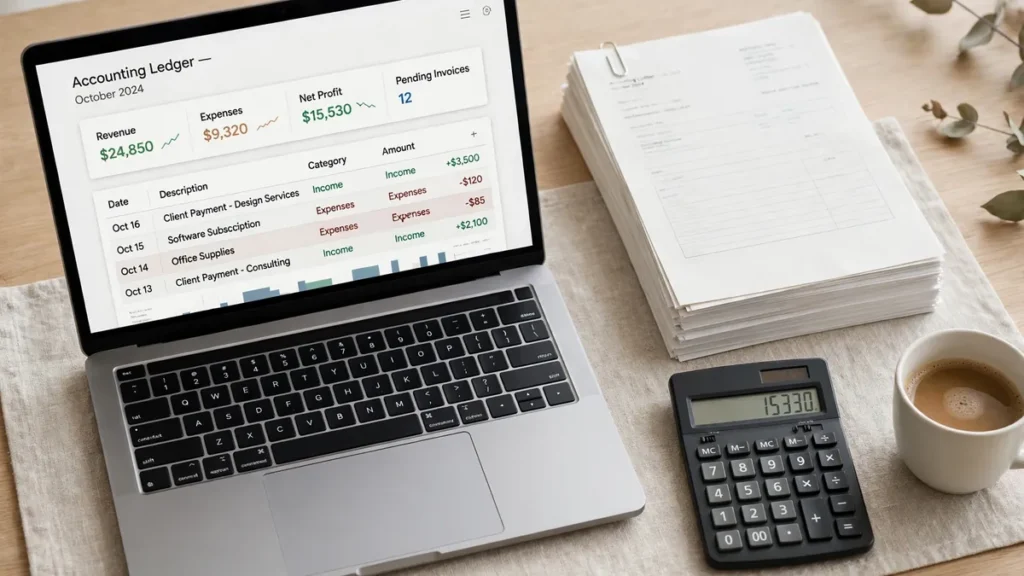
The best AI tools for collaboration management in 2026 help teams plan together, share knowledge faster, and spend less time on the busywork that used to fill the working day. Instead of hunting through chat threads, email chains, and half-finished documents, teams can now rely on software that organises their work, summarises their meetings, drafts their updates, and flags the tasks that need attention before a deadline slips. The result is not just a tidier workspace but a calmer one, where everyone knows what matters today and who is responsible for it.
Collaboration has changed because the modern team is rarely in one room at one time. Colleagues work from home, from coworking spaces, and across time zones, and the tools that hold them together have to work just as well at midnight as they do at nine in the morning. The best AI tools for collaboration management meet that need by turning scattered conversations into clear plans, by remembering decisions so people do not have to, and by making it easy for a new starter to catch up in hours rather than weeks.
This guide compares the strongest options available in 2026, from all-in-one workspaces to focused assistants for meetings, documents, and projects. Each tool has been judged on the same practical questions: does it save real time, does it fit the way a team already works, is it easy to learn, and does it keep sensitive information safe? By the end, you will know which tools suit a small startup, which suit a growing department, and which suit a large organisation that needs structure, reporting, and control.
Key takeaways
- The best AI tools for collaboration management cut meeting time and admin work by summarising discussions, drafting updates, and keeping tasks organised automatically.
- All-in-one workspaces such as Notion AI, ClickUp AI, and Asana Intelligence suit teams that want docs, tasks, and chat in a single place.
- Specialist assistants for meetings and chat, including Slack AI and Zoom AI Companion, deliver the fastest wins for teams that already live in those apps.
- The right choice depends on team size, existing habits, and budget, not on which tool has the longest feature list.
- A short trial with real work, a clear rollout plan, and a named owner matter more than any single feature when a team adopts a new tool.

What Collaboration Management Means in 2026
Collaboration management is the discipline of keeping a team aligned: shared goals, clear ownership, visible progress, and decisions that everyone can find later. In 2026 it covers more than a shared to-do list. It includes documents that write themselves from meeting notes, project boards that update when work moves, chat channels that surface the messages that matter, and dashboards that show a manager exactly where a project stands without a status meeting.
The reason this matters now is that the volume of work has grown faster than the hours available to do it. Teams juggle more projects, more stakeholders, and more tools than ever before, and the cost of confusion is high. A missed message can delay a launch by a week. A decision buried in a chat thread can be argued about twice. An unrecorded action item can quietly become a missed deadline. Good collaboration management removes those failure points before they cause damage.
Artificial intelligence changes the equation because it handles the routine parts of coordination. It can draft a meeting agenda from a project board, turn a rambling discussion into a tidy set of action items, translate a message for a colleague in another country, and remind a team member about a task that is about to become overdue. None of this replaces human judgement, but it removes the friction that used to consume the first hour of every working day.
How AI Is Changing the Way Teams Work Together
The most visible change is the end of the meeting notes chore. AI assistants now join video calls, transcribe the conversation, and produce a summary with decisions and action items within minutes of the call ending. Team members who missed the meeting can catch up by reading a short paragraph instead of watching an hour-long recording. This alone saves many teams several hours every week.
A second change is smarter search. Instead of remembering which document or channel held a particular decision, team members can ask a question in plain language and receive an answer drawn from their own workspace. A question such as which supplier did we choose for the spring launch returns the decision, the date, and the person who made it. That kind of instant recall was impossible with folders and filenames alone.
A third change is the way AI drafts the first version of almost everything. Project updates, status reports, meeting agendas, and client summaries can all start as a draft that a human reviews and edits. The human still owns the judgement, but the blank page is gone. For teams that produce a lot of written communication, this is often the single biggest time saving.
Notion AI
Notion AI turns the popular workspace app into a genuinely intelligent partner for teams that live in documents. It can summarise long pages, draft project briefs, rewrite rough notes into clear prose, and answer questions using the contents of a workspace. A team that keeps its plans, meeting notes, and research in Notion will find that the AI makes that knowledge far easier to use.
The strongest feature for collaboration is the question-answering capability. Instead of searching through dozens of pages, a team member can ask what the team decided about the website redesign and receive a sourced answer with links to the original pages. New starters find this especially useful, since they can learn the history of a project without interrupting colleagues.
Notion AI also helps with the daily rhythm of teamwork. It can turn a set of meeting notes into a task list, draft a weekly update from a project board, and create tables that summarise progress across several projects. The quality of the output depends on the quality of the underlying pages, so teams that keep their workspace tidy get the most from it.
Pricing is reasonable for small and medium teams, and the free plan is generous enough for a trial. The main limitation is that Notion is document-first, so teams that need deep project management features such as time tracking or advanced reporting may need to pair it with another tool. For knowledge-heavy teams, though, it is hard to beat.
ClickUp AI
ClickUp AI sits inside one of the most flexible project management platforms available, and its strength is breadth. It can summarise tasks and comments, generate project plans, draft standup updates, and even suggest subtasks for a complex piece of work. Teams that want one tool for docs, tasks, chat, and goals will find ClickUp unusually complete.
The AI is particularly good at turning messy input into structure. Paste a long email thread or a set of rough meeting notes into ClickUp, and it can produce a tidy task list with owners and due dates. That capability is a real time saver for project managers who otherwise spend hours translating conversations into plans.
ClickUp also offers AI-assisted writing across the platform, so a team member can draft a project description, a task comment, or a team announcement without leaving the app. The tone controls are useful here: a message can be made more concise, more formal, or more friendly with a single click.
The trade-off is complexity. ClickUp has so many features that new teams can feel overwhelmed, and the AI works best once the workspace has been set up thoughtfully. Teams that invest a day or two in that setup, however, often find that ClickUp becomes the single place where all of their work lives.
Asana Intelligence
Asana Intelligence brings AI to one of the most established project management tools, and it focuses on the problems that large teams actually face: too many status meetings, unclear priorities, and goals that drift out of sight. Its smart status feature can draft a project update from recent activity, and its smart goals feature helps teams write goals that are specific and measurable.
The smart answers feature is a highlight. Team members can ask natural-language questions about their projects, such as which tasks are at risk this week, and receive a clear answer drawn from live data. This reduces the number of interruptions a project manager faces and gives everyone a shared view of the truth.
Asana also uses AI to help with the planning stage. It can suggest subtasks when a new project is created, break a large goal into manageable steps, and flag tasks that are missing an owner or a due date. These small nudges prevent the kind of loose ends that cause delays.
For organisations that already use Asana, the AI features are a natural upgrade. The pricing sits at the higher end for small teams, but the reporting, workload management, and enterprise controls justify the cost for departments and companies that need structure and accountability.
Monday AI
Monday AI adds intelligence to a platform that is already popular for its visual boards and flexible workflows. Its assistant can summarise updates, generate formulas, categorise items automatically, and draft emails from board data. The emphasis is on making everyday work faster rather than on ambitious automation.
The formula builder is a good example. A team member who needs a calculation can describe it in plain language, and the AI writes the formula for them. Similarly, the email generator can turn a row of board data into a polished message to a client or colleague. These are small wins, but they add up across a team.
Monday AI also helps with the problem of messy data. It can categorise items, extract key details from text, and flag entries that look incomplete. For teams that use Monday as a shared database of clients, projects, or campaigns, that tidiness is valuable.
The platform is at its best for teams that think visually and want a tool that is pleasant to use. It is less suited to teams that need deep document editing or complex knowledge management, but as a collaboration hub for projects and workflows, it is one of the strongest options in 2026.
Slack AI
Slack AI is the most direct answer to a problem every team knows: too many messages, too little signal. Its search and summary features let a team member catch up on a channel in seconds, with a concise summary of what was decided and what needs a reply. For teams that live in Slack, this alone justifies the upgrade.
The thread summaries are particularly useful after a holiday or a busy week. Instead of scrolling through hundreds of messages, a person can read a short paragraph that captures the decisions and open questions. The AI also highlights the messages that mention them directly, so nothing important is missed.
Slack AI can also help with writing. It can draft a message, adjust its tone, and suggest replies to common questions. For customer-facing teams and busy managers, the time saved on routine replies is significant.
The limitation is scope: Slack AI works inside Slack, so it does not help with documents or project plans held elsewhere. Teams that pair it with a strong docs or project tool, however, get the best of both worlds. It is also worth noting that the quality of the summaries depends on how clearly a team writes, which is a good reason to keep channel messages focused.
Microsoft Copilot in Teams
Microsoft Copilot brings AI to Teams meetings, chats, and documents, and it is the natural choice for organisations already invested in the Microsoft ecosystem. During a meeting, Copilot can summarise the discussion in real time, answer questions about what has been said, and draft follow-up actions before the call ends.
The most impressive feature is the way Copilot works across apps. It can pull information from Outlook, SharePoint, and OneDrive to answer a question in Teams, or draft a document in Word using the context of a recent meeting. For a team that stores everything in Microsoft 365, this cross-app memory is a genuine advantage.
Copilot also helps with the everyday burden of email and chat. It can draft replies, summarise long threads, and prepare a briefing before a meeting with the key points from recent conversations. Managers who spend hours each day on communication find this especially valuable.
The cost is the main drawback: Copilot requires a Microsoft 365 subscription plus a per-user licence, which adds up quickly for a large team. It also works best when an organisation has its data well organised in Microsoft apps. For companies already committed to that ecosystem, though, it is the most integrated option available.
Zoom AI Companion
Zoom AI Companion focuses on meetings, and it does that job very well. It generates summaries with action items, creates smart chapters so a recording can be skimmed, and can answer questions about a meeting after it ends. Teams that spend much of their day on video calls will notice the difference immediately.
The in-meeting questions feature is a quiet revolution. A participant who joins late can ask what they missed, and the AI will summarise the discussion so far. A manager can ask which decisions were made and receive a concise list. This keeps meetings moving instead of pausing for recaps.
Zoom AI Companion also drafts messages and emails from meeting content, which speeds up the follow-up work that usually piles up after a busy day of calls. The summaries are generally accurate, though a human should always check names, dates, and numbers before sharing them externally.
A notable advantage is pricing: the AI Companion is included with paid Zoom plans at no extra cost, which makes it one of the best-value options on this list. The main limitation is that it is meeting-centric, so teams also need a docs and project tool alongside it.
Miro AI
Miro AI brings intelligence to the digital whiteboard, and it is the best option for teams that think visually. It can cluster sticky notes into themes, summarise a brainstorming session, generate mind maps from a single prompt, and turn a rough sketch of an idea into a structured diagram. For workshops, planning sessions, and creative work, it is genuinely impressive.
The clustering feature is the standout. After a brainstorm, a team can have hundreds of sticky notes on a board. Miro AI groups them into themes in seconds, which turns a chaotic wall of ideas into a set of clear options. That single feature can save an hour of manual sorting after every workshop.
Miro AI also helps with the follow-up. It can summarise a board, draft next steps, and create a presentation from the content of a workshop. This means the energy of a good session is not lost when everyone returns to their desks.
The tool is less suited to day-to-day task management, and teams that need a full project management system will want to pair Miro with another tool. For planning, design, and creative collaboration, however, it is the strongest choice in 2026.
Atlassian Intelligence
Atlassian Intelligence adds AI to Confluence and Jira, the workhorses of many product and engineering teams. In Confluence, it can summarise pages, draft content, and answer questions from the team knowledge base. In Jira, it can summarise issues, suggest next steps, and help write clear tickets. For teams that already live in Atlassian tools, the AI feels like a natural extension.
The knowledge search is a highlight. A team member can ask a question and receive an answer drawn from Confluence pages, Jira tickets, and connected sources, with links back to the originals. This is a powerful way to stop the same questions being asked again and again.
Atlassian Intelligence also helps with the quality of work items. It can rewrite a vague ticket into a clear one, suggest acceptance criteria, and flag duplicate issues. For product teams that deal with hundreds of tickets, that discipline improves the whole development process.
Pricing is included in the premium plans for Confluence and Jira, which makes it good value for existing Atlassian customers. Teams outside that ecosystem will find less reason to adopt it, but for software and product teams, it is a strong contender.
Other Tools Worth Considering
Beyond the leading names, several other tools deserve attention for specific needs. Trello with its Butler automation and AI features suits small teams that want a simple board without complexity. Smartsheet combines spreadsheets with AI summaries for teams that manage large programmes. Wrike offers AI project risk prediction for departments that need early warnings. Each of these is narrower than the leaders above, but for the right team, a focused tool can be a better fit than a general one.
Comparing the Best AI Tools for Collaboration Management
The table below summarises the leading tools at a glance. Use it to shortlist two or three options, then trial each one with real work before committing. A feature list can only tell you so much; the way a tool feels in daily use matters just as much.
| Tool | Best for | Key AI strengths | Starting point |
|---|---|---|---|
| Notion AI | Knowledge-heavy teams | Question answering, summaries, drafting | Low cost, generous free plan |
| ClickUp AI | All-in-one workspaces | Task generation, summaries, planning | Flexible pricing, free tier |
| Asana Intelligence | Structured departments | Smart status, smart goals, smart answers | Premium, higher cost |
| Monday AI | Visual project boards | Summaries, formulas, categorisation | Mid-range pricing |
| Slack AI | Chat-first teams | Channel summaries, search, drafting | Add-on to Slack plans |
| Microsoft Copilot | Microsoft 365 organisations | Meeting summaries, cross-app answers | Per-user licence on top of 365 |
| Zoom AI Companion | Meeting-heavy teams | Summaries, chapters, in-meeting questions | Included with paid Zoom |
| Miro AI | Workshops and planning | Clustering, mind maps, summaries | Mid-range pricing |
| Atlassian Intelligence | Product and engineering teams | Knowledge search, ticket quality | Included in premium plans |
How to Choose the Right Tool for Your Team
Choosing a collaboration tool is a decision about habits, not just software. The best tool is the one your team will actually use every day, and that usually means the one that fits the way they already work. A tool that forces a team to change everything at once will be resisted, however good its features look on paper.
Start by watching how your team works today. Where do decisions get lost? Which meetings could be an email? What do new starters struggle to find? The answers point to the problem a new tool should solve. A team that loses decisions in chat needs better summaries and search, while a team that misses deadlines needs clearer tasks and ownership.
Security and privacy deserve attention too, especially for teams handling client data or operating under regulations. Check where data is stored, how long AI training data is kept, and whether the tool offers the controls your organisation needs. The leading tools in this guide all publish clear policies, and a short review of those policies is time well spent. Teams that coordinate people, projects, and deadlines every day often find that comparing the best AI tools for team management alongside collaboration software helps them see which platform fits their working style.
Your selection checklist
- Define the problem first: write down the three collaboration problems that cost your team the most time each week, and judge every tool against those problems alone.
- Trial with real work: run a two-week trial on a live project with the people who will use the tool daily, not just with managers.
- Check the integrations: confirm that the tool connects with the apps your team already relies on, including email, calendars, and file storage.
- Test the AI on your own content: feed it a real meeting recording and a real project board, and judge the quality of the summaries and suggestions.
- Plan the rollout: name one person to own the setup, write a short guide for the team, and set a date to review whether the tool is working.
- Review security and cost: check data storage, privacy controls, and the full per-user price, including any AI add-ons, before you commit.
Common Mistakes Teams Make with AI Collaboration Tools
The most common mistake is buying a tool before defining the problem. A team that adopts software because it is popular, rather than because it solves a specific pain, usually ends up with a half-used workspace and a monthly bill. Start with the pain, then find the tool that removes it.
A second mistake is trusting AI output without checking it. Summaries can miss a nuance, action items can be assigned to the wrong person, and a draft can contain a confident error. The fix is simple: treat AI output as a first draft, and have a human review anything that leaves the team. This habit also protects the team when a summary is shared with a client or a senior leader.
A third mistake is adding too many tools at once. Each new app creates another place to check, another login, and another source of confusion. Most teams need one home for their work, plus one or two specialist tools. If a new tool does not replace something, ask whether it is truly needed. Keeping meetings short and useful is another discipline that pairs well with good software, and teams that run many calls can benefit from dedicated AI tools for meeting management that summarise discussions and track action items automatically.
A fourth mistake is ignoring the people side of the change. A new tool changes how a team communicates, and that can feel uncomfortable. Involve the team in the choice, explain the reasons, and give people time to learn. A tool imposed from above without explanation is far more likely to fail than one the team helped choose.
Getting the Most from Your Chosen Tool
Once a tool is chosen, the difference between a good rollout and a great one is usually discipline. Set a few simple conventions and stick to them: one place for decisions, one place for tasks, and one person who owns each project. When everyone follows the same conventions, the AI has clean material to work with and the team always knows where to look.
Templates are the easiest way to enforce those conventions. A standard template for meeting notes, project briefs, and weekly updates means every page has the same structure, which makes summaries more accurate and searches more reliable. Most of the tools in this guide include templates, and customising them takes only an afternoon.
Regular reviews keep the system healthy. A short monthly check can answer simple questions: are tasks being updated, are decisions recorded, are there projects with no owner? These reviews are also the right time to check whether the AI features are being used. If a team is paying for AI and not using it, that is a training problem, not a software problem.
Frequently Asked Questions
What is the best AI tool for collaboration management in 2026?
There is no single best tool for every team. Notion AI suits knowledge-heavy teams, ClickUp AI suits teams that want an all-in-one workspace, Asana Intelligence suits structured departments, and Slack AI suits chat-first teams. The best choice depends on team size, existing habits, and budget, so shortlist two or three options and trial each with real work.
Can AI tools replace meetings?
They can reduce meetings, but they cannot replace the ones that matter. AI summaries and asynchronous updates remove the need for many status meetings, and that alone can save hours each week. Decisions that need debate, creativity, or trust are still better handled face to face, even if the AI takes the notes afterwards.
Are AI collaboration tools safe for sensitive work?
The leading tools publish clear data policies, offer encryption, and provide controls for administrators. Before adopting a tool, check where data is stored, whether your content is used to train models, and what retention policies apply. For highly sensitive work, choose a tool with enterprise controls and confirm the answers with your IT or legal team.
How much do AI collaboration tools cost?
Prices range from free tiers for small teams to substantial per-user licences for enterprise plans. Some AI features, such as Zoom AI Companion, are included with paid plans, while others are add-ons. Always check the full per-user cost including AI features, and compare that with the time the tool is likely to save.
Do small teams need AI collaboration tools?
Small teams often benefit the most, because each person carries more responsibility and has less time for admin. A free or low-cost tool that summarises meetings and organises tasks can give a small team the coordination of a much larger one. The key is to choose a simple tool and keep the setup light.
How long does it take to switch to a new collaboration tool?
A small team can switch in a week or two, while a large department may need a month or more. The fastest switches happen when the team migrates only current work, agrees on simple conventions, and names one person to own the rollout. Trying to move years of history at once is the most common cause of a slow migration.
The Bottom Line
The best AI tools for collaboration management in 2026 do not just add features to old software; they change how teams spend their time. They remove the busywork of summarising, chasing, and searching, and they give that time back to the work that matters. Notion AI, ClickUp AI, and Asana Intelligence lead the all-in-one category, while Slack AI, Zoom AI Companion, and Microsoft Copilot excel for teams already committed to those platforms. Miro AI and Atlassian Intelligence round out the list for visual planning and product teams.
Your choice should start with your team’s real problems, not with a feature list. Trial two or three tools on live work, involve the people who will use them daily, and judge the results by the time saved and the confusion removed. When a tool is chosen well and rolled out with care, the whole team feels the difference within weeks: fewer meetings, clearer ownership, and a workspace that actually helps people do their best work. For teams building roadmaps and shipping features together, the right companion to a collaboration platform is often a strong set of AI tools for product management that keeps priorities, timelines, and feedback in one place.

Keep what speaks to you.
Leave room for your own perspective.